

Apollon865 ransomware uses strong encryption algorithms to lock personal files
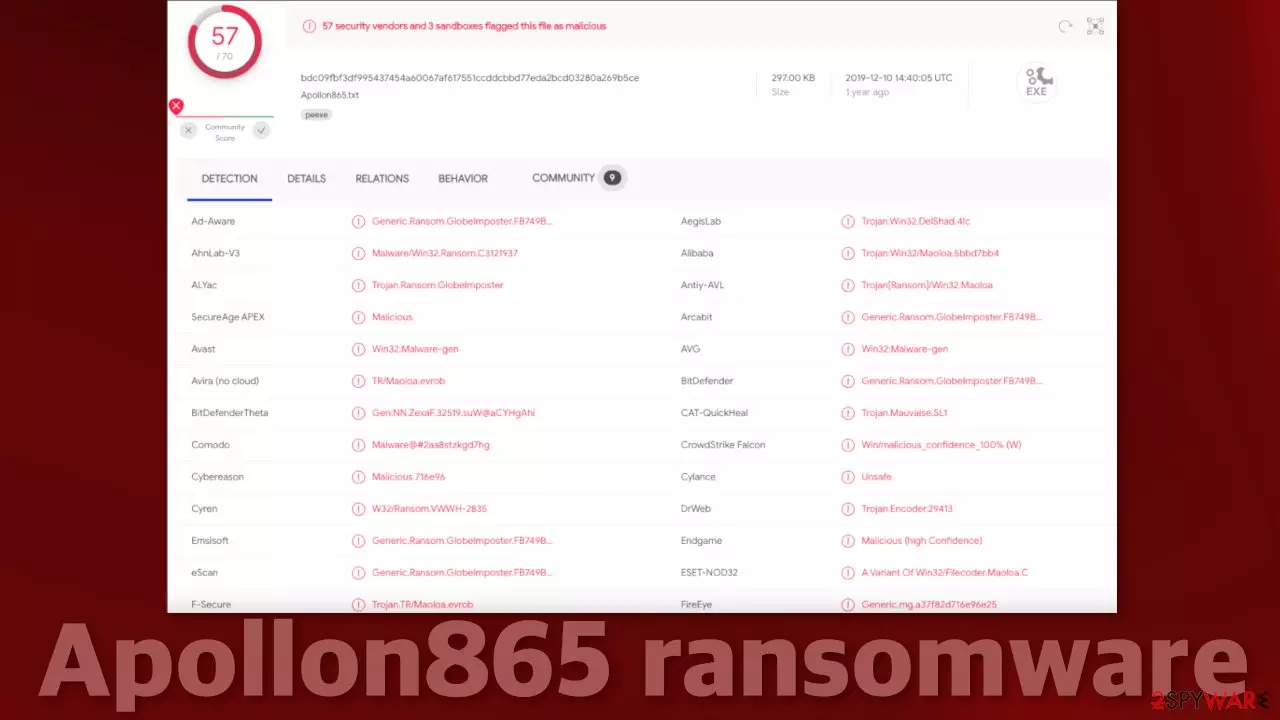
Ransomware is one of the biggest threats in today's digitized world. A massive amount of data is stored in the machines today, and it can be turned into a weapon for extortion. Recently, ransomware researchers detected a new strain of malicious programs called Apollon865. It is said to belong to the GlobeImposter ransomware family, which is notorious for sending thousands of infected emails disguised as legitimate ones.
When it infiltrates the system, it immediately starts the encryption process, appending files with the .Apollon865 extension. Newer versions of this virus can append files with the .Apollon865qq extension. This makes the files impossible to open or even view in preview mode because the icons get changed to white pages. Soon after the encryption[1] process is done, a HOW TO BACK YOUR FILES.exe ransom note is opened in a pop-up that contains lots of information about what victims should do next, according to the attackers.
| NAME | Apollon865 |
| TYPE | Ransomware, data locking virus, crypto virus |
| MALWARE FAMILY | GlobeImposter ransomware |
| FILE EXTENSION | .Apollon865; .Apollon865qq |
| RANSOM NOTE | HOW TO BACK YOUR FILES.exe pop-up |
| DISTRIBUTION | Infected email attachments, peer-to-peer file sharing platforms, torrents, malicious ads |
| FILE RECOVERY | It is next to impossible to recover the files if you do not have backups or the decryption keys were not leaked; in some cases, recovery is successful with third-party software |
| ELIMINATION | Scan your machine with anti-malware software to eliminate the virus safely; this will not recover the locked files |
| SYSTEM FIX | You can avoid windows reinstallation with FortectIntego maintenance tool, which can fix damaged files and system errors |
We strongly advise you not to contact hackers as you can get scammed. Many ransomware victims report not receiving any response after sending the payment in cryptocurrency, so it is just not worth the risk. It is unclear how much these particular threat actors want as that is not mentioned in the ransom note, they probably want to negotiate with every victim individually.
The ransom note
HOW TO BACK YOUR FILES.exe – a message from cybercriminals is written in Chinese and English languages. It is unclear whether they target only countries that speak these languages. Ransomware developers create a note that is unique for every user because it includes a one-of-a-kind personal ID.
Unlike other malware developers, ransomware creators do not hide their actions. They are called gray hat[2] hackers. This means that they create a problem and then offer to fix it for something in return. In this case, file-locking malware authors usually ask to be paid in Bitcoin [3] but other cryptocurrencies can also be preferred.
Your personal ID
–
English ☣Your files are encrypted!☣
☣您的文件被加密了!☣————————
To decrypt, follow the instructions below.
请按照下面的说明进行解密。
To recover data you need decrypt tool.
恢复数据您需要解密程序。
To get the decrypt tool you should:
获得解密程序您需要:Send 1 crypted test image or text file or document to Sin_Eater.666@aol.com
发送一个被加密的测试文件(图片或者文档)到 邮箱 Sin_Eater.666@aol.com
In the letter include your personal ID (look at the beginning of this document). Send me this ID in your first email to me.
We will give you free test for decrypt few files (NOT VALUE) and assign the price for decryption all files.
After we send you instruction how to pay for decrypt tool and after payment you will receive a decrypt tool and instructions how to use it We can decrypt few files in quality the evidence that we have the decoder.邮件内容需要包含您的个人ID(请看文档开始的ID)。
我们将会解密测试文件并给出解密全部文件的价格。
然后我们会告诉您如何购买解密程序,支付解密费用后您将收到解密程序和使用说明。 我们解密一个文件是为了证明我们拥有解码器.
————————
MOST IMPORTANT!!!
非常重要!!!
Do not contact other services that promise to decrypt your files, this is fraud on their part! They will buy a decoder from us, and you will pay more for his services. No one, except Sin_Eater.666@aol.com, will decrypt your files.
不要联系其他保证能解密您文件的人,他们是在欺骗您! 他们需要从我们这里购买解码器,而且您需要为此支付更多的费用。
————————Only Sin_Eater.666@aol.com can decrypt your files
Do not trust anyone besides Sin_Eater.666@aol.com
Antivirus programs can delete this document and you can not contact us later.
Attempts to self-decrypting files will result in the loss of your data
Decoders other users are not compatible with your data, because each user's unique encryption key
只有 Sin_Eater.666@aol.com 能解密您的文件。
不要相信任何人,除了 Sin_Eater.666@aol.com 。
杀毒软件会删除这个文档,那么您将无法联系到我们。
尝试自己去解密文件将会使您的数据丢失。
其他人的解密程序不适合您文件解密,因为每个用户都有唯一的加密密钥
Almost every ransom note uses some kind of scare tactics to discourage victims from exploring other options. In a lot of cases, a time limit is given to contact the hackers. All they want is for you to act based on your emotions and not think straight. You have not let your emotions take over, and read about the options you have below.

Use professional security tools to eliminate malicious files
The critical thing to do is disconnect the affected machine from the local network. For home users, disconnecting the ethernet cable should do the job. If this happened at your workplace, doing that might be complicated, so we have instructions for corporate environments at the bottom of this post.
If you try to recover your data first, it can result in permanent loss. It can also encrypt your files the second time. It will not stop until you remove the malicious files causing it first. You should not attempt removing the malicious program yourself unless you have experience.
Use anti-malware tools like SpyHunterCombo Cleaner or MalwarebytesMalwarebytes to scan your system. This security software should find all the related files and entries and remove them automatically for you. In some cases, malware is not letting you use antivirus in normal mode, so you need to access Safe Mode and perform a full system scan from there:
Windows 7 / Vista / XP
- Click Start > Shutdown > Restart > OK.
- When your computer becomes active, start pressing the F8 button (if that does not work, try F2, F12, Del, etc. – it all depends on your motherboard model) multiple times until you see the Advanced Boot Options window.
- Select Safe Mode with Networking from the list.
Windows 10 / Windows 8
- Right-click on the Start button and select Settings.
- Scroll down to pick Update & Security.
- On the left side of the window, pick Recovery.
- Now scroll down to find the Advanced Startup section.
- Click Restart now.
- Select Troubleshoot.
- Go to Advanced options.
- Select Startup Settings.
- Click Restart.
- Press 5 or click 5) Enable Safe Mode with Networking.
Fix system errors to prevent Windows reinstallation
Performance, stability, and usability issues, to the point where a complete Windows reinstall is required, are expected after malware infection. These types of infections can alter the Windows registry database, damage vital bootup and other sections, delete or corrupt DLL files, etc. Once a system file is damaged by malware, antivirus software is not able to repair it.
This is why FortectIntego was developed. It can fix a lot of the damage caused by an infection like this. Blue Screen errors, freezes, registry errors, damaged DLLs, etc., can make your computer completely unusable. By using this maintenance tool, you could avoid Windows reinstallation.
- Download the application by clicking on the link above
- Click on the ReimageRepair.exe
- If User Account Control (UAC) shows up, select Yes
- Press Install and wait till the program finishes the installation process
- The analysis of your machine will begin immediately
- Once complete, check the results – they will be listed in the Summary
- You can now click on each of the issues and fix them manually
- If you see many problems that you find difficult to fix, we recommend you purchase the license and fix them automatically.


File recovery options
Many people think that they can fix their files with anti-malware tools, but that is not what they are designed for. All the security tools can do is detect suspicious processes in your system and eliminate malicious files. The truth is, the files can be restored only with a decryption key or software that only the cybercriminals have.
If you did not back up your data previously, you possibly lost your files forever. You can try using data recovery software, but third-party programs cannot always decrypt the files. We suggest at least trying this method. Before proceeding, you have to copy the corrupted files and place them in a USB flash drive or another storage. And remember – only do this if you have already removed the Apollon865 ransomware.
Before you begin, several pointers are essential while dealing with this situation:
- Since the encrypted data on your computer might permanently be damaged by security or data recovery software, you should first make backups of it – use a USB flash drive or another storage.
- Only attempt to recover your files using this method after you perform a scan with anti-malware software.
Install data recovery software
- Download Data Recovery Pro.
- Double-click the installer to launch it.
- Follow on-screen instructions to install the software.

- As soon as you press Finish, you can use the app.
- Select Everything or pick individual folders where you want the files to be recovered from.

- Press Next.
- At the bottom, enable Deep scan and pick which Disks you want to be scanned.

- Press Scan and wait till it is complete.
- You can now pick which folders/files to recover – don't forget you also have the option to search by the file name!
- Press Recover to retrieve your files.



Distribution methods and how to protect yourself
Because Apollon865 is a relatively new strain of ransomware, it is unknown what particular methods are used to spread it. But there are some general ways cybercriminals do it. Typically, the malicious code gets introduced by an executable file (.exe) that may have been in a zip folder, embedded within Microsoft Office document’s macros, or disguised as fax or other viable attachment. This usually happens because of user error and ignorance of security risks.
Many people like to install something called “cracked” software because they do not want to pay for licenses. Little do they know that sites distributing these programs are breeding grounds for PUPs and malware. They are unregulated and unsafe. Almost all downloads contain some kind of malicious file, so they should definitely not be trusted.
The most common distribution way is for hackers to use OS or software vulnerabilities. That is why it is vital to keep everything updated. Software developers often release security updates for newly found vulnerabilities, so you can be exposed if you do not do that.
One more good thing to know is not to believe everything you see. Threat actors use various phishing techniques to lure you in. This can be an email attachment, as we mentioned above, or a malicious URL.[4] Fraudsters can use your friend list to make it look more legitimate, so it is best to double-check with the person through another platform before opening anything because you can potentially put your entire local network in danger.
Did this guide help?
Be the first to comment