

Fantasy-Sports hijacks the browser by changing the main settings and collecting data
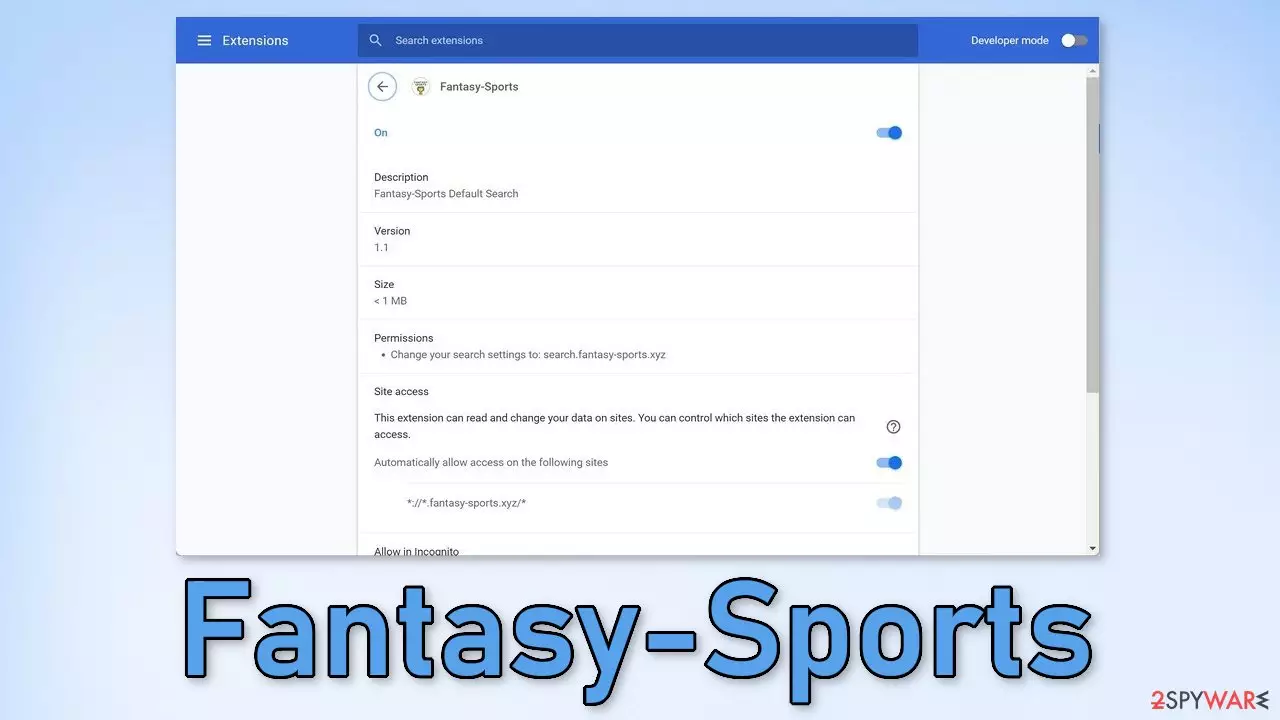
Fantasy-Sports is a browser hijacker because it changes the main settings, like the homepage, new tab address, and search engine. It can completely alter the user experience and cause unwanted symptoms. Besides, users are forced to search only through selected channels which raises many user security and privacy concerns.
Web-based applications can also keep track of user browsing activities by using various tracking technologies. The collected data can later be sold to advertising networks or other third parties for profit. Besides the changed settings, the application can cause ads, banners, and redirects in the browser that generate developers revenue with PPC advertising.[1]
Users might get redirected to pages that use social engineering techniques to trick them into providing personal information or downloading PUPs (potentially unwanted programs)[2] or even malware. Such intruders can sometimes lead to monetary losses or identity theft if users stumble upon a malicious site.
| NAME | Fantasy-Sports |
| TYPE | Browser hijacker; potentially unwanted program |
| SYMPTOMS | The main settings, like the homepage, new tab address, and search engine get changed |
| DISTRIBUTION | Shady websites, deceptive ads, freeware installations |
| DANGERS | The extension can lead to misinformation and dangerous pages that may trick people into providing personal information or downloading PUPs and malware |
| ELIMINATION | Remove the plugin via browser settings |
| FURTHER STEPS | Use FortectIntego to clear your browsers and optimize the machine |
The application changes the search engine to Fantasy-Sports Search, and redirects users' queries through search.fantasy-sports.xyz. You can actually see these changes even before you add an extension to your browser. Normally, a browser prompt pops up informing you about the changes to be made if you add the app. You should look out for them and make sure you do not introduce anything into your system that you do not want.
You might also see that the application will be able to read your browsing history so it is worth stopping and thinking for a second if you are sure the application is safe to add. You can always stop the tracking and delete the existing data collected by cookies[3] with a repair tool like FortectIntego. Of course, you cannot take back the data that the plugin developers have already seen, so it is best to always be cautious of who you are sharing your information with.
Distribution techniques
Generally, users infect themselves with such hijackers because they do not perform any research. They download apps from random websites and advertisements without trying to look for any additional information. You should always use official web stores for such tasks as they are the safest. Extensions that get listed on the store, go through an extensive review process.
Another way that the add-on could have ended up on your system is through freeware distribution sites. Sometimes freeware comes together with browser extensions that get applied automatically. These platforms also engage in software bundling which means that they include additional programs in the installers that you did not even choose to install.
To avoid this, next time go through all the installation steps. Choose the “Custom” or “Advanced” installation method, read the Terms of Use and the Privacy Policy. Most importantly, check the files up for installation. If you see any suspicious apps that look completely unrelated, untick the boxes next to their names.

Get rid of browser intruders
Generally, browser extensions are created to provide users some benefits, like masking the geolocation, blocking ads, and suspicious links, or automatically finding discount coupons while shopping online. People add them to make their browsers more functional and smart. However, you need to know how to remove them if something goes wrong.
You can remove browser add-ons by going to your settings. Find the list of extensions installed in your browser and remove Fantasy-Sports. We show you how to do that in the guide below:



Did this guide help?
Be the first to comment