

ZORN ransomware targets companies by stealing their data and threatening to leak it if not paid
ZORN is one of the newest strains of ransomware detected by malware researchers. It is a file-locking malware that infiltrates the system and locks users' personal files. However, this version of ransomware seems to target businesses more than home users.
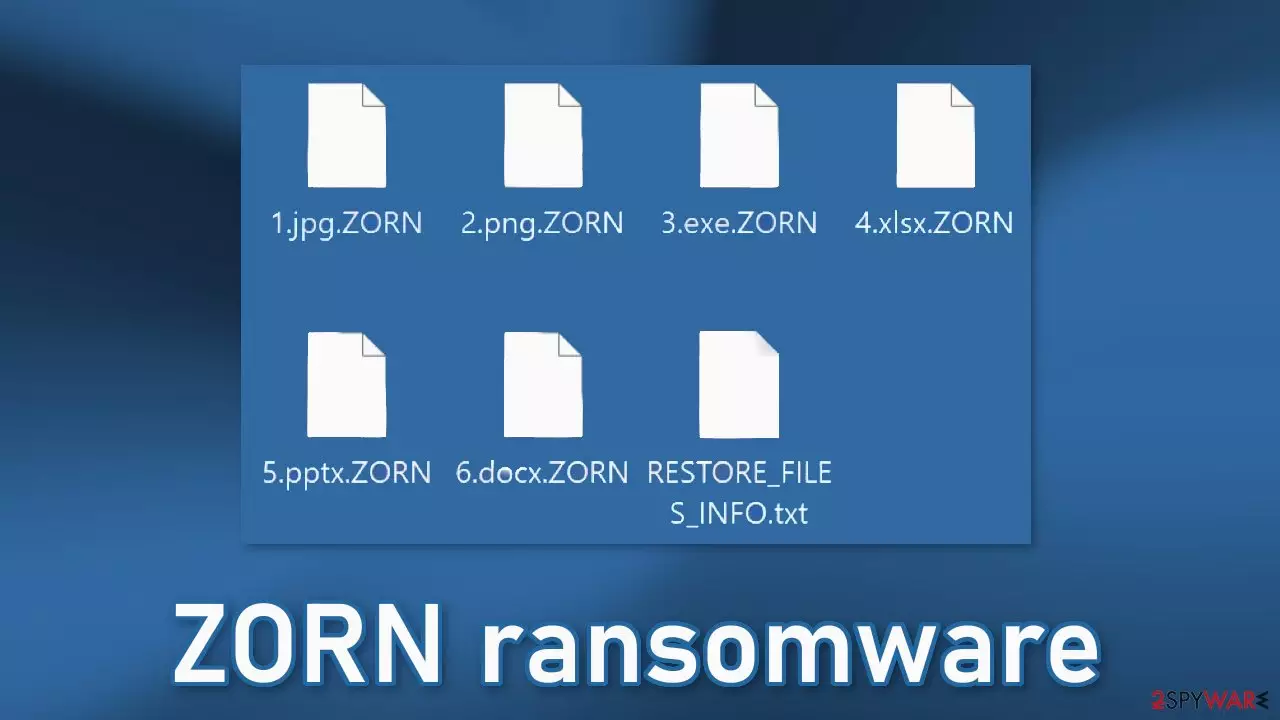
Once the virus enters the operating system it starts the encryption process and locks various files, like photos, videos, and documents. If a file was previously named picture.jpg, after the encryption process is done, the file would look like this – picture.jpg.ZORN. The appearance of the files would change as well – they would be turned into icons of white pages.
At this stage, the files become impossible to open, view, or use. The main purpose of ransomware is financial gain. Shortly after the encryption process is done, a ransom note is generated on the machine named RESTORE_FILES_INFO.txt. Crooks blackmail their targets into paying money for a decryption key.[1]
| NAME | ZORN |
| TYPE | Ransomware, cryptovirus, data locking malware |
| DISTRIBUTION | Email attachments, peer-to-peer file sharing platforms, malicious ads |
| FILE EXTENSION | .ZORN |
| RANSOM NOTE | RESTORE_FILES_INFO.txt |
| FILE RECOVERY | It is almost impossible to recover the files if you do not have backups. We provide a third-party recovery option in our guide. |
| MALWARE REMOVAL | Scan your machine with anti-malware software to eliminate the malicious files. This will not recover them. |
| SYSTEM FIX | Windows reinstallation can be avoided with FortectIntego maintenance tool, which can fix the damaged OS |
The ransom note

The full ransom note RESTORE_FILES_INFO.txt from ZORN ransomware developers read as follows:
——————
| What happened? |
——————Your network was ATTACKED, your computers and servers were LOCKED,
Your private data was DOWNLOADED:
– Contracts
– Customers data
– Finance
– HR
– Databases
– And more other…———————-
| What does it mean? |
———————-It means that soon mass media, your partners and clients WILL KNOW about your PROBLEM.
————————–
| How it can be avoided? |
————————–In order to avoid this issue,
you are to COME IN TOUCH WITH US no later than within 3 DAYS and conclude the data recovery and breach fixing AGREEMENT.——————————————-
| What if I do not contact you in 3 days? |
——————————————-If you do not contact us in the next 3 DAYS we will begin DATA publication.
We will post information about hacking of your company on public
ALL YOUR CLIENTS WILL KNOW ABOUT THE INCIDENT!!!
Think very well of the consequences.
You can spare this little money and subsequently lose much more.—————————–
| I can handle it by myself |
—————————–It is your RIGHT, but in this case all your data will be published for public USAGE.
——————————-
| I do not fear your threats! |
——————————-That is not the threat, but the algorithm of our actions.
If you have hundreds of millions of UNWANTED dollars, there is nothing to FEAR for you.
That is the EXACT AMOUNT of money you will spend for recovery and payouts because of PUBLICATION.
You are exposing yourself to huge penalties with lawsuits and government if we both don't find an agreement.
We have seen it before cases with multi million costs in fines and lawsuits,
not to mention the company reputation and losing clients trust and the medias calling non-stop for answers.————————–
| You have convinced me! |
————————–Then you need to CONTACT US, there is few ways to DO that.
—Secure method—
a) Download a qTOX client: hxxps://tox.chat/download.html
b) Install the qTOX client and register account
c) Add our qTOX ID: 671263E7BC06103C77146A5A BB802A63F53A42B4C4766329A5F04D2660C99A3611635CC36B3A
or qTOX ID: BC6934E2991F5498BDF5D852F10EB4F7E14 59693A2C1EF11026EE5A259BBA3593769D766A275
d) Write us extension of your encrypted files .ZORNOur LIVE SUPPORT is ready to ASSIST YOU on this chat.
—————————————-
| What will I get in case of agreement |
—————————————-You WILL GET full DECRYPTION of your machines in the network, DELETION your data from our servers,
RECOMMENDATIONS for securing your network perimeter.And the FULL CONFIDENTIALITY ABOUT INCIDENT.
—————————————————-
Number of files that were processed is: –
The ransom note is catered towards a company. Cybercriminals use scare tactics to make the victims pay the ransom as soon as possible. The amount is not specified in the note so most likely it would be negotiated privately. The threat actors threaten to release all the stolen information to the public and ruin the company's reputation.
Crooks push the individuals to contact them as soon as possible and make a payment in cryptocurrencies.[2] Criminals choose this form of payment because it is anonymous. We strongly advise against contacting cyber criminals because they cannot be trusted.
Ransomware victims are also often scammed as they never hear back from the perpetrators after sending the payment. Cryptocurrency transactions are irreversible and it is impossible to get a refund. Victims should really think about if they want to risk losing money as well as their files.
It is true that most times, the only way to get your data back is to pay the ransomware developers. Only they have the decryption key or software. However, it is too risky as many previous ransomware attack victims share their stories and say that they lost their data as well as the money.
Use professional security tools to eliminate malicious files

The thing that you have to do immediately is to disconnect the affected machine from the local network. Disconnecting the ethernet cable or disabling the Wi-Fi should do the job for home users. If this happened at your workplace, doing that might be complicated, so we have separate instructions for you at the bottom of this post.
If you try to recover your data first, it can result in permanent loss. Malware can also encrypt your files the second time if it is not eliminated first. It will not stop until you remove the malicious files causing it. You should not attempt removing the malicious program yourself unless you have excellent IT skills.
Use anti-malware tools like SpyHunterCombo Cleaner or MalwarebytesMalwarebytes to scan your system. This security software should find all the related files and entries and remove them automatically for you. In some cases, malware can prevent you from using antivirus software, so you need to access Safe Mode and perform a full system scan from there:
Windows 7 / Vista / XP
- Click Start > Shutdown > Restart > OK.
- When your computer becomes active, start pressing the F8 button (if that does not work, try F2, F12, Del, etc. – it all depends on your motherboard model) multiple times until you see the Advanced Boot Options window.
- Select Safe Mode with Networking from the list.
Windows 10 / Windows 8
- Right-click on the Start button and select Settings.
- Scroll down to pick Update & Security.
- On the left side of the window, pick Recovery.
- Now scroll down to find the Advanced Startup section.
- Click Restart now.
- Select Troubleshoot.
- Go to Advanced options.
- Select Startup Settings.
- Click Restart.
- Press 5 or click 5) Enable Safe Mode with Networking.
Fix system errors to prevent Windows reinstallation
Performance, stability, and usability issues, to the point where a complete Windows reinstall is required, are expected after malware infection. These types of viruses can alter the Windows registry database, damage vital bootup, and other functions, delete or corrupt DLL files, etc. Once a system file is damaged by malware, antivirus software will not able to repair it.
This is why FortectIntego was developed. This powerful software can fix a lot of the damage caused by ZORN ransomware. Blue Screen errors, freezes, registry errors, damaged DLLs, etc., can make your computer completely unusable. By using this maintenance tool, you could avoid Windows reinstallation.
- Download the application by clicking on the link above
- Click on the ReimageRepair.exe
- If User Account Control (UAC) shows up, select Yes
- Press Install and wait till the program finishes the installation process
- The analysis of your machine will begin immediately
- Once complete, check the results – they will be listed in the Summary
- You can now click on each of the issues and fix them manually
- If you see many problems that you find difficult to fix, we recommend you purchase the license and fix them automatically.


File recovery options
Many people think that they can fix their files with anti-malware tools, but that is not what they are designed for. All the security tools can do is detect suspicious processes in your system and eliminate them. The truth is, the files can be restored only with a decryption key or software that only the cybercriminals have.
If you did not back up your data previously, it might be possible that you will never get them back. You can try using data recovery software, but we have to note that third-party programs cannot always decrypt the files. We suggest at least trying this method. Before proceeding, you have to copy the corrupted files and place them in a USB flash drive or another storage. And remember – only do this if you have already removed the ZORN ransomware.
Before you begin, several pointers are essential while dealing with this situation:
- Since the encrypted data on your computer might permanently be damaged by security or data recovery software, you should first make backups of it – use a USB flash drive or another storage.
- Only attempt to recover your files using this method after you perform a scan with anti-malware software.
Install data recovery software
- Download Data Recovery Pro.
- Double-click the installer to launch it.
- Follow on-screen instructions to install the software.

- As soon as you press Finish, you can use the app.
- Select Everything or pick individual folders where you want the files to be recovered from.

- Press Next.
- At the bottom, enable Deep scan and pick which Disks you want to be scanned.

- Press Scan and wait till it is complete.
- You can now pick which folders/files to recover – don't forget you also have the option to search by the file name!
- Press Recover to retrieve your files.



Ransomware distribution methods
As you eliminate the threat you can learn about the ways this could have happened in the first place. The most common ransomware distribution methods are email attachments. They are often used to infect home users as well as businesses. Crooks attach malicious attachments to the emails and use social engineering[3] to make victims open them.
You should always make sure that the email is sent from someone you know. You should also double-check with the other person through a different service if you were not expecting the email. Once a malicious file is opened it can deploy malware immediately, so users should be extra careful.
Another common source of ransomware infections is torrent websites. They are breeding grounds for all kinds of malware because they are unregulated. Fraudsters can include malicious applications in the installers or disguise malware and PUPs (potentially unwanted programs)[4] as “handy” tools. It is best to use official web stores and developer sites whenever you want to install software. Third-party websites cannot be trusted. Even though it might get costly, you may save in the long run by keeping your system running smoothly.
Did this guide help?
Be the first to comment