

Japan ransomware virus marks data using .japan extension, hence the name of the threat
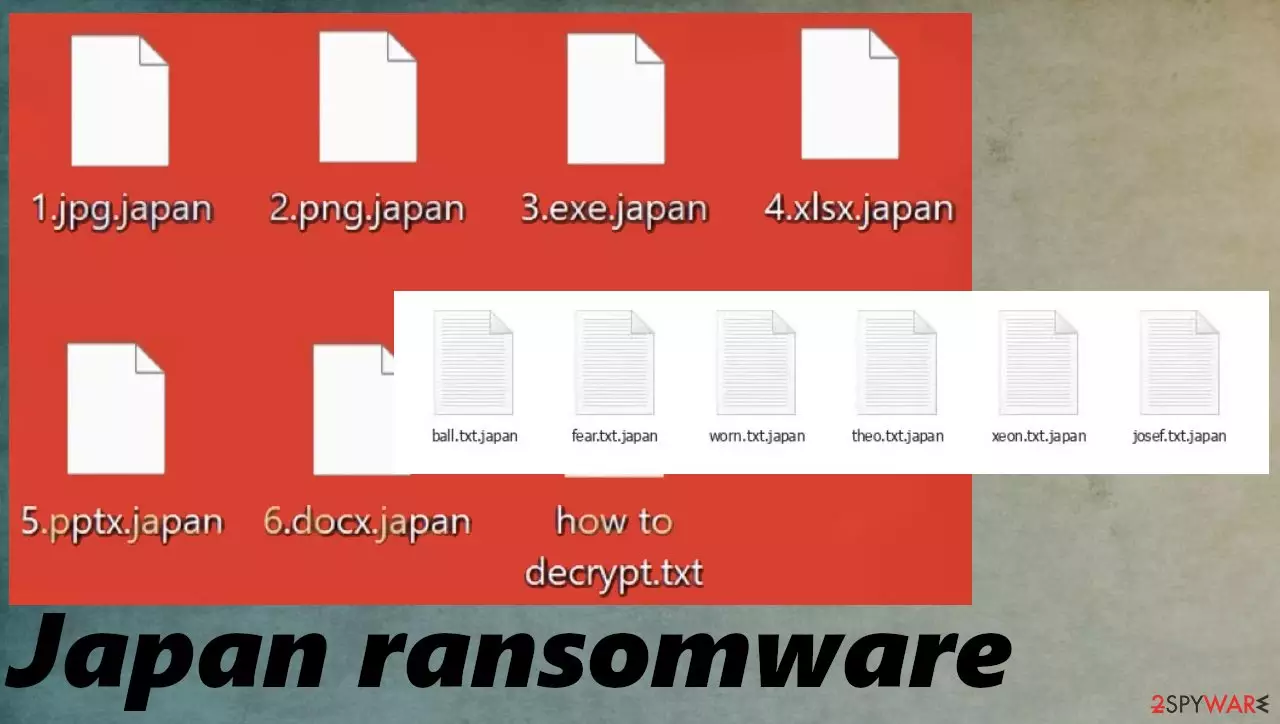
Japan ransomware is the “Oh no. You are hacked!” virus because the threat delivers the screen image with this message and the contact details after the encryption of the chosen data. The threat also demands the 0.05BTC on the same message. This payment should guarantee that files will be recovered or that victims receive a decryption key once the money gets transferred.
However, no matter the case, these threats that are created by cybercriminals are rarely decrypted. Do not fall for these claims that Japan ransomware developers show for you. Cryptocurrency is popular and these extortionists focus on the financial gains, so your belongings and struggle mean nothing to them.
Cybercriminals often rely on data stealing and double or triple extortion[1] methods that allow these people to make money even when victims do not pay the ransom amount. The text file how to decrypt.txt in Vietnamese appears to state various claims about the options but does not trust criminals in any instance.
Threat overview
Japan ransomware virus alters the desktop wallpaper, creates the text file, and delivers the ransom message this way. These pieces inform the victim about the issue created by the threat. The wallpaper is in English, and the text file note reads in Vietnamese.
The threat is typical ransomware because it locks files and demands the cryptocurrency payment in the form of Bitcoin, so the payment can allegedly be exchanged in the decryption of Japanese ransomware files. However, these claims are only there to trick you into contacting criminals via the emails listed on the ransom notes.
| Name | Japan ransomware |
|---|---|
| Type | File-locker, cryptovirus |
| Extension | .japan |
| Ransom amount | 0.05 BTC |
| Ransom note | The desktop wallpaper and how to decrypt.txt file |
| Distribution | File attachments from emails, other threats, deceptive content online, pirating packages |
| Contact details | anonymous.pdf@protonmail.com, anonymous.pdf@proton.me |
| Elimination | Threats can be removed using anti-malware tools because these applications detect[2] these viruses and additional files to remove them completely |
| Repair | Machine gets affected significantly, including the system data that gets damaged. Rely on FortectIntego and fix these issues |
The infection focuses on file encryption, so there is a reason for the particular money demands. These criminals that develop .japan ransomware can inject other processes and treats on the machine to keep the persistence of the infection. Experts[3] note that it is important to react as soon as possible, so the damage is avoided because common data is encrypted, but there are additional issues that the virus creates.
Removal of the active virus
Japan ransomware demands 2000 dollars from the victim. At least the ransom note claims that 0.05 BTC is equivalent to 2 thousand. However, right now the bitcoin is fluctuating, and the 0.05BTC equals 1700 USD. Payments are not guaranteeing file decryption or recovery of any type.
Avoid any interaction with the content you see, and do not contact the people behind this .japan file virus. You can remove the infection, and it is possible with the antivirus tools that run the full system scan and check for the malicious files or programs. These tools like SpyHunterCombo Cleaner or MalwarebytesMalwarebytes can remove the infection.
The ransom note can scare you into considering the payment because data gets damaged. Unfortunately, the removal procedure and the system clearing process are not the same as the file recovery or the particular decryption of the Japan ransomware virus. However, that is crucial for the machine because an active virus can still cause issues with the PC if not properly removed.

Restore affected system files
Once a computer is infected with a malware like this .japan file virus, its system is changed to operate differently. For example, an infection can alter the Windows registry database, damage vital bootup and other sections, delete or corrupt DLL files, etc. Once a system file is damaged by malware, antivirus software is not capable of doing anything about it, leaving it just the way it is.
Therefore, we highly recommend using a one-of-a-kind, patented technology of FortectIntego repair. Not only can it fix virus damage after the infection, but it is also capable of removing malware that has already broken into the system thanks to several engines used by the program. Besides, the application is also capable of fixing various Windows-related issues that are not caused by malware infections, for example, Blue Screen errors, freezes, registry errors, damaged DLLs, etc.
- Download the application by clicking on the link above
- Click on the ReimageRepair.exe

- If User Account Control (UAC) shows up, select Yes
- Press Install and wait till the program finishes the installation process

- The analysis of your machine will begin immediately

- Once complete, check the results – they will be listed in the Summary
- You can now click on each of the issues and fix them manually
- If you see many problems that you find difficult to fix, we recommend you purchase the license and fix them automatically.


The infection is not decryptable as of right now because there are no tools officially developed for these Japan ransomware versions. The analysis of the found samples does not show any relations or associations with known ransomware families, so there are no additional tips.
The threat releases a ransom note and locks files to demand payments from people, but these threats like .japan ransomware can also install other threats and trojans, malware, and worms. These intruders cause changes in the machine and even the settings of the computer. You need to take care of that before you restore the affected data.

Check for decryption options
.japan file virus can be removed, files recovered with particular copies of the data, and the backups that are stored on the external devices. However, decryption options are limited because these tools are requiring time and effort from researchers and experts.
File encryption is a process that is similar to applying a password to a particular file or folder. However, from a technical point of view, encryption is fundamentally different due to its complexity. By using encryption, threat actors use a unique set of alphanumeric characters as a password that can not easily be deciphered if the process is performed correctly.
There are several algorithms that can be used to lock data (whether for good or bad reasons); for example, AES uses the symmetric method of encryption, meaning that the key used to lock and unlock files is the same. Unfortunately, it is only accessible to the attackers who hold it on a remote server – they ask for a payment in exchange for it. This simple principle is what allows ransomware authors to prosper in this illegal business.
In some cases, ransomware does not even encrypt files due to bugs, although victims might believe the opposite due to the ransom note that shows up right after the infection and data encryption is completed. Therefore, regardless of which crypto-malware affects your files, you should try to find the relevant decryptor if such exists.
Once you have identified which ransomware you are affected by, you should check the following links for a decryptor:
- No More Ransom Project
- Free Ransomware Decryptors by Kaspersky
- Free Ransomware Decryption Tools from Emsisoft
- Avast decryptors

If you can't find a decryptor that works for you, you should try the alternative methods we list below. Additionally, it is worth mentioning that it sometimes takes years for a working decryption tool to be developed, so there are always hopes for the future.
Do not forget that you need to properly remove the file locker, so the machine is properly cleared. You can do that with SpyHunterCombo Cleaner or MalwarebytesMalwarebytes, so the affected data can be restored. Japan ransomware virus is damaging, so you should run the anti-malware tool and the repair app like FortectIntego to properly terminate the virus and repair issues created by the threat. This is the way to ensure that recovered files do not get damaged or corrupted.
Did this guide help?
Be the first to comment