

Quax0r ransomware is a malicious Windows program designed to encrypt your files

Quax0r is a ransomware-type virus that could break into your device via various methods – spam emails, malicious links, software cracks, and similar. Once on the system, Windows files are immediately altered, many new ones are dropped, and some are also deleted. This significantly alters how the OS operates, allowing the virus to start its main goal.
After the system is ready, the malware quickly scans the device for personal files, such as pictures, videos, documents, and databases, and encrypts them with a strong encryption algorithm.[1] Unlike other ransomware, Quax0r does not append any extensions to the affected data, although they can no longer be opened regardless.
Soon after the file locking process, users are presented with a Command Prompt window which serves as a ransom note. It claims that users were infected with ransomware and that they need to contact the attackers via Discord (Nominatus#9251). We recommend not communicating with cybercriminals and using alternative methods for data recovery instead.
| Name | Quax0r virus |
|---|---|
| Type | Ransomware, file-locking malware |
| Family | Rozbeh |
| File extension | No file extensions are appended, and the names remain the same |
| Contact | To contact the attackers, users are asked to write on Discord to account Nominatus#9251 |
| Ransom note | Command Prompt window pop-ups |
| File Recovery | The only secure way to restore files is by using data backups. If such is not available or were encrypted as well, options for recovery are very limited – we provide all possible solutions below |
| Malware removal | Disconnect the computer from the network and internet and then perform a full system scan with SpyHunterCombo Cleaner security software |
| System fix | Once installed on the system, malware might seriously damage some system files, resulting in crashes, errors, and other stability issues. You can employ FortectIntego PC repair to fix any of such damage automatically by replacing system corruption |
A different kind of a ransom note
Unlike other malware, ransomware does not hide its presence; in fact, the developers of ransomware want victims to be aware of what happened to their computers so that they could have a higher chance of successful payments. Therefore, more avid cybercriminals make sure that a ransom note reaches the affected users.
There are plenty of ways how the most important information about infection and data recovery could be delivered to users. Crooks mostly rely on simple text-based files which can be opened in any text editing app, including the built-in Notepad. In some cases, malware authors produce a pop-up window that shows up soon after the data encryption.
In the case of the Quax0r virus, the ransom note shows in a rather unusual way – in a Command Prompt window. The message is relatively short and provides only contact details and what kind of ransomware users are dealing with:
All files have been encrypted by NominatusCrypto ( Quax0r ) contact the creator of this virus on discord Nominatus#9251 for more information if you restart then your account will be useless! files cannot be decrypted without paying the ransom to the creator!! live or die? make your choice now!
As usual, we stand against contacting cybercriminals behind the malware. It would only encourage crooks to infect more users, and they might never deliver the promised decryption tool.

Removal process explained
Ransomware is sometimes very misunderstood by victims as, even if they have heard about it before, they do not know much about its operational principles and what it can actually do. It is important to perform Quax0r ransomware removal in the correct order, or it may continue to encrypt the incoming files.
You should star tart by disconnecting your PC from the internet. Upon installation, malware connects to a remote C&C server[2] to assign a unique ID to each of the victims. It can also be used for communication purposes, which would allow the attackers to send commands to be executed remotely. This connection should be severed before proceeding:
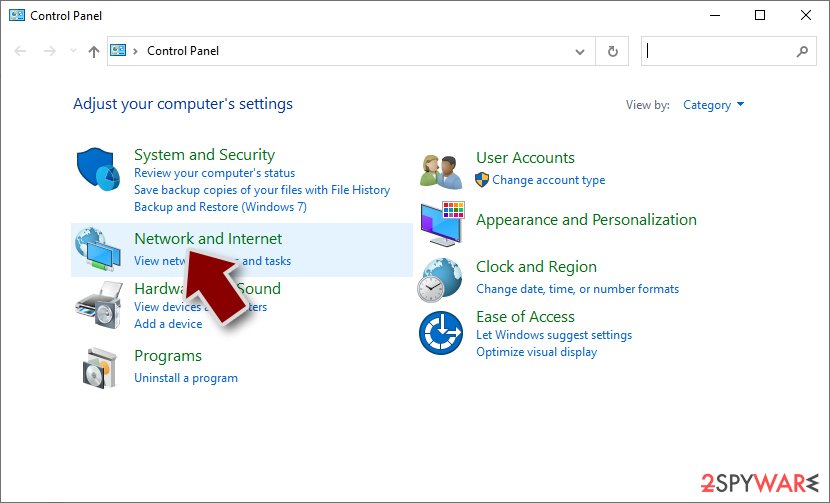
- Type in Control Panel in Windows search and press Enter
- Go to Network and Internet
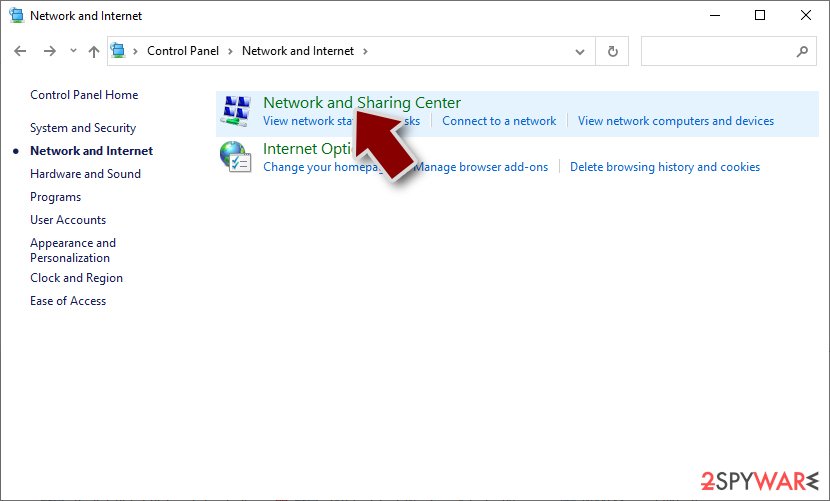
- Click Network and Sharing Center
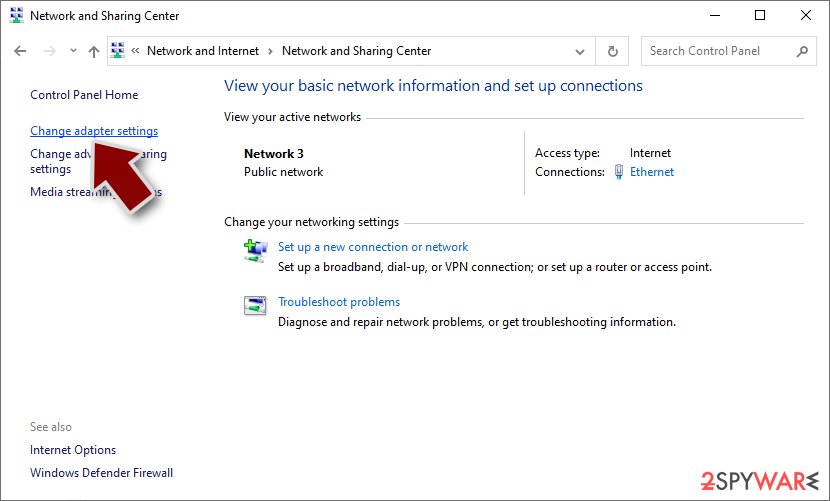
- On the left, pick Change adapter settings
- Right-click on your connection (for example, Ethernet), and select Disable
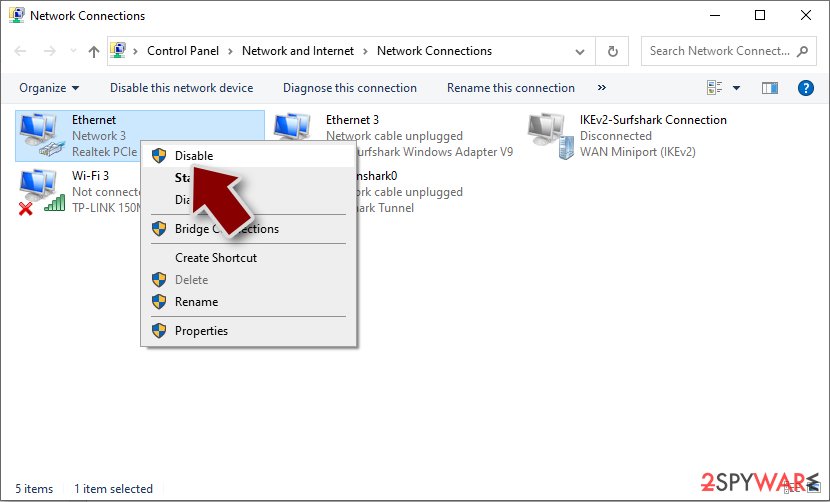
- Confirm with Yes.


As soon as the virus is no longer active via the internet, it should be removed with SpyHunterCombo Cleaner, MalwarebytesMalwarebytes, or another powerful security software. It is important to update anti-malware definitions before proceeding. In case ransomware is tampering with the removal process, you can always access Safe Mode and attempt the elimination process from there:
Windows 7 / Vista / XP
- Click Start > Shutdown > Restart > OK.
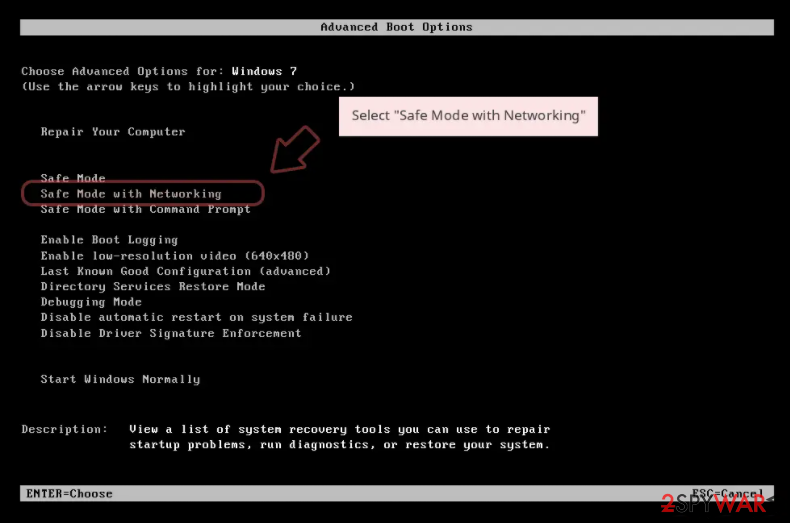
- When your computer becomes active, start pressing the F8 button (if that does not work, try F2, F12, Del, etc. – it all depends on your motherboard model) multiple times until you see the Advanced Boot Options window.
- Select Safe Mode with Networking from the list.

Windows 10 / Windows 8
- Right-click on the Start button and select Settings.
- Scroll down to pick Update & Security.
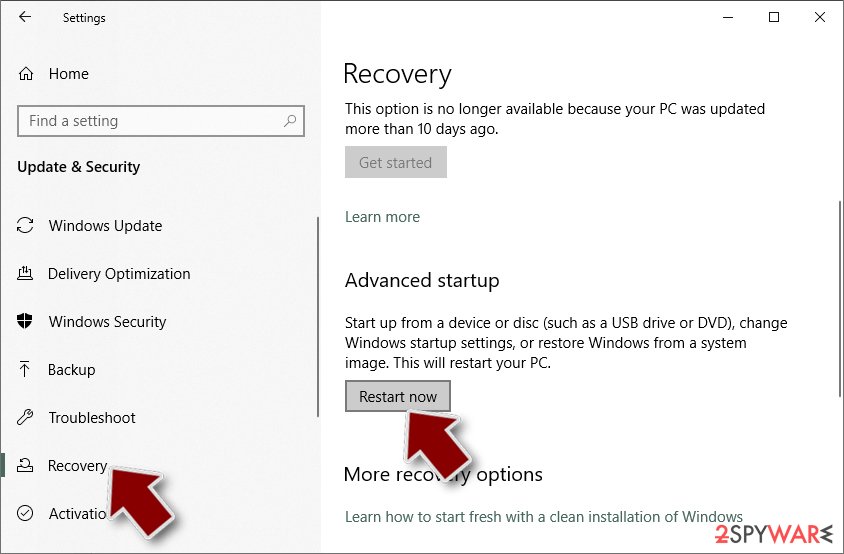
- On the left side of the window, pick Recovery.
- Now scroll down to find the Advanced Startup section.
- Click Restart now.
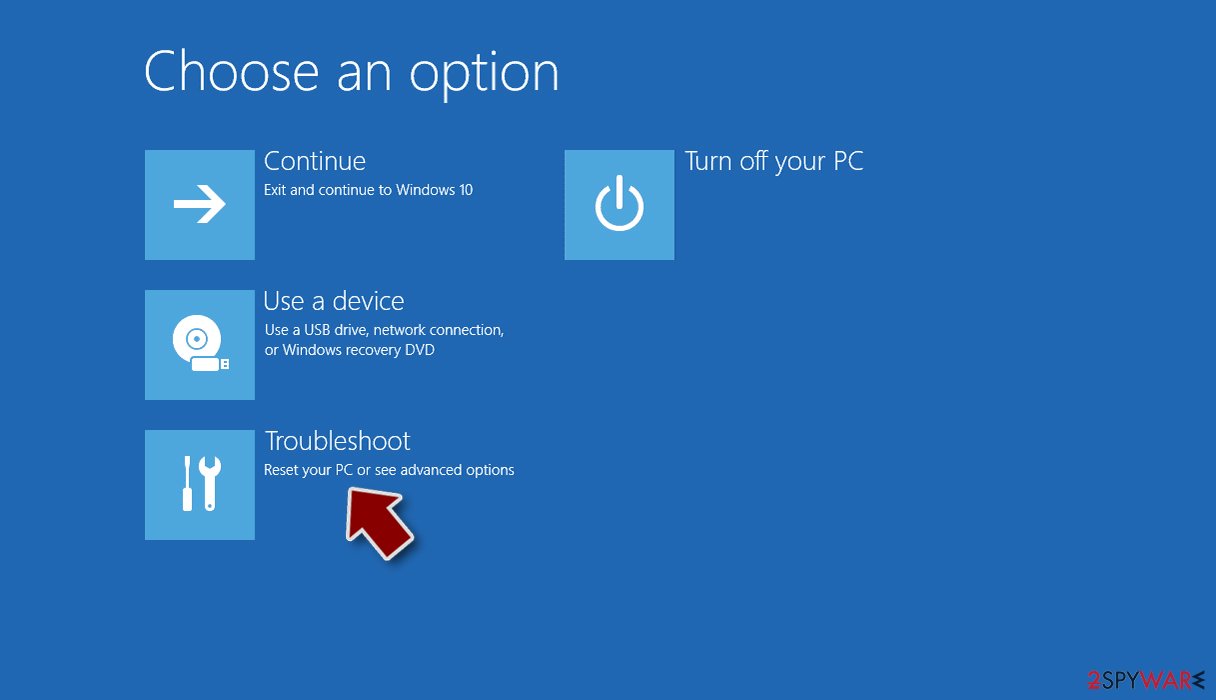
- Select Troubleshoot.
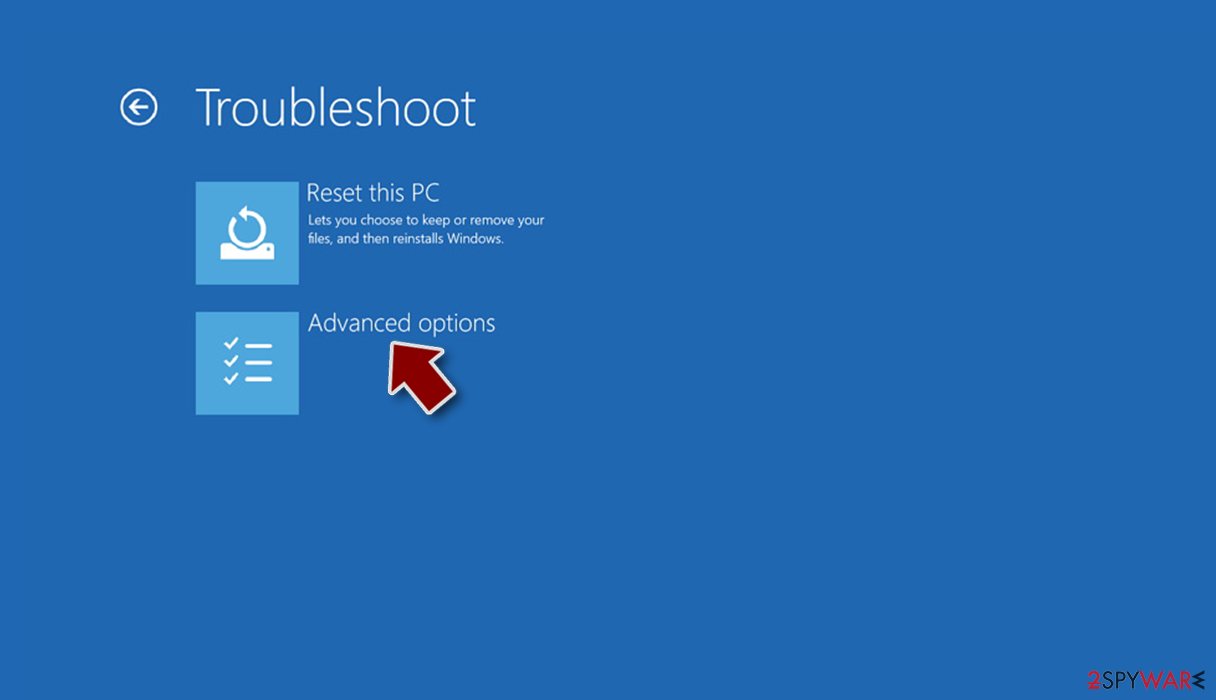
- Go to Advanced options.
- Select Startup Settings.
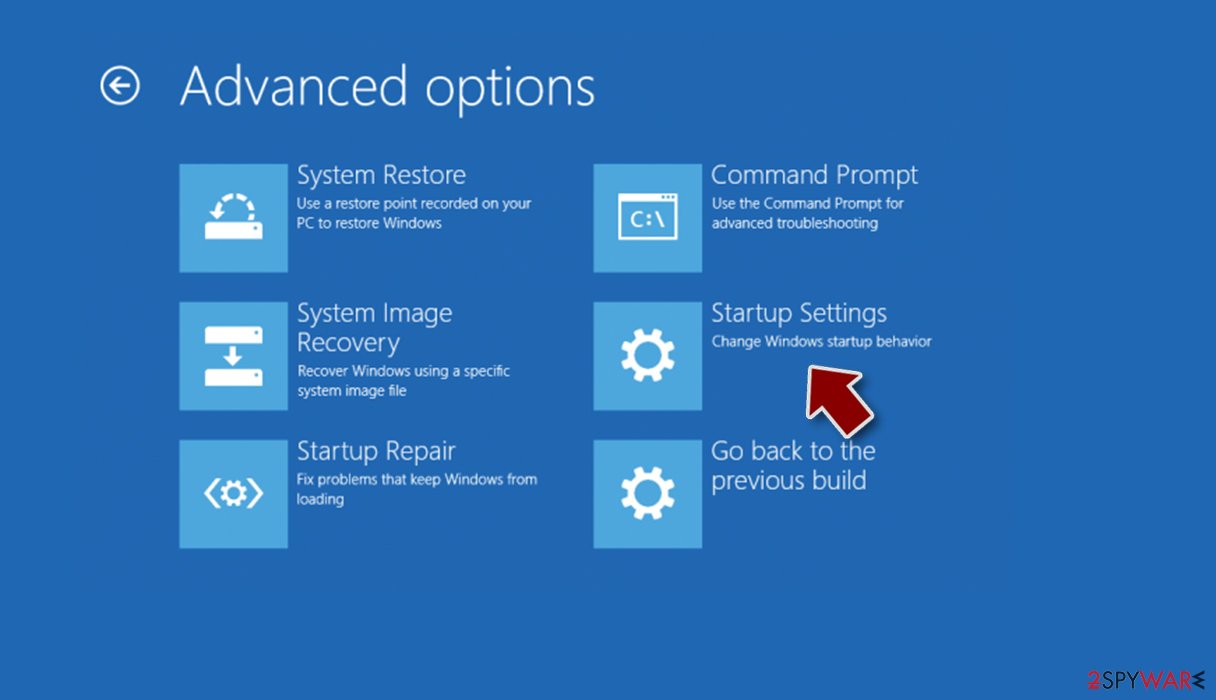
- Click Restart.
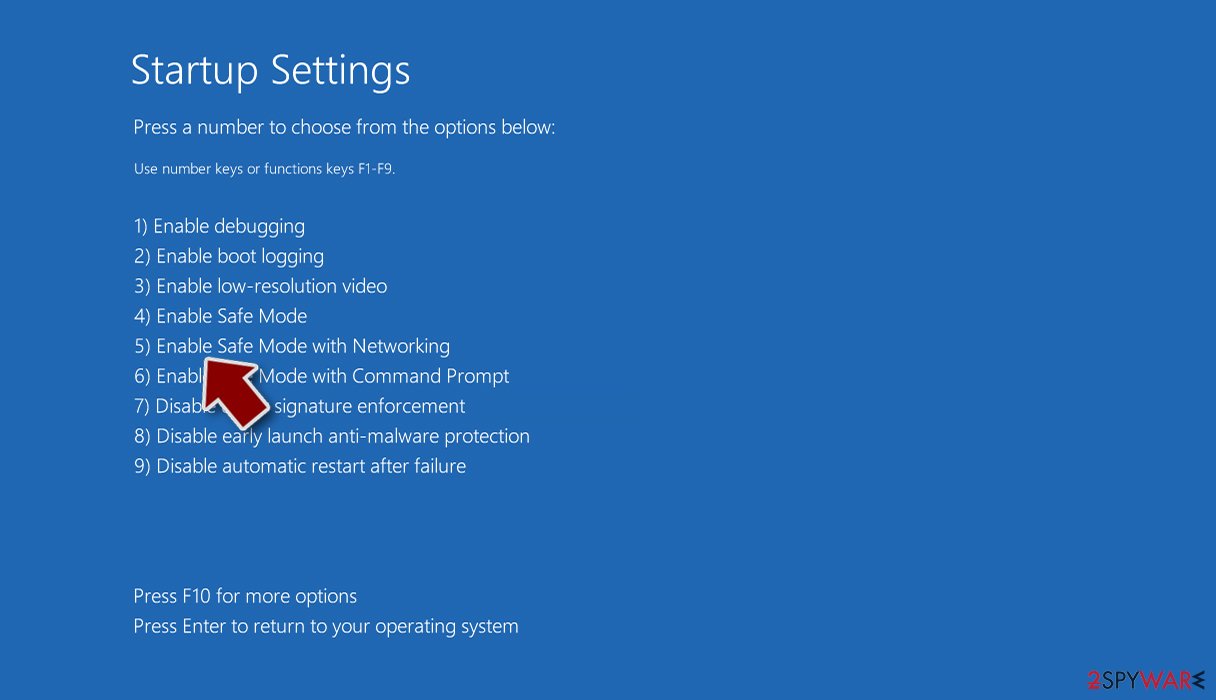
- Press 5 or click 5) Enable Safe Mode with Networking.


Remember, security software is not only useful when trying to remove infections from the system, but it also serves as your first line of defense against cyberattacks. That's why it is important that it runs in the background at all times, and its warnings should never be misinterpreted as false positives.[3]
Data recovery
Many users mistakenly believe that ransomware-encrypted files can be restored as soon as the scan with anti-malware software is performed. However, this is not the case as file encryption and system infection are two separate processes, even though the former wouldn't be possible without the latter.
There are also people on the other side of the spectrum who assume that their files are permanently destroyed. While this can happen in certain circumstances, it is usually not the case. We always recommend our users to imagine that their files have been locked by a unique password, and only the cybercriminals have access to it.
Nonetheless, not everything is lost as, we already explained, contacting crooks is not the best solution out there. Instead, we recommend trying alternative methods, such as waiting for the decrytpion tool or attempting to restore Quax0r files with the help of recovery software.
Note that it is very important you backup all the encrypted files before you proceed, as recovery software might permanently damage them, and even a working decryptor would not be able to restore them.
- Download Data Recovery Pro.
- Double-click the installer to launch it.

- Follow on-screen instructions to install the software.

- As soon as you press Finish, you can use the app.
- Select Everything or pick individual folders where you want the files to be recovered from.
- Press Next.
- At the bottom, enable Deep scan and pick which Disks you want to be scanned.

- Press Scan and wait till it is complete.
- You can now pick which folders/files to recover – don't forget you also have the option to search by the file name!
- Press Recover to retrieve your files.



System fix
After malware infection, Windows is no longer the same, as some system files might get damaged or even destroyed. This can result in system instability – crashes, failure to launch programs, BSODs, etc. If you suffer from these problems after eliminating the infection, use data recovery software as explained below.
- Download FortectIntego
- Click on the ReimageRepair.exe

- If User Account Control (UAC) shows up, select Yes
- Press Install and wait till the program finishes the installation process

- The analysis of your machine will begin immediately

- Once complete, check the results – they will be listed in the Summary
- You can now click on each of the issues and fix them manually
- If you see many problems that you find difficult to fix, we recommend you purchase the license and fix them automatically.



By employing this tool, you would not have to worry about future computer issues, as most of them could be fixed quickly by performing a full system scan at any time. Most importantly, you could avoid the tedious process of Windows reinstallation if things go very wrong for one reason or another.
Did this guide help?
Be the first to comment