

OkHacked ransomware is the virus that demands 100 dollars in Bitcoin from victims
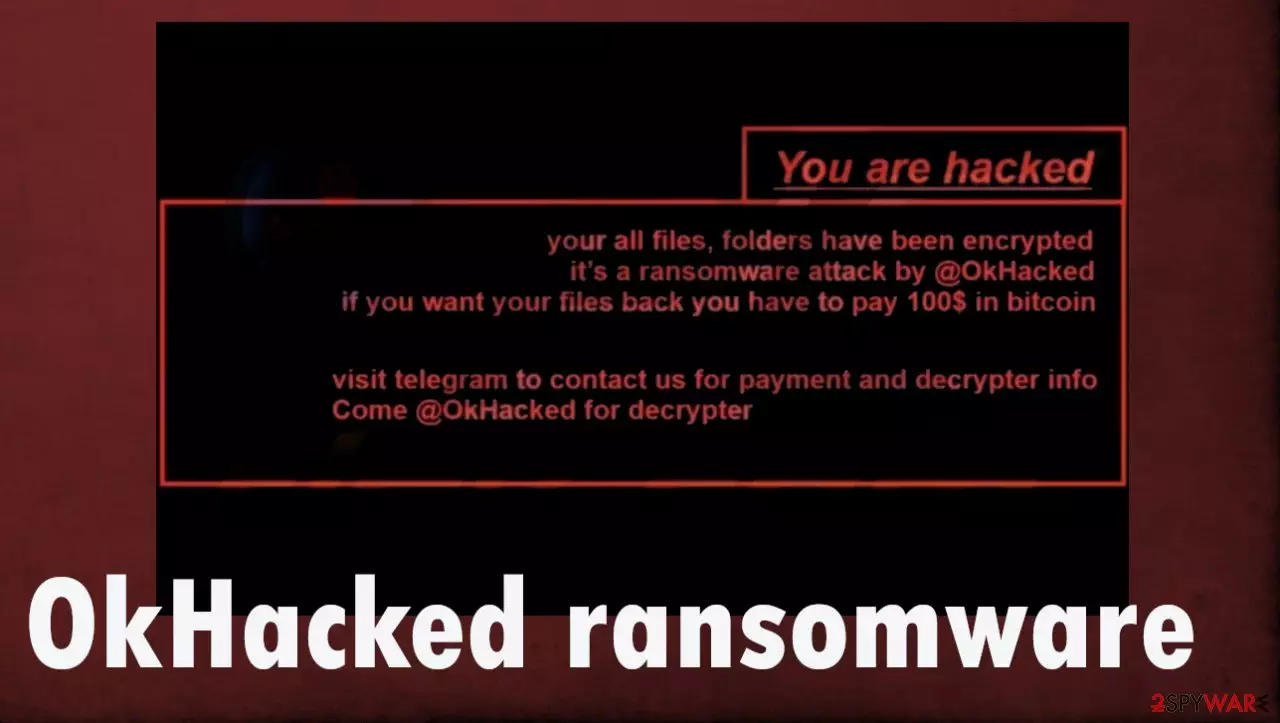
OkHacked ransomware virus is the version of the malicious program that is designed to encrypt files on the machine and demand payment for the possibility of decryption. This infection is dangerous because it can run in the background and damage the machine, but it also involves the direct money demand from victims who get their data locked and unopenable.
OkHacked ransomware virus is the version of the Chaos ransomware as TeamDarkAnon ransomware and Spartan Hack ransomware released earlier this month. The infection is encoding files found on the machine, so there is a reason behind money demands later on. Then the threat provides the extension at the end of the file name and the original file type indicator.
This .okhacked extension indicates that files are affected and provides the name for the virus. Then the threat places a file named read_it.txt that follows the change of the desktop wallpaper. These messages contain similar text and both informal people who got affected by the ransomware that the ransom should get paid in the form of Bitcoin for the alleged decryption tool that should be provided.
However, OkHacked ransomware threat actors do not provide these tools or do not even have the program in the first place, so this payment solution is not a good option. You should not consider contacting criminals, let alone paying them, so make sure to remove the threat and avoid any interaction with virus creators.
| Name | OkHacked ransomware |
|---|---|
| Type | Cryptovirus, file-locker |
| File marker | .okhacked |
| Ransom note | read_it.txt, wallpaper |
| Ransom amount | 100 USD in Bitcoin |
| Contact details | OkHacked on telegram |
| Distribution | Files attached to emails, other threats, malware packages distributed via pirating services |
| Removal | Threat removal requires AV detection tools |
| Repair | To repair damaged files run a scan using FortectIntego |
Is paying a good option?
OkHacked ransomware is the direct money extortion threat that should be removed instead of relying on contacting these people because threats like this are only locking files to have the reason behind a ransom demand. The threat is designed to use an encryption algorithm[1] and alter the original code of the document, image, or video file.
There are no guarantees that when you ask for the decryption, these threats behind the activities of the infection can lead to more malicious infiltrations, Criminals behind this OkHacked file virus can also be only financially motivated, so your files and belonging are not the topics of their worry.
Do not trust people behind malware like this and try to ignore the infection, so the virus can be removed properly and then all the data affected by it restored using alternate methods. Experts[2] who analyze such threats note that it is rarely possible to recover files after paying because decryption tools, in most cases, do not get into the hands of victims.
Decryption tools can not even exist, and all these claims in the ransom note might be fake just to scare victims into paying the demanded sum. It is never advised to trust these people, so make sure to remove the infection instead of trusting criminals who distribute the OkHacked ransomware around.

Removing the virus
If you are a victim of ransomware, you should employ anti-malware software for its removal. Some ransomware can self-destruct after the file encryption process is finished. Even in such cases, malware might leave various data-stealing modules or could operate in conjunction with other malicious programs on your device.
SpyHunterCombo Cleaner or MalwarebytesMalwarebytes can detect[3] and eliminate all ransomware-related files, additional modules, along with other viruses that could be hiding on your system. The security software is really easy to use and does not require any prior IT knowledge to succeed in the OkHacked ransomware removal process.
Removing the threat with anti-malware tools is the best because you can eliminate all related viruses and malicious files. The active virus no longer runs and cannot access newly added files to encrypt them. this way you avoid further damage or even permanent damage if the thread decides to run another round of encoding on recovered files.
Remove OkHacked ransomware and note that this is not the same as decryption or file recovery, but it is crucial to terminate the infection before doing anything about the locked data on the machine. Once the threat is removed, your device can be recovered and run smoothly again after all the leftovers are cleared off.
The best recovery method is backups, but if you add copies of the affected files on the machine that is still damaged and controlled by the ransomware, OkHacked ransomware virus can encode all files again and make them useless even when you have the decryption tool. Also, threats like this additionally run malware to ensure persistence, so clean the system thoroughly right away.
Recover the corrupted system data
Once a computer is infected with malware, its system is changed to operate differently. For example, an infection can alter the Windows registry database, damage vital bootup and other sections, delete or corrupt DLL files, etc. Once a system file is damaged by malware, antivirus software is not capable of doing anything about it, leaving it just the way it is. Consequently, users might experience performance, stability, and usability issues, to the point where a full Windows reinstall is required.
Therefore, we highly recommend using a one-of-a-kind, patented technology of FortectIntego repair. Not only can it fix virus damage after the infection, but it is also capable of removing malware that has already broken into the system thanks to several engines used by the program. Besides, the application is also capable of fixing various Windows-related issues that are not caused by malware infections, for example, Blue Screen errors, freezes, registry errors, damaged DLLs, etc.
- Download the application by clicking on the link above
- Click on the ReimageRepair.exe

- If User Account Control (UAC) shows up, select Yes
- Press Install and wait till the program finishes the installation process

- The analysis of your machine will begin immediately

- Once complete, check the results – they will be listed in the Summary
- You can now click on each of the issues and fix them manually
- If you see many problems that you find difficult to fix, we recommend you purchase the license and fix them automatically.



Did this guide help?
Be the first to comment