

Diamond ransomware is a computer virus that makes files inaccessible until a ransom is paid

Diamond is ransomware-type malware that can result in detrimental results to any Windows computer user. It usually sneaks in without users' realizing what has happened, but the effects on the affected system are almost instantaneous, and it is quickly too late to stop the spread of the virus.
Upon entry, ransomware would immediately look for personal files and encrypt them using a powerful encryption algorithm such as RSA.[1] Encrypted data would immediately lose their default icons, which would be replaced by the blanks, their names would be scrambled and replaced by random strings, with the .diamond extension added to each file.
Unsurprisingly, the data would no longer be openable or modifiable, users would simply receive an error from Windows, which claims that the file can't be opened. In order to restore data, victims are asked to pay a ransom in bitcoin, the precise sum of which is not disclosed in the ransom note HOW TO RECOVER ENCRYPTED FILES.TXT. However, Diamond ransomware authors provide a contact email diamondprotonmail.com@proton.me, which is meant to be used for communication purposes.
| Name | Diamond ransomware |
|---|---|
| Type | Ransomware, file-locking malware |
| File extension | .diamond |
| Ransom note | HOW TO RECOVER ENCRYPTED FILES.TXT |
| Contact | diamondprotonmail.com@proton.me |
| File Recovery | Data backups are the only way to retrieve data. If you do not have access to such, or if it has been encrypted, your options for recovery are extremely limited; nevertheless, we recommend attempting them |
| Malware removal | Disconnect your computer from the internet and network, then do a full system scan with SpyHunterCombo Cleaner security software |
| System fix | Malware may corrupt numerous essential system files, resulting in crashes, errors, and other issues. FortectIntego PC repair is an excellent way to replace any damaged system files automatically |
Do not pay the ransom
The Diamond virus is a unique ransomware strain that has not been linked to other types of ransomware. However, new and experimental ransomware appears after certain members leave a larger cybercriminal organization in order to earn money through unlawful activities. New individuals within the cybercriminal underworld may also establish their own operations as well.
Regardless of whether it's a new or established ransomware, all of them always deliver a ransom note upon finishing data encryption. Without the note, users would not be able to know who they should contact, what they have to do to restore files, or how to pay for it. HOW TO RECOVER ENCRYPTED FILES.TXT is there to answer all these questions:
ALL YOUR DATA IS ENCRYPTED MILITARY ENCRYPTION !
Your PERSONAL id
If you want to get a decoder, you need to pay !
We only accept bitcoins !
With your mail diamondprotonmail.com@proton.me
we can decrypt 2 files proof of !
send us the id that is written in the ransom letter !
write id which is listed in the ransom note !
The price will be doubled in 72 hours !
Within the note, crooks provide a contact email that users should write to if they want to restore their files. To convince people that their best option is to pay, they even provide a free service of decryption for a few files. While it may serve as proof that decryption is possible, it is never a guarantee that the decryptor will be actually provided.

By adding the 72-hour mark for the price doubling, cybercriminals are attempting to reassure users to pay the ransom as soon as possible, which some might do when running out of time. However, we strongly recommend reconsidering this decision, as it may cost you your files and money. Besides, malicious actors would be affirmed that their illegal business schemes work as intended and create more malware to infect more users.
How to deal with a Diamond ransomware attack
Instead of interacting with cybercriminals, we propose trying to recover files and repair your computer in different ways. The first step is to ensure that the malware and all of its components are completely eliminated from the system using SpyHunterCombo Cleaner, MalwarebytesMalwarebytes, or another strong antivirus software. It is recommended you disconnect your computer from the internet/network before proceeding with this step.
It is possible to delete ransomware manually, but it's not recommended because you need comprehensive IT skills. Also, if you don't remove all the components of ransomware, all the incoming data could be encrypted as well, and your system might get infected again. It is worth mentioning that ransomware is commonly spread in a bundle along with other computer threats – there could be a data-stealer[2] hidden somewhere on your system.
Diamond ransomware may tamper with security software, preventing its removal. If that happens, you should access Safe Mode and perform a full system scan from there:
Windows 7 / Vista / XP
- Click Start > Shutdown > Restart > OK.
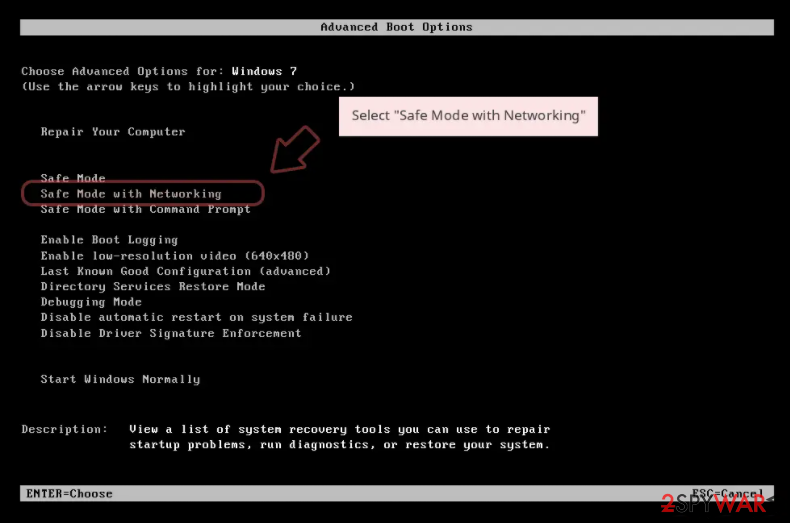
- When your computer becomes active, start pressing the F8 button (if that does not work, try F2, F12, Del, etc. – it all depends on your motherboard model) multiple times until you see the Advanced Boot Options window.
- Select Safe Mode with Networking from the list.

Windows 10 / Windows 8
- Right-click on the Start button and select Settings.
- Scroll down to pick Update & Security.
- On the left side of the window, pick Recovery.
- Now scroll down to find the Advanced Startup section.
- Click Restart now.
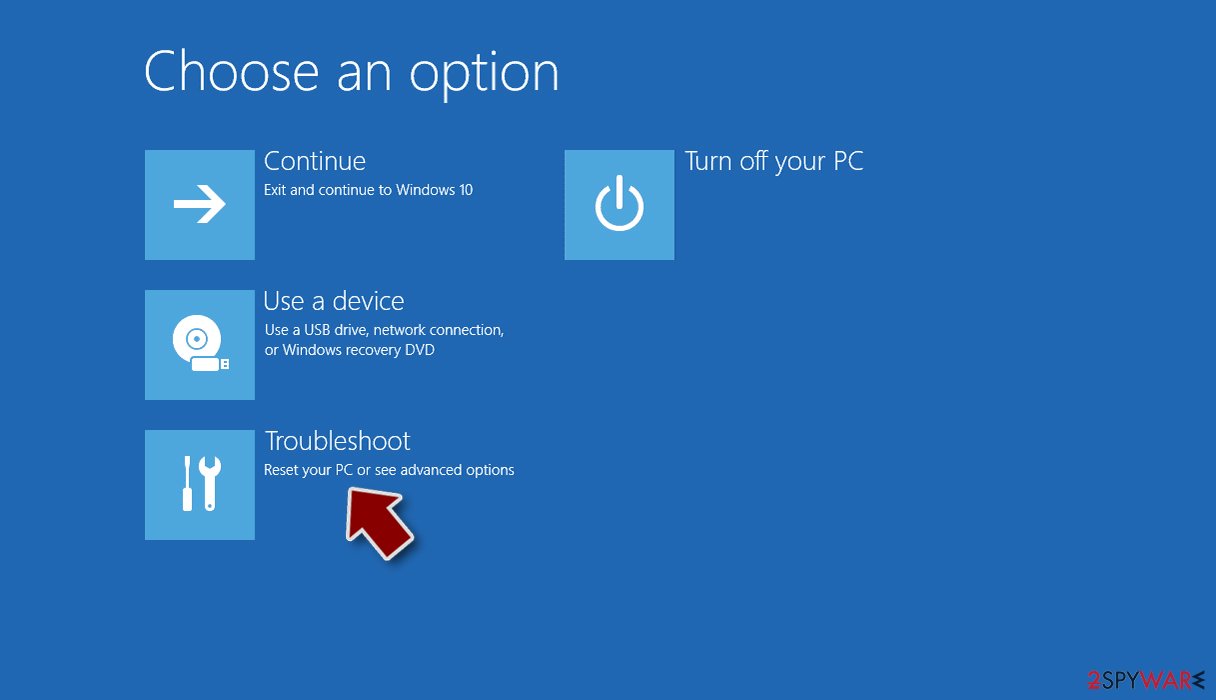
- Select Troubleshoot.
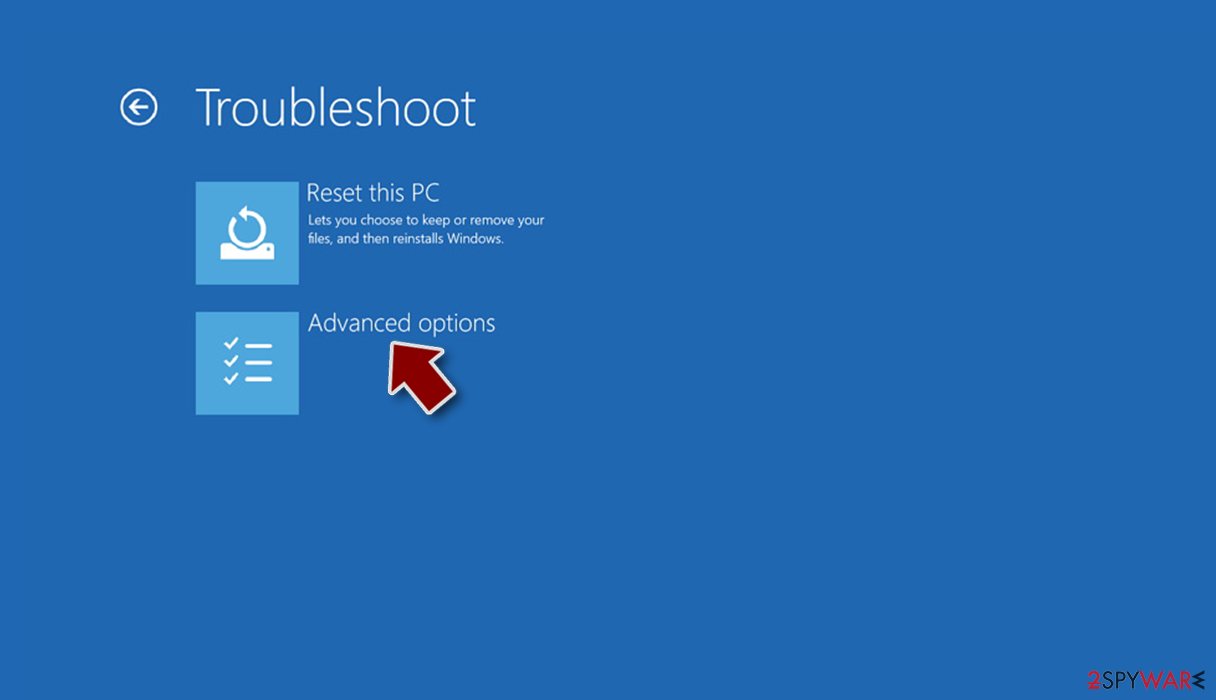
- Go to Advanced options.
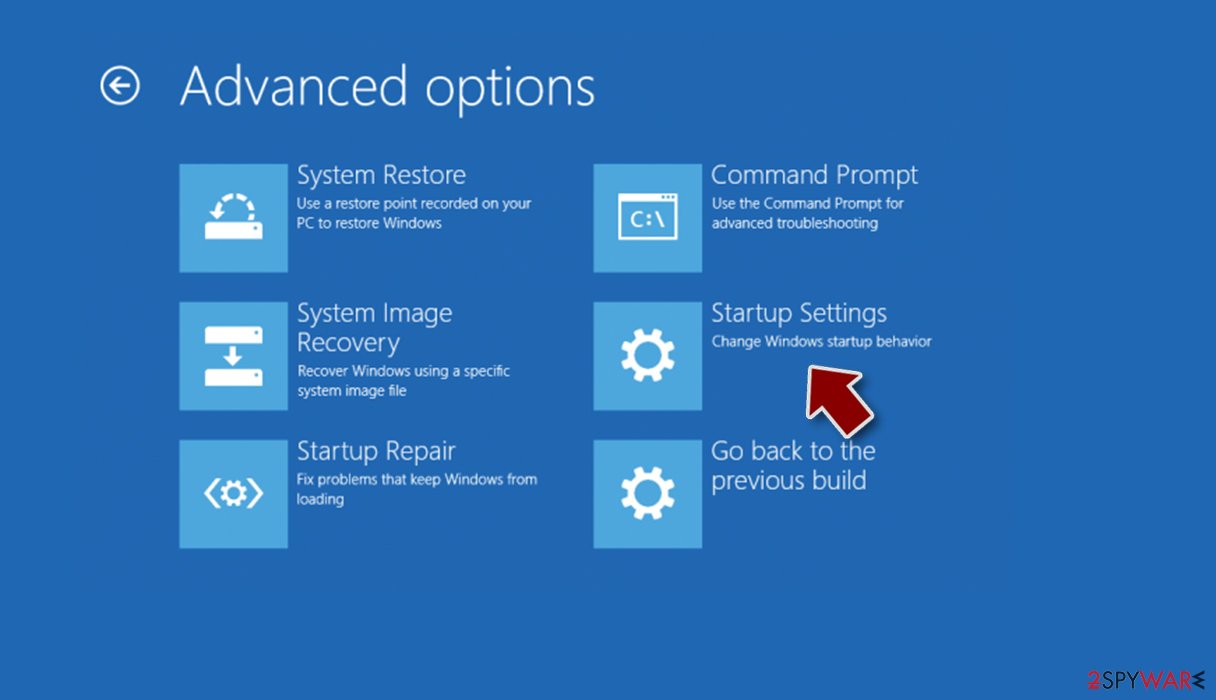
- Select Startup Settings.
- Click Restart.
- Press 5 or click 5) Enable Safe Mode with Networking.


Data restoration
Although file encryption and ransomware infection are two separate processes, the latter cannot happen without the former. Upon infiltration, the virus infects the system first, encrypting data afterward. During this time, a specially generated and unique user ID is created, which also impacts the decryption key. This sequence of randomly-generated alphanumeric characters is what's required to unlock files, and only cybercriminals have access to it.
It is a huge misconception that locked data would be restored to its normal condition after a security software scan – the files will remain locked. There are a few possibilities of data recovery without paying crooks, and we discuss them below.
Before proceeding, you should make copies of all the locked files and place them on a separate medium. Encrypted files do not hold any malicious code, so they are safe to transfer. If you fail to do this, you could permanently corrupt data, and decryption would not be possible even with a working recovery tool.
- Download Data Recovery Pro.
- Double-click the installer to launch it.

- Follow on-screen instructions to install the software.
- As soon as you press Finish, you can use the app.
- Select Everything or pick individual folders which you want the files to be recovered from.

- Press Next.
- At the bottom, enable Deep scan and pick which Disks you want to be scanned.

- Press Scan and wait till it is complete.
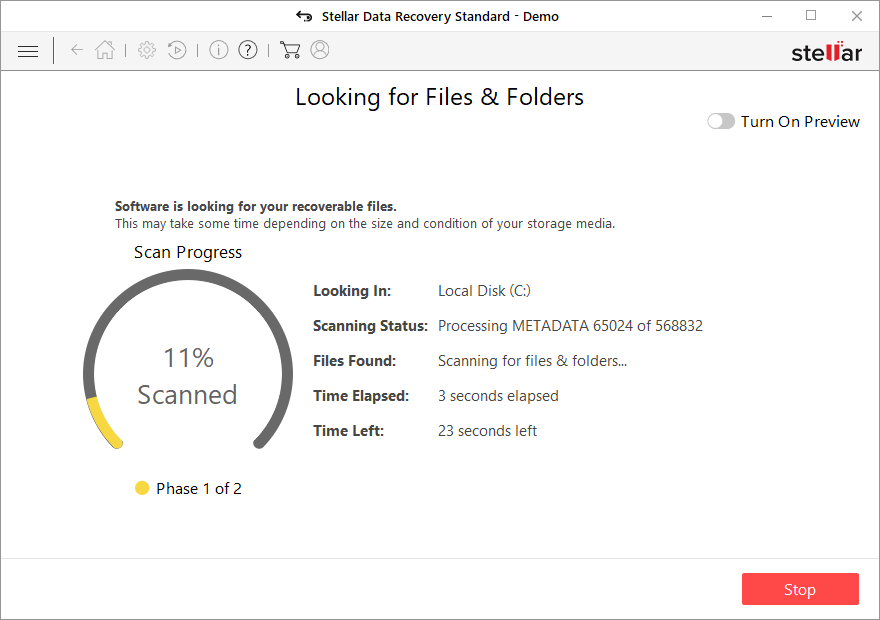
- You can now pick which folders/files to recover – don't forget you also have the option to search by the file name!
- Press Recover to retrieve your files.


Diamond is a new ransomware strain for which no free decryption tool is available at the moment. However, programming mistakes or bugs can occur when building ransomware, allowing security experts to create a free decryptor, or, in other cases, law authorities might capture the criminals' servers containing the keys. Below you will find several sources that could help you find a decryptor for this particular malware variant if it is available at some point.
- No More Ransom Project
- Free Ransomware Decryptors by Kaspersky
- Free Ransomware Decryption Tools from Emsisoft
- Avast decryptors

Take care of system health
When malware is installed on a computer, its operating system is altered. An infection, for example, might modify the Windows registry database, damage essential bootup files, and other aspects, delete or corrupt DLL files, and so forth. Once a system file has been damaged by malware, antivirus software is ineffective in repairing it. As a result, users might experience various performance and stability issues, including crashes, BSODs,[3] etc.
As a result, we strongly advise utilizing FortectIntego repair's one-of-a-kind, patented technology. Not only may it fix virus damage after the infection, but it can also remove malware that has already entered the system – it employs various engines for that. In addition, because malware infections do not always cause Windows issues, the software may also fix various unrelated problems.
Did this guide help?
Be the first to comment