

What to do when “BSOD Driver Problem” pop-up shows up?
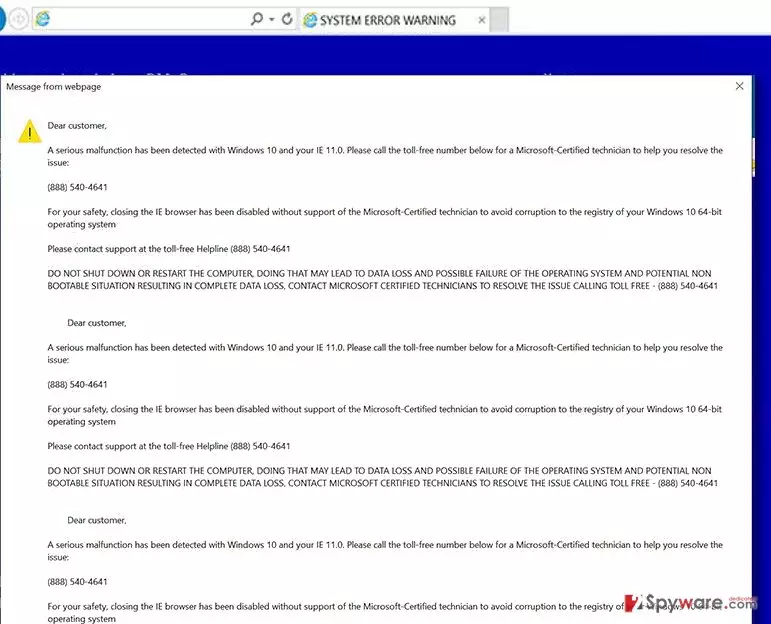
BSOD Driver Problem virus is a deceptive program designed to show alerts, pop-ups, and messages on the computer screen using user’s default web browser. This infection makes the web browser open a scam website that is designed to look like the blue screen of death (BSOD), showing suspicious codes that can confuse the computer user. However, the clearest sign indicating that this is a scam is a message stating “BSOD Driver Problem. Please call PC support technician [fake tech support number here].” If you get these pop-ups while trying to use your web browser, then you definitely have to remove BSOD Driver Problem malware using the anti-malware program like FortectIntego (or different), but NOT to call the number provided! There are scammers over these sitting and waiting for naive people to call them.
As soon as they get the call, they act professional and ask the victim to check here and there on the system, perform some tasks using Command Prompt, and explain that computer is severely compromised by some imaginary viruses, while in reality, the BSOD Driver Problem malware is the actual problem. These scammers tell lies because they seek to talk the user into buying some useless security software or gaining access to the computer via remote administration programs. Do not let them deceive you, and do not believe what they say even if they claim to be working at Microsoft. This legitimate company has nothing to do with such scams. To remove BSOD Driver Problem virus from the system, you need to run a system scan using FortectIntego or SpyHunterCombo Cleaner software. After getting scan results, just click the button to delete threats and your computer will be free of this malware. It is not recommended to attempt to implement manual BSOD Driver Problem removal unless you are a professional IT expert; otherwise, you might delete the wrong files and do more damage than good.
How does this malware spread?
You can allow BSOD Driver Problem hijack happen if you tend to install computer programs hastily. If you tend to rush, at least check what is hidden behind Advanced/Custom installation options. Typically, users tend to trust Default/Standard settings because they’re presented as recommended ones when actually choosing these settings grant your permissions to install all “recommended” third-party software that is bundled with your download. These additions can be rejected via Advanced/Custom settings simply by removing check marks next to agreements to install them. If BSOD Driver Problem removal is the thing that you seek for, then read the information provided in the next paragraph.
How to remove BSOD Driver Problem virus?
If you want to fix this problem and stop BSOD Driver Problem virus from displaying scary warnings in annoying pop-ups, then BSOD Driver Problem removal should be your top priority task to complete. To remove BSOD Driver Problem virus, you will need to run a system scan with anti-malware software, and if you have one, make sure you update it first. In case you do not have such program, install one. Below, you can find download links of programs that can help you to uninstall this malicious piece of software. Please do remember that it is very important how you install software, otherwise various potentially unwanted programs might start bothering you again. It is also worth noting that a proper anti-malware software can help to prevent such issues as well.
Did this guide help?
4 comments
R0si3
This virus has been bothering me for a while! I am so glad that I have discovered what makes these alerts appear!
Dana
Just fixed "BSOD Driver Problem" with Reimage. Thanks for recommending it!!
Freddo14
I cant understand how did this virus hijacked my system... Cannot remember downloading anything recently.. so suspicious!
97201
Thank you guys - this virus was giving me nightmares! i couldnt sort out where did it came from and how to remove it.