

Chydroogible.com is a fake website asking users to enable notifications
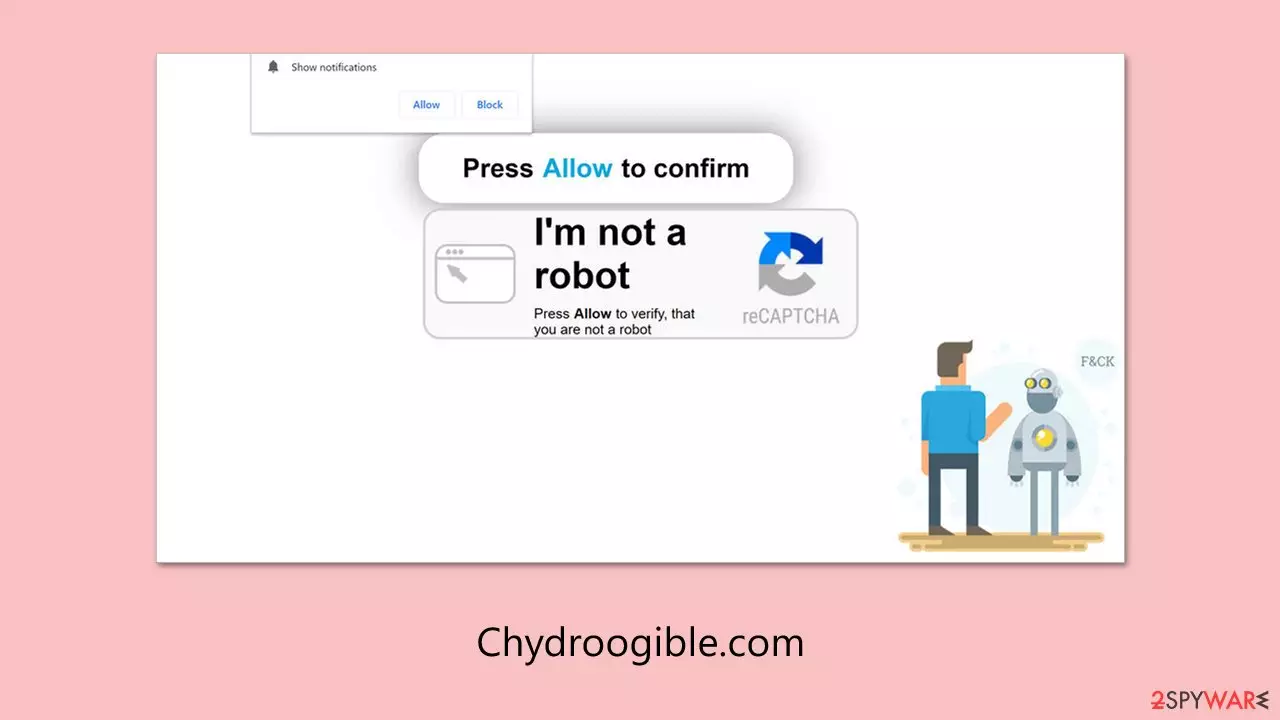
Chydroogible.com is a misleading website that might appear on popular browsers such as Chrome, Firefox, or Edge. Many users notice it after they start receiving repeated pop-up messages, often without fully realizing they agreed to them. This usually happens when the site tricks users into allowing notifications by displaying confusing prompts during their first visit.
The site is associated with low-quality advertising content and tends to collaborate with unreliable ad networks. Because of this, the notifications from Chydroogible.com can be quite dangerous – they may promote fake virus alerts, lead to suspicious pages, or push scams that claim users can earn money fast or win prizes.
To prevent these issues from getting worse, it’s best to avoid interacting with any content shown by Chydroogible.com. These links may lead to unsafe sites or even try to trick users into downloading unwanted software. Cleaning your system of adware and adjusting your browser’s settings can help stop the unwanted notifications from continuing.
| Name | Chydroogible.com |
| Type | Push notifications, ads, scam, pop-ups |
| Symptoms | Pop-ups show up regularly on the screen – these ads often include inappropriate, scam, phishing, or other similar content |
| Distribution | The website is granted access to deliver notifications as soon as the “Allow” button is clicked inside the push notification prompt |
| Risks | If you click on links provided by the website, you might end up infecting your system with malware/PUPs, disclosing your personal information to cybercriminals, or losing money for useless services |
| Removal | Push notifications can be stopped by blocking the web address of the malicious website via browser settings. Checking the device with SpyHunterCombo Cleaner security software is also recommended |
| Other tips | After removing adware, use the FortectIntego tool to delete caches and web data, preventing tracking. This tool can also fix any damaged system components |
How scammers reach their goal in tricking people
Chydroogible.com operates as part of a deceptive strategy aimed at tricking users into accepting unwanted notifications. Most people come across the site unexpectedly, often while browsing unrelated pages or after being redirected from suspicious links. This surprise element plays a key role in making the scam more effective.
When users land on Chydroogible.com, they’re often shown misleading messages that are designed to look legitimate. These messages usually encourage users to click the “Allow” button, using statements such as:
- If you are 18+, click Allow
- Click Allow to start downloading
- Click Allow to confirm that you are not a robot
- Press “Allow” to watch the video
- Click “Allow” to win the prize and get it in our shop!
These prompts are not just random – they are crafted to create a sense of urgency or necessity, making users think that clicking is required to proceed. However, agreeing to these requests allows Chydroogible.com to start sending intrusive push notifications straight to the user's device.

After the permission is granted, the site begins to deliver ads that might include false security warnings, suspicious offers, or links to dangerous websites. These notifications can appear even when the browser is closed, causing disruption and increasing the risk of exposure to malicious content.
Being aware of this manipulation tactic helps reduce the chance of falling into the trap. It's important to remain cautious when visiting unknown websites, especially those that quickly prompt for permissions or display urgent messages.
Remove unwanted pop-ups easily
Push notifications are a built-in part of how modern web browsers function, enabled through an Application Programming Interface (API) that allows websites to send alerts even when they're not actively open. Although this feature can't be fully disabled across the entire browser, users still have control over how it's used – especially when it comes to specific sites like Chydroogible.com.
Once Chydroogible.com gains permission, it can start delivering unwanted pop-up ads directly to your screen. These alerts often appear at random times and may contain suspicious links or misleading content. If you've accidentally allowed notifications from this site, you can stop them by changing your browser’s notification settings.
Inside your browser’s settings, there’s a section dedicated to managing site permissions. This is where you can locate Chydroogible.com and remove its access to push notifications. Doing so will stop the site from displaying further pop-up messages on your device.
If you've never adjusted these settings before, the process might seem unfamiliar. That’s why we’ve included clear step-by-step instructions below to help guide you through disabling notifications from Chydroogible.com and restoring a smoother, safer browsing experience.
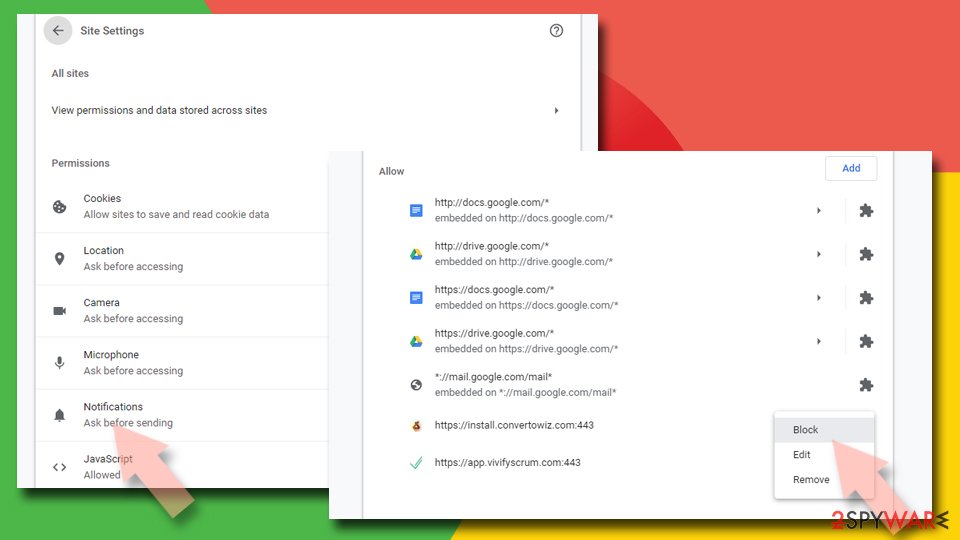
Google Chrome
- Open the Google Chrome browser and go to Menu > Settings.
- Scroll down and click on Advanced.
- Locate the Privacy and security section and pick Site Settings > Notifications.
- Look at the Allow section and look for a suspicious URL.
- Click the three vertical dots next to it and pick Block. This should remove unwanted notifications from Google Chrome.

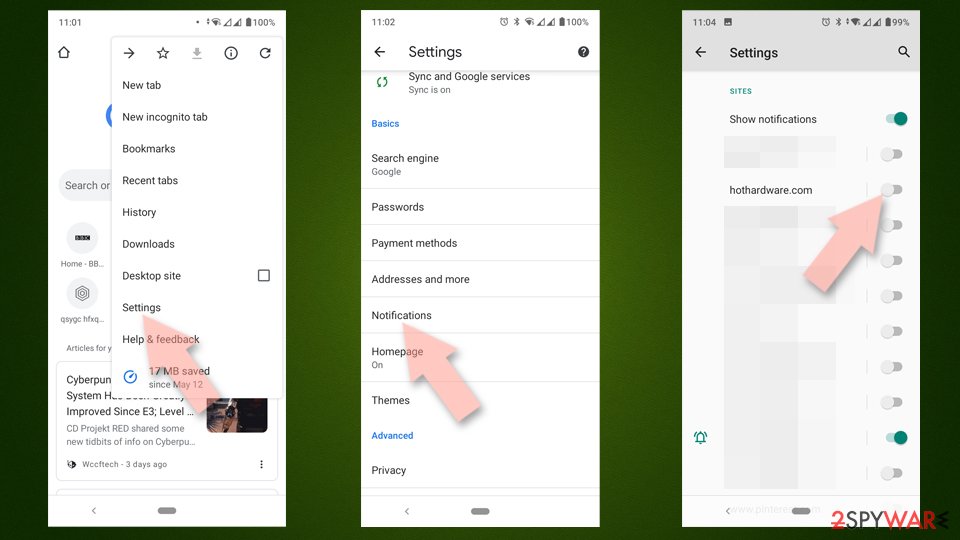
Google Chrome (Android)
- Open Google Chrome and tap on Settings (three vertical dots).
- Select Notifications.
- Scroll down to the Sites section.
- Locate the unwanted URL and toggle the button to the left (Off position).

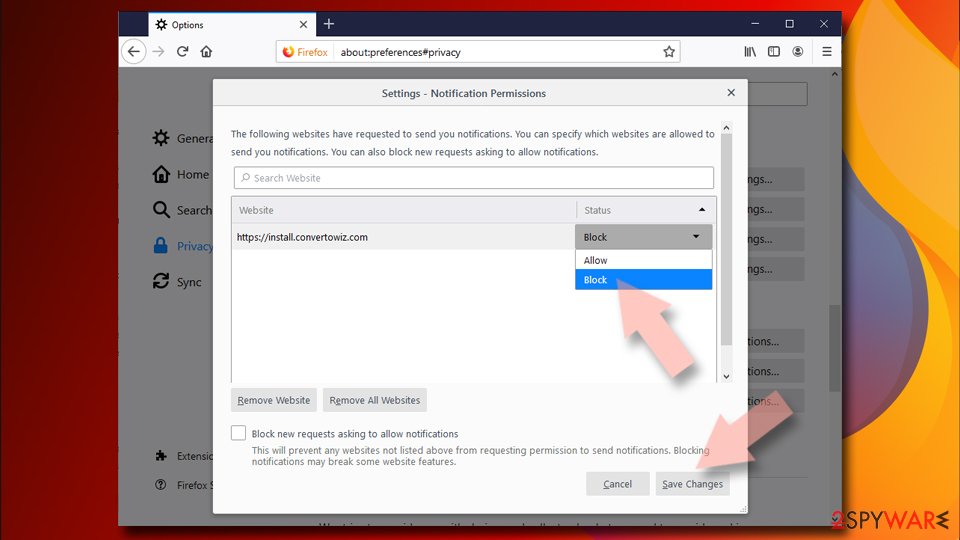
Mozilla Firefox
- Open Mozilla Firefox and go to Menu > Options.
- Click on Privacy & Security section.
- Under Permissions, you should be able to see Notifications. Click the Settings button next to it.
- In the Settings – Notification Permissions window, click on the drop-down menu by the URL in question.
- Select Block and then click on Save Changes. This should remove unwanted notifications from Mozilla Firefox.

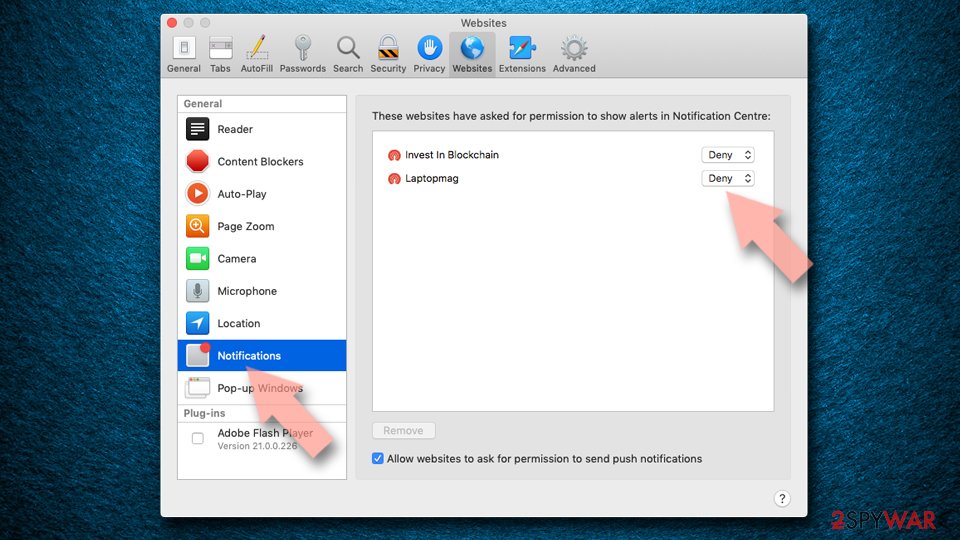
Safari
- Click on Safari > Preferences…
- Go to the Websites tab and, under General, select Notifications.
- Select the web address in question, click the drop-down menu and select Deny.

MS Edge
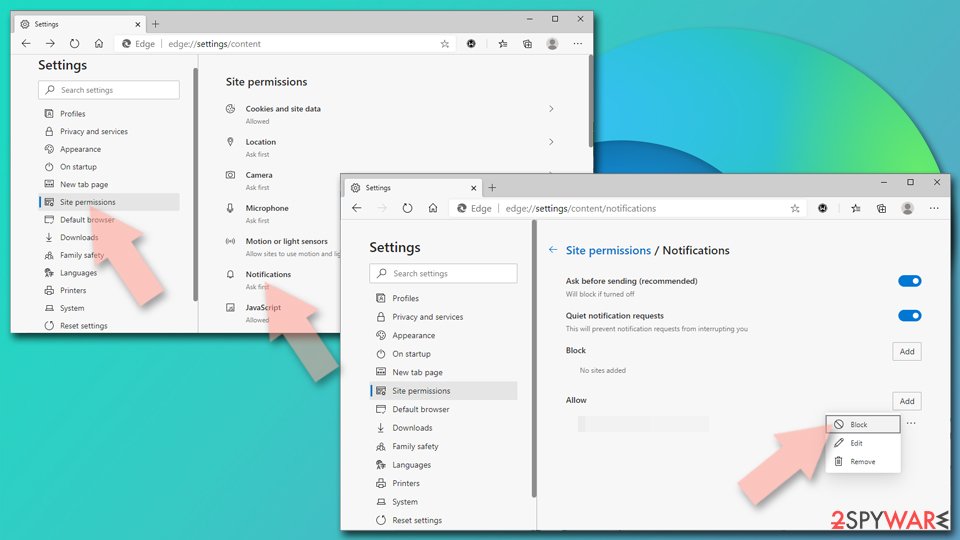
- Open Microsoft Edge, and go to Settings.
- Select Site permissions.
- Go to Notifications on the right.
- Under Allow, you will find the unwanted entry.
- Click on More actions and select Block.

Internet Explorer
- Open Internet Explorer, and click on the Gear icon at the top-right of the window.
- Select Internet options and go to the Privacy tab.
- In the Pop-up Blocker section, click on Settings.
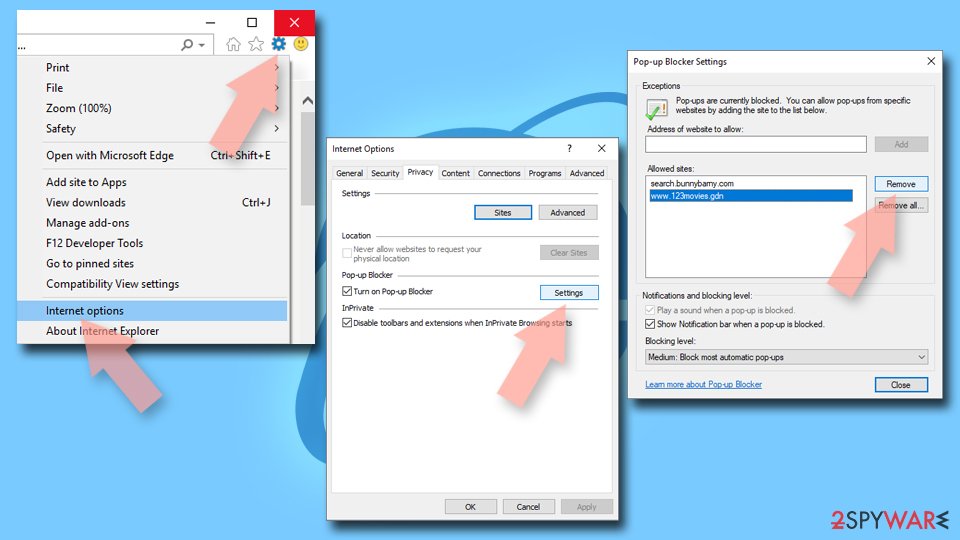
- Locate the web address in question under Allowed sites and pick Remove.

Taking care of possible infections
While navigating sites like Chydroogible.com, the possibility of already installed adware on your machine should come into consideration. Adware refers to unwanted computer applications that, on average, give rise to persistent pop-ups and can actually take over your browser to sleazy websites. Quietly being installed via freeware bundling, users never have a chance even to become aware of the occurrences until bizarre behavior tends to happen.
As a result of this, it's recommended to scan your system from time to time for adware using efficient anti-malware software. Programs like MalwarebytesMalwarebytes or SpyHunterCombo Cleaner are perfect for scanning your computer as they can detect and remove threats that would otherwise be undetected. Keeping these programs updated also helps in detecting the new forms of malicious software.
Removing adware is just half the battle. Once you have purged your system, there are other steps you must take to heal any residual damage. That is where a tool like FortectIntego will step in – it will be able to restore browser settings, delete tracking cookies, and repair changes made to your system that the adware may have taken. That will ensure fewer issues for your browser and computer down the road and get them running like they should be again.
Did this guide help?
Be the first to comment