

New EDA2 ransomware variant wants to receive the ransom as soon as possible
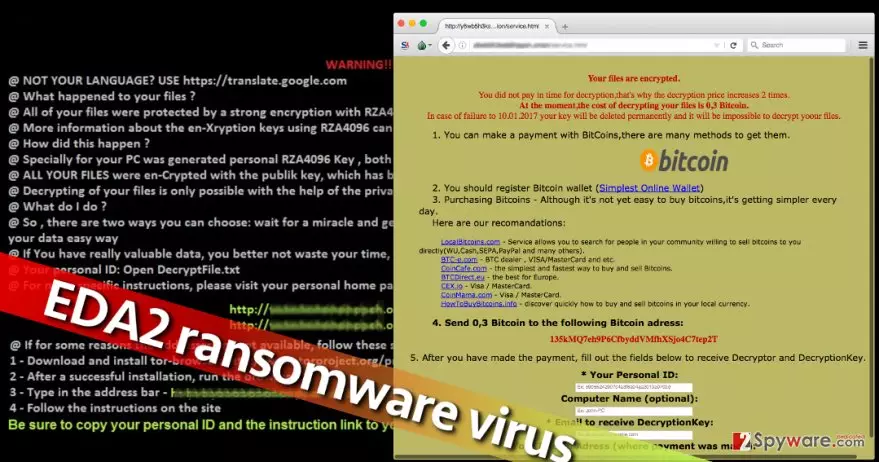
When EDA2 virus hits a computer, expect no good. This ransomware-type computer infection is critical and installing it on the system means losing your personal data permanently. In the ransom note that virus creates and saves on the desktop (DecryptFile.txt), virus’ authors claim to be using RSA-4096 encryption[1] to corrupt data on the target computer, which is extremely strong and undefeatable. Sadly, files encrypted with such cipher can be recovered only by using a special decryption key[2], which cybercriminals suggest buying for 0.15 Bitcoin[3], which is equal to $134. The virus demands to pay up shortly; otherwise the ransom price doubles to $267. In case the victim refuses to pay the bigger price, the virus threatens to destroy the only hope to restore them – the decryption key.
To help the victim understand the extent of encrypted data, the virus marks each encrypted file by adding an extra file extension to it – .L0CKED. Reportedly, other EDA2[4] variants add .ded or .coded file extensions. If you see these file extensions on your files, it means they have been encrypted. Obviously, you might start hesitating whether to pay the ransom or not. There are many reasons why you shouldn’t do so. First of all, paying the ransom doesn’t guarantee that data will be recovered. In many cases, cyber criminals fail to fulfill their part of the agreement and provide the decryption software. We doubt that you want to be left without your files and your money, so we suggest you try data recovery methods described below the article. Second, paying the ransom only fuels criminals’ motivation to continue illegal activities. Therefore, you should think about EDA2 removal instead of searching for ways to obtain Bitcoins. To remove EDA2 malware, we suggest using FortectIntego or SpyHunterCombo Cleaner.
How did this virus slither into my computer system?
Ransomware viruses are usually covered with several obfuscation layers, and they can reach the victim in the form of a malicious link, hideous email attachment, or part of a bogus software update[5]. It is important to understand that relying on common sense might fail to protect your computer since malware developers use very tricky techniques to deceive users and make them install such no-way-back virus. However, you should remember that staying away from vague-looking emails can save your data from malicious attempts to encrypt it. Even if the sender claims to be from Amazon, Paypal, or other legitimate company, double-check the sender’s email and look if the message contains any grammar mistakes (these are the typical points that help to identify a scam). What is more, you should never click on ads hosted on shady third-party websites. Clicking on them can take you to really nasty places on the Internet. If you ever accidentally enter a shady-looking website, better quit it immediately. Finally, beware of malware that travels along freeware and set Advanced or Custom settings when installing software.
How to delete EDA2 virus from the system?
If EDA2 virus has already struck and successfully encrypted your files, there are several different options of what you can do next. You can obey to attackers’ demands and pay the ransom (not recommended), or you can remove EDA2 ransomware from the system and use the backups you have to restore lost data. Sadly, many people do not take care of backups on time, and when ransomware hits their computers, they have no chance to recover lost files easily. If you are one of those victims who do not have a backup, we suggest you follow these data recovery steps that are provided here. However, you should carry them out only after EDA2 removal procedure.
Did this guide help?
3 comments
Leenah
Cannot restore files... Can somebody help me
Matthew
Thanks, glad I had a backup. Removed the virus with Reimage.
greg
Filthy ransomware developers... Why nobody puts them behind bars?