

FUNNY ransomware – a dangerous cyber threat related to the most active ransomware family at the moment, Dharma
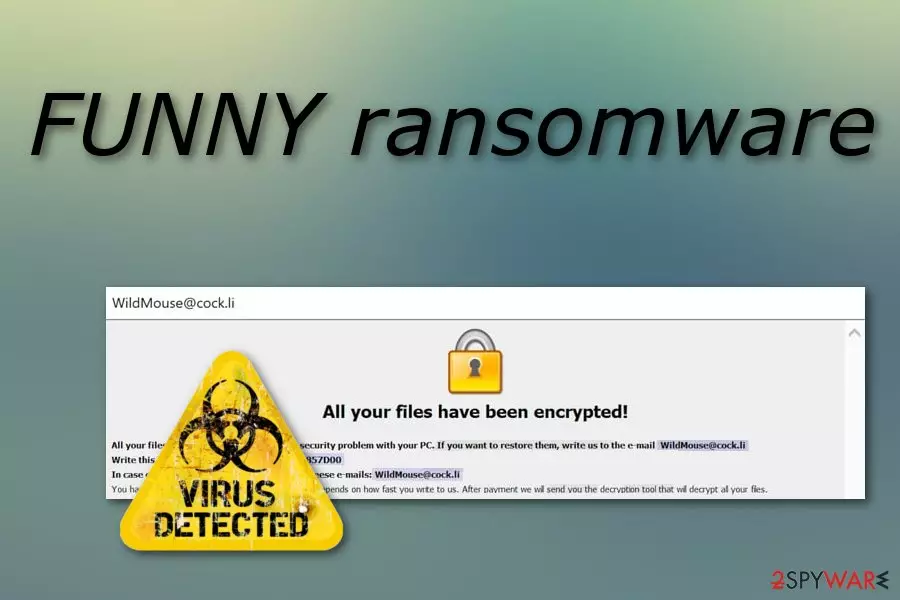
FUNNY ransomware is a malicious cryptovirus which was recently discovered by a malware researcher named Jakub Kroustek. The ransomware virus clearly belongs to the infamous Dharma family which has been very active during the last couple months. Once installed, FUNNY files virus begins creating dubious registry entries in the Windows Registry and uses several Windows Tasks to start its work once the infected machine is rebooted. After that, the ransomware starts the encryption process by using unique ciphers and locking each document with the .FUNNY appendix. Later on, the malware displays a message that is named FILES ENCRYPTED.txt. Crooks are urging their victims to contact them via the WildMouse@cock.li email address and discuss the price in exchange for data decryption[1].
| Name | FUNNY |
|---|---|
| Type | Ransomware |
| Sub-type | Malware |
| Belongs to | Dharma |
| Extension | .FUNNY |
| Ransom message | FILES ENCRYPTED.txt |
| Given email | WildMouse@cock.li |
| Encryption used | AES/RSA |
| Elimination | Install FortectIntego to detect damaged objects |
FUNNY ransomware can be spotted on the system right after it starts encrypting victim's files. In the meanwhile, its main file takes about 95.5 KB and can be downloaded into the target system as “invoice,” “business report,” and similar file that might seem important. However, note that the malware starts its encryption right after it gets into the system and makes target files unusable.
Talking about the ransom warning displayed by the FUNNY ransomware, it contains crooks' offer to check their decryption service by sending them one small file. However, as the note claims further, if the victim wants to recover encrypted documents to their primary state, he or she should pay the demanded ransom. Before you send your money to cyber criminal, you should note that these people can leave you with nothing.
Here is how the ransomware message looks like:
All your files have been encrypted!
All your files have been encrypted due to a security problem with your PC. If you want to restore them, write us to the e-mail WildMouse@cock.li
Write this ID in the title of your message 1E857D00
In case of no answer in 24 hours write us to theese e-mails:WildMouse@cock.li
You have to pay for decryption in Bitcoins. The price depends on how fast you write to us. After payment we will send you the decryption tool that will decrypt all your files.
Free decryption as guarantee
Before paying you can send us up to 1 file for free decryption. The total size of files must be less than 1Mb (non archived), and files should not contain valuable information. (databases,backups, large excel sheets, etc.)
How to obtain Bitcoins
The easiest way to buy bitcoins is LocalBitcoins site. You have to register, click 'Buy bitcoins', and select the seller by payment method and price.
https://localbitcoins.com/buy_bitcoins
Also you can find other places to buy Bitcoins and beginners guide here:
http://www.coindesk.com/information/how-can-i-buy-bitcoins/
Attention!
Do not rename encrypted files.
Do not try to decrypt your data using third party software, it may cause permanent data loss.
Decryption of your files with the help of third parties may cause increased price (they add their fee to our) or you can become a victim of a scam.
As we can see the cybercriminals are very likely to urge victims to pay them Bitcoin. Crooks often use this type of currency as it guarantees that the entire process will remain safe and untrackable. However, you should overthink everything twice before deciding to pay them. We suggest performing the FUNNY ransomware removal instead.
Although cryptography[2] used for the encryption process is hard to identify, that does not mean that you have to get frightened about your files and run straightly into contact with the hackers. First, remove FUNNY virus and then start thinking about locked documents. Additionally, try detecting all damaged objects with FortectIntego. Furthermore, we have provided some third-party software below this article which might help you recover some data.

Ransomware viruses are spread through phishing email messages
According to cybersecurity specialists from Virusai.lt[3], ransomware is spread through spam attachments. Crooks clip the hazardous payload as a certain type of file and send copies of the dubious message to numerous innocent computer users. If the victim decides to open the attached file, he/she is very likely to infect the computer system with ransomware.
Avoid such possible consequence by staying away from all dubious messages you receive. Delete all emails from questionable senders and those which you were not expecting to get. Note that virus-related emails are usually sent to the spam section, however, they can still appear in the inbox. Additionally, for automatical computer protection use a reputable anti-malware program.
Terminate FUNNY virus
To remove FUNNY virus correctly, you will need to download and install trustworthy anti-malware tools. Moreover, we suggest using FortectIntego, SpyHunterCombo Cleaner, or MalwarebytesMalwarebytes to detect all hazardous components that might have been stealthily hidden in the computer system due to the secret ransomware virus infiltration.
Performing the FUNNY ransomware removal requires a lot of skills and knowledge. That means the process should be completed ONLY by using reputable tools. After that, refresh the entire computer system. Remember the safety methods that help avoid such and other similar cyber threats.
Another piece of advice for all users will be to take care of your personal data even more than before. If you do not already have it stored on an external device, you should definitely do that. Gather all important documents and copy them to a USB flash drive. This will keep all files safe from possible corruption.
Did this guide help?
Be the first to comment