

Itqw ransomware is a virus that can cause permanent damage to users' personal files
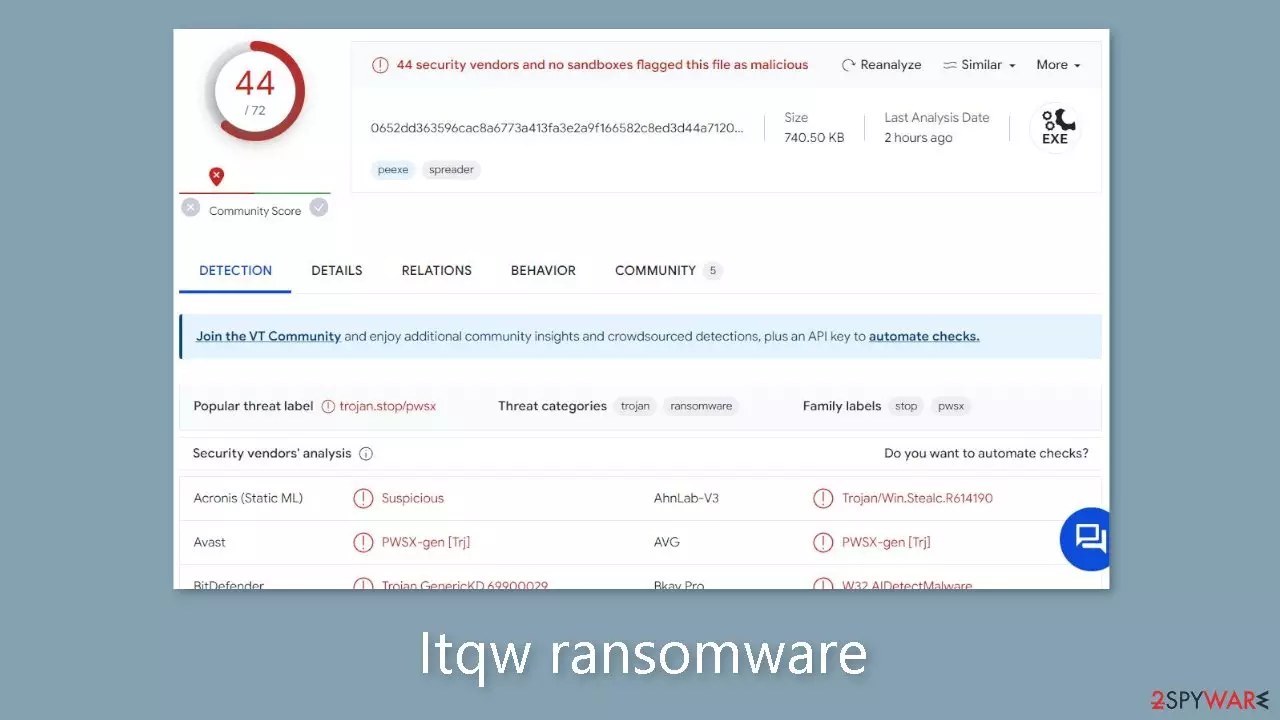
Itqw belongs to the Djvu ransomware family, representing a malicious variant that encrypts files on infected computers, rendering them inaccessible until a ransom is paid. Documents, photos, audio and video recordings, and archives are all susceptible to being encrypted by the Itqw ransomware since it does not make a distinction between different file formats. Surprisingly, system folders are unaffected. Therefore, if left untreated, this infection has the potential to cause long-lasting harm.
Because of its covert operations, victims frequently don't discover that their files have been encrypted until it's too late. Additionally, the ransomware uses the .itqw file extension to identify affected files and may try to hide its actions by displaying false Windows update pop-ups.
| NAME | Itqw |
| TYPE | Ransomware, file-locking malware |
| MALWARE FAMILY | Djvu ransomware |
| RANSOM NOTE | _readme.txt |
| FILE EXTENSION | .itqw |
| CONTACT | support@freshmail.top, datarestorehelp@airmail.cc |
| RANSOM AMOUNT | $490/$980 |
| FILE RECOVERY | There is no guaranteed way to recover locked files without backups. Other options include paying cybercriminals (not recommended, might also lose the paid money), using Emisoft's decryptor (works for a limited number of victims), or using third-party recovery software |
| MALWARE REMOVAL | After disconnecting the computer from the network and the internet, do a complete system scan using a trusted security program |
| SYSTEM FIX | As soon as it is installed, malware has the potential to severely harm some system files, causing instability problems, including crashes and errors. Any such damage can be automatically repaired by using FortectIntego PC repair |
The ransom note
A ransom note is a type of communication that is frequently presented to victims of ransomware attacks. Typically, this message gives instructions on how the victim might pay the attackers a ransom in exchange for the unlocking of their encrypted data.
The ransom note also includes a payment deadline and might make threats of more harm or data deletion if the ransom is not paid. However, Djvu variations take a more formal and controlled approach, avoiding such strategies. Usually, the victim receives a ransom note on their computer or other electronic device in the form of a text file, an image, or a webpage. In the case of the Itqw virus, the ransom note appears immediately upon the completion of file encryption. The message reads as follows:
ATTENTION!
Don't worry, you can return all your files!
All your files like pictures, databases, documents and other important are encrypted with strongest encryption and unique key.
The only method of recovering files is to purchase decrypt tool and unique key for you.
This software will decrypt all your encrypted files.
What guarantees you have?
You can send one of your encrypted file from your PC and we decrypt it for free.
But we can decrypt only 1 file for free. File must not contain valuable information.
You can get and look video overview decrypt tool:
hxxps://we.tl/t-cGZhpvUKxk
Price of private key and decrypt software is $980.
Discount 50% available if you contact us first 72 hours, that's price for you is $490.
Please note that you'll never restore your data without payment.
Check your e-mail “Spam” or “Junk” folder if you don't get answer more than 6 hours.To get this software you need write on our e-mail:
support@freshmail.topReserve e-mail address to contact us:
datarestorehelp@airmail.ccYour personal ID:
–
There exist several compelling reasons to discourage ransom payment following a Djvu ransomware attack, including:
- No assurance of data recovery: Submitting the ransom offers no guarantee that the encrypted data will be restored. Attackers might not deliver the decryption key even after receiving payment, or the decryption process may prove flawed, yielding corrupted or unusable files.
- Promotes criminal behavior: Ransom payment serves as an incentive for cybercriminals to persist in their illicit endeavors. As more victims yield to ransom demands, ransomware attacks become increasingly profitable, potentially leading to a surge in the number of such incidents.
- Legal and ethical considerations: Paying the ransom could potentially breach laws or company policies, and it also raises ethical dilemmas. The money provided may fuel other criminal enterprises, underscoring the importance of avoiding support for unlawful activities.

Malware removal
Shock is a typical initial response upon learning that your files are inaccessible as a result of ransomware infection. Almost all user-related file types are targeted by this malicious software, including vital documents and treasured images that contain valuable information and priceless memories that fraudsters can profit from. However, we strongly advise against caving into the demands of the creators of the Itqw ransomware and suggest relying on the alternate options described below.
The virus needs to be removed from your system as a first step. After encrypting files, ransomware may self-destruct, but it may also leave behind dangerous modules or other payloads that continue to target your data. Therefore, it is wise to use effective anti-malware software, like SpyHunterCombo Cleaner or MalwarebytesMalwarebytes, to scan your system and get rid of the infection and any hidden components.
It's important to note that malware occasionally prevents this process from happening by interfering with the way security software functions. An effective remedy in these situations is to enter Safe Mode and run the scan from there (full instructions are provided at the end of this document).
It's crucial to inspect your system for damage in order to avoid crashes, failures, and other technical problems brought on by malware incursion. Using PC repair software FortectIntego is the easiest way to achieve this because for some people, reinstalling the Windows operating system can be difficult and time-consuming.
Data recovery
Although paying a ransom to unlock encrypted files is frequently considered necessary, doing so is not recommended because there is no guarantee that the attackers will provide the decryption key. Furthermore, giving in to demands for ransom just strengthens and gives the attackers more confidence, maybe encouraging them to carry out more similar attacks in the future.
If your aim is to regain access to your encrypted files without resorting to ransom payment, you have a few options to consider:
- Restore from backup: If you have a recent backup of your files, you can use it to restore your data. This is the most dependable method for data recovery, contingent upon having an up-to-date backup.
- Utilize file recovery software: Several software applications can scan your hard drive and endeavor to recover deleted or damaged files.
- Try Emsisoft's decryption tool: Emsisoft offers a decryption tool designed specifically for Djvu ransomware victims. It's important to note that this approach may not work for everyone, but it is advisable for all victims to give it a try.
You can find instructions for dealing with ransomware-encrypted files and attempting to restore them below. It is advised to make backups of your locked files before moving forward with the restoration procedures in order to safeguard them against potential loss during the procedure. Additionally, you'll learn how to report the incident to the police, backup your files for future security, and remove any access limitations that the Itqw ransomware may have placed on websites through the “hosts” file.
Did this guide help?
Be the first to comment