

NazCrypt – a file-encrypting virus that locks data with AES cryptography
NazCrypt ransomware is a malicious program that uses AES-256 encryption cipher to make files on the targeted computer inaccessible. During the encryption, malware[1] also adds .nazcrypt file extension to documents, pictures, multimedia, archives, and other files.
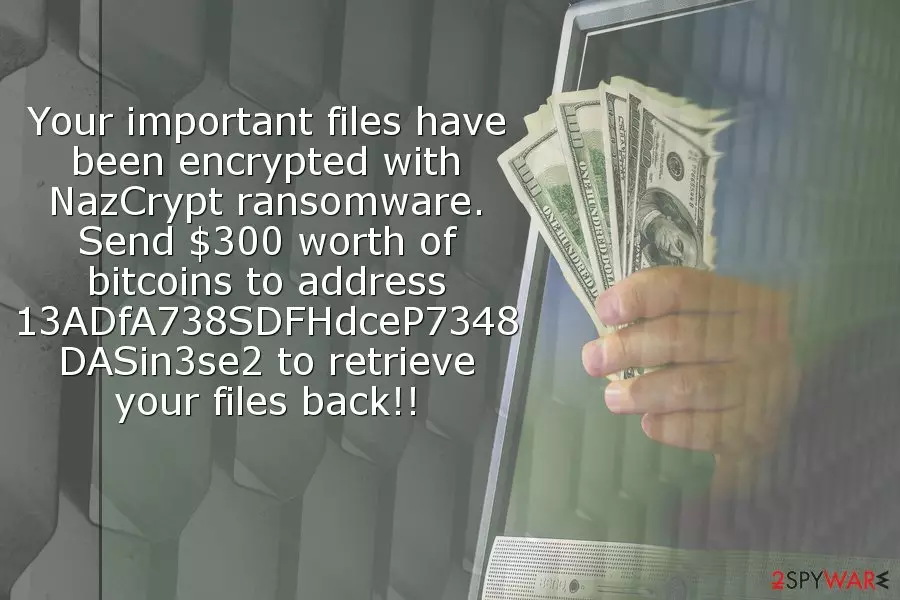
Just like any other ransomware, NazCrypt virus also delivers a ransom note in NAZCRYPT_RECOVERY_INSTRUCTIONS.txt file where authors of malware give instructions what victims should do after ransomware attack in order to get back access to their files. The message is short and simple – users have to transfer $300 in Bitcoins:
Your important files have been encrypted with NazCrypt ransomware. Send $300 worth of bitcoins to address 13ADfA738SDFHdceP7348DASin3se2 to retrieve your files back!!
Paying the ransom should never be considered. Cyber criminals are not reliable people. Therefore, you cannot be sure whether they actually have NazCrypt decryptor or if they keep their promise and give it to you once they receive your payment.
After the attack, it’s important to remove NazCrypt from the device and only then think about data recovery. Malware can make critical changes to the system, install malicious files or even open the backdoor to other cyber threats.
Ransomware runs whenever you turn on your computer. Therefore, all new files you save on PC might be encrypted once you restart the computer. Additionally, due to harmful process, you will suffer from system crashes, unresponsive programs, and similar computer-related problems.
For these reasons, you should hurry up with NazCrypt removal. Obtain FortectIntego or another reputable malware removal software and run a full system scan. If you face some obstacles or cannot launch automatic removal, please follow the steps given below.
However, you should not try to locate and delete malware-related components manually. It’s a complicated task, and inexperienced users might cause more damage than good. Hence, dedicate this task to the professional software.
Once you get rid of NazCrypt, you can plug in the external drive with data backups and copy needed files. If you do not have them, please check our suggestions below how you can restore files with .nazcrypt extension. Paying the ransom is never an option!

Malicious spam emails spread ransomware executable
Ransomware payload nazcrypt.exe typically spreads with the help of infected spam emails that have an attachment. When a user opens it, this executable is dropped on the system. Crooks use clever social engineering[2] techniques to trick users into opening obfuscated files. Unfortunately, many people fall for such tricks.
However, malware research team from usunwirusa.pl[3] warn that netizens should not only be aware of potential threats that are lurking in their inbox. There are many other ways how ransomware can enter the system, for instance, malware-laden ads, fake software updates or downloads, etc.
Hence, following basic online security tips, installing an antivirus program and creating backups is a must to minimize the risk of cyber attack.
Delete NazCrypt virus from Windows OS correctly
To remove NazCrypt from the system without causing more damage, you have to use powerful malware removal software. Tools like FortectIntego or MalwarebytesMalwarebytes can quickly identify and terminate all files related to the ransomware. Meanwhile, this task is nearly impossible to complete manually.
However, security software might be blocked by ransomware. For this reason, you should reboot your machine to Safe Mode with Networking before running automatic NazCrypt removal. You can find detailed instructions how to do it below.
At the end of the instructions, you will also find a few methods that might help you to get back access to the encrypted files. Nevertheless, the official decryptor is not available yet; you should still try alternative tools to minimize the damage by ransomware.
Did this guide help?
Be the first to comment