

Fatp ransomware is a dangerous encryption-based threat with various capabilities
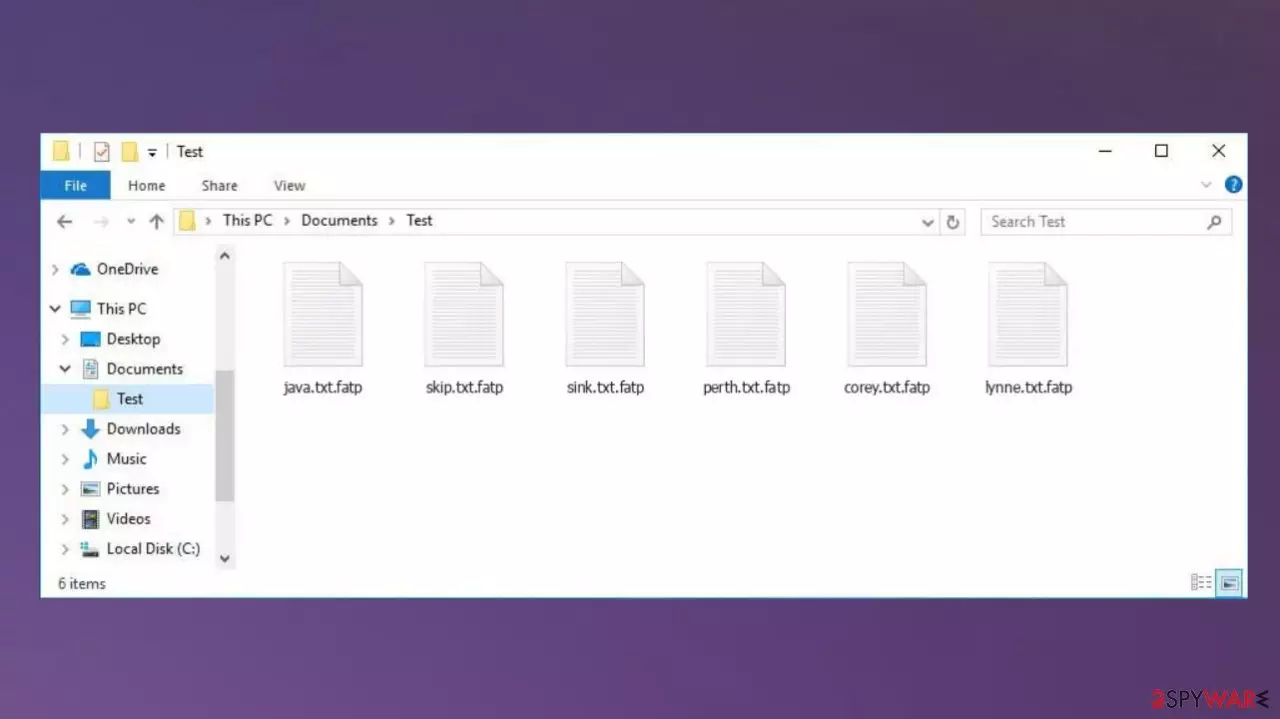
Fatp ransomware is a money-demanding threat that locks up your data, creating a reason to demand money later. The infection tries to convince people that paying a ransom is the only way to get their files back.[1] The virus uses intimidating messages to do this and even offers a 50% discount to victims who get in touch within the first 72 hours.
The Fatp file virus is a serious threat that can encrypt files and make them unusable by replacing the original code. The data becomes locked, unusable, and unopenable, which can cause people to panic. This virus can affect archives or databases, not just commonly used files such as documents, photos, and videos. However, it will not directly alter the data in the system's folders or directories. It is true that there are other ways in which ransomware corrupts system files.
Cybercriminals trying to extort money from their victims should not be believed. Trying to contact the virus creators may result in a loss of money or even an additional virus installed on the system instead of the promised decryption key. So, the best thing to do is to simply uninstall the Fatp ransomware and try other methods that might help you recover your files.
Unfortunately, these locked files cannot be recovered at all because the threat comes from the Djvu ransomware family, which releases new versions every week. The virus is designed to corrupt the device and locks the files in the first place, but there are other problems associated with the Fatp file virus infection. The ransomware marks the altered data using a unique attachment. This is where the name of this version comes from.
More on the ransomware
After all the processes related to data encryption have been completed, the virus uploads the _readme.txt file to various folders and the desktop. This file is a direct message from the virus creators demanding a ransom in exchange for a possible decryption tool.
However, it is not advised to trust the promises of cybercriminals as they may lie and files that have been encrypted by the Fatp ransomware may remain locked and even permanently corrupted. Unfortunately, there are no official tools available to help, and there are no programs currently being developed by credible researchers. This is why it is recommended to remove the threat rather than contact the people behind the infection.
| Name | Fatp ransomware |
|---|---|
| Type | Cryptovirus, file-locker virus |
| File marker | .fatp |
| Family | Djvu ransomware |
| Contact details | support@fishmail.top, datarestorehelp@airmail.cc |
| Distribution | Malicious files from emails, pirating platforms, other threats can spread virus payloads around |
| Removal | AV tools work best with the elimination |
| Repair | Run FortectIntego to take care of the damaged files on the PC |
Fatp ransomware virus demands money for a supposed decryption tool. But whether you pay the full asking price of $980 in bitcoins or the discounted price of $490 in bitcoins, you may never get this promised decryption tool. Cybercriminals are only interested in making a profit, not in the well-being of their victims, which is why trial decryptors and promises of discounts can only be made to trick you.
Virus termination
Fatp ransomware is a virus that can affect many parts of a device, including system data and processes for removing and restoring files. Removing this ransomware means that your computer will no longer have the virus, and the infection will no longer affect the system, but this is not the same as decrypting or restoring files.
Before you can try alternative ways of restoring your files, you must first stop the virus. Removing the file virus will ensure that file encryption does not happen again and that new data is safe. Otherwise, the Fatp ransomware may start the next round of encryption or encrypt newly restored or modified files.
To eliminate the threat, you need a trusted security application that can detect[2] and completely get rid of this and other potential malware. We recommend using MalwarebytesMalwarebytes or SpyHunterCombo Cleaner for this purpose, as these programs are capable of detecting a wide range of threats and removing them completely from the system.
Removing Fatp ransomware with anti-malware tools will allow you to enjoy a clean PC again. After deleting the virus, we recommend that you double-check your system for any infections. And then, proceed to repair the system and try to restore the affected files with options that experts[3] potentially consider safe.

Recover the system data
Once a computer is infected with malware, its system is changed to operate differently. For example, an infection can alter the Windows registry database, damage vital bootup and other sections, delete or corrupt DLL files, etc. Once a system file is damaged by malware, antivirus software is not capable of doing anything about it, leaving it just the way it is. Consequently, users might experience performance, stability, and usability issues, to the point where a full Windows reinstall is required.
Therefore, we highly recommend using a one-of-a-kind, patented technology of FortectIntego repair. Not only can it fix virus damage after the infection, but it is also capable of removing malware that has already broken into the system thanks to several engines used by the program. Besides, the application is also capable of fixing various Windows-related issues that are not caused by malware infections, for example, Blue Screen errors, freezes, registry errors, damaged DLLs, etc.
- Download the application by clicking on the link above
- Click on the ReimageRepair.exe

- If User Account Control (UAC) shows up, select Yes
- Press Install and wait till the program finishes the installation process

- The analysis of your machine will begin immediately

- Once complete, check the results – they will be listed in the Summary
- You can now click on each of the issues and fix them manually
- If you see many problems that you find difficult to fix, we recommend you purchase the license and fix them automatically.


Restoring the data after changes
Various experts recommend that you fight such a virus as soon as possible – as soon as you notice that the infection has entered your computer, as there are additional problems that ransomware can cause. Fatp ransomware cannot be decrypted due to a number of factors.
Firstly, it is a new variant of known ransomware. Secondly, it is a version of a particular strain that is powerful, advanced, and constantly being improved and updated. The recent Zate and Zatp versions cannot be recovered easily or quickly. This makes the uninstallation and file recovery processes more difficult than in the case of other threats of a similar type.
Such file-locking infections can be resistant and persistent due to the additional malware installed on the device. So you must remove the infections and all related components using a trusted antivirus application to prevent Fatp ransomware virus from affecting other files.
If you add copies of data to the device or restore data in other ways while the virus is still running on the system, you may cause irreversible damage. The threat can start the next round of encryption and encrypt new files. Removing the file virus is very important, but it is not enough to unlock the files.
Decryption tool
Data backups can be used to restore files, but many users do not make proper backups and only think about it when Fatp file virus enters their computer. If your computer got infected with one of the Djvu variants, you should try using Emsisoft decryptor for Djvu/STOP. It is important to mention that this tool will not work for everyone – it only works if data is locked with an offline ID due to malware failing to communicate with its remote servers.
Even if your case meets this condition, somebody from the victims has to pay criminals, retrieve an offline key, and then share it with security researchers at Emsisoft. As a result, you might not be able to restore the encrypted files immediately. Thus, if the decryptor says your data was locked with an offline ID but cannot be recovered currently, you should try later. You also need to upload a set of files – one encrypted and a healthy one to the company's servers before you proceed.
- Download the app from the official Emsisoft website.
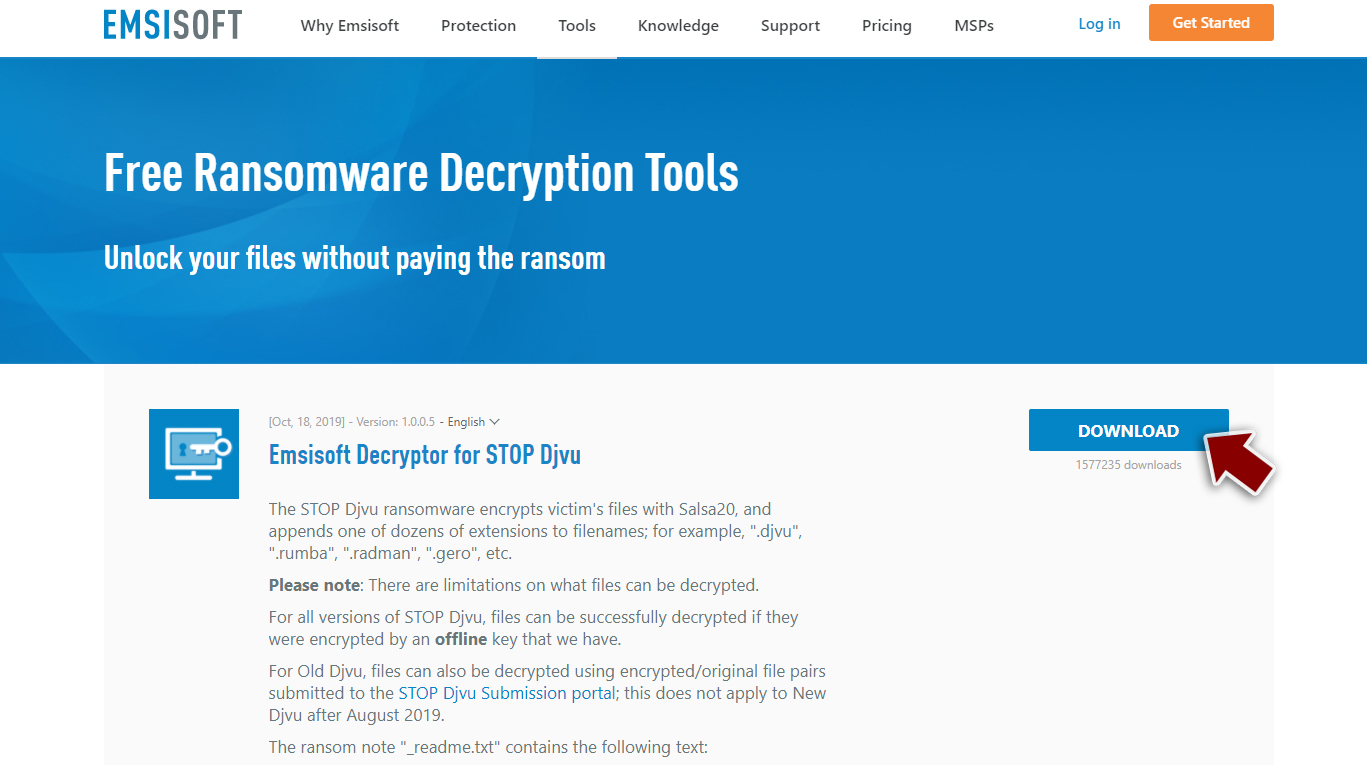
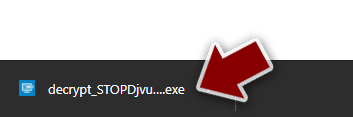
- After pressing Download button, a small pop-up at the bottom, titled decrypt_STOPDjvu.exe should show up – click it.
- If User Account Control (UAC) message shows up, press Yes.
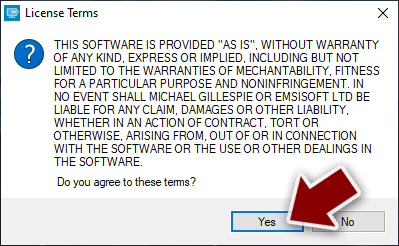
- Agree to License Terms by pressing Yes.
- After Disclaimer shows up, press OK.
- The tool should automatically populate the affected folders, although you can also do it by pressing Add folder at the bottom.

- Press Decrypt.



From here, there are three available outcomes:
- “Decrypted!” will be shown under files that were decrypted successfully – they are now usable again.
- “Error: Unable to decrypt file with ID:” means that the keys for this version of the virus have not yet been retrieved, so you should try later.
- “This ID appears to be an online ID, decryption is impossible” – you are unable to decrypt files with this tool.
Did this guide help?
Be the first to comment