

Iowd ransomware is a dangerous virus that might prevent you from accessing your files forever
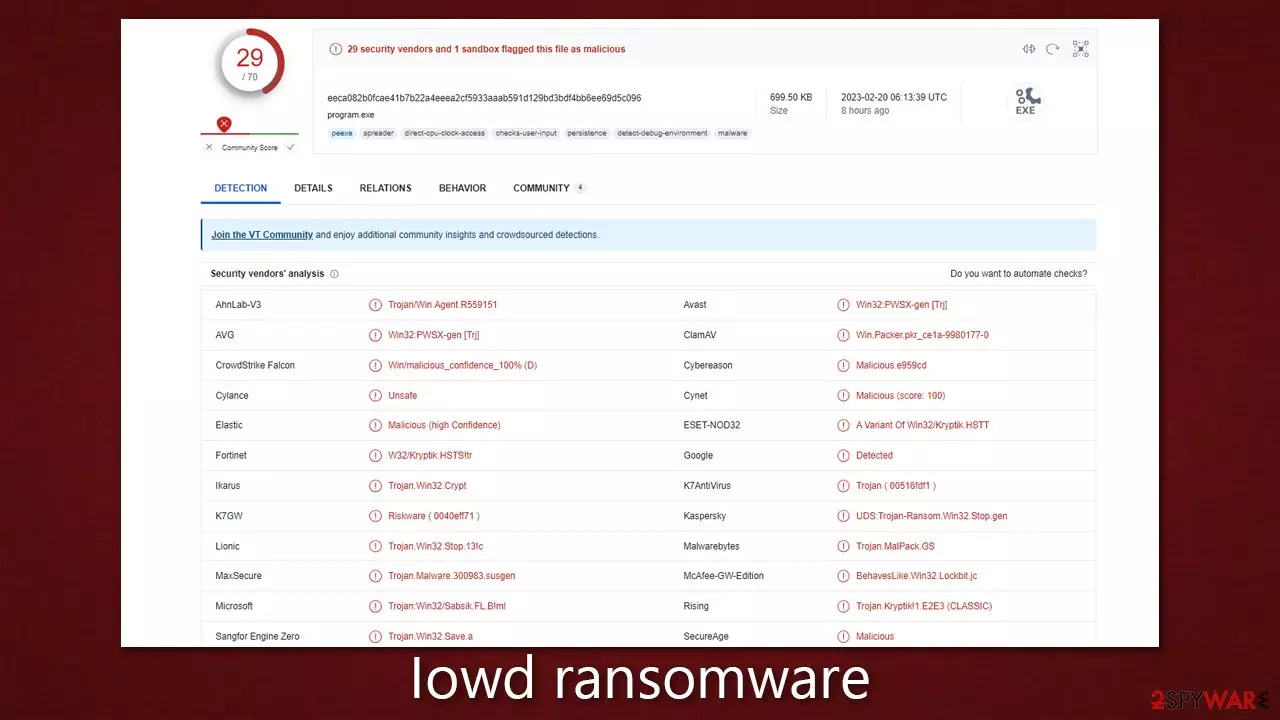
Belonging to the powerful Djvu family of malware, the malicious ransomware known as Iowd first surfaced in February 2023. It may spread through various methods, including pirated software installers and cracks. Unfortunately, victims usually discover this attack too late, as encryption had already taken place before any warning signs were given.
The Iowd virus uses an RSA encryption algorithm to prevent individuals from accessing their photos, videos, documents, and other essential files. Victims will notice that all data has lost its original icons and has been substituted with blanks, while a .iowd file extension is added at the end of each file. These are common indicators that victims have fallen prey to ransomware.
After the data-locking process is complete, users will find a ransom note named _readme.txt. Cybercriminals demand that they pay either $490 or $980 in bitcoin to regain access to their files. Victims can contact the scammers at support@freshmail.top and datarestorehelp@airmail.cc, but this is not recommended as it would only encourage the Iowd ransomware authors to continue their scamming tactics without any guarantee of recovering the lost data.
These viruses are known for locking files on victims' machines. However, there are particular virus campaigns that are focused on deleting files from the machine, like the wiper Azov virus that infects the machine and can wipe data off of it. These ransomware wipers create more damage, and recovery options are not available.
As for the DJVU ransomware family, you might recover some files at least or avoid becoming a victim of it. You can follow the alternative steps for the file repair we have provided below, which may result in better outcomes, although keep in mind that success is not guaranteed.
| Name | Iowd virus |
|---|---|
| Type | Ransomware, file-locking malware |
| File extension | .iowd extension appended to all personal files, rendering them useless |
| Family | Djvu |
| Ransom note | _readme.txt dropped at every location where encrypted files are located |
| Contact | support@freshmail.top and datarestorehelp@airmail.cc |
| File Recovery | There is no guaranteed way to recover locked files without backups. Other options include paying cybercriminals (not recommended, might also lose the paid money), using Emisoft's decryptor (works for a limited number of victims), or using third-party recovery software |
| Malware removal | After disconnecting the computer from the network and the internet, do a complete system scan using the SpyHunterCombo Cleaner security program |
| System fix | As soon as it is installed, malware has the potential to severely harm some system files, causing instability problems, including crashes and errors. Any such damage can be automatically repaired by using FortectIntego PC repair |
The ransom note
When a victim falls prey to a ransomware attack, they are often met with a message known as a ransom note. This message typically provides instructions on how the victim can pay a ransom to the attackers in exchange for the decryption of their data, which has been encrypted by the ransomware.
The ransom note also includes a deadline by which the ransom must be paid, and it may contain threats of further harm or destruction if the ransom is not paid. However, the Djvu variants do not use such tactics and instead maintain a professional demeanor. Ransom notes are usually displayed on the victim's computer or device in the form of a text file, an image, or a webpage.
In the case of the Iowd virus, the ransom note is displayed as soon as the file encryption is complete. The message is as follows:
ATTENTION!
Don't worry, you can return all your files!
All your files like pictures, databases, documents and other important are encrypted with strongest encryption and unique key.
The only method of recovering files is to purchase decrypt tool and unique key for you.
This software will decrypt all your encrypted files.
What guarantees you have?
You can send one of your encrypted file from your PC and we decrypt it for free.
But we can decrypt only 1 file for free. File must not contain valuable information.
You can get and look video overview decrypt tool:
https://we.tl/t-vdhH9Qcpjj
Price of private key and decrypt software is $980.
Discount 50% available if you contact us first 72 hours, that's price for you is $490.
Please note that you'll never restore your data without payment.
Check your e-mail “Spam” or “Junk” folder if you don't get answer more than 6 hours.To get this software you need write on our e-mail:
support@freshmail.topReserve e-mail address to contact us:
datarestorehelp@airmail.ccYour personal ID:
There are several reasons why it is not recommended to pay a ransom after a Djvu ransomware attack, some of which are:
- No guarantee of data recovery: There is no guarantee that paying the ransom will result in the recovery of the encrypted data. Attackers may not provide the decryption key even after receiving the ransom payment, or the decryption process may be faulty, resulting in corrupted or unusable files.
- Encourages criminal activity: Paying the ransom only encourages cybercriminals to continue their illegal activities. The more victims pay the ransom, the more lucrative ransomware attacks become, which can lead to an increase in the number of attacks.
- Legal and ethical concerns: Paying the ransom may be considered a violation of laws or company policies and may also raise ethical concerns. The money paid may go towards funding other illegal activities, and it is important to avoid supporting criminal activities.

Malware removal
Once one is infected with ransomware, one might be in shock after finding out that their files are no longer accessible. This malware targets practically all user-related file types, including photos and documents – these can hold invaluable information or even memories of loved ones, and this is precisely what crooks are preying upon. However, we recommend not giving into Iowd ransomware creators' demands and instead relying on alternative methods we provide below.
Your first task is to remove the virus from your system. Even though ransomware might self-destruct after the infection is finished and files encrypted, it might come with additional payloads or might drop malicious modules that would be left behind and target your data. Thus, it is always advised you scan your system with powerful anti-malware software, such as SpyHunterCombo Cleaner or MalwarebytesMalwarebytes, to get rid of the virus and all additional components that could be lurking inside the system.
It is noteworthy that malware might sometime hinder this process by interfering with security software's operation. In such a case, you can access Safe Mode and perform the scan from there (we explain how at the bottom of this post).
To avoid crashes, errors, and other technical issues that may result from malware intrusion, it is important to check your system for damage. The easiest way to do this is by scanning the system with PC repair software FortectIntego, as reinstalling the Windows system can be a confusing and time-consuming process for some.
Tips on data recovery
It is typically necessary to pay the ransom to restore encrypted files, but this is not a recommended solution as it is not guaranteed that the attackers will provide the decryption key. Moreover, paying the ransom only supports and encourages attackers, who may continue to carry out similar attacks in the future.
If you want to restore your encrypted files without paying the ransom, there are a few options to consider:
- Restore from backup: If you have a recent backup of your files, you can restore them from the backup. This is the most reliable method for recovering your data, but it only works if you have a current backup.
- Use file recovery software: Several software programs can scan your hard drive and attempt to recover deleted or damaged files.
- Try using Emsisoft's decryption tool which was specifically designed for Djvu ransomware victims. Keep in mind that this method may not work for everyone, but it is always recommended that all victims attempt this approach.
Below, you will find instructions on how to deal with ransomware-encrypted files to try to restore them. Before proceeding with the restoration steps, it is recommended that you make backups of your locked files in case they get damaged in the process. You will also find tips on how to back up your files for the future, report the incident to the authorities, and remove any restrictions on website access that Iowd ransomware might have established via the “hosts” file.
Did this guide help?
Be the first to comment