

Xash ransomware belongs to a family with over 600 variants that are released weekly

Xash ransomware is a member of the Djvu ransomware family, which has over 600 variants. Because of their potential distribution via other forms of malware[1] such as trojans and info-stealers, these infections can be difficult to detect. The infection process is subtle and quick, usually taking place when a user opens a file attachment containing a malicious file, downloads a pirated package, or launches a tool that deploys the malware.
Once inside a system, the Xash file virus can wreak havoc and cause significant damage. It skillfully conceals these issues, however, by displaying additional pop-ups, diverting the user's attention solely to their locked data, which can be identified by the .xash extension.
To encrypt commonly used files, the virus employs strong encryption[2] techniques. Following that, a ransom note appears, in which the virus's creators demand payment in exchange for a supposed decryption[3] tool. Nonetheless, they rarely keep this promise, frequently disappearing without providing the victim with a functional decryption solution.
| NAME | Xash |
| TYPE | Cryptovirus, file-locker |
| MALWARE FAMILY | Djvu ransomware |
| FILE EXTENSION | .xash |
| RANSOM NOTE | _readme.txt |
| RANSOM AMOUNT | $490/$980 |
| CONTACT MAILS | support@freshmail.top, datarestorehelp@airmail.cc |
| DISTRIBUTION | Malicious files can be shared via email, as well as through various online platforms that may present security risks or engage in pirating activities |
| REMOVAL | Use specialized tools that are designed to remove threats and protect against security breaches |
| SYSTEM FIX | If the infection has caused damage to parts of your machine, you can use FortectIntego to repair any issues with the system that have been caused by the corruption. |
Djvu ransomware family
The creators of the Djvu ransomware family use a variety of other malware forms to spread their payload, such as the distribution of pirated packages and the transmission of malicious file attachments. The Xash file virus employs malware such as Vidar and RedLine to infiltrate a system and begin the encryption process.
Users can unknowingly contract the Xash ransomware virus by downloading files from torrent sites or opening malicious file attachments in emails. To avoid infection, it is critical to exercise caution and verify the authenticity of such files before downloading them.
Along with its widespread distribution, the Djvu ransomware has improved its encryption capabilities. The most recent iterations include weekly releases and stronger encryption methods. Furthermore, the virus uses unique online IDs for each affected device, as opposed to previous versions, which used uniform offline keys for all devices encrypted by a specific variant. While the Djvu virus's use of offline keys has become less common, attempting to decrypt these files remains a possibility.
The ransom note
Cybercriminals drop a ransom note _readme.txt, which reads as follows:
ATTENTION!
Don't worry, you can return all your files!
All your files like pictures, databases, documents and other important are encrypted with strongest encryption and unique key.
The only method of recovering files is to purchase decrypt tool and unique key for you.
This software will decrypt all your encrypted files.
What guarantees you have?
You can send one of your encrypted file from your PC and we decrypt it for free.
But we can decrypt only 1 file for free. File must not contain valuable information.
You can get and look video overview decrypt tool:
hxxps://we.tl/t-otP8Wlz4eh
Price of private key and decrypt software is $980.
Discount 50% available if you contact us first 72 hours, that's price for you is $490.
Please note that you'll never restore your data without payment.
Check your e-mail “Spam” or “Junk” folder if you don't get answer more than 6 hours.To get this software you need write on our e-mail:
support@freshmail.topReserve e-mail address to contact us:
datarestorehelp@airmail.ccYour personal ID:
–
The note guarantees that the victim's encrypted files can be recovered. It claims that all files, including images, databases, documents, and other sensitive information, have been encrypted with strong encryption and a unique key. The victim is instructed to purchase a decrypt tool and a unique key in order to regain access to the files.
According to the note, the decrypt software will restore all encrypted files. To gain trust, the criminals provide a small demonstration by offering to decrypt one file for free. They do, however, specify that the chosen file must not contain any valuable information.
The note includes a link to a video overview of the decrypt tool, which may be used to persuade the victim of its legitimacy. The price of the private key and decrypt software is then mentioned, which is set at $980. If the victim contacts the criminals within the first 72 hours, the price is reduced to $490 for a limited time.

Why you should not pay
It is crucial for victims to avoid paying the ransom and instead focus on exploring legitimate avenues for data recovery and reporting the incident to the appropriate authorities, because:
- Lack of trustworthiness: The note is from criminals who have encrypted the victim's files unlawfully. There is no guarantee that paying the ransom will result in the decryption of files or that the criminals will uphold their end of the bargain.
- Encourages criminal activity: Paying the ransom supports and encourages the criminal enterprise behind the ransomware. It perpetuates their malicious activities, making them more likely to continue targeting others.
- No guarantee of data restoration: Even if the victim pays the ransom, there is no guarantee that the criminals will provide the decryption tool or the unique key. Victims may end up losing their money without any assurance of recovering their files.
- Legal consequences: Paying the ransom may involve engaging in illegal activities, potentially making the victim liable to legal repercussions.
- Support available: Instead of paying the ransom, victims should seek assistance from law enforcement agencies, cybersecurity experts, or reputable data recovery professionals. There may be alternative solutions or decryption tools available to help recover encrypted files without supporting criminals.
Removing the malicious files
Xash ransomware is a powerful and persistent threat that can cause significant damage. It is critical to remove the virus in order to regain control of your machine. One effective approach is to run a thorough system scan with a reputable threat detection tool such as SpyHunterCombo Cleaner or MalwarebytesMalwarebytes. These tools are intended to find both the malicious files associated with the Xash virus as well as any hidden components that may be linked to it or other viruses.
Detection of the Xash file virus as a potentially dangerous form of malware during a system scan necessitates immediate removal. It is important to note, however, that removing the virus does not imply decrypting it or recovering your data after infection.
The first priority must be virus removal because, if left unchecked, the virus can remain on your machine and encrypt any new files it encounters, as well as re-encrypt previously compromised files, causing irreversible damage. It is critical to act quickly to eliminate the threat, as this will prevent the virus from exacerbating the situation and causing further damage to your system.
The decryption of Djvu virus
In the event that your computer has fallen victim to a variant of the Djvu ransomware, there is a possibility of utilizing the Emsisoft decryptor for Djvu/STOP to attempt data recovery. However, it is important to understand that this tool does not guarantee success for every user. Its effectiveness is limited to cases where the data was locked using an offline ID, indicating a failure of the malware to establish communication with remote servers.
Even if your situation fulfills this requirement, the recovery process relies on someone among the affected victims making a payment to the criminals, acquiring the offline key, and subsequently sharing it with security researchers at Emsisoft. Consequently, immediate restoration of your encrypted files may not be feasible. If the decryptor identifies that your data was indeed locked with an offline ID but currently cannot be recovered, it is advisable to attempt the process again at a later time. To utilize the decryptor, you will also be required to upload a pair of files – one encrypted and one unencrypted – to the servers of the Emsisoft company.
- Download the app from the official Emsisoft website.
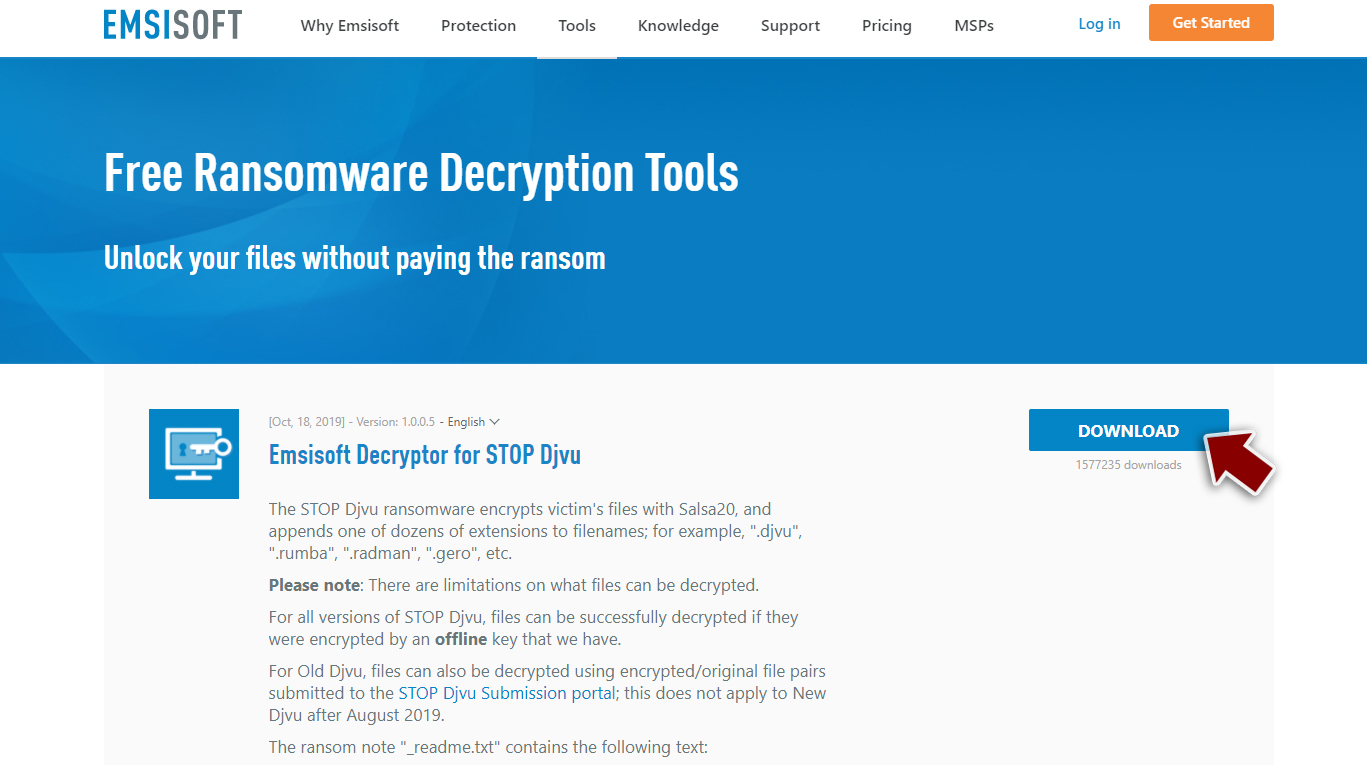
- After pressing Download button, a small pop-up at the bottom, titled decrypt_STOPDjvu.exe should show up – click it.
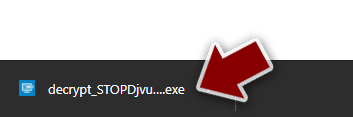
- If User Account Control (UAC) message shows up, press Yes.
- Agree to License Terms by pressing Yes.
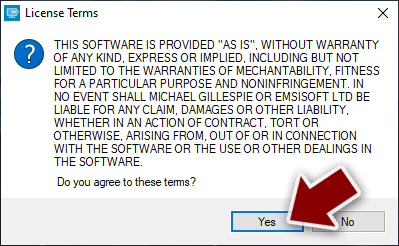
- After Disclaimer shows up, press OK.
- The tool should automatically populate the affected folders, although you can also do it by pressing Add folder at the bottom.

- Press Decrypt.



From here, there are three available outcomes:
- “Decrypted!” will be shown under files that were decrypted successfully – they are now usable again.
- “Error: Unable to decrypt file with ID:” means that the keys for this version of the virus have not yet been retrieved, so you should try later.
- “This ID appears to be an online ID, decryption is impossible” – you are unable to decrypt files with this tool.
System file recovery
When a computer falls victim to malware, it can result in various alterations to the system's functioning. These changes may involve modifications to the Windows registry database, damage to critical bootup and other system sections, deletion or corruption of DLL files, and more. In instances where malware has caused damage to a system file, traditional antivirus software may prove insufficient in repairing it. This leaves the system in a compromised state, potentially leading to performance, stability, and usability problems that may necessitate a complete reinstallation of the Windows operating system.
To address such issues, we recommend the utilization of FortectIntego, a distinctive and patented repair technology. This application not only resolves Windows-related problems stemming from malware infections but also tackles other issues unrelated to malware. These include addressing Blue Screen errors, system freezes, registry errors, and the restoration of damaged DLL files.
Did this guide help?
Be the first to comment