

Bhui ransomware belongs to a malware family that releases new variants weekly
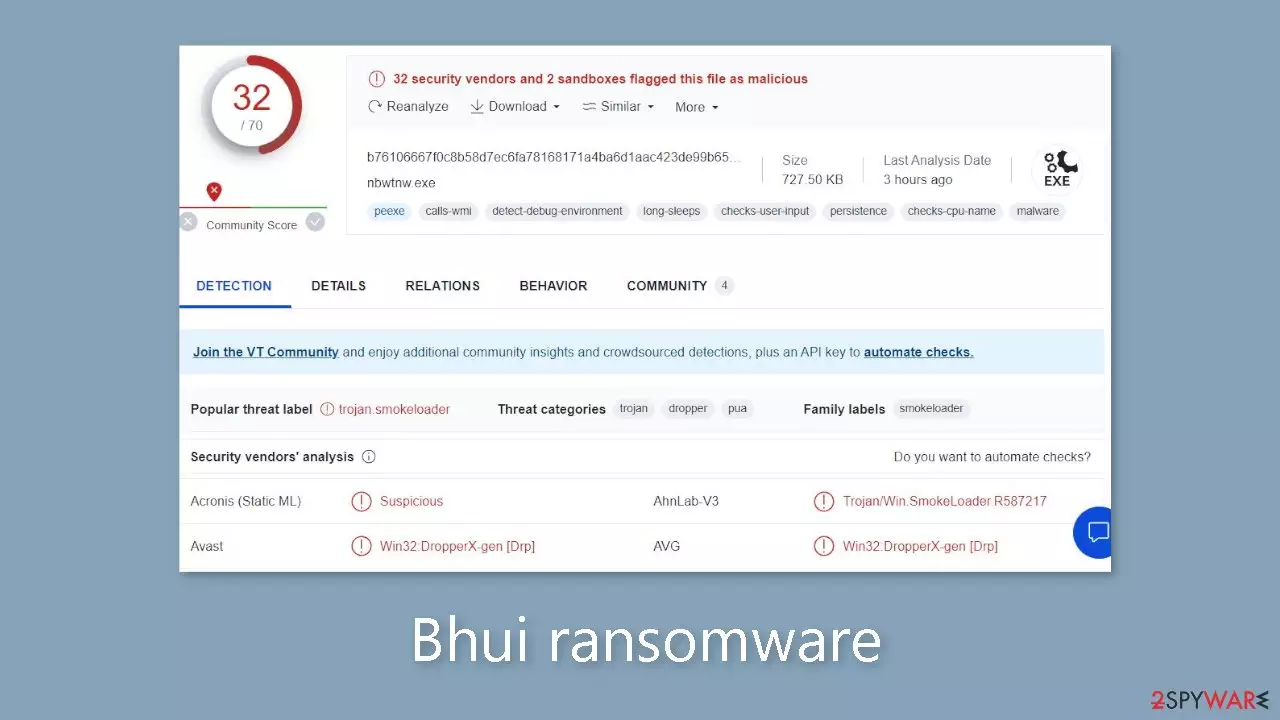
Bhui is a highly destructive computer virus that uses an advanced RSA encryption[1] algorithm to encrypt all personal documents, videos, pictures, databases, and other data. This sophisticated code makes decrypting files extremely difficult without the specific decryption key held by the cyber criminals.
As a result, regaining access to your data becomes nearly impossible. To indicate that files are encrypted, the virus appends a .bhui extension to them and removes their original icons, rendering them inaccessible. This disruption can have serious consequences, particularly for individuals who do not have backups of their critical data.
After successfully infiltrating a system, the malware[2] drops a ransom note file called _readme.txt. This file contains a demand for cryptocurrency[3] payment, typically requiring victims to pay $480 or $980 in Bitcoin.
| NAME | Bhui |
| TYPE | Ransomware, file-locking malware |
| MALWARE FAMILY | Djvu |
| FILE EXTENSION | .bhui |
| RANSOM NOTE | _readme.txt |
| RANSOM AMOUNT | $490/$980 |
| CONTACT MAILS | support@freshmail.top, datarestorehelp@airmail.cc |
| FILE RECOVERY | There is no guaranteed way to recover locked files without backups. Other options include paying cybercriminals (not recommended, might also lose the paid money), using Emisoft's decryptor (works for a limited number of victims), or using third-party recovery software |
| MALWARE REMOVAL | After disconnecting the computer from the network and the internet, do a complete system scan using a security program |
| SYSTEM FIX | As soon as it is installed, malware has the potential to severely harm some system files, causing instability problems, including crashes and errors. Any such damage can be automatically repaired by using FortectIntego PC repair |
The ransom note
The ransom note is a message from cybercriminals demanding a ransom for the release of the victim's files. According to the note, all of the victim's files, including pictures, databases, documents, and other important data, have been encrypted with strong encryption and a unique key. The only way to regain access to the files is to pay the cybercriminals for a decryption tool and the corresponding unique key.
ATTENTION!
Don't worry, you can return all your files!
All your files like pictures, databases, documents and other important are encrypted with strongest encryption and unique key.
The only method of recovering files is to purchase decrypt tool and unique key for you.
This software will decrypt all your encrypted files.
What guarantees you have?
You can send one of your encrypted file from your PC and we decrypt it for free.
But we can decrypt only 1 file for free. File must not contain valuable information.
You can get and look video overview decrypt tool:
hxxps://we.tl/t-vKvLYNOV9o
Price of private key and decrypt software is $980.
Discount 50% available if you contact us first 72 hours, that's price for you is $490.
Please note that you'll never restore your data without payment.
Check your e-mail “Spam” or “Junk” folder if you don't get answer more than 6 hours.To get this software you need write on our e-mail:
support@freshmail.topReserve e-mail address to contact us:
datarestorehelp@airmail.ccYour personal ID:
–
The cybercriminals offer to decrypt one file for free if the victim sends it to them as a small guarantee. They do, however, specify that the file must not contain any valuable information. They also provide a video overview of the decrypt tool in an attempt to entice the victim. The ransom for obtaining the private key and decrypt software is set at $980, but if the victim contacts them within the first 72 hours, the price is reduced to $490. The note emphasizes that the victim will never be able to restore their data unless they pay.
For communication, the ransom note includes two email addresses: support@freshmail.top and datarestorehelp@airmail.cc. To obtain the decrypt software, the cybercriminals instruct the victim to contact them via email. However, for a variety of reasons, it is strongly advised not to contact the cyber criminals.
Cybercriminals are extremely untrustworthy because they have already committed illegal acts by encrypting the victim's files. Even after receiving the ransom payment, there is no guarantee that they will provide the necessary tools or decrypt the files. Engaging with cybercriminals only serves to reinforce their criminal behavior and provide financial support for their illegal activities, putting more people and organizations at risk in the future.

Remove Bhui ransomware
If you have never been a victim of ransomware, it can be difficult to know where to begin dealing with the situation. However, taking the proper steps is critical and can determine whether or not you can recover your data in the end.
To protect other devices on the same network from potential malware infections, you must immediately disconnect your computer from the internet. Malware frequently communicates with remote Command & Control servers via networks, so disconnecting your device can help prevent its spread. To accomplish this, follow the steps below:
- Type in Control Panel in Windows search and press Enter
- Go to Network and Internet
- Click Network and Sharing Center
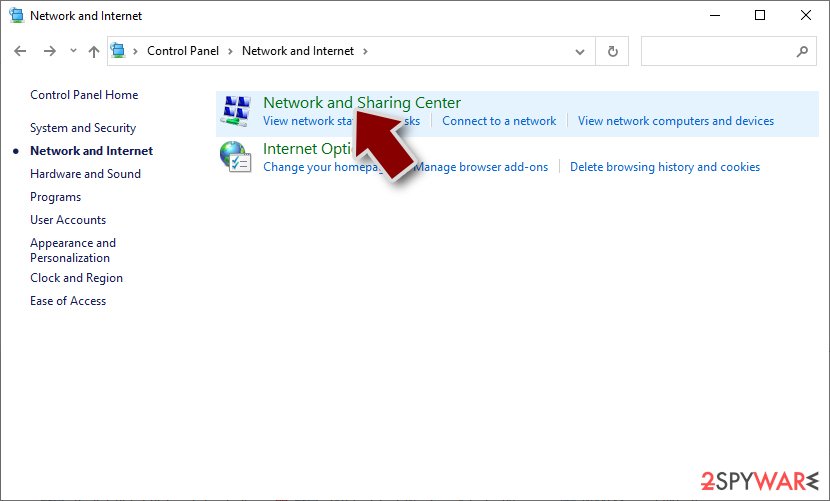
- On the left, pick Change adapter settings
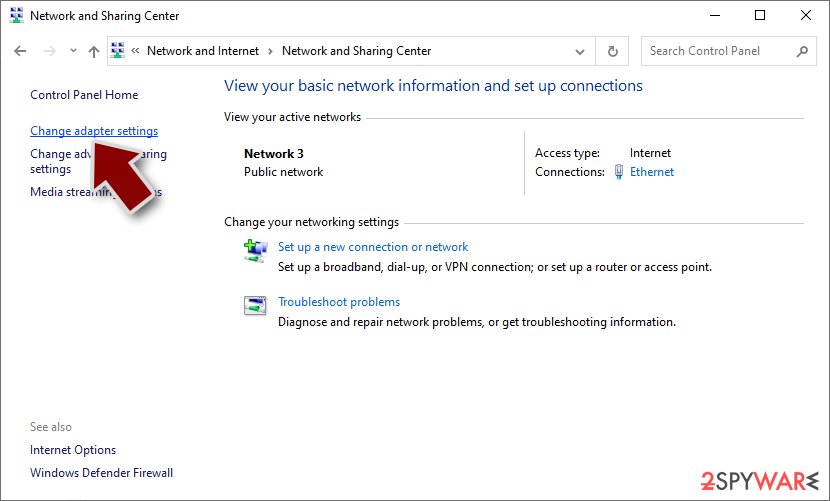
- Right-click on your connection (for example, Ethernet), and select Disable
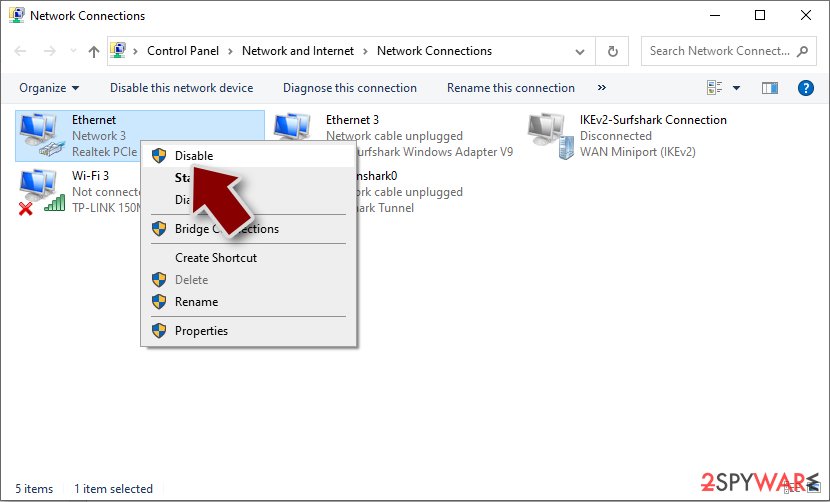
- Confirm with Yes.


If your device has been infected with the Bhui ransomware and is currently not connected to the internet, you can manually remove it. However, this procedure is complex and necessitates advanced IT knowledge. It is generally recommended to seek the assistance of a professional or to use specialized software designed specifically for removing ransomware.
Attempting to remove the ransomware manually is risky and may result in further damage to your device if not done correctly. As a result, performing a thorough system scan with reputable security software such as SpyHunterCombo Cleaner or MalwarebytesMalwarebytes is the recommended approach for dealing with the infection. These tools are capable of detecting and removing all malicious components associated with ransomware.
Additionally, it is highly recommended to employ a reliable recovery tool FortectIntego that can address any system issues that may arise (such as crashes or errors) following the successful removal of the malware.
Recover .bhui files
Contrary to popular belief, security software cannot perform the miraculous task of restoring ransomware-affected personal files. Its primary purpose is to detect and remove malicious programs while also protecting your device from future threats. Recovery of encrypted ransomware data requires a completely different approach, which anti-malware software cannot do on its own. The presence of such software, on the other hand, is critical in detecting potential issues and fortifying device security.
When ransomware is activated, it encrypts files and creates a unique ID as well as a complicated encryption key. This information is then sent to the cybercriminals who are orchestrating the attack and have the corresponding decryption key required to unlock users' data. Unfortunately, because their goal is to profit from the situation, these criminals do not provide the decryptor for free.
Instead of resorting to payment, we strongly recommend exploring alternative solutions as outlined below. Prior to proceeding, it is essential to create a backup copy of the encrypted data, as there is a possibility of corruption during the restoration process. One option worth attempting is the Emsisoft decryption tool, which may or may not be successful in your particular case.
- Download the app from the official Emsisoft website.
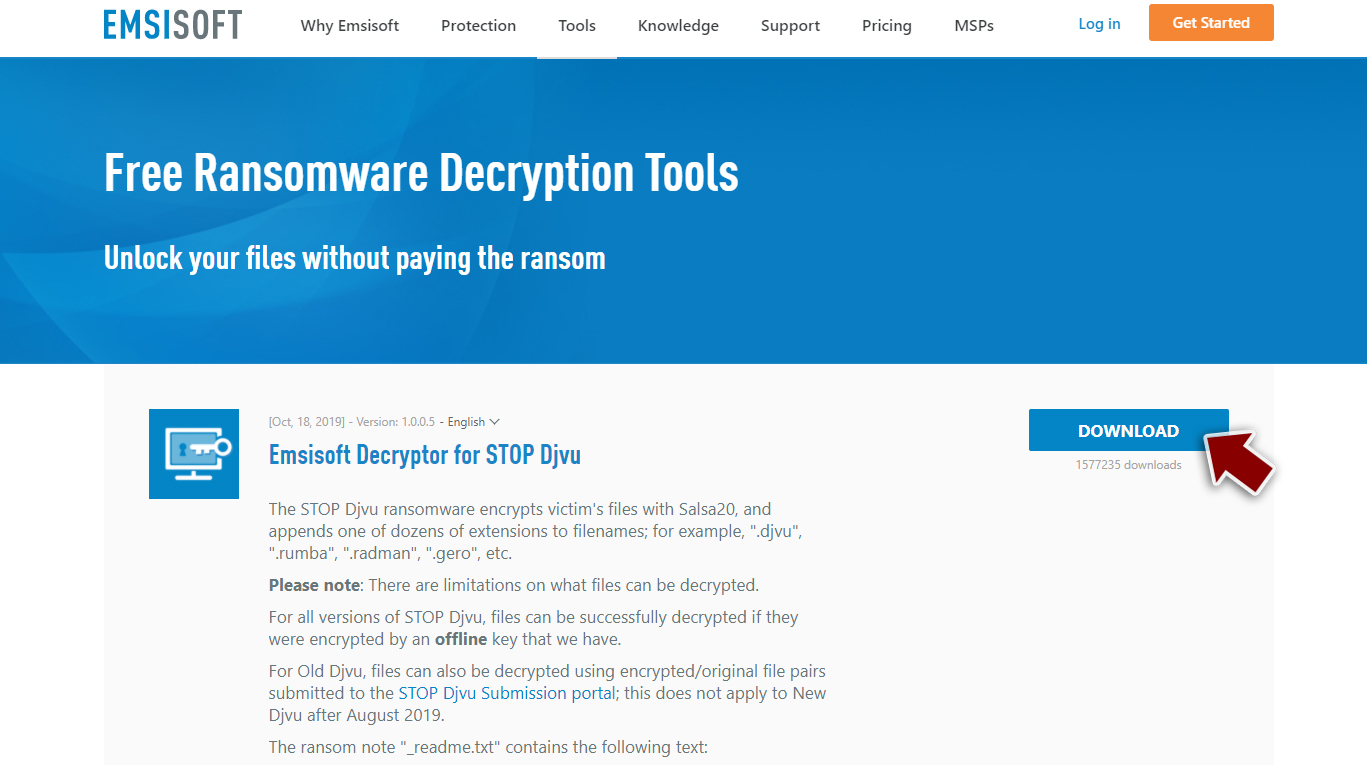
- After pressing Download button, a small pop-up at the bottom, titled decrypt_STOPDjvu.exe should show up – click it.

- If User Account Control (UAC) message shows up, press Yes.
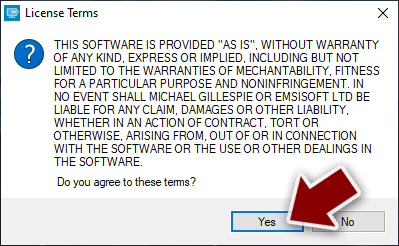
- Agree to License Terms by pressing Yes.
- After Disclaimer shows up, press OK.
- The tool should automatically populate the affected folders, although you can also do it by pressing Add folder at the bottom.

- Press Decrypt.



From here, there are three available outcomes:
- “Decrypted!” will be shown under files that were decrypted successfully – they are now usable again.
- “Error: Unable to decrypt file with ID:” means that the keys for this version of the virus have not yet been retrieved, so you should try later.
- “This ID appears to be an online ID, decryption is impossible” – you are unable to decrypt files with this tool.
If your data was encrypted with an online ID, Emsisoft's tool won't work. In such a case, we recommend trying specialized data recovery software instead.
- Download Data Recovery Pro.
- Double-click the installer to launch it.

- Follow on-screen instructions to install the software.
- As soon as you press Finish, you can use the app.
- Select Everything or pick individual folders which you want the files to be recovered from.

- Press Next.
- At the bottom, enable Deep scan and pick which Disks you want to be scanned.

- Press Scan and wait till it is complete.
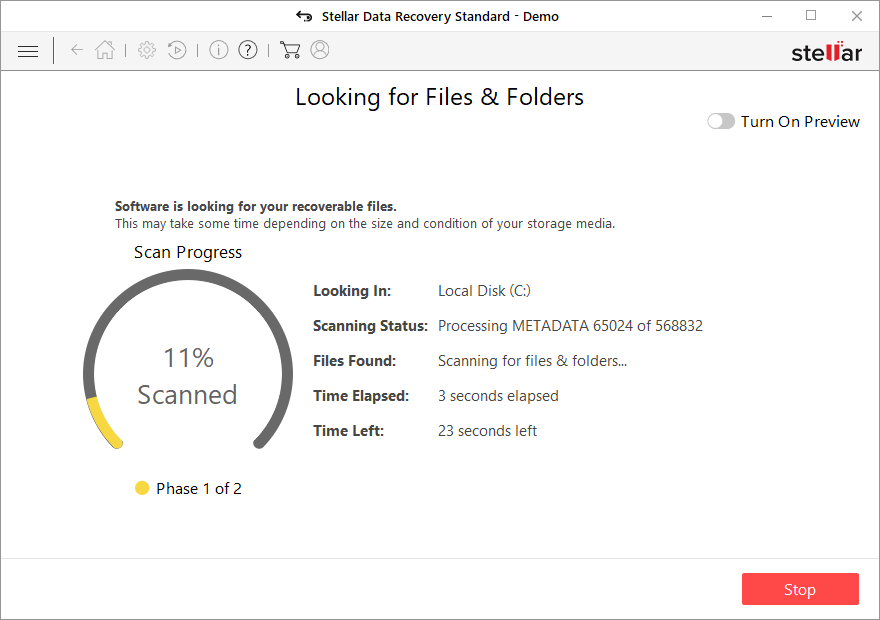
- You can now pick which folders/files to recover – don't forget you also have the option to search by the file name!
- Press Recover to retrieve your files.


Another alternative is to exercise patience and wait for security researchers and companies to develop a free decryption tool. This often occurs when vulnerabilities are identified within the encryption code used by the malware or when law enforcement agencies seize the cybercriminals' servers. It is important to note that there is no guarantee that such a solution will be created in the future. Nevertheless, we recommend following the provided links to explore the possibility of finding a decryptor for this particular virus.
- No More Ransom Project
- Free Ransomware Decryptors by Kaspersky
- Free Ransomware Decryption Tools from Emsisoft
- Avast decryptors

Did this guide help?
Be the first to comment