

Andromeda AntiVirus is a fake antimalware program that might inject the system with the viruses it is supposed to protect from
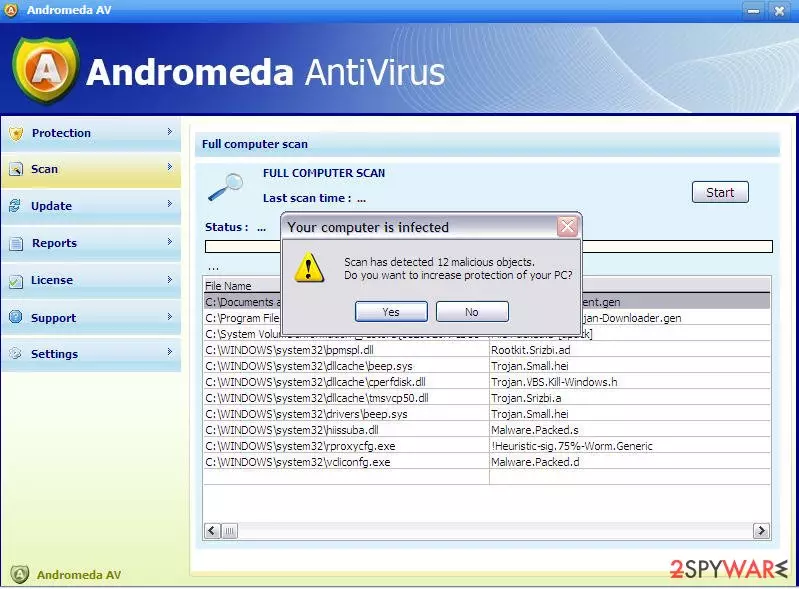
Andromeda AntiVirus (can also be found as AndromedaAV) is a fancy name for a new fraudulent application. Nevertheless, no matter how good it sounds, you should stay away from this program and never fall for purchasing its licensed version. Of course, just like any other virus, AndromedaAntiVirus can easily appear on your computer without downloading it because it has been actively spread using fake alerts, infected email attachments, and similar methods that are usually used for promoting viruses on the Internet.
| Name | Andromeda AntiVirus / Andromeda AV |
| Type | Fake antivirus program |
| Active since | 2008 |
| Distribution | Mostly bundling with other software, but can also spread through email attachments and illegal software downloads |
| System fix | Since the malware infects various Windows system files, it may corrupt the operation of the OS. To fix the damage done by the virus, scan your computer with FortectIntego |
Once it enters its target PC system, it starts acting identically to other corrupt security tools, such as System Defender and similar viruses.
In most cases, Andromeda virus seeks to convince people that it’s a powerful security tool that is capable of detecting all kinds of viruses.
For that, it displays a fake system scan and then reports about a long list of different viruses. In addition, it claims that the only way to fix the system and avoid these cyber infections is by using its full version.
Please, do NOT pay for Andromeda AntiVirus because this method is used just for trying to lure people into purchasing its fake version. In reality, after the user is tricked into making a payment, this rogue anti-spyware receives a signal and stops showing its invented alerts that report about viruses.
Unfortunately, if you have already purchased Andromeda AntiVirus licensed version, do the following:
- try to contact your credit card company and dispute this payment.
- scan your computer with FortectIntego or other reputable anti-spyware and get rid of malicious files that belong to this rogue.
Andromeda AntiVirus has most likely infected your computer without your knowledge
AndromedaAntiVirus starts displaying its numerous fabricated security warnings and system alerts as soon as it infiltrates the system. Beware that this can be done with a help of several methods that mostly rely on fake pop-up ads, spam, and illegal websites.
If you want to avoid this rogue, you need to ignore alerts that are offering you to update some of your programs. You can be informed about missing updates of Java, Flash Player, FLV Player, etc. In addition, you should also ignore emails that look suspicious and are offering you to download their attachment. If you don't know the sender, you have to remove such mail from your inbox.
Finally, stay away from illegal sites because they can also be involved in the distribution of Andromeda AntiVirus malware.
As soon as it enters the computer, it starts showing its fake security messages that are displayed only for scaring people and pushing them into purchasing its license.
Please, don’t trust this program! Andromeda AntiVirus can easily make your computer a useless machine because it can start loading plenty of pop-ups that can easily start interrupting you as soon as you reboot your computer.
Ways to remove Andromeda AntiVirus
When trying to remove Andromeda AntiVirus, beware that sometimes this malware presents itself as Andromeda AntiVirus 2009, AndromedaAV, or AndromedaAntiVirus 2009. However, there is no difference what's the name of this malware is.
You need to remove it. For that, we highly recommend you to use FortectIntego, which will help to get rid of the virus, will check your system for corrupted files, and will fix them if needed.
In some cases, Andromeda AntiVirus may start tampering with your anti-malware software. Try to access Safe Mode with Networking, and perform a full system scan from there.
Did this guide help?
Be the first to comment