

HSBC virus a malicious email campaign spreading known trojans like TrickBot
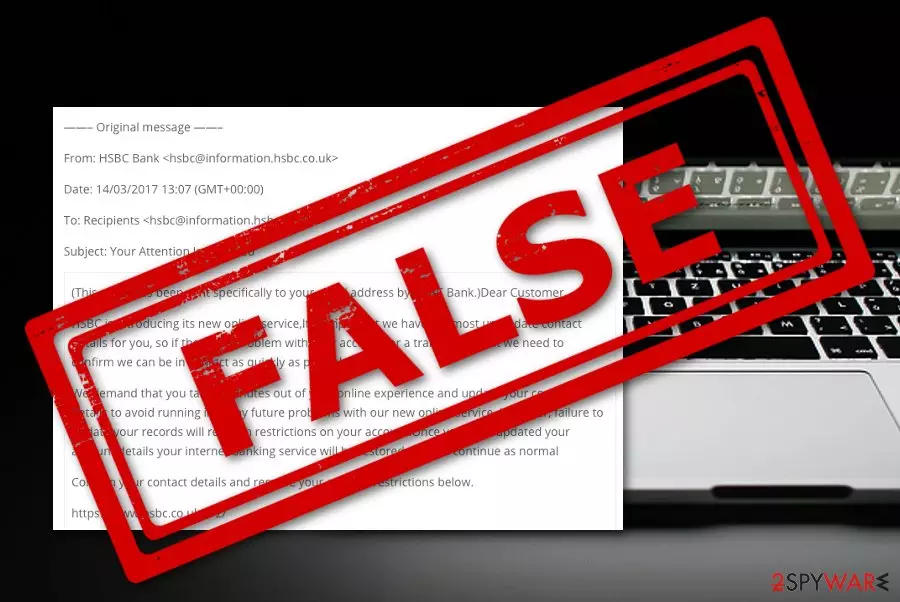
HSBC virus is spam which is spread via misleading email messages that claim to be from HSBC Bank. There are different types of scamming letters and most of them claim that the payment process has failed and to fix things users need to download the attached file or provide some particular information.
These malicious documents can come in names such as BACs.doc, Incoming_CHAPS_Form.doc, report11052018.xls, Paymentreceipt.xlsx, swift_274456.iso which includes swift_274456.exe. For example, the BACs.doc delivers TrickBot trojan and the swift_274456.iso payload carries NanoCore RAT which can initiate malicious activities when planted on a machine.
| Name | HSBC email virus |
|---|---|
| Type | Spam tool/malware/trojan |
| Danger | This spam campaign distributes Trojan viruses via dangerous attachments |
| Related files | BACs.doc, Incoming_CHAPS_Form.doc, report11052018.xls, Paymentreceipt.xlsx, swift_274456.iso which includes swift_274456.exe |
| Malware | TrickBot and NanoCore RAT |
| Detection | Use antivirus for completing a full malware scan |
| Disabling | Check at the bottom of the article for system reboot options |
| PC repair | Run a tool like FortectIntego that can repair affected files on the system |
HSBC email virus can come in more than one message as there are several examples sent by the cybercriminals who are trying to misuse the bank's official name. There have been numerous reports about scams spreading via the HSBC name. One researcher discovered the illegitimacy of a scam message by highlighting the entire text and spotting the in-betweens (the hidden words).[1]
Another spam message reached the surface as an Importance Notice from HSBC. The email urged users to validate account details by clicking a hyperlink below that asked: “Get Started?”. Researchers discovered that after clicking the given link, you are taken to a fake website named wleifhvosidjv.com that imitates an HSBC form.[2] This type of virus asks to log into personal banking through which credentials might be stolen.
Pyranet IT solutions have also released a report in the past about an ongoing email virus spam campaign and described in details all the steps on how not to mix fake messages with original ones. One of the ways is to identify the domain the message takes you to. Anything not related to the official website needs to be marked as suspicious and should be closed immediately.[3]

HSBC virus even has been spread via SMS. The message claims that your account has been locked and to unlock it, you should click on the reactivation hyperlink.[4] Be aware as this is another type of spam content. Erase these types of messages and avoid clicking on the link as you might be redirected somewhere malicious or asked to enter your credentials/personal information.
As long as email virus has numerous variants, you can receive any type of email. One of the most popular messages that might be sent by hackers for malicious purposes looks like this:
Subject: Important : Troubles processing BACs payment
Good Morning,
We’re having troubles processing your request, we encountered an error processing your BACs payment.
What we need you to do
1. The documents are delivered through secure email via an attached file from HSBC. Please be aware this may be delivered to the spam folder.
2. When you open the document a message will appear saying the document requires phone verification. When you click the Send Code button, a code will be sent to your mobile phone.
3. Key that code in to the Code box on screen and select OK. You will now be able to complete the fields in the document as required.
4. Please note that the signature you upload needs to be a clear, current version of your standard signature which once added to the bank mandate can be used to authorise such account transactions as the paying away of funds.
5. Please ensure when you complete the form, that full names including any middle names are included.
6. When the final signatory has completed and signed the documents they will then be returned to me via secure email.
Yours sincerely
James HolandTransaction Processing Specialist | Operations BACs, Faster Payments, CDD |
Email: James.Holand@hsbc.co.uk
If you ever spot some spam related to the organization, you need to remove virus from your email box immediately. Also, you should use an anti-malware tool such as SpyHunterCombo Cleaner or MalwarebytesMalwarebytes to scan the entire system for possible malware traces. You need to still be careful as some suspicious threats might have entered your system through the email spam. FortectIntego can help with the leftovers and even damage of the system data.
HSBC virus removal is also a necessity if you want to avoid possible trojan infections that these messages are capable of bringing. If at any case a dangerous virus has found a way to your system, you should look at the end of the article and discover ways how to disable malicious processes on your infected machine.
Although this email virus is just a spam campaign and if you ignore its messages, you should not experience any damage, but by entering its links or downloading specific attachments you might have to face very dangerous consequences. This might relate to permanent data loss, exposure of personal information, and swindle of banking details.

The operation process of Trojan viruses
As you already know, email virus is capable of distributing trojan infections. These infectious pieces of software enter the system unknowingly through malicious attachments or hyperlinks. Once installed on the machine/device, alterings of system settings, registries, and files begin.
Some trojans are capable of providing remote access to the criminals that have created them. This is one of the most dangerous activities as by gaining remote access, the crook can modify anything in the victim's computer or steal any type of personal information. Such Trojan viruses are also known as RATs.[5]
Besides data collecting activities, trojans that get delivered by virus or similar spam campaigns are sadly-expected to overuse system resources. These symptoms show up in the Central Processing Unit and Graphics Processing Unit. If the power reaches 90% and more, such intense work can be very harmful to the computer.
Malware distributes through spam campaigns all the time
According to computer specialists from Virusai.lt,[6] various malware forms, including Trojan viruses, ransomware, botnets, cryptocurrency miners, and similar, find their way into the system silently. This mostly happens when the potential victim opens a spam message and attachment or file that comes with it.
Always be careful while managing your inbox. Messages which fall straight into the spam section need to be eliminated without any doubts. Furthermore, always check for possible grammar mistakes, identify the sender, and any hyperlinks if there are some. For file scanning, use a reliable anti-malware program.
Delete email virus before any problems occur
If you have been dealing with this spam campaign, you need to make sure that virus removal is performed before anything bad happens. Use automatical software for the process and also download a scanning tool such as SpyHunterCombo Cleaner, or MalwarebytesMalwarebytes to find out if your computer system is clean and safe from malware after all.
However, if you remove virus and some malicious activities do reach the surface, you can disable all threatening processes by following the below-provided boot options. You might want to try to repair issues with system performance by running a tool like FortectIntego. System Restore and Safe Mode with Networking are the methods that might help you to deactivate malicious components and stop them from performing further tasks.
Did this guide help?
1 comment
Tony Lynch
I have just been infected on my laptop with a HSBC attack, the attachment reads Payment Advice-advice Ref: [G75189414758] /Priority Payment/customer Ref: [632585632U9I]
This happened 14TH. November 2013, will your fix remove this virus?