

What is known about Chimera ransomware virus?
Chimera ransomware is a type of computer malware that is assigned to “ransomware” category. This virus acts similarly to any other ransomware virus, and just like Locky, CryptXXX or other viruses, it aims to swindle as much money from the victims as possible. Chimera encrypts all victim’s files and adds .crypt file extension to individual filenames, then drops a ransom note on the computer system and sets a particular image on a desktop background. This threat uses a specific intimidation method to convince victims to pay the ransom, as it threatens the victim by promising to publish all “private data, which include pictures and videos […] on the Internet in relation on your name.” It is a frightening threat that can significantly lift up the victim’s willingness to pay the ransom. This malware variant demands different amounts of money from victims, ranging from 0,939945085 to 2,45267544 Bitcoins, approximately 617-1610 US Dollars. What is interesting, this virus does not ask the victim to install Tor browser to access the payment website. In fact, it does not have one. The virus explains that the victim has to download a Chimera Decrypter and transfer money to a provided Bitcoin address in order to activate this decryption tool.
Can you decrypt your files without paying the ransom?
However, it seems that this ransomware project hasn’t been that successful to authors of it, despite its filthy intimidation techniques. None of the victims’ private data was ever published online, and another criminal gang managed to steal significant parts of Chimera’s source code, which was used to build other ransomware variants – Mischa and Petya. On top of that, authors of these viruses have decided to ruin this ransomware project by disclosing over 3500 decryption keys. The Chimera decryption tool has already been released – you can download the Chimera Decryptor here. Before using this tool, you should remove Chimera ransomware from the system using a reliable anti-malware tool. We recommend using FortectIntego software.
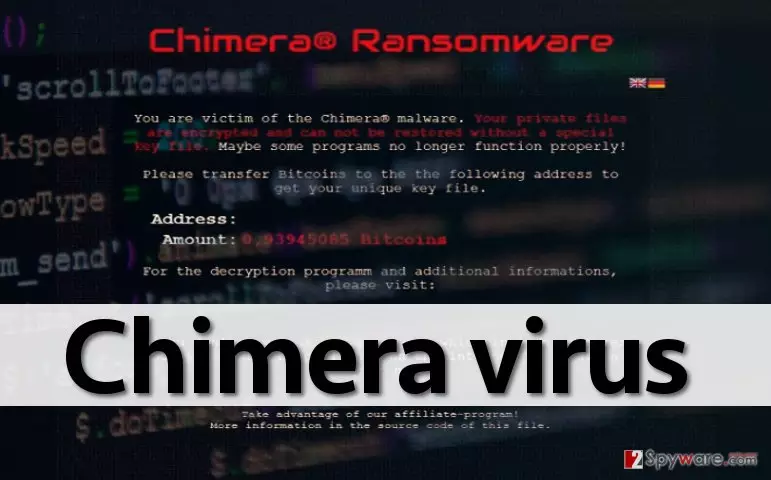
Chimera ransomware virus Infiltration method:
Chimera ransomware acts like a Trojan horse, which means that it can get into your computer while pretending to be something else. It means that you have to be very careful because you can allow the installation of this virus on your computer. Usually, such Trojans reach their target PC users and install this virus via e-mail, so you should be very careful with suspicious messages and never open the attachments that can be found in them. Also, avoid spam or junk email sections because there’s a huge chance that they are filled with dangerous threats. Usually, scammers send these e-mails from addresses that look like official and known ones. If you’re not sure about the sender of the mail, please look up their e-mail address online. Another way to get Trojan virus is through questionable advertisements that claim that you should update your programs on visit specific sites. Instead of redirecting you to the website you are interested in, they may automatically download Trojan download to your computer.
Chimera virus removal process:
If your computer is infected with Chimera ransomware virus, you should disconnect it from the Internet without wasting your time. Otherwise, you may soon discover more files encrypted by this cyber threat on your computer. Unfortunately, but Chimera virus removal process is not an easy task, and you may run into several difficulties while trying to get rid of this ransomware. The main thing you must remember is that you should not try to eliminate this malware manually. To delete this virus along with all its files, you should use updated anti-spyware, such as FortectIntego. If you can’t download or launch this program, you should follow the step-by-step guide which is given below. Please remember: if you don’t want similar viruses in your computer again anytime soon, don’t be curious and don’t click on untrustworthy e-mails and ads.
Did this guide help?
4 comments
asia
oh i hope the decryptor will be released soon!
Erin
Yes! Go fight, we wont have to pay ransoms.
Parkskate
Fascinating news. My files are still encrypted, I am just happy that I have decided to keep them. Praying for a miracle!
hi
How do I decrypt chimera files??