

XTP Locker 5.0 ransomware seeks to steal user money by locking their files
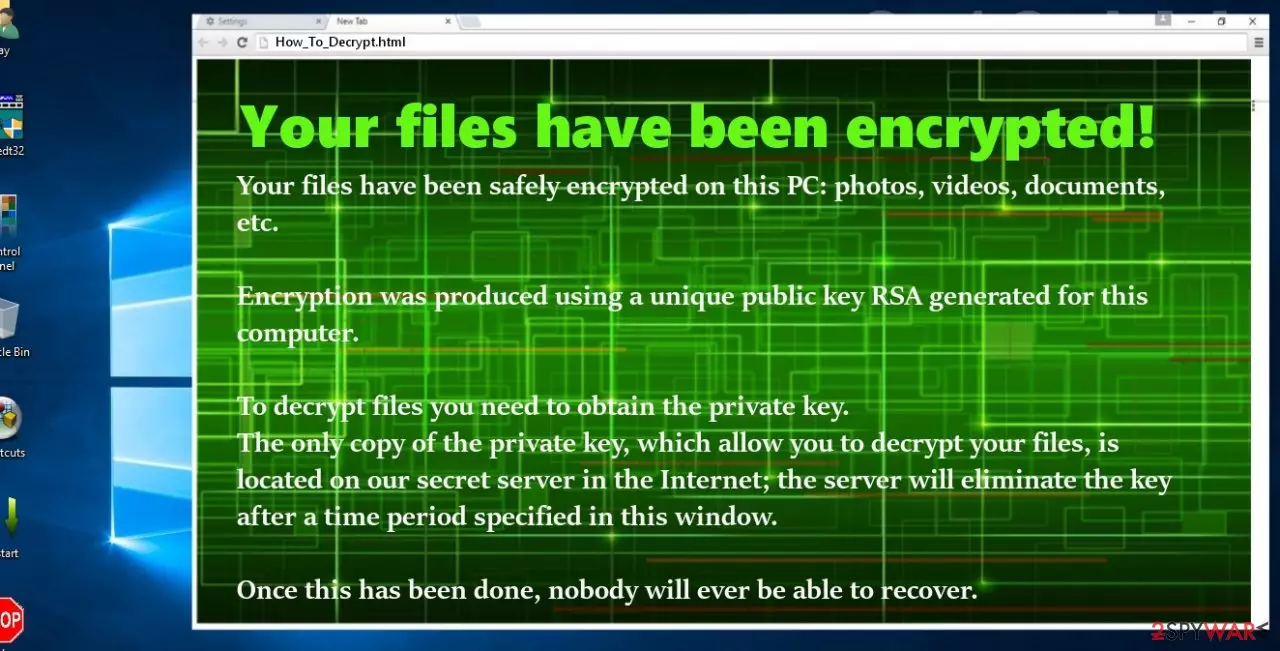
XTP Locker 5.0 is ransomware that uses traditional methods of operation to extort money from innocent computer users. Researchers have also found additional versions of the virus, while others believe that it might be related to already established malware families like CTB Locker or CryptoLocker.
Typically, the virus manages to get access to victims' PC without them noticing and then begins encrypting their personal files with the help of a secure RSA cipher. During this process, files are appended with the .xtp extension. In the ransom note help_decrypt.txt, attackers explain to victims what happened to their data and that they need to pay a ransom if they want it back.
| Name | XTP Locker 5.0 |
| Type | File-locking virus, crypto-malware |
| Distribution | Spam email attachments, repacked installers, unprotected networks, etc. |
| File extension | .xtp |
| Ransom note | help_decrypt.txt |
| Malware removal | Perform a full system scan with powerful anti-malware – we recommend SpyHunterCombo Cleaner |
| System fix | After malware is eliminated, take care of your operating system health with FortectIntego |
Since little is known about malware, there are different speculations about its operation peculiarities. Usually, viruses of this kind exploit .js or .scr executable to run the command; rarely, they use .dll file, which takes up less space and is more flexible.
The obtained sample reveals that XTP Locker 5.0 ransomware uses spam emails as bait as well. However, we should not exclude the possibility that it is linked to CryptoLocker, which employed Angler exploit kit for invading devices. In that case, the threat is much more terrifying as you cannot detect exploit kits or, in other words, trojans without special tools.
After the infiltration is complete, the next step is data encryption.
Usually, AES and RSA algorithms are used to encode the files with a public key. This virus does not deviate from this tendency. After applying the RSA technique, all your documents and other important files get locked. What is more, now all of them are marked with an extension.
In the ransom note, help_decrypt.txt, victims are threatened not to perform self-recovery as it may damage the data irreversibly. You should not take such warnings for granted as they are simply common alerts to persuade the users of no other solutions except paying the money. The threat urges you to transmit the money via the Tor network to guarantee the anonymity of cybercriminals. Ward off any considerations to pay the money and instead focus on the elimination of the virus.
Keep in mind that paying criminals is an absolute last resort, as not only do you risk losing your money along with files, but you also prove to the attackers that the ransomware business is lucrative. Because of it, hackers will continue developing new threats and infecting more innocent victims in the future.
Ransomware distribution means
Since the virus has only started its ransomware “career,” its distribution might be limited to spam messages. Beware of messages which disguise as the reports from the FBI or transportation agencies. For example, CryptoLocker hid itself in the attachment, which came with a fake email from the electricity supplier Verbund.
Thus, users who did not encounter such cyber threats for the first time fall easily for such bait. When they open the attached file, they are not aware of what threat they unleashed. To reduce the risk of getting entangled by the virtual threat, employ a reputable security tool to reduce and filters the number of received spam messages. Personal cautiousness also plays a significant role in cybersecurity.
Terminate XTP Locker 5.0 and use alternative data recovery methods
When it comes to ransomware, we advise shifting to the automatic removal method. Unless you specialize in the IT field, you might succeed in eliminating the threat. Otherwise, running an anti-spyware tool might be crucial as this tool does not only help you remove XTP Locker 5.0 virus, but it can detect exploit kits, trojans, rootkits, and other kinds of cyber threats that pose a great danger to the efficiency of the device.
After the elimination, you might opt for data recovery options. For that purpose, we have provided several suggestions. Find them below the access recovery guidelines. Keep in mind that if you have no backups available, you should first copy your locked files onto a different medium to prevent them from being deleted.
Did this guide help?
3 comments
meyer441
Is there going to be 6.0 version?
jeronimooooo
Enough with these ransomware viruses. Its time to counterattack the hackers.
doradora544
They could hurry up with the decrypter.