

CryptoWire – ransomware which has been spread as an open-source project
CryptoWire is an open-source ransomware[1] that has been attacking computer users since 2016. However, this crypto-Trojan was updated on March 2017 and continues encrypting various types of files for almost a year.[2] The virus uses AES encryption[3] and encodes all files on the target computer as soon as it gets installed. Malware starts encrypting files located in the deeper folders and finishes with the desktop folders. In this way, CryptoWire ransomware stays invisible and works silently. Though, malware appends .encrypted file extension that it is impossible to overlook.
| Name | CryptoWire |
|---|---|
| Type | Ransomware |
| Danger level | Low |
| Extension | .encrypted |
| Email address | wlojul@secmail.pro |
| Ransom | $200. The ransom should be paid in Bitcoins |
| Elimination | To get rid of this ransomware, use FortectIntego after updating it to its latest version |
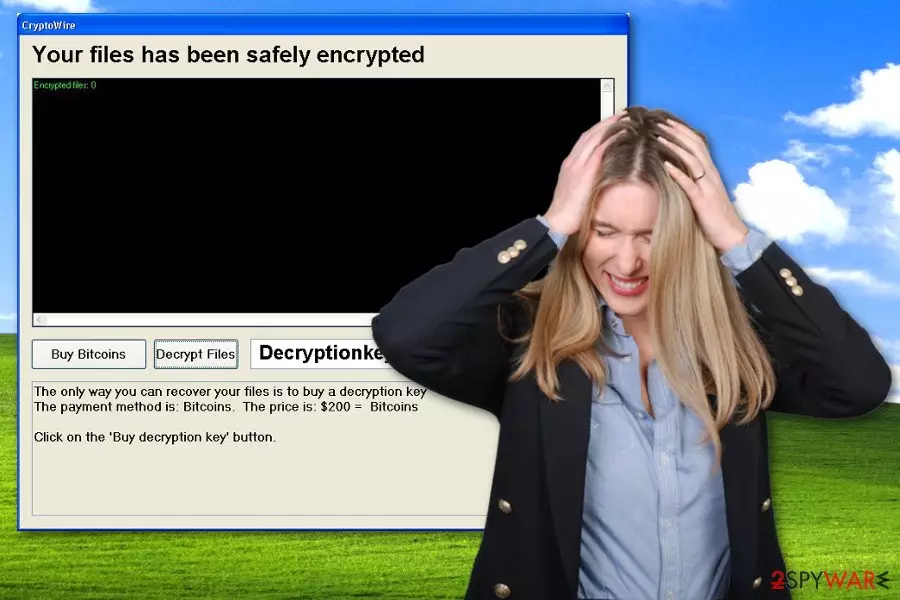
When data encryption is other, the virus runs CryptoWire program which provides an unpleasant message for the victim. It states that files stored on the computer have been safely encrypted and that the only way to recover them is to buy a decryption key. Unfortunately, developers of the ransomware are right. It’s nearly impossible to recover files without the specific key. You can recover the lost data from a backup or email, but first, you need to remove CryptoWire virus safely.
This virus is nothing but an illegal software that blackmails the victim to pay a ransom in order to get personal files back. It asks for $200 for possibility to recover damaged files. The CryptoWire program provides a button “Buy Bitcoins,” which redirects the user to the ransom payment page. We highly recommend you not to make this payment – please do not support cyber criminals by paying the ransom they demand.[4]
There is no guarantee that it will work as you expect and you will recover your files. Thus, you should perform the CryptoWire removal. For that, you will need a professional malware removal tool, for instance, FortectIntego. To launch it, you have to start your PC in a Safe Mode with Networking first. If you do not know how to do it, you can learn that by reading virus removal instructions that we provide below.
Variants of the CryptoWire ransomware
HAHAHA ransomware virus. In March 2017, malware researchers spotted a new crypto-malware based on CryptoWire open-source project. The virus uses sophisticated encryption technique to damage files on the affected computer. Just like its predecessor, it also appends the .encrypted file extension to the targeted files. After data encryption, the virus runs a pop-up window informing about the possibility to get back access to the files. It also drops a “TEXT FILE.txt” on the desktop and reveals instructions how to pay the ransom. HAHAHA virus demands 500$ for the decryption. However, cyber security specialists recommend virus removal instead of paying the ransom and risking to lose the money.
How can ransomware infiltrate my computer?
CryptoWire ransomware can infiltrate the computer pretty easily if the user does not have any security software installed on it.[5] Usually, such viruses are distributed in an obfuscated form via email. Usually, frauds send out thousands of bogus emails containing a malicious Word or JS file that carries the destructive payload.
We counsel you to avoid email letters that come from unknown parties and never open attachments that come with them. Bear in mind that scammers often try to deceive victims by crafting professionally and officially looking messages, but we suggest you check the sender’s email online first to make sure that it is legitimate and it is actually related to the company that the email sender claims to be working at.
Malware distributors use different techniques to infect users computers.[6] They can infect ad networks and get their malware-laden ads to be displayed on legitimate websites. Also, they set up exploit kits on insecure websites, and if the user visits such site, the exploit kits scan the computer system for vulnerable software to exploit and uses it to infect the computer with ransomware.
CryptoWire removal from the system
If your PC has been infected with CryptoWire virus, do not waste your time and get rid of this infection as soon as you can. If you are not willing to pay the ransom, there is no need to keep this malicious program on the system. It only makes your computer vulnerable and attractive for other malware.
Remove CryptoWire with antivirus or anti-malware tool because it is very hard to delete this infection manually. Anti-malware programs are programmed to detect and eliminate certain files that belong to computer viruses, and they make no mistakes. If you try to do it on your own, you may delete crucial system files and cause more damage. We recommend using these programs for CryptoWire removal: FortectIntego, SpyHunterCombo Cleaner or MalwarebytesMalwarebytes.
Did this guide help?
4 comments
Felix
CryptoWire ransomware attacked me today; my antivirus has blocked it!
Gero
I cant decrypt my files and it is driving me insane...
Tata108
I cant believe my computer got infected with ransomware... I was trying to avoid malicious emails and everything...
Viksna-38
I had a backup, so Im safe.