

CryptoShield 2.0 ransomware strikes again – what is known about this virus?
CryptoShield 2.0 virus emerged shortly after CryptoShield 1.0 and 1.1 versions. There aren’t many significant changes in the virus’ code – it slightly altered the ransom note, but no other apparent changes were noticed. Once installed, CryptoShield 2.0 ransomware employs RSA-2048[1] cipher to render computer user’s files useless. Once it happens, files cannot be recovered (unless the victim has a backup). During the encryption process, virus scans system files and encrypts them, adding .CRYPTOSHIELD extensions to original file extensions on its way.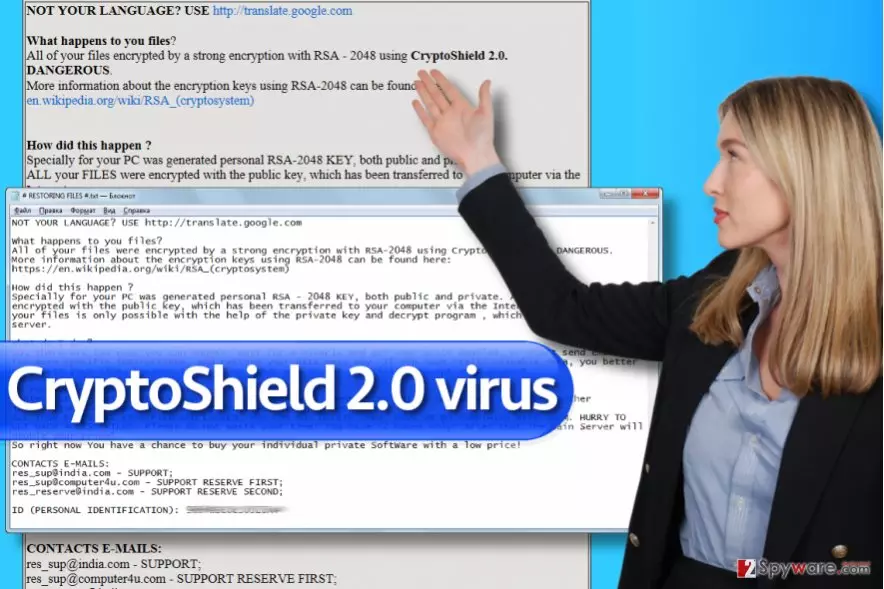
Just like previous versions of this virus, CryptoShield 2.0 malware creates a ransom note called # RESTORING FILES #.txt and # RESTORING FILES #.html on the desktop. One of these files is a text document that opens via Notepad, and the other opens via user’s default web browser. Both these files contain a message that cyber criminals[2] want to deliver. The message says:
All of your files were encrypted by a strong encryption with RSA-2048 using CryptoShield 2.0. DANGEROUS.
The virus requires the victim to pay a ransom as shortly as possible; otherwise, they promise to double the ransom price. Cyber criminals do not bother creating an online page[3] to collect payments – they ask the victim to contact them via email (res_sup@india.com, res_sup@computer4u.com or res_reserve@india.com). However, you should not write to these emails if you do not plan to pay the ransom to extortionists. You must remember that they are free to do what they want and that chances are high that they do not even help victims[4] to restore their files even if a ransom is paid. If you have a backup of your files, you can use it to restore files encrypted by CryptoShield 2.0 ransomware virus. However, do not try to connect it to your computer if the virus is still there. Remove CryptoShield 2.0 malware with FortectIntego or similar program first!
How could I get infected?
Ransomware viruses typically lurk in pirated software packs, infectious email attachments or compromised websites[5]. If you like to browse the Internet on a daily basis, try to avoid websites that appear at least a little bit suspicious to you. Also, do not download or open email attachments received from unknown people or companies. Another good tip is to remember the rule “if it looks too good to be true, it is.” For example, if you were not supposed to receive a payment from someone via Paypal, do not click on suspicious links that someone pretending to be from Paypal sends to you (the same applies to suspicious invoices, and similar documents). Finally, make sure all your programs are up-to-date because malicious tools such as exploit kits can use vulnerabilities in outdated software to execute commands and install malware on your computer.
How can I remove CryptoShield 2.0 ransomware and decrypt my files?
Before we speak about .cryptoshield data decryption, we have to tell you that it is a must to remove CryptoShield 2.0 virus before taking any data recovery measures. Your computer must be entirely clean before you start recovering your files. You can import data copies from a backup, but if you do not have it, use instructions that we provided right below CryptoShield 2.0 removal tutorial. We strongly advise you to use automatic malware removal software to delete this virus from the system – do not risk removing the wrong files by trying to delete the virus by yourself.
Did this guide help?
4 comments
Raya
i am so angry! i just got infected with this!
Laryssa
I need a shield for my PC... not a CryptoShield that wants me to pay money to someone I dont know.
beissoul
That is the worst computer virus experience I ever had... I wish i had an antivirus, antimalware or something... i had no protection at all!
Anankie21
Thanks for explaining how to remove it... However, getting a decryptor would be nice, too...