

TrumpLocker virus is not a joke – it is a fearsome file-encrypting ransomware
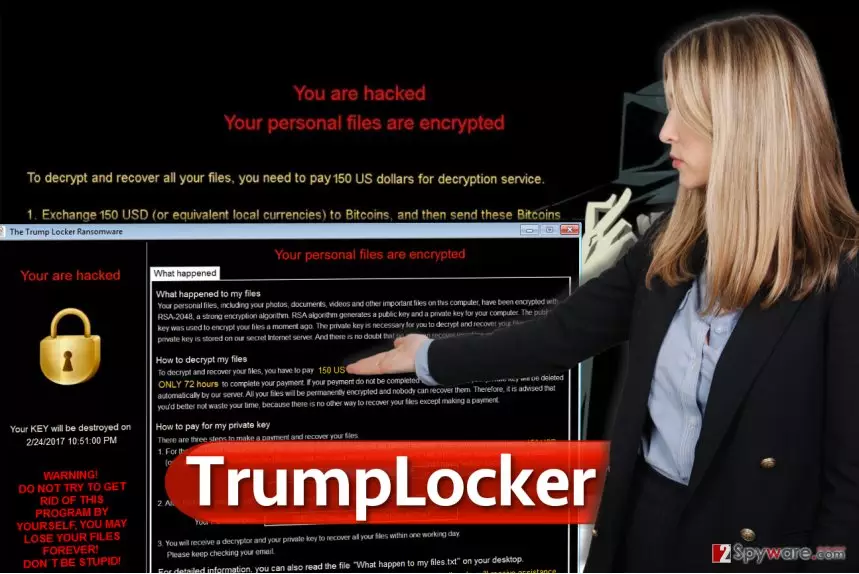
TrumpLocker virus is the second ransomware Donald Trump-themed ransomware[1]. The first one was Donald Trump ransomware; however, the new variant seems to be far more sophisticated. It has been confirmed that this ransomware is developed using pieces of VenusLocker ransomware code, as malware experts find many similarities in both ransomware source codes. What we don’t know for sure, is whether the same group of hackers stands behind both of these malicious projects. Nevertheless, a bit of mystery makes the virus even more tempting to investigate. TrumpLocker’s encryption routine is quite interesting. First of all, you need to know that computer viruses that are developed to encrypt files on computer systems typically have a list of file types they target to damage, and the Trump Locker ransomware targets a lot of different file types. However, the source code[2] of the virus contains an “Exclude Folder,” which contains a list of folder names that the virus bypasses during the encryption routine. Here are some folders that it stays away from:
Program Files, Program Files (x86), Windows, Windows Photo Viewer, WinRAR, Windows Media Player, Windows Mail, CCleaner, Mozilla Firefox, Skype, wamp, Internet Explorer, Microsoft Office, MSBuild, VirtualDJ, Java, Yahoo!, TeamViewer, Adobe, NVIDIA Corporation, and more.
What is also interesting is that the virus walks around all security programs and bypasses folders of antivirus or anti-malware software. It encrypts the rest of data with a RSA-4096 encryption algorithm, which creates public and private keys for individual users. The public key is used to corrupt data, meanwhile, the private key is meant to decrypt the encrypted data. However, the virus sends this key to the private server, leaving no hope to track it down. During the encryption, virus checks if it managed to corrupt the file entirely. If it does, it adds .TheTrumpLockerf file extension to the original extension. If it fails and corrupts only 1024 bytes of the file, it adds .TheTrumpLockerp file extension.
How did this Trump ransomware get into my computer?
The new president of the USA hardly has anything to do with this virus; his name was used for fun, although we do not believe that any of the victims find this virus funny. Ransomware viruses are spread in illegal ways, usually via drive-by downloads, malware-laden ads, or malicious emails. Lately, criminals found new ways to distribute malware and now they are using “The HoeflerText wasn’t found” ads[4] to trick users into installing malware on computers. You might also become a victim of ransomware if you come across a website that hosts an exploit kit and you have outdated software on your PC. The virus arrives in the form of RansomNote.exe file, runs a process that deletes Volume Shadow Copies[5], and starts encrypting files right away.
How can I remove TrumpLocker virus?
If your PC was compromised by this noxious piece of software, you have to clean the computer system immediately. We suggest using anti-malware programs for TrumpLocker removal. Before you begin the removal procedure, restart your PC in a Safe Mode with Networking (see a tutorial below), then run anti-malware software to remove TrumpLocker virus. Speaking about data recovery, we can say that currently there are no tools that could fully revert damage done by this virus; however, you can try these data recovery methods explained below – they might help you to recover at least some files.
Did this guide help?
4 comments
Rinald
Wow, someone honours Trump by dedicating a whole ransomware virus for him? Thats nice... and childish, i suppose!
July
I am so glad I created a backup a while ago. I am trying to delete the virus now...
shocked
The Trump Locker ransomware attacked my computer! I cant believe that there is no way to restore files! There MUST be a way!!!
Lolly
I am so angry on myself, I was thinking about creating a backup a few days ago. A bit too late now, all my files are lost. And I have NO idea how I got infected!