

What can Turkish FileEncryptor virus do to your computer?
Turkish FileEncryptor virus is a malicious computer software, which, just like its name suggests, encrypts[1] files on the target system. Malware analysts quickly dubbed it as Turkish FileEncryptor (Fake CTB-Locker) ransomware, because the message it displays for the victim looks almost identical to one that CTB-Locker displays[2]. The ransomware combines RSA and AES ciphers to secure victim’s data, and from the moment it encrypts all files, they cannot be opened, edited, or used in any way. Besides, to label all encrypt files, Turkish FileEncryptor appends a .encrypted file extension to them, which can confuse some victims because this file extension is used by several other ransomware viruses. Turkish FileEncryptor ransomware drops a ransom note called Beni Oku.txt, in which cyber criminals save their message for the victim. They say that the victim has to buy Bitcoins for $150 and transfer them to criminals’ virtual wallet available via Bitcoin[3] payment system. They also ask to contact them via d3crypt0r@lelantos.org email address and wait for instructions on how to decrypt corrupted files.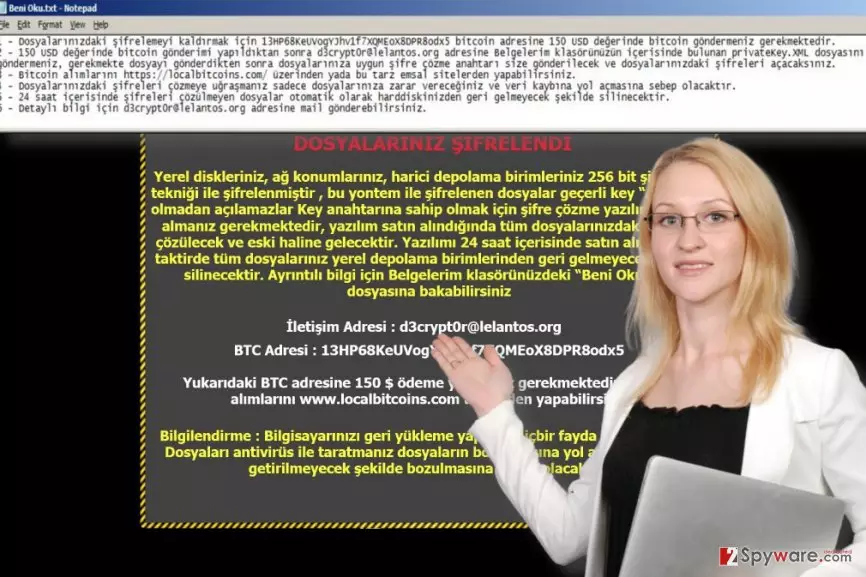
The ransomware note is written in the Turkish language, meanwhile, the program window that FileEncryptor virus displays provides an option to switch the language to four provided languages – German, French, Italian or English. The virus warns the victim to carry out cyber criminals’ commands within 24 hours, otherwise, all files will be deleted. We suggest you not to listen to these frauds. If you were infected by this virus, rush to remove Turkish FileEncryptor ransomware – leaving it on the system makes the computer vulnerable, besides, this malicious program might download additional malware on it. For Turkish FileEncryptor removal, we highly recommend using tools like FortectIntego or SpyHunterCombo Cleaner. Ransomware always tries to swindle money from victims, and sadly, many computer users decide to listen to criminals’ commands[4]. The reason why ransomware business is booming is that computer users ignore professional advice and do not believe that they need data backups. Unfortunately, only data backup can protect you from a complete data loss. If you still do not have it, create it and transfer it to an external device such as removable hard drive or USB. If your files were encrypted by this virus and you do not have a backup, please look at general data recovery tips listed below this post.
How could I get infected with this malicious virus?
Turkish FileEncryptor does not target victims based on the country they live in – this Turkish ransomware variant targets all computer users, no matter where do they live. We believe that this particular ransomware spreads via malspam, but we do not exclude the possibility that it can spread via other ransomware distribution means. It might arrive in an archived file with pirated software, or be downloaded to your PC by a Trojan horse. Exploit kits are unlikely to be involved in the distribution of this middle-level ransomware virus, however, such technique is used to deliver severe viruses like Spora or Cerber[5]. To keep yourself safe, we strongly recommend you to refrain yourself from opening emails that look at least a bit suspicious to you. In addition to that, add an extra layer of protection to your computer by installing an anti-spyware or anti-malware program next to your antivirus software, and as we have already mentioned, create a data backup. Such combination will help you to protect your PC from the majority of viruses and have a backup in case your computer gets hit by a very new and unknown virus variant.
How can I remove Turkish FileEncryptor ransomware from the system?
The first thing that you want to do when you get infected with ransomware is to remove it from the system to prevent it from causing more damage than it managed to do already. To remove Turkish FileEncryptor virus, we suggest you to restart your PC in a Safe Mode (with Networking) and use a decent anti-malware software to scan the PC. Once the security software finishes its job and delivers you scan results, eliminate all malicious components that it detected. It is the most secure way to carry out Turkish FileEncryptor removal. We do not even provide manual ransomware removal guidelines because even with them it would be hard to remove the virus. If you are ready to remove the virus but you do not know where to begin, follow these instructions carefully.
Did this guide help?
3 comments
loewz
This attacked my PC! I cannot open any files! what a disaster!!!!!!
Frederic
ha, foolish ransomware authors. Trying to pretend to be someone theyre not...
Claire
Thanks for helping me remove Turkish FileEncryptor virus. It destroyed my files, but I HAD A BACKUP. Thats the most important thing ever!