

What damage can Dxh26wam ransomware virus cause?
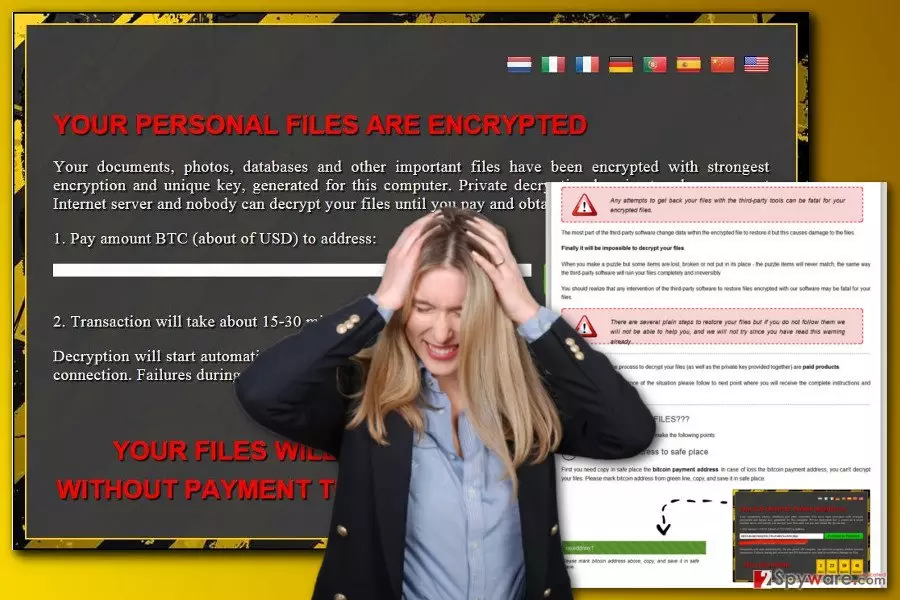
Dxh26wam ransomware (also known as .crypted file virus) is a new blackmailing tool that is designed to take files to hostage and demand to pay the ransom. As soon as this crypto-malware infiltrates the computer, it starts scanning the system looking for the targeted file types. The virus aims at the most popular document, audio, video, image and other files that have these file extensions: .7z, .bmp, .doc, .docm, .docx, .html, .jpeg, .jpg, .mp3, .mp4, .pdf, .php, .ppt, .pptx, .rar, .rtf, .sql, .tiff, .txt, .xls, .xlsx, .zip. Dxh26wam virus encrypts these files using a combination of AES and RSA ciphers.[1] What is more, it also appends the .crypted file extension that identifies corrupted files. Thus, since then users lose access to their data and receives a ransom note that informs about a necessity to obtain a decryption key from the cyber criminals. Multilingual ransom note, called “How_Decrypt_My_Files,” is written in Delphi programming language; meanwhile, the virus itself is written in Python. Users can read the ransom-demanding message in German, Italian, French, Dutch, and Chinese languages if English is not their native language. The developers tell victims not to turn off their computers, keep them connected to the Internet and do not run antivirus software. However, instead of following hackers’ instructions and paying the ransom, you should focus on Dxh26wam removal. Paying the ransom is not the safest option[2] because hackers might take your money and do not keep their promise to decrypt files.
Apart from encrypting data, the Dxh26wam virus might also make entries in the Windows Registry. As a result, the virus is activated and launched every time user turns on the computer. Thus, nevertheless, hackers in the ransom note tell you not to turn off your computer; doing opposite does not delete the virus. Next time you launch Windows OS, the virus still be on the system. What is more, might also stop or initiate other processes on the operating system. The most worrying Dxh26wam malware ability is to get access to the critical vssadmin.exe process.[3] This operation allows managing Shadow Volume Copies.[4] These files are needed in data recovery procedure. Though, if the virus deletes them, retrieving data without a required decryption key is nearly impossible. However, this fact should not encourage you to pay a fixed amount of money to the cyber criminals. You should remove Dxh26wam in order to protect your computer, other files, and personal information. FortectIntego is a handy and effective tool to terminate this extortionist.
How can the virus infiltrate the system?
The biggest chances to encounter Dxh26wam ransomware is to click on a malicious email attachment. It’s the widely used malware distribution method, and sadly, the most successful one. Cyber criminals find numerous tricky ways to make people click on the attached file that is obfuscated payload file. However, you should not be only careful with email attachments but received links as well. The Dxh26wam hijack might also occur when you visit a corrupted website. Thus, the developers of the virus also use drive-by attack[5] strategy. Probably, you won’t visit a potentially dangerous website yourself, so, hackers might send you a misleading link via email, social media, and similar communication channels. Clicking on suspicious online ads might also lead to the malware attack. Bear in mind that infected advertisements might be placed on the legitimate websites too.
How can I remove Dxh26wam ransomware safely?
The only safe way to remove Dxh26wam from the computer is to employ a reputable malware removal tools, such as FortectIntego, SpyHunterCombo Cleaner or MalwarebytesMalwarebytes. The virus might prevent you from installing security software or running a system scan. However, you can download your chosen tool and access it after rebooting the computer to the Safe Mode with Networking. This mode allows disabling the virus and eliminating it. Detailed instructions how to turn on the Safe Mode are presented below. After Dxh26wam removal, you can plug in the external data storage device and recover encrypted files. If you do not have them, please check other methods that might help to rescue at least some of your records.
Did this guide help?
3 comments
Sadie
I wish developers of the ransomware would stop tricking us with shady emails... Clicked on malicious attachments, got infected... again...
Theodore
I need a decryption tool!
Aviana
it deleted shadow copies :((