

Cryptobyte ransomware locks down your files and demands ransom
Cryptobyte virus is an updated version of BTCware ransomware[1], which is also known as CrptXXX. The virus encrypts files on victim’s computer system and drops a ransom note called #_HOW_TO_FIX.inf which includes an order to pay a ransom. During the encryption, virus adds specific file extensions[2] to original filenames. Currently, it is known that there are two versions of this virus – one of them adds .[btc.com@protonmail.ch].cryptobyte file extensions to encrypted files, and the other, which seems to be the latest one, appends .[no.xm@protonmail.ch].cryptobyte extensions to encrypted records. Previous versions of this virus used to drop READ ME.txt files, but the most recent one no longer creates it. The ransom note says that files were encrypted and the victim needs to write to a provided email address in order to find out how much money he/she needs to pay in order to buy out the files that were encrypted. According to criminals, the price depends on how fast the victim contacts them. Crooks suggest decrypting three corrupted files for free as proof that decryption software actually exists, and warns the victim not to try to restore files using any third-party tools, otherwise it may cause permanent data loss.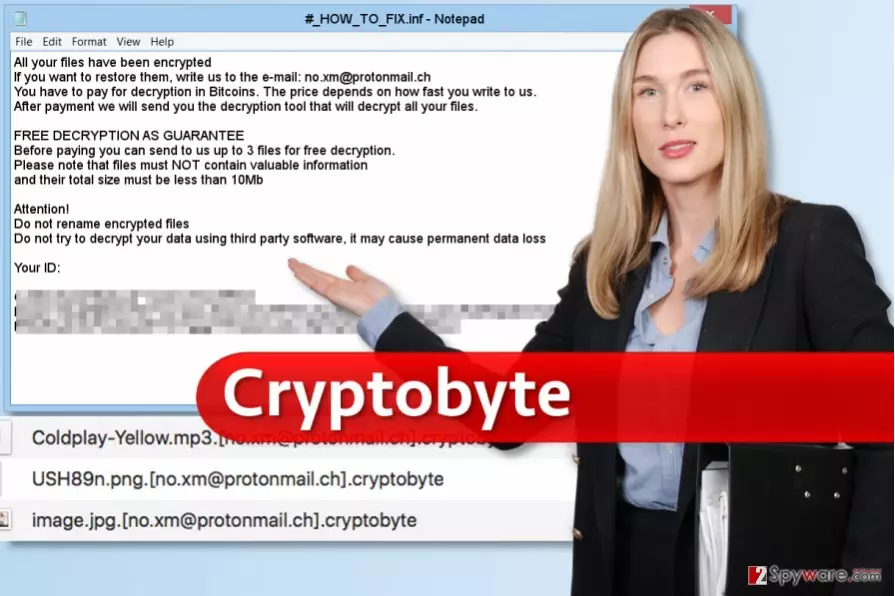
If this happened to you, you should put Cryptobyte removal to the top of your to-do task list. The malicious program is dangerous, and it poses a threat to the entire computer system and your privacy. The virus makes the system vulnerable to malware attacks[3], and it can even become an initiator of one – it can easily install additional malware on your computer. Therefore, we strongly recommend you to remove Cryptobyte ransomware the fastest way possible – using anti-malware software such as FortectIntego. Unfortunately, we must say that there are no decryption tools[4] capable of restoring encrypted files, so we hope that you have a data backup. If you don’t, you should try using one of the data recovery methods explained below.
How did I install this malicious program on my computer?
You could have installed Cryptobyte ransomware after opening a deceptive email[5], attachment, or installing a shady program suggested for you by some suspicious website. This program is just a part of malware that is available nowaday, and such dangerous software is usually distributed using techniques that are meant to trick the victim into opening malicious files without realizing how dangerous they are. In other words, we can say that ransomware distribution is usually based on Trojan Horse trick – offenders typically try to force the user to install malware without realizing it, so they hide the malware into something else and give such file a secure-looking name. However, more and more computer users are aware of spam campaigns that deliver ransomware viruses, so scammers already started using techniques such as malvertising and exploit kits. These allow them to drop malware on target’s computer without having to convince the user to download the malicious file manually.
How can I remove Cryptobyte ransomware and recover my files?
The method we recommend for Cryptobyte removal requires anti-malware software, so if you do not have one, select and download one. However, before you do that, please follow instructions given below and reboot your PC safely. The reason why you need to reboot your PC into Safe Mode with Networking is that this mode helps to remove Cryptobyte virus permanently without facing any interruptions or errors. Please do not try to eliminate the virus manually – you can lose important files instead of cleaning the system from malware.
Did this guide help?
4 comments
freddie
thanks for explaining how to remove Cryptobyte virus! I imported files from a backup and installed antimalware program. Everything seems to be OK now.
Lunar
I cannot believe it. No way to restore files?
roma
I NEED my files. I NEED a decrypter. I am just not willing to pay some CYBERCRIMINALS! Please help...
AlfredMaceqe
All files on our servers were encrypted, we had a backup. I used to think that we are wasting money by having them... I was totally wrong