

Shifr is ransomware that is meant for money extortion
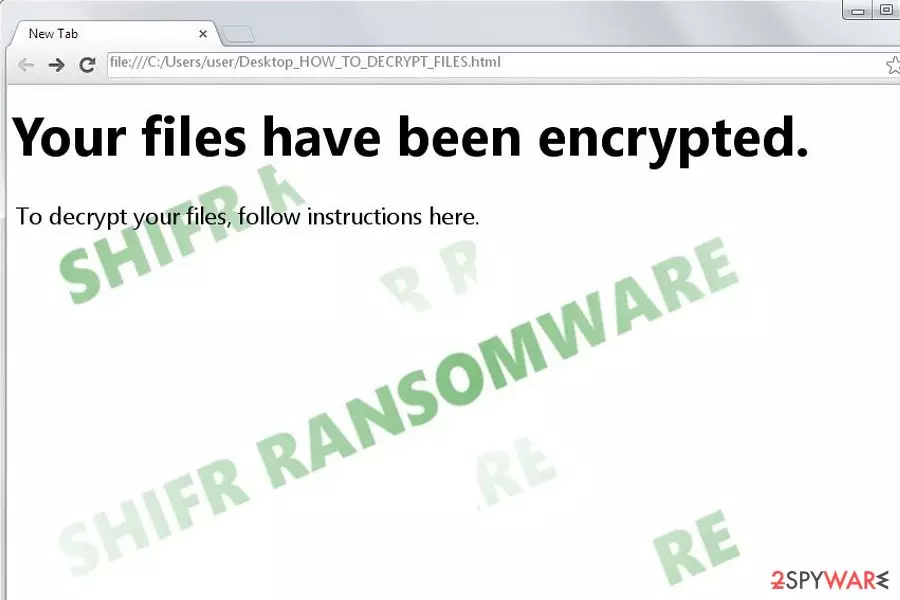
Shifr is a file-encrypting virus written in Go programming language[1] and targets Windows OS users[2] exclusively. Once it infiltrates the device, it appends .shifr file extension to every affected file, making none of the data accessible to the victims.
Later on, it opens up the message HOW_TO_DECRYPT_FILES.html file and a special graphical user interface (GUI), where it offers to download a special decryption program. It is important to remember that ransomware is designed to make users pay the ransom, although the attackers might not always fulfill their promises – you might end up losing your money as well – so you should avoid this as much as possible.
| Name | Shifr ransomware |
| Type | File-locking virus, crypto-malware |
| File extension | .shifr |
| Ransom note | HOW_TO_DECRYPT_FILES.html |
| Cipher | AES |
| File recovery | No free decryptor is available, although you can try alternative methods we provide below |
| Elimination | Perform a full system scan with anti-malware software such as SpyHunterCombo Cleaner |
| System fix | To fix Windows system files, employ PC repair software such as FortectIntego |
Observing the trend of the latest threats, this malware stands out from other viruses. It is not based on HiddenTear as other recent infections of this kind. There is also little information on what type of AES algorithm it uses. However, its other features remind dozens of viruses released last year.
This ransomware operates in a more sophisticated way as it provides scarce information about payment instructions and contains additional links about bitcoin and financial transactions. At the moment, it demands 0.1 bitcoin,[3] although it does not mean that the attackers won't
Taking into account that the sum is quite modest, but the virus seems to contain a delicate programming code, users may be willing to transfer the money in order to retrieve the money. However, the key problem is that while dealing with ransomware developers, there is no guarantee that the victims will receive the files.
Shifr malware, which is now detectable under Trojan.Encoder.6491 name also initiates changes in the registry editor. It plants its files in the %Temp% folder. During the data encryption, you may notice slower PC processes. Commands encompassing high CPU memory usage in the Task Manager may also suggest the presence of the file-encrypting virus.
Once the files are locked, its ransom note is placed on the local disk in the user’s folder, as well as HOW_TO_DECRYPT_FILES.html link is copied into the desktop. Instead of wasting your time and hopes to retrieve the files, it would be better to eliminate the malware.
The malware distribution network expands
It is no less important to be aware of the distribution tendencies than to eradicate the threat. According to the current data obtained about this malware, it seems to retain the preference to spread via spam messages. Such notifications may be entitled as highly important. You might be alerted to messages about urgent tax payments, subpoena, or emails of similar content. Grammar mistakes and typos might give out the real origin of such an email.
Some types of malware, such as computer worms[4] or trojans[5], target system vulnerabilities in order to seize the computer. Thus, it is crucial to increase the overall security of the computer by updating key system applications. Other samples of file-encrypting viruses may target your computer with the assistance of exploit kits.
Recent news has revealed that this relatively passive virtual threat is now available as ransomware-as-a-service. Surprisingly, the domain is easily accessible. It does not require any entry fee, which lets crooks of various ilk engage in ransomware generating business. As a result, in the absence of security measures (against cybersecurity specialists), the domain was easily detected.[6]
Furthermore, due to the appearance of RaaS, cyberspace was crammed with multiple Shifr variations. Unlike other full-fledged file-encrypting infections, the authors only ask for a 10% share of the total revenue acquired from ransoms. On the website, users only have to enter their Bitcoin address and set the price of ransom.
Due to such a low “interest rate” and easy manual, RaaS entices many unskilled hacker wannabees. Moreover, the domain authors seemed do not to have enough technical capabilities to manage the payment site, and the portal via several servers like other RaaS services do. To lower the risk of the infiltration of this virus, install a security application. For that purpose, SpyHunterCombo Cleaner or MalwarebytesMalwarebytes will come in handy. We also recommend FortectIntego to avoid crashes, errors, and other issues that could be a direct result of malware infection.

Backup encrypted files and then scan your PC with antimalware
Before you do anything, copy locked files on a different medium to ensure they are not damaged during the removal process. A security application is also capable of detecting malware and terminating it. However, do not get surprised if the malware may shut down both the anti-virus and anti-spyware program. In that case, the below guide will instruct how to regain access and remove the Shifr virus. Note that only when the malware is fully eliminated can you proceed to data recovery instructions.
Currently, there is no decryption software released, but some of the below-suggested programs may be of assistance to you. Avoid using the decrypter offered by the malware interface, as it may only make matters worse. Uninstall any software which may be related in any way to the threat. The decrypter may decode the files but leave malicious files on the system. Focus on malware removal rather than nurture hopes about the sense of hackers’ conscience.
Did this guide help?
2 comments
borabora2
There is no end to these viruses...
11navidad-0
Did anyone get their files back?