

D2+D aims to become full-fledged ransomware
D2+D virus, alternatively known as WindowsApp1 malware, attempts to deceive users that it is a real file-encrypting threat. It generates its graphic user interface (GUI) which informs users that their files have been encrypted. According to the content, it seems that the malware is quite friendly. It offers 50% discount for victims with low income. In a mocking manner, the penetrators ask victims to donate to their D2+D ransom project. Luckily this malware is none other than fake ransomware and behaves more like a screen locker. There is no need to pay $100 to the hackers, but instead, remove D2+D virus and unlock the screen. Interestingly, the ransomware is also affiliated with a scam version of Facebook – http://bobdinh.hol.es. As for the elimination, you may use FortectIntego or MalwarebytesMalwarebytes. Enter 215249148 the code to unlock the computer.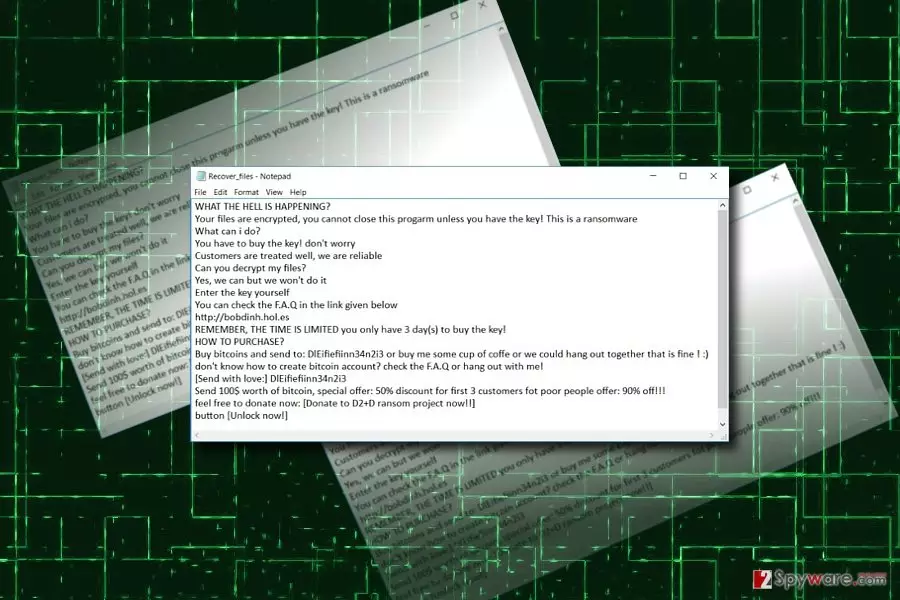
This malware manifests that hackers of various ilk are tempted by the idea to earn easy money through ransomware. The emergence of WannaCry[1] malware served as the inspiration for hackers and crooks to join the market. Despite a hike in WannaCry imitations, there is also an increase in an overall number of viruses[2]. Though screen lockers comprise a smaller share of the overall malware rate, some of them are more elaborate. In D2+D malware case, it fails to wreak havoc on the system as it is easily decryptable. Usually, malware sneaks into the computer via a spam email and encodes files with RSA-2048 or AES-128 algorithms. The data is encoded with the public key and for the private key, which is mathematically interrelated with the former code, is required for data decryption. However, this malware functions otherwise. Despite its alarming message, it mainly locks your computer. Furthermore, the developers of this malware target more naive users who might risk remitting the payment. Though the virus is still not detected by all types of anti-virus tools, it might be easily terminated. Thus, proceed to D2+D removal.
Ways to hack into systems
One of the key reasons why ransomware remains one of the most destructive and relevant issues is its wide network of distribution. Usually, it is spread with the assistance of spam emails, exploit kits, fake app updates, or browser plug-ins. In this case, D2+D hijack is also performed with by a trojan. Besides having proper anti-virus and firewall protection, it is of key importance to remain vigilant. Do not rush to click on an odd link received from a friend via Skype or email message which is a supposed warning from the FBI. The more alarming message content is, the higher are chances that the letter contains hidden threats. Only when you verify the identity of the sender, review the attached content.
Eliminating D2+D ransomware
You may succeed in removing it from the first attempt. However, it is not surprising if you encounter D2+D removal problems. For example, your anti-virus or malware elimination tool might be forcefully shut down. Thus, follow the instructions and remove D2+D virus. You may also terminate the process of the malware by launching Task Manager. Click ESC+SHIFT+CTRL and try to end The Game v.10.exe task, if you cannot identify it, try canceling all running tasks.
Did this guide help?
Be the first to comment