

CryptoWall-related .NET ransomware targets Russian-speaking users
.NET virus is a new crypto-ransomware [1] thought to be a follow-up version of the infamous and widespread CryptoWall virus family. Looking at its ransom note that is written in Russian it is quite obvious that the virus was at least primarily oriented towards the Russian-speaking users. Of course, ransomware spread easily, so everyone should keep their computers carefully guarded. What led experts to associate this malware with CryptoWall was the title of its executable which plain and simply states — CryptoWall.exe. But there are also reports about 7865.exe file also being used to encrypt the infected system. Regardless of what executable carry the malicious, when it is executed it will start scanning the computer for files and append them with .wtdi extensions. “If you want to recover your files — you must pay.” That’s basically all that the extortionists want the victims to understand from the brief ransom note they leave on the infected computer. The message contains a number of the victim’s account and a number for “ISQ” communication [2]. The rest of the details such as the ransom size and the payment method are only revealed after contacting the hackers directly. Luckily, a closer investigation of the program’s source code revealed that this malware is actually decryptable and there is really no need to give your money away to the criminals who may not even explain how to recover your files after all. While the free decryptor is on its way, you should take care of the .NET removal. We suggest using tools such as FortectIntego to complete the process quicker.
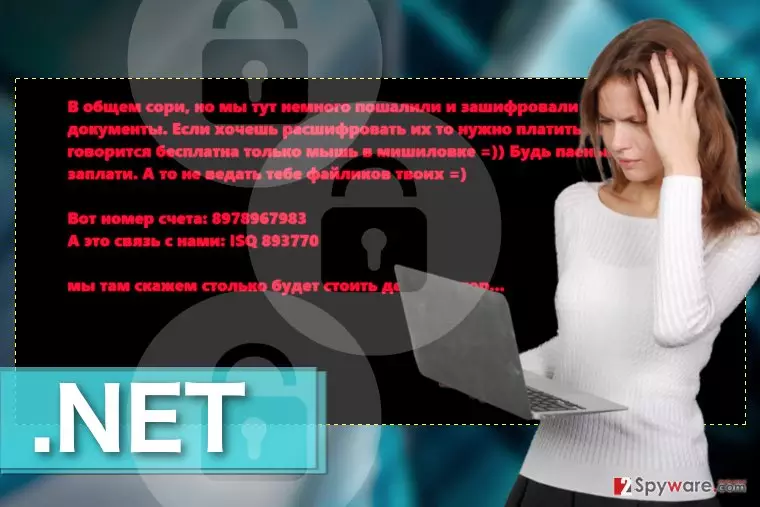
Even after some breakthroughs in its decryption, .NET ransomware remains a rather mysterious malware. Experts are not sure whether this parasite is a new and sloppy version of the real CryptoWall or a creation of a completely unrelated group of hackers who only use the name of this widely-dreaded threat to freak people out and swindle away their money. Either way, it’s best to keep away from this parasite and create backup copies of your files in case the criminals upgrade the malware making it undecryptable.

Preventing ransomware infiltration
If you want to prevent .NET virus from unexpectedly turning up on your system, you must look after your computer. The care consists of regularly updating installed software and operating system, obtaining a reliable antivirus utility and keeping backup copies of your files stored somewhere safe, ideally, on a separate hard drive or USB device. OF course, you should also keep in mind that .NET virus may employ deceptive techniques such as fake ads to sneak into your computer. Don’t blindly download software that might you might be prompted on random websites and download software updates from the official sources ONLY. These safety precautions should diminish the risk of ransomware infection.
Don’t wait — remove .NET following guidelines below:
.NET removal may seem like a challenging task and in some cases, it may be one. In fact, it may end up in complete corruption of the operating system if not carried out correctly. Do not try to remove. NET manually — it will most likely cause more harm than benefit. Instead, employ antivirus software such as FortectIntego to scan your entire system, remove the virus and clean up the malicious Registry entries. After you are done with the malware removal, be patient and wait for the .NET decryptor to be released. Nevertheless, if you need to access some specific files immediately, you may try alternative data recovery solutions. You will find a couple of them indicated below.
Did this guide help?
Be the first to comment