

Vatico Monero (XMR) CPU Miner silently steals your computer's energy to complete its own tasks
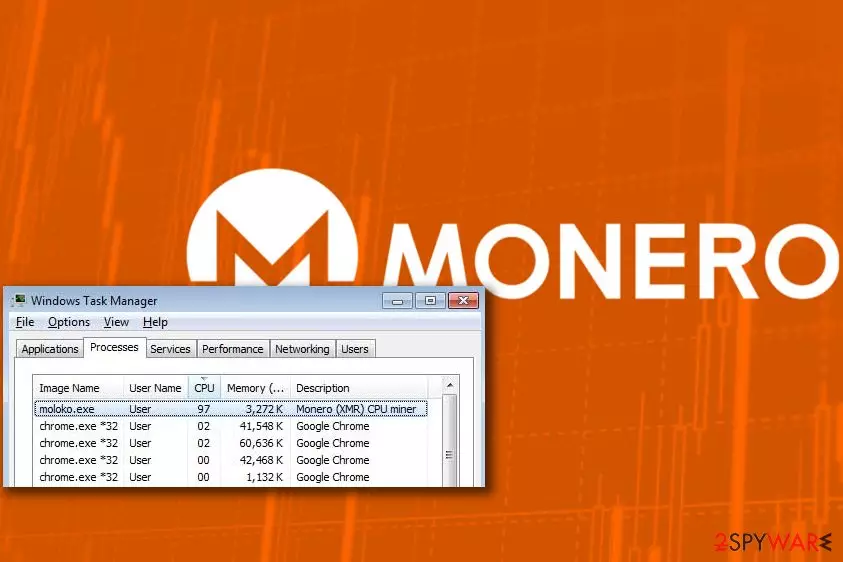
Vatico Monero (XMR) CPU Miner is a Trojan horse[1] that infiltrates victim’s computer system silently and uses computer’s processor to mine crypto currency for cyber criminals. This CPU Miner mines Monero cryptocurrency (also known as XMR). Common signs that reveal the miner’s existence on your computer is computer slowdowns and always an active moloko.exe process.
Vatico Monero (XMR) CPU Miner virus can be downloaded to user’s computer by Trojans that disguise themselves under names of legitimate or popular programs. Once the malicious downloader gets into the target system, it will launch a VBS file that contains a script designed to address a remote domain and download the miner to the system.
The moloko.exe process is the Vatico Monero (XMR) CPU Miner. It will autorun on computer’s startup and start using more than 80% of computer’s processor right away. As a consequence, the victim shortly finds out that computer fails to complete even simple tasks as efficiently as it did before.
Cryptocurrency mining[2] itself is a legitimate process. However, scammers cannot afford themselves to but more computer to expand their mining network. Therefore, they choose to spread the mining software deceptively and enroll victim’s computers into a mining botnet that generates money for fraudsters. Some of the most widespread miners are Monero Miner, CPU Miner, Gplyra Miner and Vnlgp Miner.
If your computer started running slowly and you suspect that the described miner might be causing these issues, scan your computer with a powerful anti-malware to identify and remove Vatico Monero (XMR) CPU Miner virus. If your security software fails to identify the miner although you can see the moloko.exe process running in the Windows Task Manager, update your anti-malware and scan your PC again.

For Vatico Monero (XMR) CPU Miner removal we recommend using reliable software such as FortectIntego. We do not recommend trying to delete the CPU miner manually as it tends to hide in the computer system and use additional obfuscation methods to prevent detection and removal.
Distribution of crypto currency miners
As we mentioned earlier, miners can arrive in a heavily obfuscated form, and it is not always easy to identify them. For instance, sometimes it is not even possible to download them manually – they can be installed on your computer only with the help of Trojans that you might install unknowingly.
As a rule, computer Trojans tend to conceal themselves using names of well-known programs. Therefore, be very careful when installing software on your computer. Remember that you must avoid shady and illegal software sharing sites and P2P sharing networks.
Attempts to obtain software cracks can also grant installation of malware on your computer. Therefore, refrain yourself from using illegal copies of software.
Remove Vatico Monero (XMR) CPU Miner malware
If you have already identified the malware that is slowing down your computer, remove Vatico Monero (XMR) CPU Miner virus right away. Unfortunately, deleting this miner manually is not the best option because you will also have to search for additional files that contributed to its installation, say Dieviren.de experts[3].
Vatico Monero (XMR) CPU Miner removal should be completed using the professional software only. We strongly recommend anti-spyware or anti-malware type programs. If you do not have one yet, we suggest using one of the recommended ones:
Did this guide help?
Be the first to comment