

StrawHat malware imitates ransomware
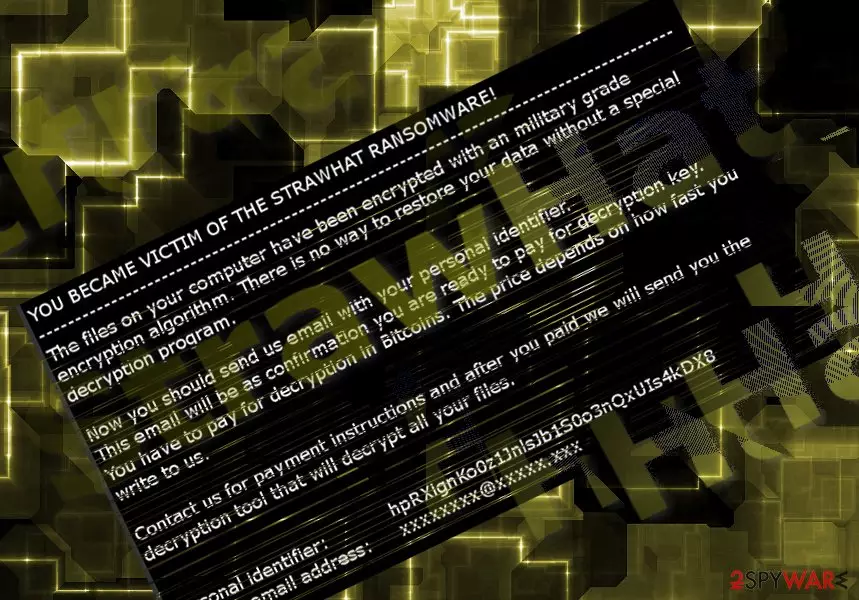
StrawHat virus reveals its true origin – the malware tries to pretend to be ransomware[1]. It simply renames the files rather than actually encodes them and attaches a random file extension. It functions via StrawHat PDF.exe file which already foreshadows the content.
The alternative trojan names – Generic.Ransom.Hiddentear.A.64B049AA, Trojan.Ransom.StrawHat, Ransom.HiddenTear, Generic.Ransom.Hiddentear.A.64B049AA – suggest that the malware is created on the basis of HiddenTear malware. Even if the virus indeed encoded data, you may have tried using either of free HiddenTear decrypter.
Regardless of the technical specifications, the ransom message does a good job alarming the virtual community:
YOU BECAME VICTIM OF THE STRAWHAT RANSOMWARE!
The files on your computer have been encrypted with a military-grade encryption algorithm. There is no way to restore your data without a special decryption program.
Now you should send us an email with your personal identifier.
This email will be as confirmation you are ready to pay for the decryption key. You have to pay for the decryption in Bitcoins.
The ransom message does not indicate any specific requirements except the Bitcoin address. It does not mention how many bitcoins victims should purchase. Fortunately, the malware will not function on most of the systems unless they have installed Visual Basic Power Packs. The latter is a legitimate product of Microsoft.
If you noticed running StrawHat PDF.exe command in your Task Manager, make a rush to remove StrawHat PDF.exe virus. You can do so with the assistance of malware elimination tool, such as FortectIntego or MalwarebytesMalwarebytes.
Ways to evade ransomware hijack
Ransomware developers often prefer using trojans and exploit kits to expand the range of their ransomware. Spam email attachments are popular among certain ransomware authors, such as Locky or Cerber.
Alternatively, there is a high possibility to encounter ransomware by launching a fake Flash Player[2] installer. StrawHat hijack is likely to have taken place after a user downloaded a corrupted torrent file.
In order to limit the chances of ransomware encounter, keep your security and system apps updates. Pay attention to the installation wizards of new apps. Download them only from trusted and official sites. Now let us look through StrawHat removal options. 
Eradicate StrawHat malware completely
Hopefully, StrawHat removal should not pose any problems. Close its ransom message, run malware elimination tool, update and scan it. If the malware interferes with this process, reboot the computer and run the scan again. Likewise, you should be able to remove StrawHat virus completely.
You might also scan the device after again to make sure the malware is fully deleted. It is unlikely that this single-use malware will evolve into a serious threat. On the final note, not only English but Portuguese[3] and Danish users should be cautious of the malware.
Did this guide help?
Be the first to comment