A step-by-step removal guide for affected devices. Follow the verified procedure below — most readers complete it in under 10 minutes.
Alice Woods· Likes to teach users about virus prevention
Red ransomware – a cryptovirus that encrypts personal data by using AES encryption algorithm
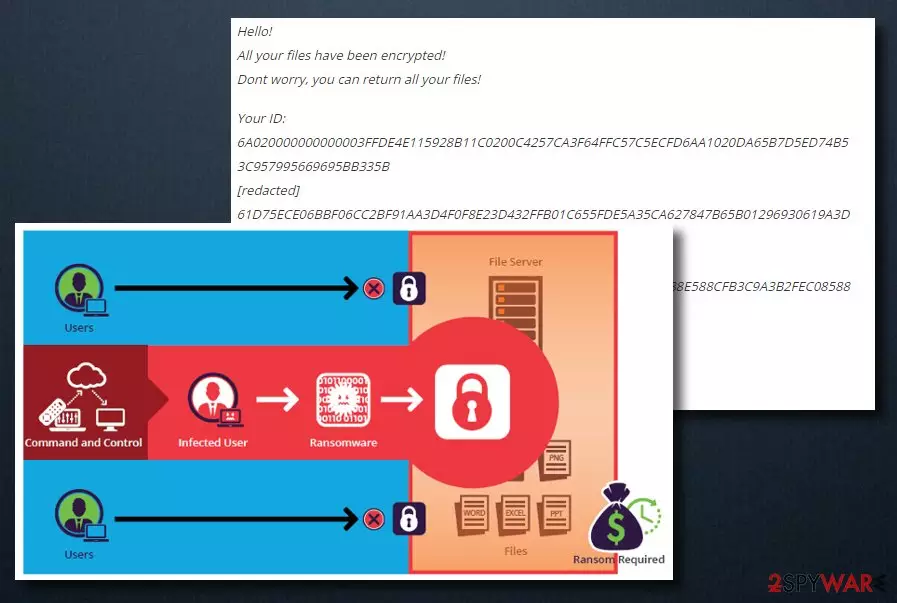
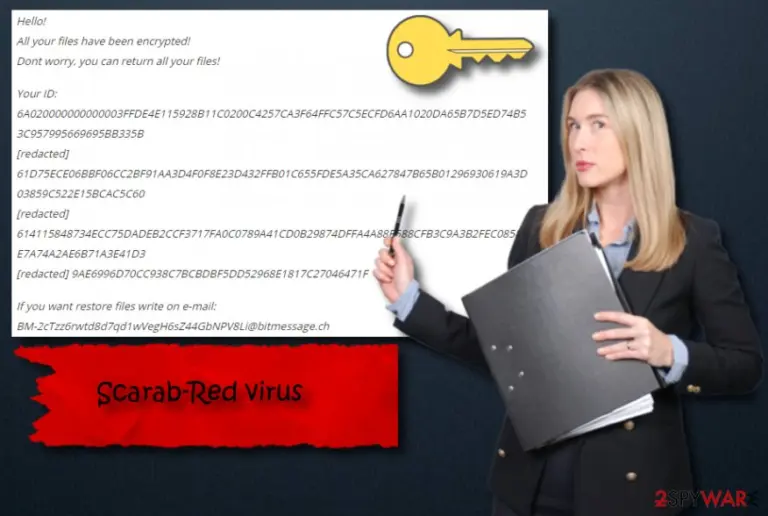
Red ransomware is another cryptovirus which emerged from the infamous Scarab ransomware family. It encrypts files using AES encryption algorithm[1] and adds .Red extension to every document that it locks up. For example, if you have a file named look.zip, it turns to look.zip.red. The virus places HOW TO RECOVER ENCRYPTED FILES ransom note into each of the affected folders soon after encryption. In the message, hackers ask victims to contact them via BM-2cTzz6rwtd8d7qd1wVegH6sZ44GbNPV8Li@bitmessage.ch email address and pay ransom in Bitcoin cryptocurrency.
Unlike some of its previous versions, a Scarab-Red virus is still not decryptable. Nonetheless, paying ransom is not recommended. As usual, these criminals might simply take your money and send no decryption key in return. This way, you will end up with locked up files and lost money. Therefore, instead of contacting cybercriminals you should remove Red ransomware and then try to recover your data in other ways.
The file locking virus can inflict various damage to your PC, such as:
Make personal files Inaccessible;
Remove Shadow Volume Copies;
Alter Windows Registry;
Block security software;
Open a path for other viruses to infiltrate the system.
.red ransomware-type virus is often distributed through links inside spam emails or their attachments. They are often disguised by using legitimate-looking names, such as “invoice.pdf,” or “restore account.html” and similar. Victims are sometimes easily tricked into opening these attachments, as the from address usually looks genuine, as well as logos and styling of official companies are used.
Ransomware is one of the most persistent and devastating computer infections which should not be underestimated. Cybercriminals often create new versions of popular viruses merely to extort money out of victims. And, even though as little as 2-4% of victims pay the ransom, it is usually enough to make a (at least a small) fortune, especially if the virus is wide-spread.
As we mentioned above, do not pay a ransom. Even if Scarab-Red ransomware encrypted our files, you still have a hope to restore them. First of all, if you have a back-up, you are safe! Just make sure you do not connect to your backed up data before you perform Red ransomware removal, regardless if it is remote cloud storage or an external device.
If you do not possess a copy of your data, it can still be saved by using Shadow Volume Copies, as the virus might fail to remove them in some cases. Additionally, you can use third-party software which could help you with file recovery (although chances are quite low).
Remember, deleting severe infections like ransomware is not recommended! Only IT professionals can execute that task, as malware's code is extremely complicated. Therefore, unless you are a programmer or a hacker yourself, stick to anti-virus software. Out team suggests using FortectIntego or MalwarebytesMalwarebytes – these programs are designed to fight malware.
Keep your important files safe by avoiding ransomware
According to the research of IT professionals[2], a cryptovirus usually comes hidden inside a phishing email. If you received a spam email – better delete it permanently. Ransomware is usually hidden within a deceptive hyperlink or is attached directly to the email. The attachments usually come in .doc, .pdf, .html, .zip, .exe or other file types.
Free programs shared online can infect your computer with dangerous malware as well. Even if the application is legitimate, hackers may inject its executable with malicious code and upload it on a file-sharing website. This practice has been noted in torrent hosting sites.[3]
Additionally, make sure you download and install an antivirus tool. It will help you deal with most cyber threats that you might encounter online. Most importantly, always keep it up-to-date, as virus database is updated almost on a daily basis.
Rely on professional tools in order to get rid of Red ransomware
You should definitely proceed with the Scarab-Red ransomware removal no matter how long the process will take. Without getting rid of the cryptovirus, you will not be able to use your PC properly.
For file decryption, check our last section below. You will find an array of tools you can use to attempt file recovery, as well as descriptions of how to use them. If you have a backup, get your files from there.



Be the first to comment