Boris – a sneaky crypto-virus that denies users the access to their personal files
Boris ransomware[1] is a data locker which encrypts files using AES-256 cipher and is based on the infamous HiddenTear virus. Once installed through a malicious spam email attachment or downloaded from a malicious website, it adds [decode77@sfetter.com].boris appendix personal files and drops a ransom note README.txt. Cybercriminals seek to gain money from victims. They inform users about the encryption via the ransom note and urge them to pay a certain price in Bitcoin in order to receive a decryption tool for the inaccessible files.
Name
Boris
Type
Ransomware
Extension
.boris
Ransom note
READ.ME.txt
Affects
Personal files
Distribution
Via spam emails, harmful sites, etc.
Elimination
Trustworthy help is required in order to eliminate the crypto-malware. Use FortectIntego to get rid of the ransomware infection from your computer systems.
Decryption tool is stored on a remote server and safely hidden by hackers. Unfortunately, because the key is unique to each of the infected victims, restoring files without it becomes almost impossible. Nevertheless, the first step to secure computer is to remove Boris virus from the infected device. We highly recommend using FortectIntego or any other reputable security software.
The ransomware is using hidden-tear.exe executable to infect machines, and many AV engines recognize[2] it as a HiddenTear virus. Although most of the variants of this malware are decryptable, it is unclear whether or not the decryptor will work for Boris ransomware. Nevertheless, we suggest users try it, as it may succeed.
Other file recovery methods include:
Restoring files from a backup. External HDD or USB stick, as well as virtual cloud services, will do;
Using third-party software. These applications might be able to help you with file decryption, although chances are not high. Please see the instructions below this article;
Waiting for an independent security researcher to crack malware's code and create a decryptor.
As you can see, the recovery is possible, and paying cybercrooks is not the option to choose.
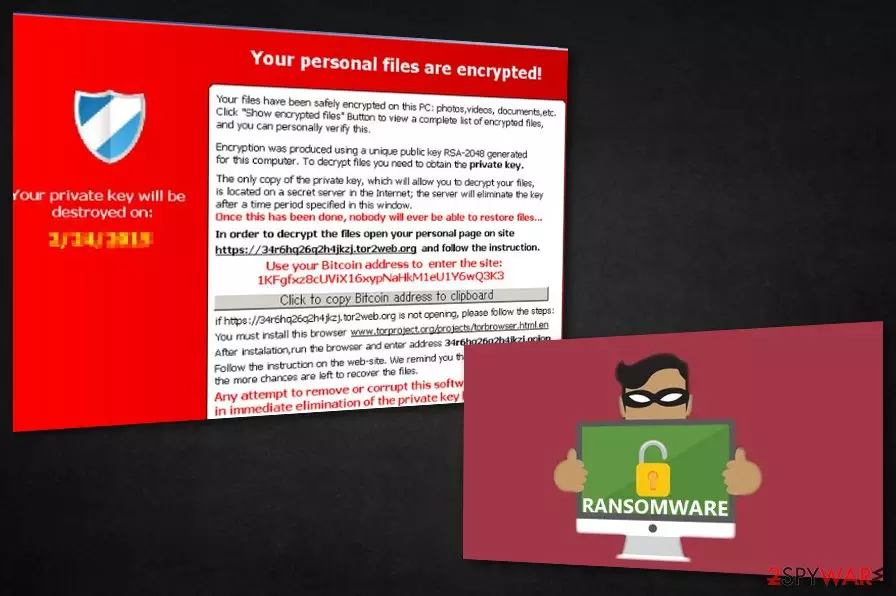
There are two versions of ransom note that are being distributed – one in English and another one in Russian. This can implicate that .boris ransomware authors might be English or Russian, or specifically target people from these countries. Nevertheless, the infection can occur anywhere in the world. The ransom note does not disclose much:
Your files are encrypted! If you want to restore data email decode77@sfletter.com:
Do not contact criminals via the provided address and do not pay the ransom. First of all, hackers may take your money and never send you the key, or upload malware instead, which will damage your PC even more. Additionally, knowing that you are prone to paying money, they might target you in the future again.
All in all, let security software to take care of Boris ransomware removal, as manual elimination is almost impossible. Only after the malware is deleted you can proceed with file recovery procedure; otherwise, data from backups will be encrypted as well.
Avoid ransomware-type infections
To stay safe from ransomware, you have to know how it is distributed. First, let's talk about virus distribution ways. You can catch such infection by browsing various suspicious sites, clicking on suspicious hyperlinks, or downloading repacked or cracked software. Thus, you should avoid visiting questionable websites and use trusted sources for your downloads. Remember that any executable can be malicious. Thus, scan it with security software before opening.
However, the most prevalent ransomware distribution method is via phishing emails. Cybercrooks employ bots to send out thousands of spam emails daily which reach random or targeted users. The malicious payload can be carried inside the attachment or can be transferred once the user clicks on a cleverly disguised hyperlink that is downloaded from a remote server. Thus, do not open attachments or click on links inside emails from unknown sources.
Therefore, make sure you update your software as soon as new patches are out and use strong passwords for all your accounts.
Use security software to get rid of Boris cryptovirus
To remove Boris virus successfully, you will need to install a professional anti-malware tool. We strongly advise using FortectIntego, SpyHunterCombo Cleaner, or MalwarebytesMalwarebytes. As mentioned above, ransomware uses a sophisticated code that modifies your system, and changing it back manually is almost impossible.
In case malware is blocking the operation of anti-virus software, security researchers[4] recommend rebooting your PC in Safe Mode with Networking as explained below. This will ensure the successful Boris ransomware removal.



Be the first to comment