

Online24files@airmail.cc ransomware is yet another version of the notorious Scarab ransomware virus
| Name | Online24files@airmail.cc ransomware |
|---|---|
| Type | Cryptovirus |
| File extension | .online24files@airmail.cc |
| Ransom note | HOW TO RECOVER ENCRYPTED FILES-online24files@airmail.cc.TXT |
| Encryption method | RSA-2048 |
| Related | Scarab ransomware |
| Contact email | online24files@airmail.cc |
| Distribution | Spam email attachments |
| Removal | Run a full system scan with FortectIntego and remove Online24files@airmail.cc ransomware |
Online24files@airmail.cc ransomware virus is a variant in the dangerous family that was recently discovered. It starts the attack by infiltrating the targeted system and making additional changes. This version follows the same routine as the previous Scarab ransomware infections.
The infection gets copied to system folders to hide the payload from various antivirus or security programs and features. It also can affect firewalls, other features or programs to make the online24files@airmail.cc ransomware virus more persistent.
Scarab-online24files@airmail.cc ransomware virus additionally can:
- Modify Windows registry strings. This modification can affect third-party software or the primary operating system. Various functions and features become inaccessible due to the alterations. It also may affect the general performance of the device.
- Delete system files. This ransomware can also delete them to make file recovery more difficult. It removes backups, Shadow Volume Copies, and even System Restore points.
- Install malware directly on the system. This virus may contain other malicious scripts and deliver those infections on the compromised machine. This is why you need to remove online24files@airmail.cc ransomware and additional programs too.
The main purpose of online24files@airmail.cc ransomware is to get money from its victims, and this is achievable by data-locking and ransom demanding. When all commands are launched, and completed ransomware starts the encryption process and firstly searchers for sensitive users' data by the type of file.
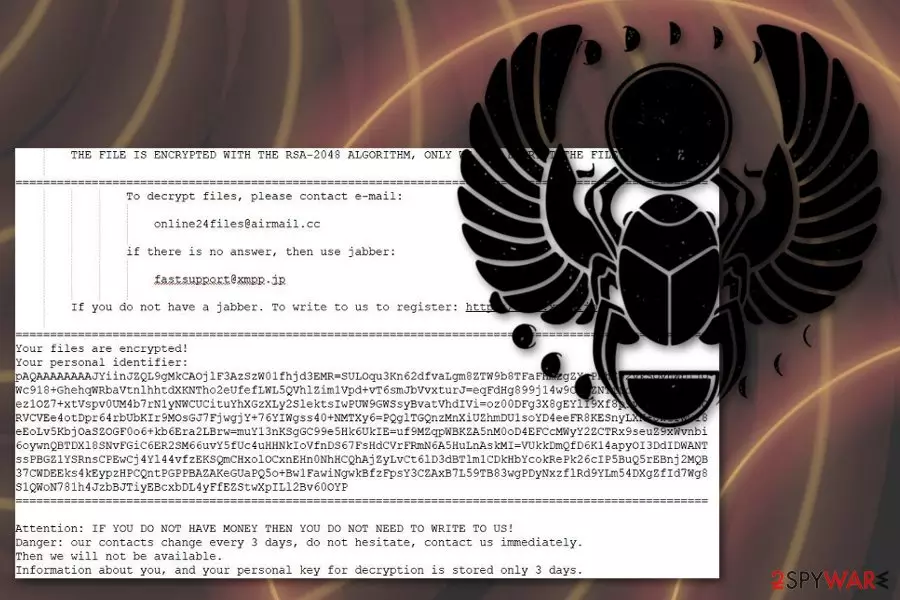
The malicious Online24files@airmail.cc file extension virus encodes images, videos, music, documents, archives, and databases. When data gets .online24files@airmail.cc extension, the encryption process is done. The last phase is generating the ransom note file. The ransom message is placed in a text file called HOW TO RECOVER ENCRYPTED FILES-online24files@airmail.cc.TXT and contains the brief explanation on payment method and details about the ransomware encryption.
Although ransomware developers suggest the test decryption, we do not recommend trusting them because Scarab-online24files@airmail.cc ransomware is created by cyber criminals that are not trustworthy. Even experts[2] advise avoiding any contact between the victim and cybercriminals.
You need to forget about paying the ransom because of the possible danger[3] and proceed with the proper online24files@airmail.cc ransomware removal using reputable malware-fighting tools like FortectIntego. Scan the system thoroughly and get rid of all malicious content.
Phishing websites and spam emails used in ransomware distribution
Many ransomware strains spread via infected files which contain malicious script. Spam emails include various social engineering tactics to manipulate users into thinking these notifications are legitimate and sent from the well-known company or service.
However, emails contain file attachments with direct malware payload or even the virus itself. When the user downloads and opens attached Word or Excel file the malicious macros[4] gets to work and installs malware on the computer directly. You may also obtain these files via setup downloads on suspicious websites.
Criminals embed the virus infection into popular types of files and targets system this way. The victim gets asked to enable the built-in-script when the file is loaded on the device. When the malicious function is triggered, a virus gets downloaded on the machine.
Eliminate online24files@airmail.cc ransomware and get rid of virus damage
To restore your data after the ransomware attack and encryption process, you need to remove online24files@airmail.cc ransomware from the system completely because the malware that is still running on the device can encrypt data on the device again that includes newly added backup files.
However, if you do not have file backups, you can employ data recovery software but using this method requires proper system clean and online24files@airmail.cc ransomware removal. You should use FortectIntego, SpyHunterCombo Cleaner or MalwarebytesMalwarebytes for this process and don't forget to clean the system entirely before entering any external device.
We have provided a few additional tips, so please follow the guidelines for best online24files@airmail.cc ransomware virus termination results. You may also need to enter the Safe Mode with Networking before scanning the device, so check instructions below.
Did this guide help?
Be the first to comment