

Gerber Ransomware 3.0 – a new variant of Gerber Ransomware 1.0
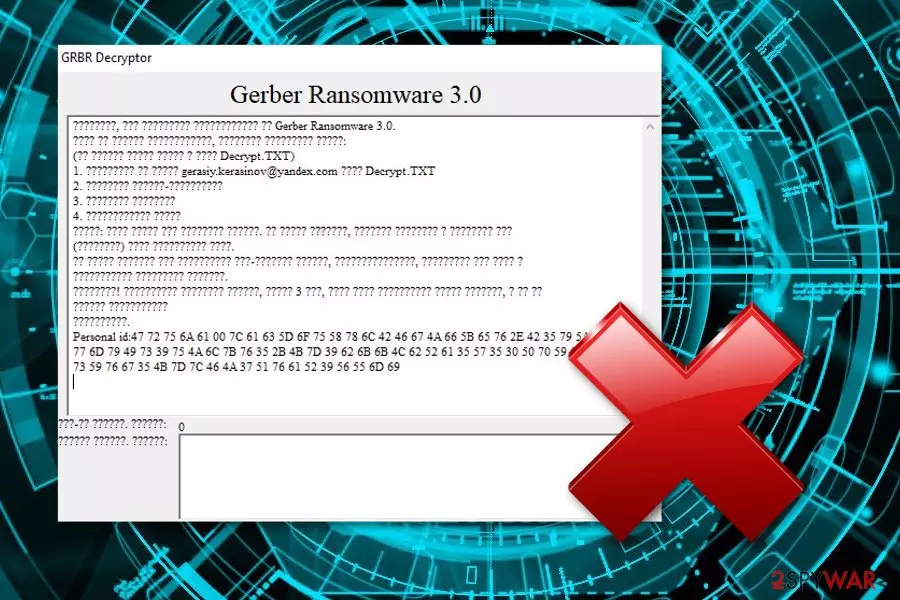
Gerber Ransomware 3.0 is a file locking cyber threat that is related to Gerber Ransomware 1.0. This file-encrypting virus also performs the encryption process[1] by using unique keys such as AES or RSA. Once locked, files turn unusable until they are decrypted. For decryption, cybercriminals usually urge a particular ransom price in a specific message, however, this time, no particular details about the money are given. Of course, the crooks leave their victims a way to contact them and discuss all terms which are necessary if wanting to receive the decryption key for blocked documents. Criminals show a GRBR decryptor message and provide the gerasiy.kerasinov.@yandex.com email address. However, we suggest avoiding any contact with these cruel people.
| Name | Gerber Ransomware 3.0 |
|---|---|
| Type | Ransomware virus |
| Sub-type | Malware |
| Related to | Gerber Ransomware 1.0 |
| Encryption process | This virus uses unique keys such as AES, RSA to lock files |
| Given email address | gerasiy.kerasinov.@yandex.com |
| Elimination | Try FortectIntego to detect rogue content and get rid of the ransomware ASAP |
If Gerber virus 3.0 has infiltrated the computer system, there is a big chance that such dangerous infection came from a rogue email attachment. The crooks drop hazardous payload attached to the email letter straightly to the victims' email boxes. If you decide to access the clipped file, there is a big chance that you will launch the ransomware virus to your computer system.
Note that Gerber Ransomware 3.0 uses unique encryption algorithms to lock up important data. These codes differ every time the ransomware virus infects a different computer. Nevertheless, criminals store both encryption and decryption keys on remote servers which can be accessed only by their owners. Additionally, Gerber Ransomware 3.0 can lock up files such as:
- jpg.
- ppt.
- pptx.
- doc.
- docx.
- zip.
- exe.
- etc.
We recommend performing the Gerber Ransomware 3.0 removal rather than paying the demanded price. According to cybersecurity researchers from Virusai.lt,[2] crooks often scam their victims and just run off with the money. To avoid such possibility, get rid of the ransomware virus straight away. Additionally, we offer to use an anti-malware tool such as FortectIntego which will help to detect all malware-laden components in your computer system which should be eliminated also.
You need to remove Gerber virus 3.0 from your computer system as soon as you spot locked files. Note that if you hesitate to perform the elimination, you might receive various unwanted consequences – injection of other malware forms, CPU overuse, numerous hazardous payload hiding, and so on. For data recovery solutions, we have provided some methods below this article. Try them out and maybe you will restore locked files successfully.
Additionally, we recommend protecting important files for possible future attacks. To not let the encryption happen again, you should purchase a USB drive[3] and store all valuable information in this device. If it is kept unplugged from the computer, files cannot be encrypted, corrupted, lost, or damaged in any other ways as the only person who has access to them is you.

Ransomware comes from email spam
If you have received some rogue messages in your email box, do not rush to open them as they might be infected with malware! Ransomware-related content comes as a payload which is clipped to the email letter. The payload can turn out to look like an important file, recommended updates, and similar. However, if you were not expecting to receive anything recently, better eliminate the suspicious-looking message and DO NOT open any attached files.
Continuously, ransomware viruses can appear on your computer if you often enter third-party networks such as peer-to-peer ones.[4] If you like visiting websites such as Torrents or eMule, note that such sites are not properly protected and consider an option that the malware infection might have come from these pages. However, if you still are likely to use these networks, make sure you take care of automatical protection – install reliable computer security software.
Eliminate Gerber Ransomware 3.0
The instructions for ransomware removal are all the same as they all operate in a similar principle. As you might have already guessed, manual elimination might be too difficult for a threat like this to handle. So, our suggestion would be to use reliable anti-malware programs to remove Gerber virus 3.0. Additionally, do not forget to check the system for rogue components, you can use tools such as FortectIntego, SpyHunterCombo Cleaner, or MalwarebytesMalwarebytes for this purpose.
After you proceed with the Gerber Ransomware 3.0 removal, make sure that you refresh the entire computer system. No malware-related content should be left, otherwise, the ransomware virus might easily renew itself with the next computer boot. Furthermore, take a look out our below-provided data recovery solutions and try to restore valuable files back to their previous positions.
Did this guide help?
Be the first to comment