

Ahihi is a new ransomware based on the HiddenTear open-source project
Ahihi ransomware is a file locker that was spotted in January 2019. It uses AES encryption to lock up data and, unlike most other crypto viruses, appends no extension to the affected files. Nevertheless, it does drop the ransom note README.txt, which provides the information about what happened to the victim's data and what needs to be done in order to retrieve them. Ahihi ransomware stems from a well-known HiddenTear project, and its main file comes under the name of BangLuongThang02.
| Name | Ahihi |
| Type | Ransomware |
| Main file | BangLuongThang02.exe |
| Based on | HiddenTear |
| Extension | None |
| Cipher | AES |
| Ransom note | README.txt |
| Decryptable? | No |
| Elimination | Use reputable anti-malware software like FortectIntego or SpyHunterCombo Cleaner |
While Ahihi ransomware is not that prevalent, multiple AV engines recognize the malware as:[1]
- Trojan.GenericKD.31477924
- Win32:Trojan-gen
- Trojan.Encoder.10598
- TR/Ransom.arobl
- HEUR:Trojan-Ransom.MSIL.Encoder.gen
- Trojan.Crypt, etc.
Because the ransomware is fairly new, we recommend using security software that detects the malicious components – FortectIntego or SpyHunterCombo Cleaner can take care of Ahihi ransomware removal.
Ahihi ransomware uses typical distribution methods, such as spam emails, repacked or cracked installers, fake updates, brute-force[2] attacks, exploits, and similar. Soon after the infiltration, the virus scans the machine for music, videos, pictures, documents, databases, and similar files to encrypt them.
While Ahihi virus does not append an extension to each of the files, it still prevents users from opening them due to the powerful encryption algorithm. After the encoding process is complete, malware will try to communicate to the Command & Control server in order to retrieve the ransom note which states:
Your files have been encrypted, If you want to get your files back, please visit http://ripyon.me/decrypt and provide us the following information:
Your computer name: ***
Your username: ***
Your token: ***CAUTION: DO NOT run this app again or your files will be encrypted permanently
The linked address is currently down, so there is no way to contact crooks in general, which is a good thing. Paying cybercriminals will only prompt them to make more sophisticated ransomware and expand their campaign even further. Besides, Ahihi virus authors may ask for a large amount of money in Bitcoin.
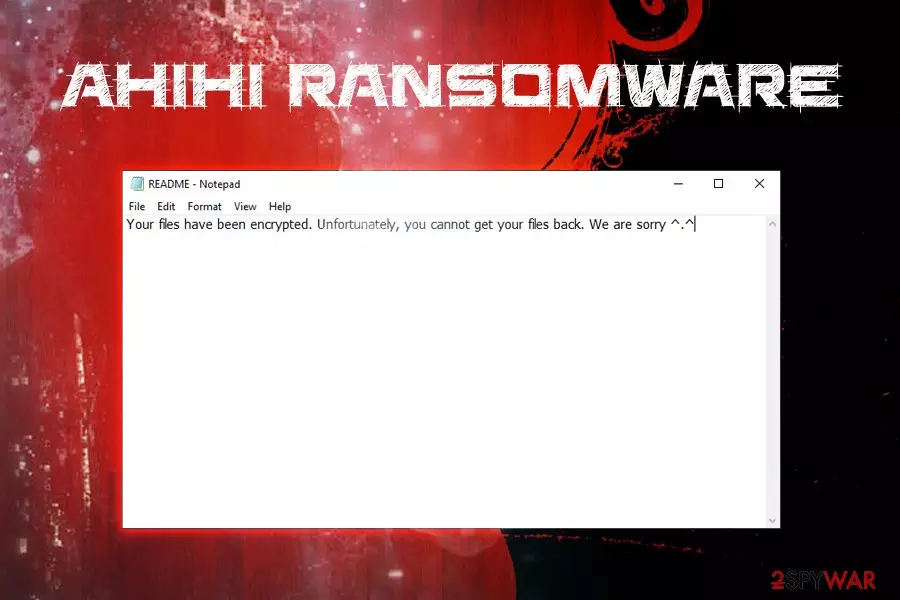
In case the malware cannot access the Command & Control server it displays the following note:
Your files have been encrypted. Unfortunately, you cannot get your files back. We are sorry ^.^
If your files got encrypted, do not panic. You should remove Ahihi ransomware from your computer first, and then attempt the file recovery procedure. Be aware that no decryptor is created by security experts yet, so getting the access to your data might be a tough task.
Nevertheless, if you have no backups ready, we suggest you try third-party recovery software that might be able to help you. If not, you should keep the copy of encrypted files and wait for the official decipher to be released.

Ransomware distribution methods and means of protection
Unlike potentially unwanted programs like adware, ransomware is one of the most dangerous kinds of infection because, even after its elimination, the encrypted files remain inaccessible. Whether or not the data can be decrypted depends if the victim is willing to spend thousands of dollars for the decryptor, or if backups were prepared before the infection occurred. However, the best solution would be not to get infected in the first place. Security researchers[3] recommend practicing the following:
- Employ reputable anti-malware application with a real-time scanner that would be able to stop the malware before its intrusion;
- Beware of phishing emails – do not open suspicious attachments or click on hyperlinks. The anti-spam solution is also an excellent way to protect yourself from unexpected virus attacks;
- Patch your software and the operating system on a regular basis so that malicious actors would not be able to abuse vulnerabilities of the applications installed (Adobe Flash is one of the best examples);
- Use strong passwords for all accounts;
- Make use of the VPN when using Remote Desktop;
- Do not click on suspicious pop-ups or explore sites you got redirected to;
- Avoid high-risk sites like file-sharing, porn, gambling, etc.
Ahihi ransomware removal steps
As we already mentioned, you will need a reputable anti-malware tool in order to remove Ahihi virus from your machine. We recommend using FortectIntego or SpyHunterCombo Cleaner, although other software that can recognize and extinguish the virus can do the job.
Do not waste your time by trying to perform manual Ahihi ransomware removal, as the process is too complicated and requires profound computer knowledge. Instead, enter Safe Mode with Networking as explained below and complete a full system scan. The AV engine will be able to get rid of the virus for you.
For file recovery, refer to our section below – we provide full instructions on how to use third-party apps.
Did this guide help?
Be the first to comment