

SCR ransomware – a Matrix family virus which uses AES-128 and RSA-2048 cryptography to encrypt files
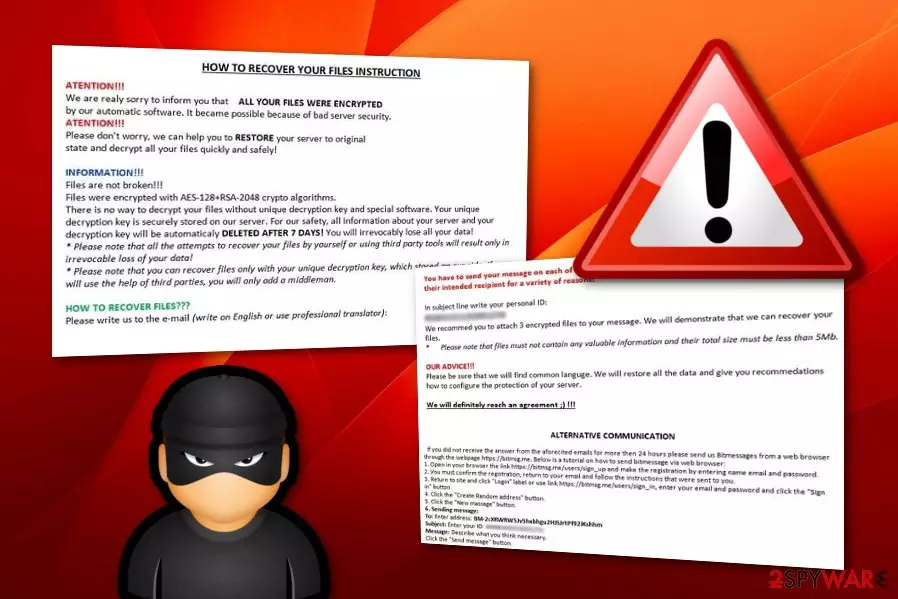
SCR ransomware is a hazardous file locking Windows virus which is related to the Matrix category. These cyber threats are known for their difficult operating, stealth spreading techniques, and secret encryption process which is performed by using strong AES-128 and RSA-2048 cryptography. SCR virus adds the .SCR appendix to each locked file and folder. After that, the crooks display a !README_SCR!.rtf informative message which urges to pay a particular ransom price or encrypted data will be deleted permanently after a time duration of seven days. Additionally, the hackers urge users to contact them via all three email addresses in case a misunderstanding happens and the message does not reach the recipient. Continuously, victims are offered to send three files which together contain no more space than 5 MB in order for the crooks to demonstrate that they are truly capable of decrypting the data.
| Name | SCR |
|---|---|
| Type | Ransomware |
| Appendix | .SCR |
| Note sent | !README_SCR!.rtf |
| Cryptography | AES-128, RSA-2048 |
| OS infected | Windows operating system is the target |
| Distribution source | Spam campaigns |
| Malware content detection | You can discover malware-laden components on your system with the help of FortectIntego |
| Removal process | Get rid of the cyber threat by using automatical software only. Manual elimination might cause only more damage if performed by a less-experienced user |
SCR ransomware provides a message which looks like this:
HOW TO RECOVER YOUR FILES INSTRUCTION
ATENTION!!!
We are realy sorry to inform you that ALL YOUR FILES WERE ENCRYP‘I‘ED
by our automatic software. it became possible because of bad server security.
ATENTIION!!!
Please don‘t worry. we can help you to RESTORE your server to original
state and decrypt all your files quickly and safely!INFORMATION!!!
Files are not broken!!!
Files were encrypted with AES-128+RSA-2048 crypto algorithms.
There is no way to decrypt your files without unique decryption key and special software. Your unique
decryption key is securely stored on our server. For our safety, all information about your server and your
decryption key will be automaticaly DELETED AFTER 7 DAYS! You will irrevocably lose all your data!
Please note that all the attempts to recover your files by yourself or using third party tools will result only in
irrevocable loss of your data!
Please note that you can recover files only with your unique decryption key, which stored on our side. If you
will use the help of third parties, you will only add a middleman.HOW TO RECOVER FILES???
Please write us to the e-mail (write on English or use professional translator):You have to send your message on each of our 3 emails due to the fact that the message may not reach
their intended recipient for a variety of reasons!In subject line write your personal ID:
[Redacted]We recommed you to attach 3 encrypted files to your message. We will demonstrate that we can recover your
files.
Please note that files must not contain any valuable information and their total size must be less than 5Mb.OUR ADVICE!!!
Please be sure that we will find common languge. We will restore all the data and give you recommedations
how to configure the protection of your server.We will definitely reach an agreement 😉 !!!
ALTERNATIVE COMMUNICATION
if you dld not receive the answer from the aforecited emails for more then 24 hours please send us Bltmessages from a web browser
through the webpage https://bitmsg.me. Below is a tutorial on how to send bitmessage via web browser:
1. Open in your browser the link https://bitmsg.me/users/sign_up and make the registration by entering name email and password.
2. You must confirm the registration, return to your email and follow the instructions that were sent to you.
3. Return to site and click “Login” label or use link https://bitmsg.me/users/sign_in, enter your email and password and click the “Sign in“ button
4. Click the ‘Create Random address“ button.
5. Click the ‘New massage” button.
6. Sending message:
To: Enter address: BM-2cXRWRW5Jv5hxbhgu2HJSJrtPf92iKshhm
Subject: Enter your ID: [Redacted] Message: Describe what you think necessary.
Click the “Send message” button.
SCR ransomware is a type of malware which can perform different activities all over the system. It can run rogue processes in the Windows Task Manager, create malicious entries and inject them into the Windows Registry[1] section. Moreover, the ransomware might carry other harmful cyber threats or infected executables and leave them in the system also.
To continue, SCR ransomware might be capable of deleting Shadow Volume Copies[2] of encrypted data. The cyber threat launches a specific command to perform such a process. Crooks release the ransomware with such additional feature as eliminating Shadow Copies will not allow decrypting files by using tools which require untouched Shadow Volume Copies.
We recommend performing the SCR ransomware removal with reputable computer security software. Moreover, you need to detect all additional malicious content that might be hidden all over the Windows operating system. We offer to try a tool such as FortectIntego as by terminating the cyber threat on your own, you might cause more damage to your computer system.
Remove SCR virus before it performs malicious processes and disables you from recovering files on your own. After the removal, try some data restoring tips that are presented below this article. Make sure that you choose the most suitable one regarding your situation and carry out each step as carefully as possible.
For further protection from threats such as SCR ransomware, we advise you to keep on reading this article further and gaining some knowledge on ransomware prevention tips. One more thing you need to know is that storing data on portable servers and devices will ensure that the information is inaccessible for others, including, potential criminals.

Infected payload comes as ransomware through email messages
According to researches done by tech experts from NoVirus.uk,[3] ransomware viruses are injected into various text files or executables, attached to dubious spam messages and sent to random users. Some hackers pretend to be authorities sent by worldwide organizations that are writing with a very important matter to discuss.
Be careful once you receive an email message that you were not waiting for. You should always scan the attachment with reliable anti-malware, incase ransomware-related payload has been sent to you. Additionally, if an email message falls to the spam section, you should delete it immediately without even considering to open it.
For further information, we can say that ransomware viruses also have other spreading sources such as peer-to-peer networks, indirect downloading hyperlinks,[4] malicious ads, etc. The main key to your computer's safety is your own cautiousness and the security measures you take to protect the machine and your files that are stored on it.
Anti-malware software is the best help when wanting to remove .SCR file virus
Ransomware viruses are sneaky cyber threats which can hardly be removed by the user himself. You need to have a wide range of skills to be able to perform the ransomware removal on your own. However, do not risk damaging your system and use reliable anti-malware tools such as FortectIntego, SpyHunterCombo Cleaner, and MalwarebytesMalwarebytes to get rid of malicious content and remove SCR virus.
SCR ransomware removal needs to done safely and effectively, otherwise, the malware might renew itself and its malicious processes within the next computer boot. Moreover, you can try some data recovery tips which are presented below the text. Remember, paying the demanded ransom price is not always an option as you might face unwanted money losses.
Did this guide help?
Be the first to comment