

Harma ransomware is an encryption-based virus that has references to both Dharma and Ouroborus ransomware families
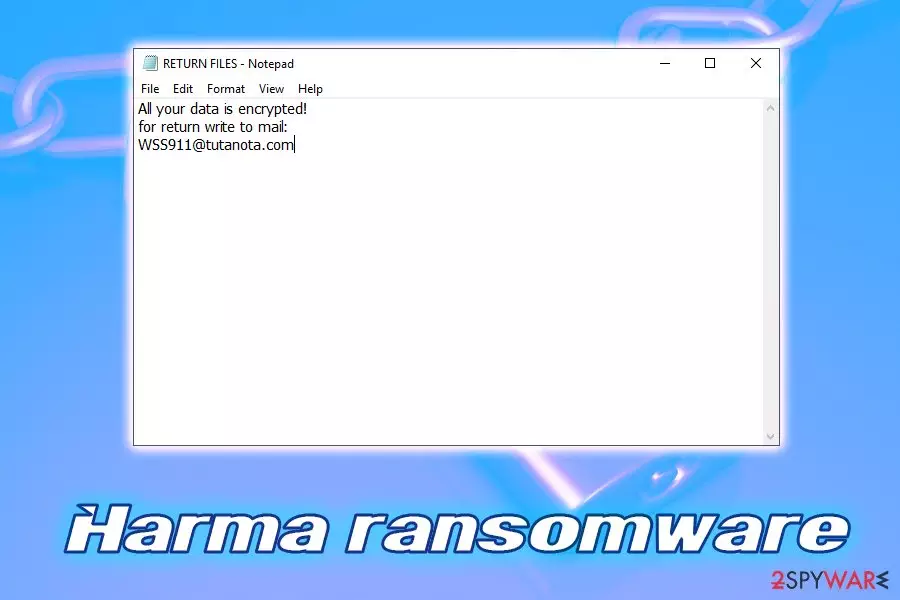
Harma ransomware is a file-encoding virus that has been detected in 2019. Upon examining its payload, researchers revealed its roots stemming from the infamous Dharma ransomware family. Although this family consists of over 50 versions, this particular variant is exceptionally prevalent and has attacked thousands of people thought one year[1]. It is known for using three diverse encryption algorithms, including AES, DES, and RSA for locking personal files and uses the .harma file extension to mark each of them. The appended suffix is typically preceded by an ID number and email address owned by criminals, so the locked file looks like ID-xxxxxxxx.[WSS911@tutanota.com].harma. Both the ID number and email addresses can vary depending on the ransomware variant, though the final extension remains the same all the time.
In 2020, researchers detected a new Harma strain referring to the new Ouroborus ransomware gang. This version falls in the list alongside ransomware viruses like Odveta, King, Zeropadypt NextGen, RX99, Boruta Virus File, Limbo, Kronos, and many others. It uses AES 256 CSB cipher to encrypt files and creates a ReadMe.txt ransom note. Moreover, it exhibits a lock screen, which informs the victim what happened and how to pay the ransom.
| Name | Harma |
| Type | Ransomware |
| Family | Dharma or Ouroborus |
| File extension | .harma |
| Ransom note | RETURN FILES.txt, ReadMe.txt |
| Contact | WSS911@tutanota.com, bigbro1@cock.li, encryptor2020@protonmail.com or encryptor1996@protonmail.com ( a full list provided below) |
| Distribution | Spam emails, web injects, fake updates, cracks, pirated software, exploits, etc. |
| Decryption | Only available via backups or third-party tools. No official decryptor has been created. |
| Virus removal | Use anti-malware software such as SpyHunterCombo Cleaner |
| Recovery | To restore damaged Windows system files and registry, use FortectIntego |
Harma virus developers seek Bitcoin[2] within 24 hours in exchange for the decryption key. The ransom note urges victims to email encryptor2020@protonmail.com or encryptor1996@protonmail.com for further instructions. As usually, crooks recommend victims to send 1MB file for decryption test. This way, criminals try to arouse the victim's “trust” and push them into ransomware payment.
Unfortunately, neither Harma Ouroborus nor Harma Dharma can be decrypted. There is no .dharma decryptor yet, which is why criminals should already feel financially secure. However, it is not advisable to trust criminals and give away your hard-earned money, so reckon well pay the ransom or not. It's best to remove Harma ransomware and try alternative data recovery tools.
The primary Harma ransomware focuses on locking all personal files as well. It targets the host machine and then demands ransom payment for the decryption tool. The encryption procedure is typically performed with the help of AES, DES, or RSA ciphers[3].
As soon as data is locked, victims can soon notice the [WSS911@tutanota.com].harma extension appended to each of the photos, music, video, database, document, and other files. Nevertheless, malware skips system files and executables, as destroying the system is not hackers' goal but rather to extort money (at least not in this case, although wiper-type[4] ransomware does exist).
Although the .harma file virus uses the same extension all the time, the ID number and the email address preceded by the suffix can vary. At the moment, these emails can be used:
- filesdecrypt@aol.com
- Dharm727@gmx.de
- support25@cock.li
- WTF2000@cock.li
- RdpLock@protonmail.com
- hatmatdat@protonmail.com
- getfilesback@airmail.cc
- Petya20@tuta.io
- TheRevenant13@tuta.io
- crypt0r1@protonmail.com
- COV-ID19@tuta.io
- decryptionby@cock.li
- aroshany@protonmail.com
- rdphelp@tutanota.com
- Sansatsuo@protonmail.com
- savemydata@qq.com
- support48@cock.li
- Unlock96@protonmail.com
- whitwellparke@aol.com
- MerlinWebster@aol.com
- hmdjam@protonmail.com
- marjut56@cock.li
- hobbsadelaide@aol.com
- woodson.rosina@aol.com
- ecnrypt98@cock.li
- bitcoin1@foxmail.com
- sumpterzoila@aol.com
- dorejadid1@protonmail.com
- Harmahelp73@gmx.de
- ban.out@foxmail.com
After locking all personal files, Harma virus launches a ransom note – a pop-up window that displays the message from hackers. Additionally, a text file RETURN FILES.txt is also dropped, which is essentially a short version of the note. Threat actors explain that victims have to contact them via WSS911@tutanota.com or bigbro1@cock.li email addresses and pay a ransom using Bitcoin cryptocurrency. Additionally, crooks also threaten to delete the key after seven days if no contact is established.
While there is no decryption tool currently available that would be able to decipher encrypted files, victims should not risk losing their money and avoid contacting criminals. After Harma ransomware removal victims can try using alternative recovery methods that involve third-party software or System Restore features.
There are multiple ways of how Harma ransomware could have infected your computer. For example, many variants of Dharma were spread with the fake Adobe, Microsoft, and other legitimately-looking updates. However, just like any other type of malware, the Harma virus can also be spread with the help of exploits, cracked software, hacked sites, spam emails, etc.

Once inside the system, Harma ransomware deletes Shadow Volume snapshots with the help of specific command launched by the virus. Additionally, it also modifies the Windows registry to gain persistence and run the malicious tasks at all times.
After file encryption, Harma ransomware drops the following ransom note:
All FILES ENCRYPTED “RSA1024”
All YOUR FILES HAVE BEEN ENCRYPTED!!! IF YOU WANT TO RESTORE THEM, WRITE US TO THE E-MAIL WSS911@tutanota.com
IN THE LETTER WRITE YOUR ID, YOUR ID
IF YOU ARE NOT ANSWERED, WRITE TO EMAIL: bigbro1@cock.li
YOUR SECRET KEY WILL BE STORED ON A SERVER 7 DAYS, AFTER 7 DAYS IT MAY BE OVERWRITTEN BY OTHER KEYS, DON’T PULL TIME, WAITING YOUR EMAILFREE DECRYPTION FOR PROOF
You can send us up to 1 file for free decryption. The total size of files must be less than 1Mb (non archived), and files should not contain valuable information. (databases,backups, large excel sheets, etc.)DECRYPTION PROCESS:
When you make sure of decryption possibility transfer the money to our bitcoin wallet. As soon as we receive the money we will send you:
1. Decryption program.
2. Detailed instruction for decryption.
3. And individual keys for decrypting your files.!WARNING!
Do not rename encrypted files.
Do not try to decrypt your data using third party software, it may cause permanent data loss.
Decryption of your files with the help of third parties may cause increased price (they add their fee to our) or you can become a victim of a scam.
As we already mentioned, do not contact cybercriminals, as they might fail to send you the decryptor. Be aware that they locked your data by using malware – and distributing it is a criminal offense (trusting hackers is the same as trusting thieves in real life). Thus, remove Harma ransomware with anti-malware software and try alternative solutions that might help you to recover your data.
Additionally, to recover from virus damage that was done upon the infection, experts[5] recommend scanning the computer with FortectIntego – it can restore the Windows registry and other damaged system files.

Harma swaps Dharma family and reborn as a member of Ouroborus
Ouroboros ransomware has been around since 2019. According to researchers, it has been managed by a variety of cybercriminal groups and attacked a significant number of home users and businesses worldwide. It is known that this threat is being distributed via Remote Desktop Protocol brute-force attacks and infected software downloads.
The most proliferate variants of Ouroboros are the .Lazarus, and .Lazarus+ file extensions viruses, though, luckily, experts have already represented a free decryption software for the two. However, there's a list of other versions that belong to this family, including Odveta, King, Zeropadypt NextGen, and Harma.
The .harma Ouroborus virus attracted the attention of researchers due to its file extension and some traits similar to the original version that initially belonged to the infamous Dharma. However, the two are rather different, i.e. built on diverse code, uses unique ransom note, contact emails, and other traits.

Typically, the .harma file extension virus employs the AES 256 CSB cipher and locks non-system files solely. Upon encryption, it generates a lock screen, which contains the following information:
[+] All Your Files Have Been Encrypted [+]
[-] Do You Really Want To Restore Your Files?
[+] Write Us To The E-Mail : encryptor1996@protonmail.com
[+] If you did not get any response until 24 hours later,Write to this E-Mail : encryptor2020@protonmail.com
[-] Write Your Unique-ID In The Title Of Your Message.
[+] Unique-ID : E49AD5DE
[+] Personal Key:
[+] Please send this to our email
[+] Your Personal KEY: xxxxxxx
Criminals demand to contact them within 24 hours by writing an email to the encryptor2020@protonmail.com or encryption1996@protonmail.com address. However, we do not recommend establishing contact with criminals or supporting their crimes by paying the ransom. Instead of that, perform a full Harma removal with a professional AV engine.
Please note that the Harma Ouroborus may disguise its malicious processes under legitimate Windows executables, such as Runtime Broker.exe[6]. Therefore, you may face difficulties in launching the engine of a security tool. To bypass restrictions, try to remove Harma Ouroborus ransowmare when the system is restarted in Safe Mode with Networking. After that, try to restore encrypted data with the help of instructions provided at the end of this article.
Arm the machine with a powerful security suite to prevent ransomware attacks
It is not a secret that hackers aim to exploit less careful users – and they are doing it successfully for decades now. While some malware distribution methods require no user interaction whatsoever, most infections occur with the help of social engineering. Additionally, unsafe places on the internet, such as Dark Web or sites offering software cracks are the first stops to get infected with ransomware or other threats.
Therefore, to reduce the chance of infection, make sure you follow these tips:
- Employ robust security software
- Enable firewall
- Update your system regularly
- Enable automatic update feature for all the installed programs on your PC
- Protect your Remote Desktop connection by using a strong password
- Avoid websites that offer cracks and keygens, along with pirated software
- Use ad-blocker
- Beware that spam email attachments or hyperlinks might be malicious
- When establishing new software, pick Advanced settings in order to avoid optional applications.

Better do not try to remove Harma ransomware manually
While it is possible to remove Harma ransomware and all its components manually, it is not recommended. Ransomware is a sophisticated threat that affects different parts of the Windows operating system, and regular users will simply not know where to look to delete the malware completely.
Therefore, rather opt for automatic Harma ransomware removal. For that, you should employ an anti-malware solution that would be able to detect this particular version of Dharma. As evident, not all security applications are capable of doing so, so a scan with alternative anti-malware programs might be needed to terminate the threat altogether.
Once you delete Harma virus, you can connect your backups and restore all your files. If you didn't have any backups prepared, use the guide below for alternative recovery methods that might be able to help you, (although chances are relatively low).
Did this guide help?
Be the first to comment