

Cales ransomware is the cryptovirus that keeps user form accessing the system with administrative rights and makes other system changes
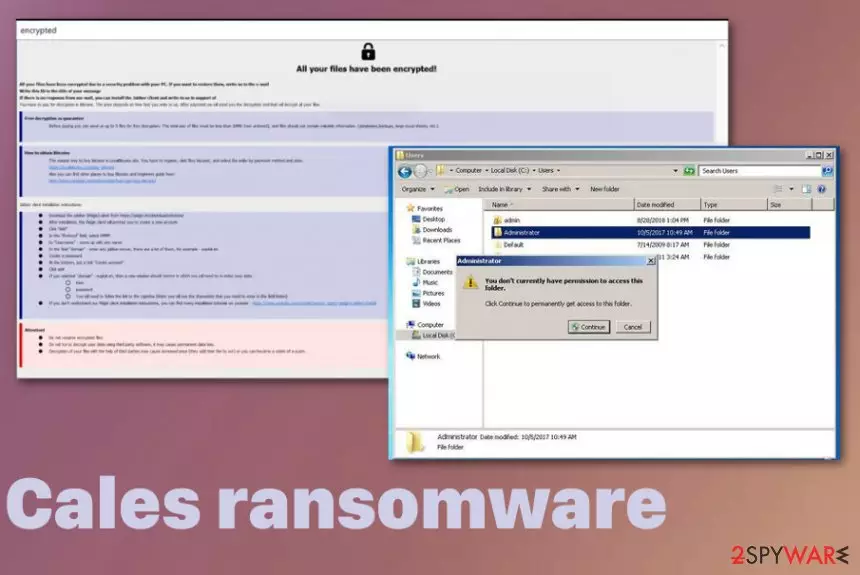
Various campaigns of the Cales ransomware virus can be set to run commands on the infected machine that affect the performance, particular programs and even can damage the machine, interfere with file recovery later on. Although the virus is set to target particular file extensions when encrypting data, system folders, programs, and other functions get altered behind your back, so ransomware is more persistent than you can think. Criminals behind the threat are focusing on blackmailing their victims, so you should avoid paying the decryption fee since there is no real guarantee that you will get your data recovered by them.
| Name | Cales ransomware |
|---|---|
| File marker | .[recoveryfast@airmail.cc].cales is the full pattern of extension that appears on files encrypted by the virus. Once it gets added on the document, photo or any other file it indicates that data is useless |
| Family | Phobos virus |
| Ransom note | infro.txt, info.hta show up on the machine and on the screen directly once files get locked using an encryption algorithm |
| Malicious payload file | svchost.exe |
| Contact email | recoveryfast@airmail.cc, mailsupp@protonmail.com |
| Distribution | Software cracks, illegal software keys or serial numbers, pirated files, game cheats, and spam emails deliver malicious files containing the ransomware payload. Another method used for delivering such malware – other threats like trojans and worms |
| Elimination | For thorough Cales ransomware removal, you need a professional anti-malware tool that can clean the system fully from threats and fix virus damage |
Cales ransomware is the file-encryption based threat that spreads on the machine without any permission and once the encoding is done it delivers the ransom note which demands victims to pay to get their files allegedly restored. Unfortunately, instructions and the message displayed in infro.txt or info.hta files are pre-determined and only contains general information about the ransomware attack.
Once you go to the site Cales ransomware redirects you to or contact the criminals via emails recoveryfast@airmail.cc, mailsupp@protonmail.com you get to the payment system where particular amount shows up and Bitcoin wallet address belonging to the criminals is showed. Those instructions provide a few addresses where you can buy a cryptocurrency and pay the ransom.
Although criminals claim to have the only solution for your files, those malicious people may disappear after the transfer and your data remains locked. So no experts[2] in cybersecurity world will recommend paying the ransom for Cales ransomware or any other virus developers.
When info.hta program window shows typical instructions for Phobos ransomware family, a text file with the same info name is more unique for the particular Cales ransomware because it is the file that provides contact emails unique for the creators of this specific version. The message reads:
!!!All of your files are encrypted!!!
To decrypt them send e-mail to this address: recoveryfast@airmail.cc.
If we don't answer in 24h., send e-mail to this address: mailsupp@protonmail.com
You need to stay away from contacting these criminals because, in most cases, criminals behind such threats like Cales cryptovirus may be gready and ask for more money once you transfer the initial amount. This is how you can lose your files and money permanently.![.[recoveryfast@airmail.cc].cales virus](https://www.2-spyware.com/wp-content/uploads/virusai/cales-cryptovirus_en.jpg.webp)
However, for the people that have no backups, we recommend waiting before terminating Cales ransomware. Firstly, you should look for a particular decryption tool provided by researchers:
- https://www.nomoreransom.org/en/decryption-tools.html
- https://www.emsisoft.com/ransomware-decryption-tools/
- https://noransom.kaspersky.com/
- https://success.trendmicro.com/solution/1114221-downloading-and-using-the-trend-micro-ransomware-file-decryptor
When you know that this version has a decryption tool, before you remove Cales ransomware with all the traces and files, you should store encoded files, other data regarding the infection on a different device and clean your machine. For the proper job, you should go for the anti-malware tool like FortectIntego.
When you remove all core files, the virus is terminated, but when you do that with Cales ransomware files and still want to use the decryption tool it may be difficult. Anti-malware tools are disabling autorun entries pointing to the threat and that is okay. But once the AV tool quarantines the infection, it is important not to delete malware from quarantine or delete files without backing them up. These malware samples help with decryption later on. We have a few other tips below the article for file recovery without any backup or decryption options.
Hackers are experienced enough to use different techniques of virus spreading
This virus family is known for a while, but each version appears to be modified just slightly and the base code is made custom to keep the malware persistency up. Previous versions in the family are known for being distributed different, but the most common methods include malicious files either planted in phishing campaigns or included on file-sharing networks.
Pirated software, free downloads from unofficial sources and torrent files can carry more than you think or expect because malicious actors pack executables and files containing malicious scripts. Once you download the needed software crack or a cheat code package for the video game the encryption starts immediately because the infected file is executed once loaded on the PC.
If you want to avoid such infections, go for legal sharing sites, official providers, restrain from torrent services. Also, pay attention to received emails and files attached to the suspicious email sent fro unknown sender. Malicious actors can disguise as anyone or anything, so even use the familiar name of a company in such emails. Delete anything you didn't expect to get and don't open files from unfamiliar emails.
Terminate Cales ransomware as soon as you can to avoid permanent damage to your device
Since Cales ransomware virus belongs to a family of malicious threats, there is additional possibility that script includes additional security bypass module and this malware dan disable your antivirus tools, security features of the device itself. This is why you should get a different anti-malware program and use it to delete the virus.
The proper Cales ransomware removal results can be achieved when you scan the machine fully and follow the detection[3] results, suggestions of what to eliminate. Automatic system scan shows all intruders and virus damage, the possible danger for the system.
Then you need to remove Cales ransomware, check for anything leftover with FortectIntego, SpyHunterCombo Cleaner, or MalwarebytesMalwarebytes again and you can focus on data recovery. The best method is to replace encrypted files with copies from the cloud database or external device, but some third-party program can also work.
Did this guide help?
Be the first to comment