

Igvm ransomware – a cryptovirus gunning for your data and money
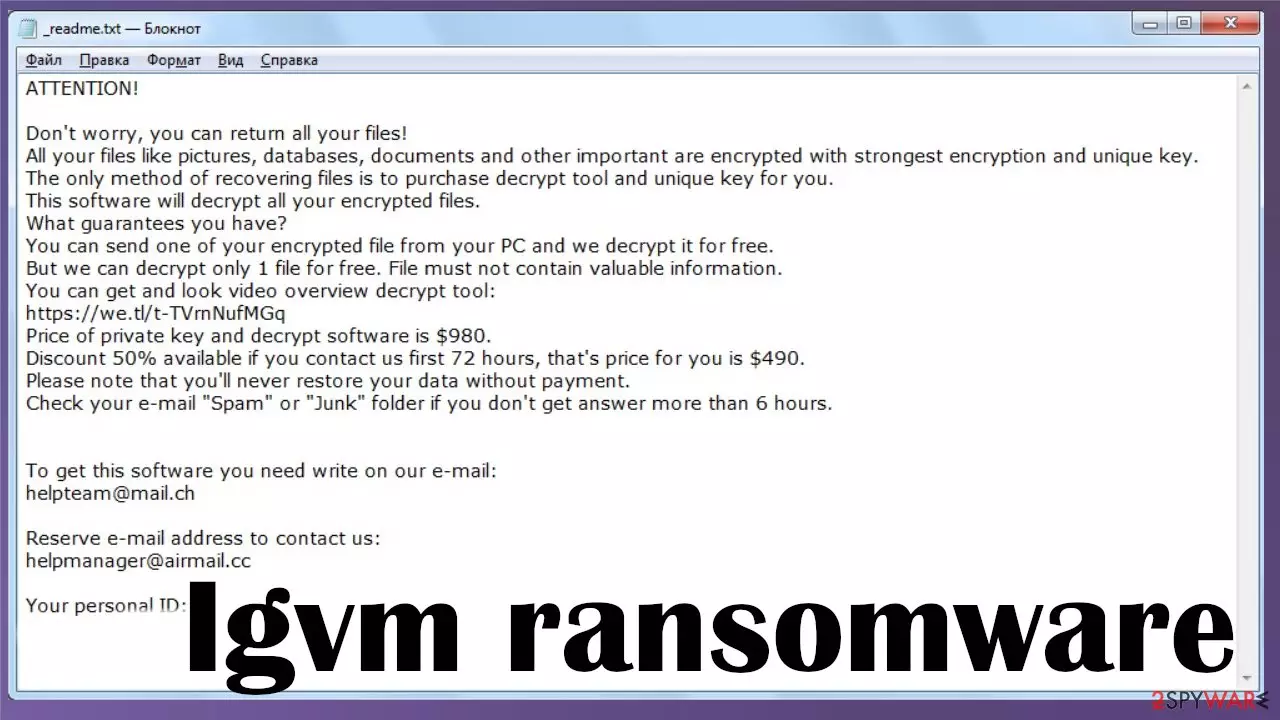
Igvm ransomware is a computer virus that encrypts all non-system data on the infected computer as soon as it gains entry to it. During the encryption, it renames all files by appointing the .igvm extension to the original filenames. The contents of the files aren't changed, but they are inaccessible.
Like all ransomware from the Djvu family, this one doesn't lock the system files, but it modifies them to establish persistence and prolong its unwelcomed stay. Following successful encryption, a ransom note named _readme.txt is created and placed on the desktop so the victim would find it easily.
Within the said note, threat actors behind Igvm virus state their demands and instructions. The main one is to contact them via two provided emails (helpmanager@airmail.cc, helpteam@mail.ch) within 72 hours of the attack to receive a 50% discount for the ransom. That would lower the asking price from $980 to $490.
Although the ransom amount can seem reasonable, it would be best not to pay the criminals. There are free decryptors from Emsisoft that could help you get out of this predicament scotch-free. If they don't work, there might be other recovery solutions that we're going to tell you about in this article, along with the article's culprit summary and its removal options.
| name | Igvm ransomware |
|---|---|
| Type | Cryptovirus, file-locker |
| Family | Djvu/STOP |
| Appended file extension | All personal data is renamed by adding .igvm marker |
| Ransom note | _readme.txt can be found on the desktop and in folders with encrypted files |
| Ransom amount | Criminals are offering a 50% discount for victims that contact them within 72 hours, lowering the price from $980 to $490 |
| Distribution | Ransomware from this family is usually distributed through file-sharing platforms, especially torrent sites, but other spreading techniques are also possible |
| Criminal contact details | helpmanager@airmail.cc, helpteam@mail.ch |
| Elimination | To safely and completely remove any infection from your computer, use a trustworthy anti-malware tool |
| System health check | Since system files and settings get altered, you have to take care of them to avoid BSoDs[1] and other system failures. To automatically fix all system issues, scan your device with the FortectIntego system tune-up tool |
Ransomware is on the rise, and the Djvu file-locker family is one of the most pervasive ones in this dirty business. It's producing new variations of infection very frequently. New versions appear once or twice each week. Here are the latest ones, apart from .Igvm virus:
All latest variants from this lineage bear many similarities, but they have their differences too. A military-grade RSA 2048 coding algorithm is used to encrypt all personal files (pics, documents, archives, etc.), making it practically impossible to decode them without the right key.
Within the ransom note, Igvm ransomware developers state that the only way to regain access to the locked data is by purchasing a decryption tool from them. And they try to sell it very hard. To convince that such a tool exists, they include a link where it can see in action and offer free decryption of one file from the infected computer.

Moreover, to push their victims into making rash decisions, they offer a 50% discount for those who contact them within 72 hours of the cyberattack. The ransom note also includes a personal victim ID and two email addresses to reach out to the assailants. The whole note reads:
ATTENTION!
Don't worry, you can return all your files!
All your files like pictures, databases, documents and other important are encrypted with strongest encryption and unique key.
The only method of recovering files is to purchase decrypt tool and unique key for you.
This software will decrypt all your encrypted files.
What guarantees you have?
You can send one of your encrypted file from your PC and we decrypt it for free.
But we can decrypt only 1 file for free. File must not contain valuable information.
You can get and look video overview decrypt tool:
hxxps://we.tl/t-9CYW99VhUR
Price of private key and decrypt software is $980.
Discount 50% available if you contact us first 72 hours, that's price for you is $490.
Please note that you'll never restore your data without payment.
Check your e-mail “Spam” or “Junk” folder if you don't get answer more than 6 hours.To get this software you need write on our e-mail:
helpteam@mail.chReserve e-mail address to contact us:
helpmanager@airmail.ccYour personal ID:
Our stance on paying the criminals hasn't changed for years. It would be best if you didn't do it as the money will only motivate the perpetrators to attack more innocent people and develop more advanced malware. You could try recovering your encrypted files with our suggestions at the bottom of the page.
If none of them work, copy all essential files from the infected PC to an external, offline storage device, like a USB drive or similar. Only then can you begin Igvm virus removal. The first thing you need to do is download a reliable security tool such as MalwarebytesMalwarebytes or SpyHunterCombo Cleaner.
Then perform a full system scan. That should remove the infection with all its pieces. In some cases, cryptovirus can prevent you from launching anti-malware software. If that happens, use our free guides below to reboot your PC in Safe Mode with Networking and proceed with the removal then.
Although system files aren't encrypted, they're modified to establish persistence, e.g., the host file is modified and could prevent users from entering any security-related website, including 2-spyware.com. This and many other system irregularities can cause unpredictable device behavior, such as crashing, freezing, etc.
Therefore, after you remove Igvm ransomware from your device, you have to take care of the overall health of it. According to cybersecurity specialists at DieViren.de,[2] the best way to resolve any system damage is to run system diagnostics with the powerful FortectIntego PC repair tool.

Steer clear of file-sharing platforms to avoid any cyber infections
Ransomware, Trojans,[3] backdoors and other malware can be spread in a myriad of ways, from spam emails to Remote Desktop Protocol (RDP) attacks. But Djvu/STOP family is spread almost exclusively through file-sharing platforms, in particular – torrent websites.
These sites usually offer various copyrighted content for free, such as movies, games, software, etc. Malware can be camouflaged as almost any file, but Djvu ransomware versions are usually hidden as game cracks, expensive unlocked applications, and similar pirated software.
As soon as you download and execute a file with a virus payload file, the encryption will start, and you'll be locked out of your data within a couple of minutes. Thus we advise staying away from such file-sharing platforms as you could get yourself and your device in a lot of trouble.

Thorough guidelines to remove Igvm virus from your infected computer
Having your device infected with any type of malware is a nightmare, but you have to stay calm and don't make any rash decisions. There might be other ways of recovering your encrypted files without the involvement of criminals. We've posted Igvm ransomware recovery options below.
Emsisoft or other companies could create a required decryption tool in the future, so if none of the methods work, copy encrypted files to offline storage and check back with us later as we strive to inform our readers about all new updates. Once the data is decrypted or copied, remove the infection by scanning your device with trustworthy anti-malware software like MalwarebytesMalwarebytes or SpyHunterCombo Cleaner. Please remember to keep it updated at all times so that it could block all the latest malware.
If your computer exhibits strange behavior after the virus removal, that's because the infection has heavily damaged its system files and settings. Therefore, we highly recommend using the system diagnostics tool right after you remove Igvm ransomware to fix all system-related irregularities.
First steps when dealing with the cryptocurrency-extorting malware
Ransomware infection and data encryption are two independent processes. However, it is important to understand that malware performs various changes within a Windows operating system, fundamentally changing the way it works. It ensures that all needed malware processes can run.
IMPORTANT for those without backups! →
If you attempt to use security or recovery software immediately, you might permanently damage your files, and even a working decryptor then would not be able to save them.
Before you proceed with the removal instructions below, you should copy the encrypted files onto a separate medium, such as USB flash drive or SSD, and then disconnect them from your computer. Encrypted data does not hold any malicious code, so it is safe to transfer to other devices. In many cases, malware like this deletes itself after the encryption, so the virus is no longer active.
You might find the guide below overwhelming and complicated, but they are not difficult to understand as long as you follow each step in the appropriate order. These comprehensive instructions will help you to handle the malware removal and data recovery process correctly.
IMPORTANT! →
It is vital to eliminate malware infection from the computer fully before starting the data recovery process, otherwise, ransomware might re-encrypt retrieved files from backups repeatedly.
Did this guide help?
Be the first to comment