

Pahd ransomware: a threat for your personal files

Pahd ransomware is a very dangerous file-locking parasite that can attack anyone's device. After gaining access to a targeted Windows computer, it encrypts all personal files and demands a ransom in exchange for a decryption key/software. It's mostly distributed through software cracks[1] downloaded from file-sharing platforms, so you should stay away from these dangerous executables in the future.
When one of such malicious files is downloaded and executed, it immediately starts the system file modification and the encryption process. All personal files are locked within five minutes and are appended with a .pahd extension. Although their contents aren't modified, they're inaccessible until a necessary decryption software or key is used.
When a ransom note (_readme.txt) is generated and placed on the desktop so that the victim would find it with ease, the encryption is over. Now the main thing is not to panic, as that won't get you anywhere. What's done is done. Now what really matters is how you respond to this incident.
Remain calm and rest assured that you can easily remove the virus and regain your data. You can trust us, as we've been helping victims of various cyberattacks remove the infections and restore the overall health of their devices for almost two decades.
The message within the ransom note states:
ATTENTION!
Don't worry, you can return all your files!
All your files like pictures, databases, documents and other important are encrypted with strongest encryption and unique key.
The only method of recovering files is to purchase decrypt tool and unique key for you.
This software will decrypt all your encrypted files.
What guarantees you have?
You can send one of your encrypted file from your PC and we decrypt it for free.
But we can decrypt only 1 file for free. File must not contain valuable information.
You can get and look video overview decrypt tool:
hxxps://we.tl/t-9CYW99VhUR
Price of private key and decrypt software is $980.
Discount 50% available if you contact us first 72 hours, that's price for you is $490.
Please note that you'll never restore your data without payment.
Check your e-mail “Spam” or “Junk” folder if you don't get answer more than 6 hours.To get this software you need write on our e-mail:
helpteam@mail.chReserve e-mail address to contact us:
helpmanager@airmail.ccYour personal ID:
As you could see, the cybercriminals behind the Pahd virus are bending over backward to persuade their victims into paying the ransom. First, they state that there's no other way to decrypt the encrypted data without their intervention. That's just not true.
Since this file virus belongs to the infamous Djvu ransomware family, companies have dedicated their time and money to help people get away from this uncomfortable predicament without paying a dime. One of those companies is Emisoft, and we're going to explain how to use its free decryption software a bit later.
The second persuasion technique involves the victim sending one Pahd file (encrypted) to the criminals for free decryption. The third one is a link to a video where the supposed tool can be seen in action. Both of these techniques are meant to convince you that the necessary tool actually exists.

The fourth one is the 50% discount offer. This should push you to make up your mind real quick, as the discount is available only for victims who contact their assailants within 72 hours. This forces the victims into making rash decisions and contacting the criminals via the two given emails (helpmanager@airmail.cc or helpteam@mail.ch).
Despite the ransom amount being relatively low with ($490) or without the discount ($980), we do not recommend reaching out to the criminals and paying the requested amount in Bitcoins to regain your data. This article contains the step-by-step removal options of the cryptovirus, as well as a guide to repair damaged PC system sections and ways to recover encrypted files.
| name | Pahd virus |
|---|---|
| Type | Ransomware, file-locker, cryptovirus |
| Family | Djvu/STOP |
| Infection symptoms | Personal files (documents, archives, databases, etc.) are renamed, and you cannot open them; performance of the device is diminished; ransom note is seen on the desktop and in some affected folders; can't open security software and other programs |
| Appended file extension | .pahd |
| Ransom note | _readme.txt |
| Data recovery | Victims of this ransomware should try out the decryption software listed below |
| Elimination | To remove this file virus entirely, users have to use a reliable anti-malware program that ensures that the infection won't renew after a reboot |
| System health | Cryptoviruses don't encrypt system files, but they modify them to a point where the system is no longer usable. You can try repairing all the damage the virus has managed to cause by using the FortectIntego system diagnostics tool |
Instructions to remove Pahd file virus, repair system damage, and recover encrypted data
We're not going to wrap you cotton wool – the removal and recovery will take some time and require professional software. To begin this journey, the first thing you need to do is to copy essential files from the infected machine onto a USB, SSD, or other offline storage devices. Skip this step if you had backups.
Part 1. File virus removal
Other security experts[2] and we recommend downloading a trustworthy anti-malware software such as MalwarebytesMalwarebytes or SpyHunterCombo Cleaner. If the ransomware prevents you from downloading it (because of altered system settings and files), you have to do that in Safe Mode with Networking. We've included a free guide for that at the bottom of the article.
Once one of the recommended security tools is installed, make sure to update its virus database with the latest definitions and perform a full system scan. That should automatically detect all files related to Pahd file virus, isolate them, and suggest that you remove them. Please do so.
This action should eliminate the ransomware with all of its associated files. To ensure that your device is properly protected, it would be best if you made a habit of updating your chosen AV tool and scanning the entire system with it at least a couple of times a week.

The need for a reliable security tool is once more reiterated in the VirusTotal report,[3] which shows that devices that had such tools evaded the infections as security software identified the threat and blocked it. In fact, 50 out of 70 AV engines recognized the malicious file. Here's a few examples of its detection names:
- RDN/Generic.grp
- Trojan:Win32/Azorult.RF!MTB
- A Variant Of Win32/Kryptik.HLEW
- Win32:PWSX-gen [Trj]
- Trojan.MalPack.GS
Part 2. Recovering the damage your system files and settings endured
As we've already mentioned numerous times, Pahd virus alters core system files and settings. Ransomware does these changes to establish persistence. That may result in various abnormal PC behavior, such as the inability to launch security software, freezing, BSoDs, and so on.
Thus if you want to enjoy your device as you did before the cyberattack, you have to take care of all system-related irregularities. Unfortunately, you won't be able to restore all modifications manually, even if you consider yourself a tech-savvy person. But luckily, IT experts create convenient tools such as the FortectIntego system diagnostics software to help to fix Windows systems automatically. Here's what you need to do:
- Download the application by clicking on the link above
- Click on the ReimageRepair.exe

- If User Account Control (UAC) appears, choose Yes
- Click Install

- A scan will begin immediately after the installation is finished.

- Once the scan is completed, check the results listed in the Summary
- Click on each of the discovered problems and fix them manually
- If you see many issues that you find difficult to fix, we recommend you purchase the license and fix them automatically.



Using such a tool, you can rest assured that your device won't exhibit any abnormal behavior, such as BSoDs,[4] severe lag, freezing, etc. If you've kept backups of your critical data, only after completing the instructions in Part 1 and Part 2 is it safe to recover files as there's no chance that the ransomware infection would renew. If you didn't, please proceed to the next part.
Part 3. Decrypting locked files with Emsisoft software
This section of the article suggests available data decryption software. Please keep in mind that there's no guarantee that the recommended tools will help you to recover Pahd files, but it's a way better option than paying the criminals and expanding their dirty business.
As we've mentioned initially, companies are working to minimize the damage caused by Djvu family ransomware. One of those companies is Emsisoft, and they offer free decryption software meant to compact viruses from the said lineage.
Here's what you need to do:
- Download the app from the official Emsisoft website.
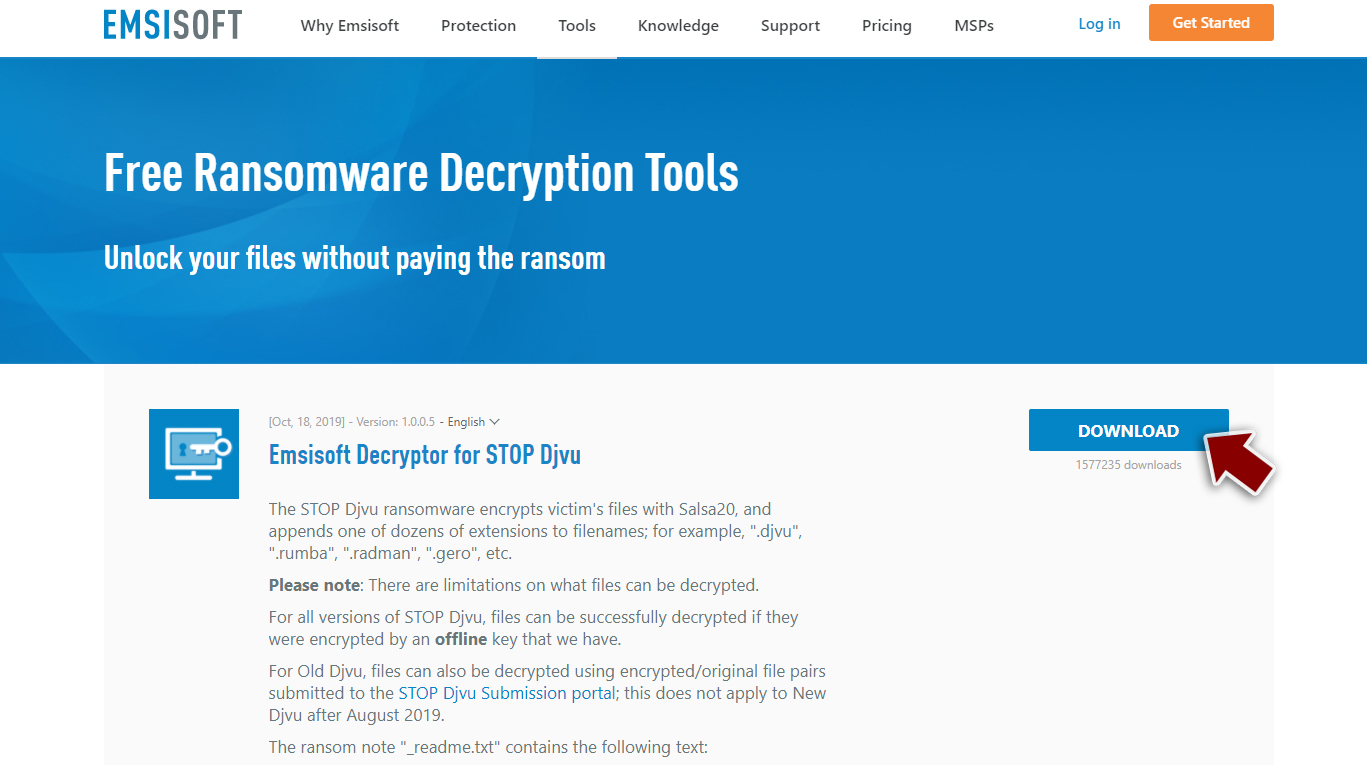
- After pressing the Download button, a small pop-up at the bottom should show up – press on it.
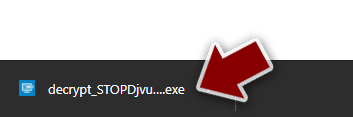
- If User Account Control (UAC) message pops up, press Yes.
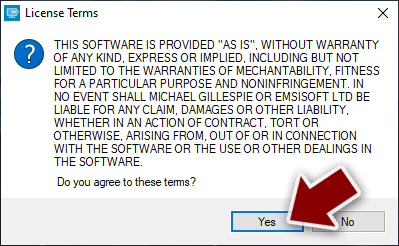
- Agree to License Terms by pressing Yes.
- After the Disclaimer appears, press OK.
- The tool should automatically identify folders affected by Pahd ransomware, although you can also do it by pressing Add folder at the bottom.

- Press Decrypt.



If the program was able to unlock your files, an inscription “Decrypted!” will appear. If you see “Error: Unable to decrypt file with ID:” that means that the necessary key for Pahd file virus was not yet retrieved, so you should try again later. But if a message “This ID appears to be an online ID, decryption is impossible” pops up – this tool won't be able to help you with file recovery.
If the decryptor was unsuccessful in recovering encrypted files, please don't lose hope. There are other methods that you should try, and we've posted them below. And please remember that a reliable anti-malware tool is your best defense against cyber threats lurking on the internet.
Did this guide help?
Be the first to comment