

Eucy file virus is a dangerous malicious program that can damage and steal various data from the machine

Eucy ransomware is the trigger for strange activities, so you might notice speed issues or pop-ups with alerts on updates or program installs before any symptoms of the infection. You can see the affected programs, functions, and features of the machine. However, the main and the only symptoms, in some cases, is the file encryption that causes the file-locking and that unique marker .eucy that appears at the end of every file damaged by this threat.
Eucy virus infects the machine silently but causes file encryption, and then your files become unopenable, and the malware infection drops messages. It then asks for money from victims in order to unlock their content again with another message that comes as the text file _readme.txt and gets placed in various folders, on the desktop.
The file virus locks data and demands $980 in Bitcoin claiming that the decryption tool is only available and can be obtained from these criminals. These cryptocurrency extortionists can claim that their creation is your only option for restoring access to the locked data. However, there are other alternative methods for this, and paying criminals cannot be the best solution.
Your computer might be infected with a virus, and you don't know how to remove it, and ransomware is often the infection that triggers issues beyond the easy removal. The only way out is not paying the criminals, but even then their interference can lead to your data being compromised forever.
Sometimes threats get deleted from the machine after this data locking, but the damage remains, and encryption can even be triggered yet again. Stay away from these hackers by following our guide on avoiding malware attacks in order to save yourself from any problems further down the line.
More about the infection
| Name | Eucy ransomware |
|---|---|
| Type | File-locker, cryptovirus |
| Family | STOP ransomware/ Djvu file virus |
| Distribution | Files spread via spam emails, printing platforms, and packages with cracks for games or software |
| File marker | .eucy |
| Ransom note | _readme.txt |
| Ransom amount | $490/$980 |
| Contact details | support@sysmail.ch, helprestoremanager@airmail.cc |
| Removal | Anti-malware tools are needed here because of the detection rates[1] that show that many popular AV engines can indicate and remove the threat |
| System fix | Run FortectIntego to find virus damage, leftovers and repair the needed functions properly |
The ransom note _readme.txt appears on your desktop, in various folders where those encoded files already can be found. This is the direct message from virus creators, and the information listed there can be both scary and helpful. It's not surprising that this is the direct message from criminals controlling Eucy virus infection.
The ransom note reads:
ATTENTION!
Don't worry, you can return all your files!
All your files like pictures, databases, documents and other important are encrypted with strongest encryption and unique key.
The only method of recovering files is to purchase decrypt tool and unique key for you.
This software will decrypt all your encrypted files.
What guarantees you have?
You can send one of your encrypted file from your PC and we decrypt it for free.
But we can decrypt only 1 file for free. File must not contain valuable information.
You can get and look video overview decrypt tool:
hxxps://we.tl/t-ZYodHvPkHI
Price of private key and decrypt software is $980.
Discount 50% available if you contact us first 72 hours, that's price for you is $490.
Please note that you'll never restore your data without payment.
Check your e-mail “Spam” or “Junk” folder if you don't get answer more than 6 hours.
Criminals are encouraging people to transfer money exchange for alleged data recovery and even offer people to get 50% off in the first 72 hours. These methods should keep victims more engaged with the group of attackers. Threat actors ask victims to send Bitcoin starting at $490 up until $980 and contact these criminals via support@sysmail.ch, helprestoremanager@airmail.cc.
The contact initiated between the Eucy virus creators and any other person can lead to damage and additional malware infiltration. This is why we recommend ignoring these facts, the ransom note initially, and relying on expert[2] opinions and warnings that state the possible issues and dangerous aspects.

Removing the infection properly to get back to working PC
Eucy file virus is a serious threat, and the main procedure that it is based on – file encoding is a delicate process. Even though the files are not directly damaged by this ransomware attack they can still get corrupted because some pieces in your system folders may be affected too. This is for the persistence and additional processes needed for the longer virus attack.
Malware affects commonly used documents and photos, video files. These files can get damaged again if you add new data, but the infection is still running on the machine freely. The encryption process can be repeated. The chances of getting your files back, however, are slim.
There's no way for people to decrypt the information without having access nor understanding how it works in-depth, which means all we can do is wait until they release new tools that will hopefully help us out sooner rather than later. The removal of the Eucy ransomware is crucial here too.
When your computer is affected by ransomware or any other cryptovirus, you may be at risk for more serious issues. There are no official options available right now, and victims should remove Eucy file virus and those additional infections as soon the scan indicates to found them on the machine. Then it is time to worry about the locked files.

The best way to get rid of the virus is by using an anti-malware tool that can find and trigger full elimination. These applications are based on processes like scanning for malicious files, which will automatically terminate all those pesky intruders in your system. Running a tool like SpyHunterCombo Cleaner or MalwarebytesMalwarebytes helps indicate programs considered dangerous with easy removal options.
This infection can run various processes on the system to ensure persistence and cause damage. If you don't remove it immediately, Eucy ransomware may continue wreaking havoc with your computer's performance over time. Once a system file is damaged by malware, antivirus software is not capable of doing anything about it, leaving it just the way it is. Consequently, users might experience performance, stability, and usability issues, to the point where a full Windows reinstall is required.
Therefore, we highly recommend using a one-of-a-kind, patented technology of FortectIntego repair. Not only can it fix virus damage after the infection, but it is also capable of removing malware that has already broken into the system thanks to several engines used by the program. Besides, the application is also capable of fixing various Windows-related issues that are not caused by malware infections, for example, Blue Screen errors, freezes, registry errors, damaged DLLs, etc.
- Download the application by clicking on the link above
- Click on the ReimageRepair.exe
- If User Account Control (UAC) shows up, select Yes
- Press Install and wait till the program finishes the installation process

- The analysis of your machine will begin immediately
- Once complete, check the results – they will be listed in the Summary
- You can now click on each of the issues and fix them manually
- If you see many problems that you find difficult to fix, we recommend you purchase the license and fix them automatically.



Options for the file recovery
Eucy ransomware is not your ordinary threat because it comes from a serious malware family based on powerful encryption[3] methods which allow the threat to lock data without the option of decryption. This family is known for releasing new versions every week. Each one seems to be more harmful than the last, and this month's release includes particularly damaging versions like Qnty and Iips.
The newest versions of this file virus and this one use online ids which are precisely crafted for each different device affected by the same threat. Offline IDs allow researchers to help many victims with one decryption key obtained through payment or from infrastructure takeover.
These latest versions are designed to rely on the online ID formation method only, so decoding is not possible. However, file repair procedures still have limitations, and there are only a few options for what you can do in case Eucy ransomware fails or otherwise can't connect with its command & control server.
One thing worth trying may be running a decryption tool that is available right now. Try using Emsisoft decryptor for Djvu/STOP. It is important to mention that this tool will not work for everyone – it only works if data was locked with an offline ID due to malware failing to communicate with its remote servers.
Even if your case meets this condition, somebody from the victims has to pay criminals, retrieve an offline key, and then share it with security researchers at Emsisoft. As a result, you might not be able to restore the encrypted files immediately. Thus, if the decryptor says your data was locked with an offline ID but cannot be recovered currently, you should try later. You also need to upload a set of files – one encrypted and a healthy one to the company's servers before you proceed.
- Download the app from the official Emsisoft website.
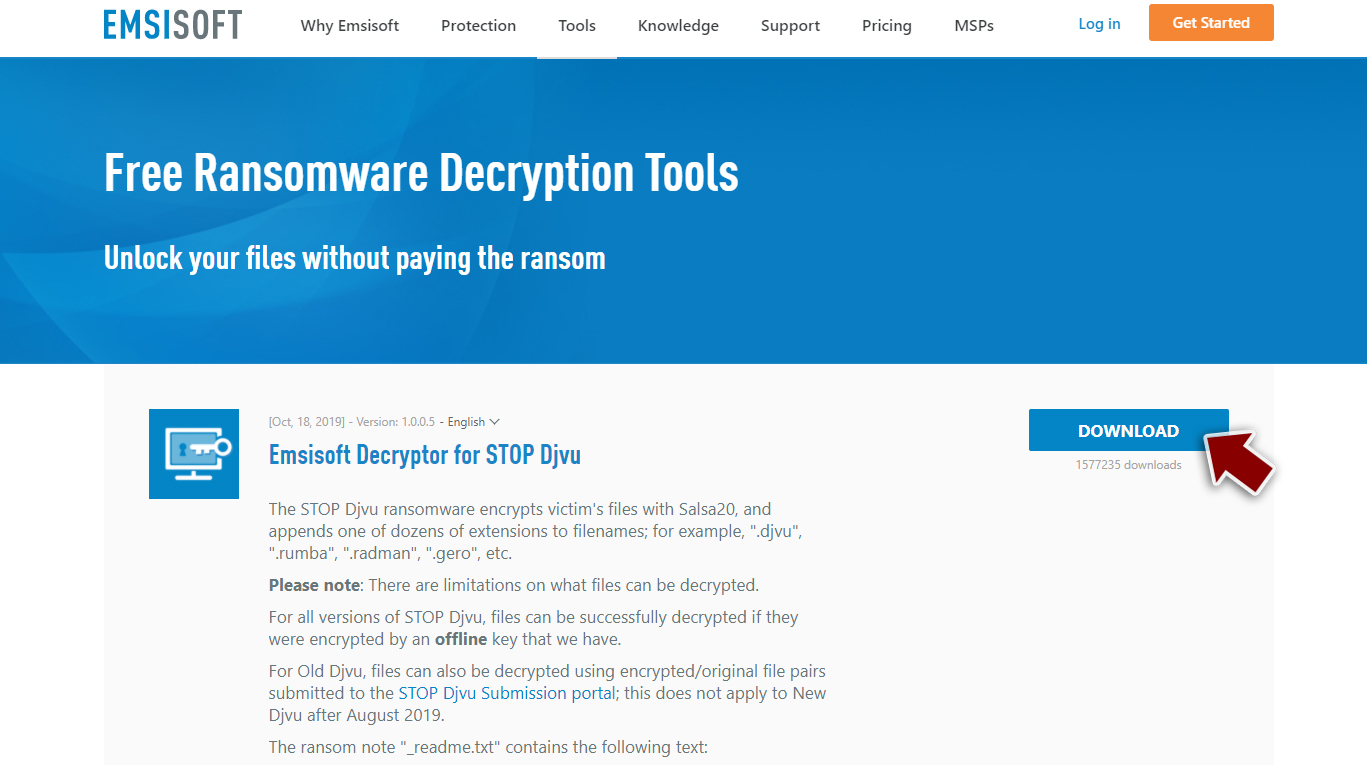
- After pressing Download button, a small pop-up at the bottom, titled decrypt_STOPDjvu.exe should show up – click it.
- If User Account Control (UAC) message shows up, press Yes.
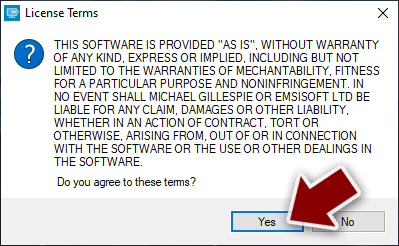
- Agree to License Terms by pressing Yes.
- After Disclaimer shows up, press OK.
- The tool should automatically populate the affected folders, although you can also do it by pressing Add folder at the bottom.

- Press Decrypt.


Did this guide help?
Be the first to comment