

LockBit 3.0 ransomware virus introduces the ransomware bug bounty program
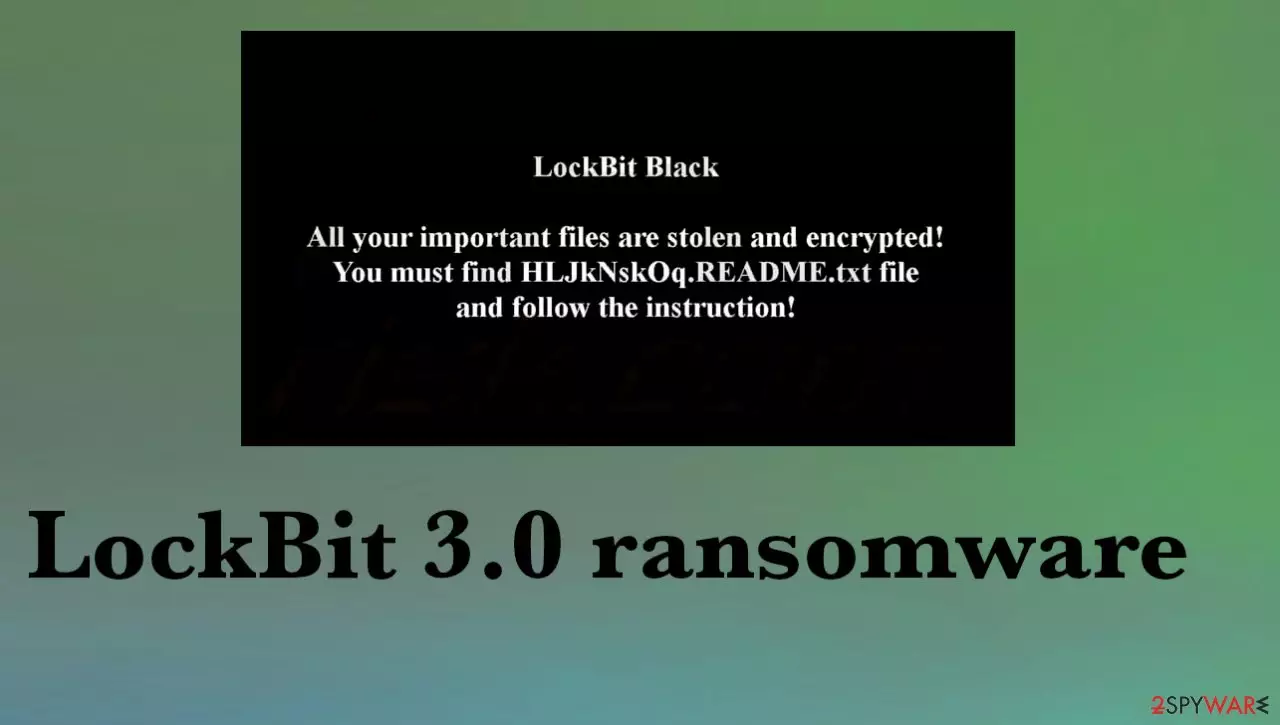
LockBit 3.0 ransomware is the threat that encodes files and modifies their filenames, alters the desktop wallpaper, and demands money for the alleged decryption via the text file dropped on the machine right away. This is the new version of the previously known LockBit file-locker virus that is specific with its randomized file appendix formed using ransom characters and the bug bounty program.
LockBit Black ransomware versions were first released back in 2019, and since then the family is known as the more prolific and the one virus that accounts 40% of all known ransomware attacks in May 2022 alone. This third version is a revamped ransomware-as-a-service[1] threat that is already used in attacks across the globe.
Even though it was beta tested for the past month or two it already is spread around on targeted machines. LockBit 3.0 ransomware virus locks files and demands money via the text file that contains a ransom note. The [random_string].README.txt file gets placed on the desktop and in other folders, so victims receive the money extortion messages as soon as possible.
Details about the threat
LockBit 3.0 file locker states that data is not only encrypted but also stolen, so victims need to pay the ransom, or these files will be published on the darknet. These criminals claim to have the only option for file recovery, so the ransom payment seems like a good option.
However, experts[2] always recommend staying away from these criminals that rely on extortion and financial gains. Because any contact between victims and criminals can lead to data and money losses. The infection should be removed and the system properly cleared. then it is possible to do something about those locked files.
| Name |
LockBit 3.0 ransomware |
|---|---|
| Alternative name | LockBit Black |
| Type | Cryptovirus, file locker malware |
| Ransom note | [random_string].README.txt |
| Family | LockBit file virus |
| Other features | Threat actors use data leak sites and double-extortion |
| Distribution | Infected email attachments, torrent sites, malicious ads, pages, and other threats |
| Extension | Random characters in upper and lower cases |
| Removal | Threats can be fully stopped with antivirus tools |
| Repair | Recovering the system includes virus damage removal and file damage repair using FortectIntego |
Removal of the infection
LockBit 3.0 ransomware virus should be removed and payment options ignored. The infection developers will not provide the particular decryption tool even if you pay because these threat actors manage to extort money after the encryption too. Make sure to choose a proper tool for the removal procedure and run a thorough system scan.
Anti-malware tools can detect[3] threat files, and the active LockBit 3.0 ransomware virus components and remove them from the machine. Tools like SpyHunterCombo Cleaner or MalwarebytesMalwarebytes find the infection by checking the system parts where particular malware can be hidden and terminates the cyber threat.
These threat removal procedures are not the same as the file recovery or even decryption of the virus. The removal is crucial because if you try to recover files from the backup and the LockBit 3.0 ransomware is still actively running on the system, your device can get encrypted once again.

Recovering the system after a malware attack
LockBit 3.0 ransomware might alter the Windows registry database, damage vital bootup, and other sections, delete or corrupt DLL files, etc. Consequently, users might experience performance, stability, and usability issues, to the point where a full Windows reinstallation is required.
Therefore, we highly recommend using a one-of-a-kind, patented technology of FortectIntego repair. Not only can it fix virus damage after the infection, but it is also capable of removing malware that has already broken into the system thanks to several engines used by the program. Besides, the application is also capable of fixing various Windows-related issues that are not caused by malware infections, for example, Blue Screen errors, freezes, registry errors, damaged DLLs, etc.
- Download the application by clicking on the link above
- Click on the ReimageRepair.exe

- If User Account Control (UAC) shows up, select Yes
- Press Install and wait till the program finishes the installation process

- The analysis of your machine will begin immediately

- Once complete, check the results – they will be listed in the Summary
- You can now click on each of the issues and fix them manually
- If you see many problems that you find difficult to fix, we recommend you purchase the license and fix them automatically.


Options fighting malware
LockBit 3.0 ransomware virus is the newer release in the family of this LockBit malware and this is the threat that asks security researchers to submit bug reports in return for a reward. These suns can range from $1000 to $1 million, so many of the ethical and unethical hackers on the planet fall for this and help threat actors.
This program is different than common programs used by legitimate companies. This help provided to the criminal groups can be considered illegal in many countries. Other features of the threat include rewards for other ideas that ransomware operators can use and affiliate programs, selling victims' data.
There are no official decryption tools LockBit 3.0 file virus, so these payment options may seem like the only solution, but the infection is not a threat that could be considered trustworthy. You need to remove the threat and not risk causing other issues with the machine by contacting attackers.
Finding the decryptor for the threat
File encryption is a process that is similar to applying a password to a particular file or folder. However, from a technical point of view, encryption is fundamentally different due to its complexity. By using encryption, threat actors use a unique set of alphanumeric characters as a password that can not easily be deciphered if the process is performed correctly.
There are several algorithms that can be used by the LockBit 3.0 ransomware developers to lock data (whether for good or bad reasons); for example, AES uses the symmetric method of encryption, meaning that the key used to lock and unlock files is the same. Unfortunately, it is only accessible to the attackers who hold it on a remote server – they ask for a payment in exchange for it.
For example, the keys could be stored locally, which would allow users to regain access to their files without paying. In some cases, ransomware does not even encrypt files due to bugs, although victims might believe the opposite due to the ransom note that shows up right after the infection and data encryption is completed.
Therefore, regardless of which crypto-malware affects your files, you should try to find the relevant decryptor if such exists. Security researchers are in a constant battle against cybercriminals. In some cases, they manage to create a working decryption tool that would allow victims to recover files for free.
Once you have identified which ransomware you are affected by, you should check the following links for a decryptor:
- No More Ransom Project
- Free Ransomware Decryptors by Kaspersky
- Free Ransomware Decryption Tools from Emsisoft
- Avast decryptors

If you can't find a decryptor that works for you, you should try the alternative methods we list below. Additionally, it is worth mentioning that it sometimes takes years for a working decryption tool to be developed, so there are always hopes for the future.
Did this guide help?
Be the first to comment