

Qstx file virus is the infection that creates money-demanding messages once files get locked

Qstx ransomware virus can damage the machine when files get encrypted. The infection marks affected data once the algorithm[1] alters the original code. The ransomware is created to ask for payments when data cannot be accessed. Victims get scared and proceed with the payment, which might result in the loss of not only files but cryptocurrency funds too.
The false claim about the only solution – ransom payment is a scare method that tries to gather funds from gullible people. The infection is a serious intruder capable of causing various issues with the machine. Qstx ransomware virus can list various tools and promises on the ransom note just to fake legitimacy for the victim.
Qstx file virus is one of the most dangerous because it can affect more important parts of your computer without you knowing. It takes advantage of users' habits to browse insecure platforms and masks its encryption process so they do not realize what's happening. The Windows Update pop-up fakes the issue with performance and masks the real reason – encryption.
Ransomware overview
The infection is dangerous because it runs silently in the background. Qstx ransomware virus relies on various tactics to get people's attention and demand payments for data release. Encryption can affect various files making them impossible when this takes place.
The threat delivers a ransom-demanding message on the desktop and in various folders with encrypted files. This _readme.txt file informs that people can only pay to get their files back, but these are false claims. The note says that in order to get your files back, you have 72 hours, but there is a way for discounts on decryption software.
| Name | .Qstx virus |
|---|---|
| Type | Ransomware, cryptovirus |
| File marker | .qstx |
| Family | Djvu ransomware |
| Ransom note | _readme.txt |
| Ransom amount | $490/ $980 |
| Distribution | Threats get distributed using malware payload injected in pirating packages |
| Contact information | support@bestyourmail.ch, supportsys@airmail.cc |
| Virus termination | These infections can be removed using AV detection engines or security tools like SpyHunterCombo Cleaner, MalwarebytesMalwarebytes |
| System repair | Infection can cause major issues. You can run FortectIntego to repair system damage |
If Qstx virus creators get contacted within this time period, they'll offer lower prices at $490 instead of their normal rate, which currently stands around $980. However, experts[2] rely on the recent versions in the family and recommend staying away from any contact since these payments do not guarantee decryption.[3] Do not even contact them.
Additionally, the ransom note mentions that victims can send one encrypted file before paying for decryption tools. The attackers will decrypt this with their own system for verification to prove they have access and understanding of file recovery. Do not fall for this.
Paying the malware creators does not guarantee that cybercriminals will provide a decryption tool. Therefore, it is strongly recommended not to pay any type of cryptocurrency or money in exchange for your files back from virus infections – remove them immediately and use alternative file recovery options instead of considering the payment.
Online scammers are always looking for new ways to steal your money. They may pretend they need help with something or offer fake tools in order to trick you into giving them personal information so that it can be used against you. The data interesting them can be sold too.

1. Remove the virus
The criminals are holding a ransom note for $490 worth of Bitcoin, or else people's personal files will be lost. If someone pays this much money within 72 hours after receiving an informing message, then they should receive Qstx ransomware decryption tools in return – but that isn't happening.
The file virus can lurk undetected for days or weeks without causing any issues. Once the system gets infected, though, all hope is lost because ransomware runs on these machines trying to improve their persistence, and sometimes other infections get installed too.
Qstx file virus must be removed with security programs capable of detecting threats and any related damaging files. The additional trojan can trigger system issues on your computer until the infection gets fully eliminated. Tools like security or antivirus programs can find all these infections automatically.
The best way to get rid of it is by using anti-malware tools like SpyHunterCombo Cleaner or MalwarebytesMalwarebytes. This program will identify which threats are active on your machine and remove them so that file recovery can take place successfully. Don't worry about trying to recover files affected by the ransomware. Clean the machine first.
2. Recover the machine
Once a computer is infected with malware, its system is changed to operate differently. For example, an infection can alter the Windows registry database, damage vital bootup, and other sections, delete or corrupt DLL files, etc. Once a system file is damaged by malware, antivirus software is not capable of doing anything about it, leaving it just the way it is. Consequently, users might experience performance, stability, and usability issues, to the point where a full Windows reinstallation is required.
Therefore, we highly recommend using a one-of-a-kind, patented technology of FortectIntego repair. Not only can it fix virus damage after the infection, but it is also capable of removing malware that has already broken into the system, thanks to several engines used by the program. Besides, the application is also capable of fixing various Windows-related issues that are not caused by malware infections, for example, Blue Screen errors, freezes, registry errors, damaged DLLs, etc.
- Download the application by clicking on the link above
- Click on the ReimageRepair.exe

- If User Account Control (UAC) shows up, select Yes
- Press Install and wait till the program finishes the installation process
- The analysis of your machine will begin immediately
- Once complete, check the results – they will be listed in the Summary
- You can now click on each of the issues and fix them manually
- If you see many problems that you find difficult to fix, we recommend you purchase the license and fix them automatically.



3. Research alternate options
A Qstx virus is malicious software from the STOP/DJVU family of ransomware-type infections. This malicious program will encrypt your files (videos, photos, and documents). The affected data can be tracked by their specific appendix, but the virus doesn't get changed much with every new version coming out each week.
The malware uses strong encryption methods to ensure that it's impossible to recover files easily. One exception occurs if the virus connection with C&C servers cannot be established before starting processing. Then they'll use a common offline key per victim rather than having different ones for each device.
Djvu ransomware infections have been around for a long time, and there are two versions of the – old and new. The older version would infect your computer by using an offline key when it didn't have access to the internet, but this newer one is different because you cannot recover files easily. Qstx file virus is using online keys mainly.
However, you can see some vulnerabilities in these threats and expect the process's failure. The decryption tool can help some people to restore their files with the tool that runs in the offline id method. Check the possibilities by running those files.
If your computer got infected with one of the Djvu variants, you should try using Emsisoft decryptor for Djvu/STOP. It is important to mention that this tool will not work for everyone – it only works if data is locked with an offline ID due to malware failing to communicate with its remote servers.
Even if your case meets this condition, somebody from the victims has to pay criminals, retrieve an offline key, and then share it with security researchers at Emsisoft. As a result, you might not be able to restore the encrypted files immediately. Thus, if the decryptor says your data was locked with an offline ID but cannot be recovered currently, you should try later. You also need to upload a set of files – one encrypted and a healthy one to the company's servers before you proceed.
- Download the app from the official Emsisoft website.
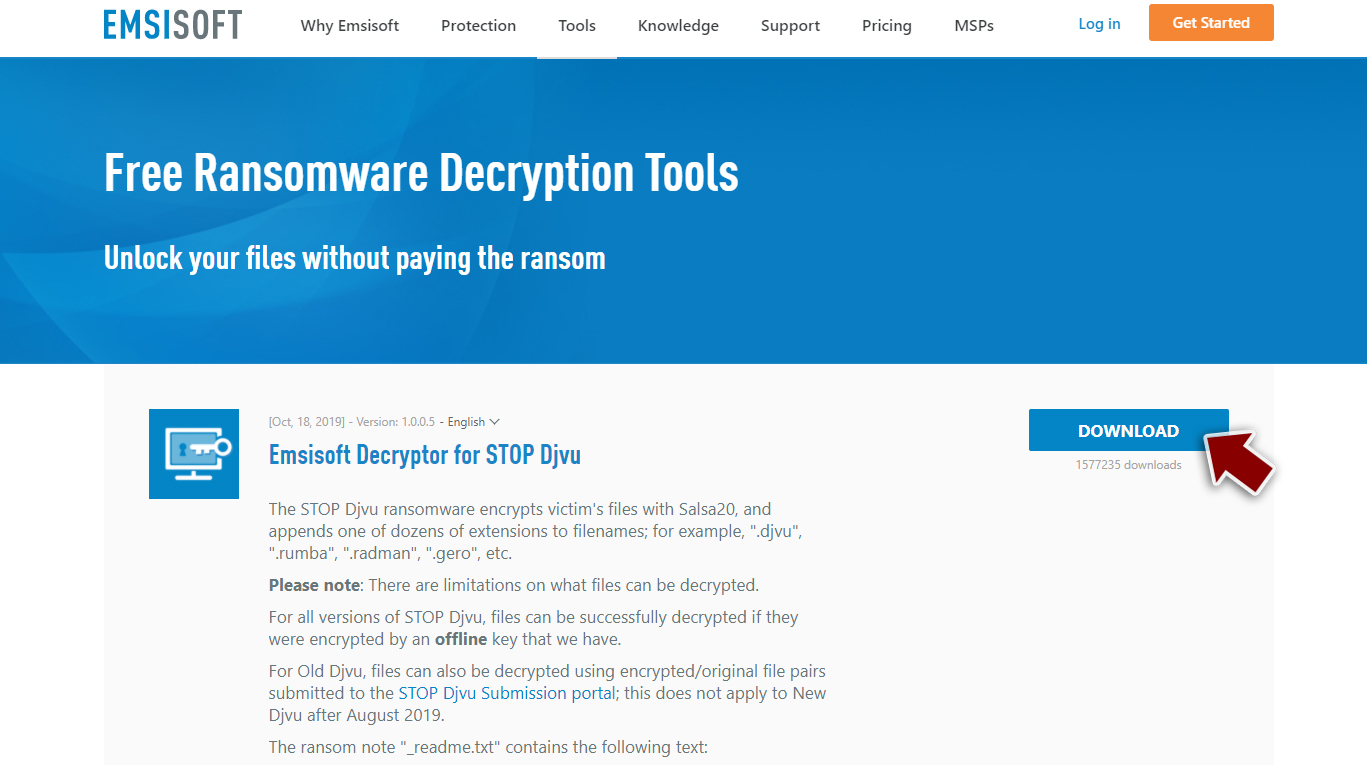
- After pressing Download button, a small pop-up at the bottom, titled decrypt_STOPDjvu.exe should show up – click it.
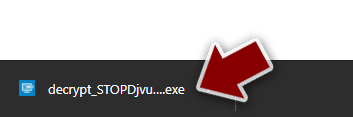
- If User Account Control (UAC) message shows up, press Yes.
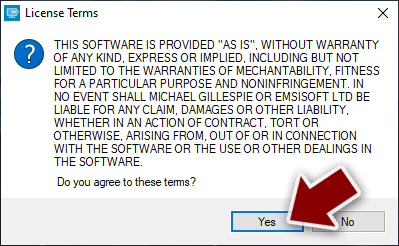
- Agree to License Terms by pressing Yes.
- After Disclaimer shows up, press OK.
- The tool should automatically populate the affected folders, although you can also do it by pressing Add folder at the bottom.

- Press Decrypt.



From here, there are three available outcomes:
- “Decrypted!” will be shown under files that were decrypted successfully – they are now usable again.
- “Error: Unable to decrypt file with ID:” means that the keys for this version of the virus have not yet been retrieved, so you should try later.
- “This ID appears to be an online ID, decryption is impossible” – you are unable to decrypt files with this tool.
Did this guide help?
Be the first to comment