

Pozd ransomware pressures victims to pay $490 within 72 hours to recover encrypted data

Pozd ransomware belongs to the Djvu ransomware family, which has been known since 2018. It has more than 500 variants, and new versions get released weekly. Most people do not notice the intruder as it can act silently. It might also display a fake operating system update screen while using encryption[1] algorithms to lock users' files.
Cybercriminals have only one goal – to get paid by the victims. Once the malicious program appends the files with the .pozd extension, a ransom note _readme.txt is generated. There, threat actors state their demands. The ransom amount for the first 72 hours is $490. After that, it reaches $980.
Victims can contact them through support@bestyourmail.ch, datarestorehelp@airmail.cc emails. However, we strongly advise against contacting them as they cannot be trusted. Many previous ransomware attack victims say that they never received the promised decryption tools after paying.
| NAME | Pozd ransomware |
| TYPE | File locker, crypto virus |
| FILE MARKER | .pozd |
| FAMILY | STOP file virus/ Djvu ransomware |
| CONTACT EMAILS | support@bestyourmail.ch, datarestorehelp@airmail.cc |
| RANSOM NOTE | _readme.txt |
| RANSOM AMOUNT | $490/$980 |
| THREAT REMOVAL | Anti-malware tools help with thorough system cleaning and virus removal |
| REPAIR | FortectIntego and other PC tools can help to solve issues related to virus damage |
Distribution methods
To avoid such infections in the future, you should know how they are spread. Generally, people get infected with ransomware by installing “cracked” software[2] from Torrent websites and peer-to-peer file-sharing platforms. This activity is illegal, so it is unregulated.
It is impossible to know if the packages you are downloading do not contain any malicious files. It is best to use official web stores and developer websites. It might get costly, but you should save in the long run by keeping your system running smoothly.
Ransomware can also be spread using email. Cybercriminals create convincing letters that look like urgent messages from well-known companies. Social engineering is used to entice people to click on malicious links or infected attachments. We recommend only opening attachments from senders you know.
Most importantly, you should keep your operating system and software updated. Hackers can use software vulnerabilities to deliver their malicious programs. Software developers regularly release security patches that should be installed as soon as they are released.

Delete malicious files
If you are a victim of ransomware, you should employ anti-malware software for its removal. Some ransomware can self-destruct after the file encryption process is finished. Even in such cases, malware might leave various data-stealing modules or could operate in conjunction with other malicious programs on your device.
SpyHunterCombo Cleaner or MalwarebytesMalwarebytes can detect and eliminate all ransomware-related files, additional modules, along with other viruses that could be hiding on your system. The security software is really easy to use and does not require any prior IT knowledge to succeed in the malware removal process.
Scanning the computer with a security tool or AV detection engine indicates all malicious files and programs like ransomware and Trojans. However, you should keep in mind that getting rid of malicious files does not recover data. It can only be decrypted with a unique key.
Nonetheless, you should still get rid of Pozd ransomware immediately, as it can cause other malware infections and serious system damage. As time goes on, the threat can become more difficult to remove because of various persistence techniques.
Keep in mind that some malicious programs can block security tools from performing their tasks. If malware is not letting you use antivirus in normal mode, access Safe Mode and perform a full system scan from there.
Windows 7 / Vista / XP
- Click Start > Shutdown > Restart > OK.
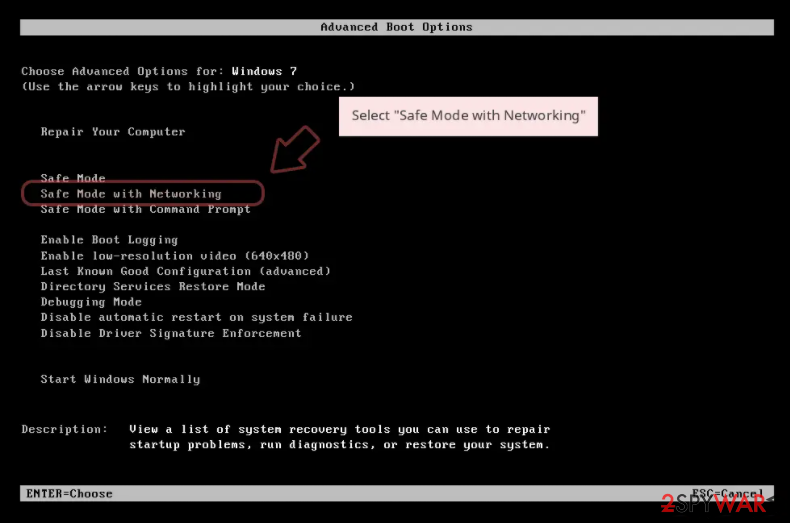
- When your computer becomes active, start pressing F8 button (if that does not work, try F2, F12, Del, etc. – it all depends on your motherboard model) multiple times until you see the Advanced Boot Options window.
- Select Safe Mode with Networking from the list.

Windows 10 / Windows 8
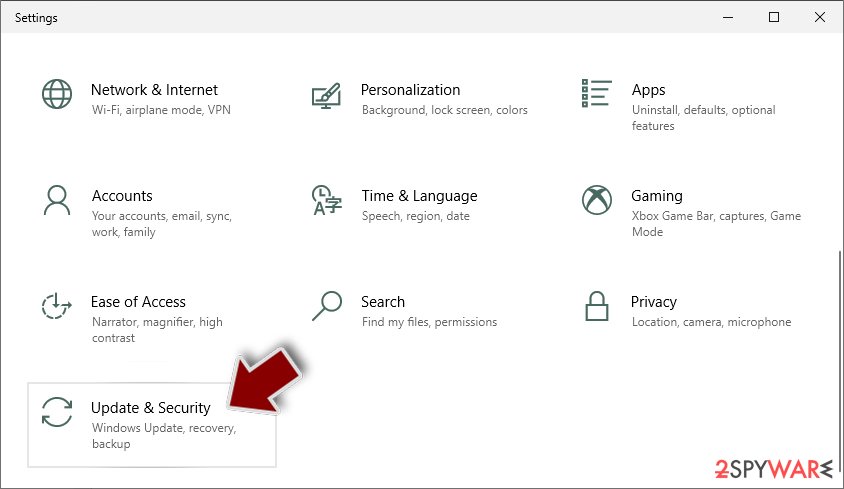
- Right-click on Start button and select Settings.
- Scroll down to pick Update & Security.
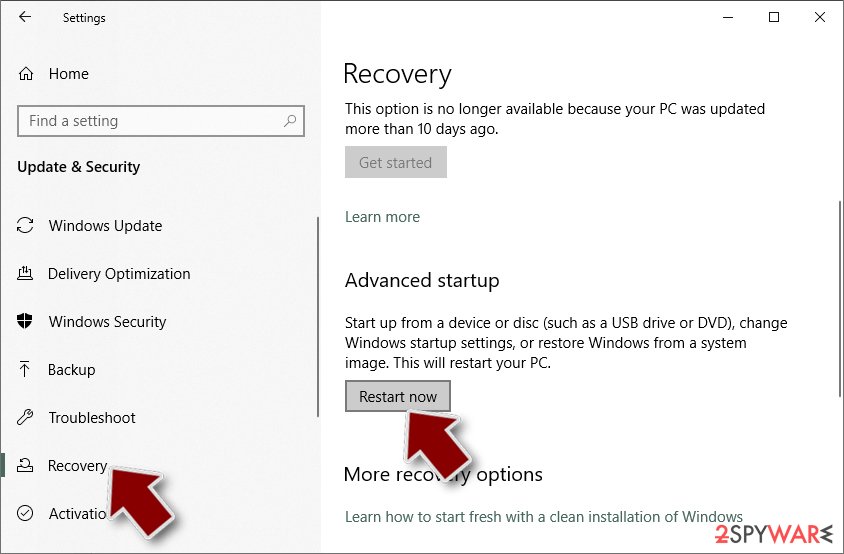
- On the left side of the window, pick Recovery.
- Now scroll down to find Advanced Startup section.
- Click Restart now.
- Select Troubleshoot.
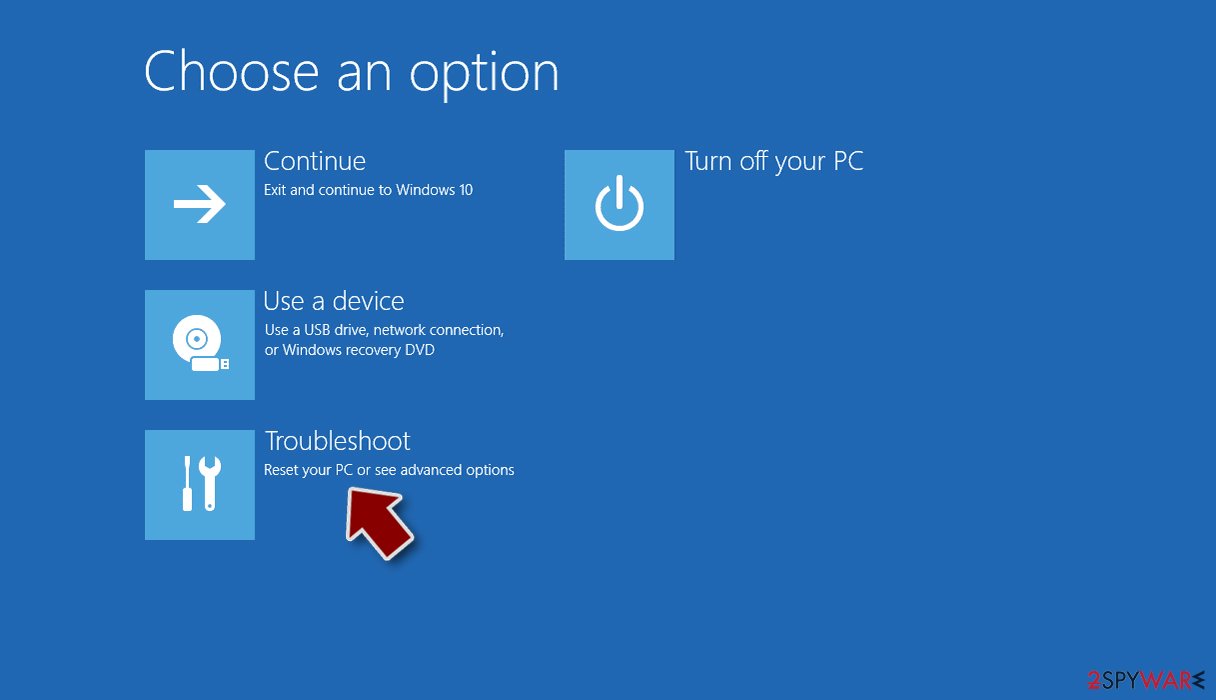
- Go to Advanced options.
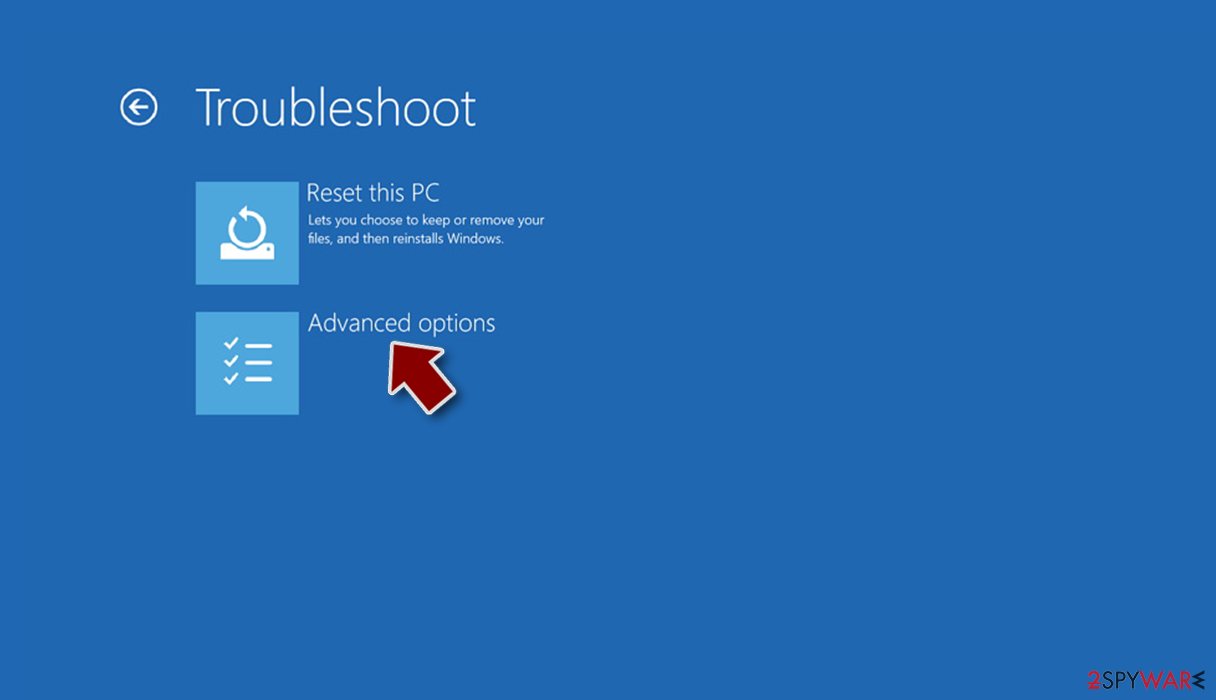
- Select Startup Settings.
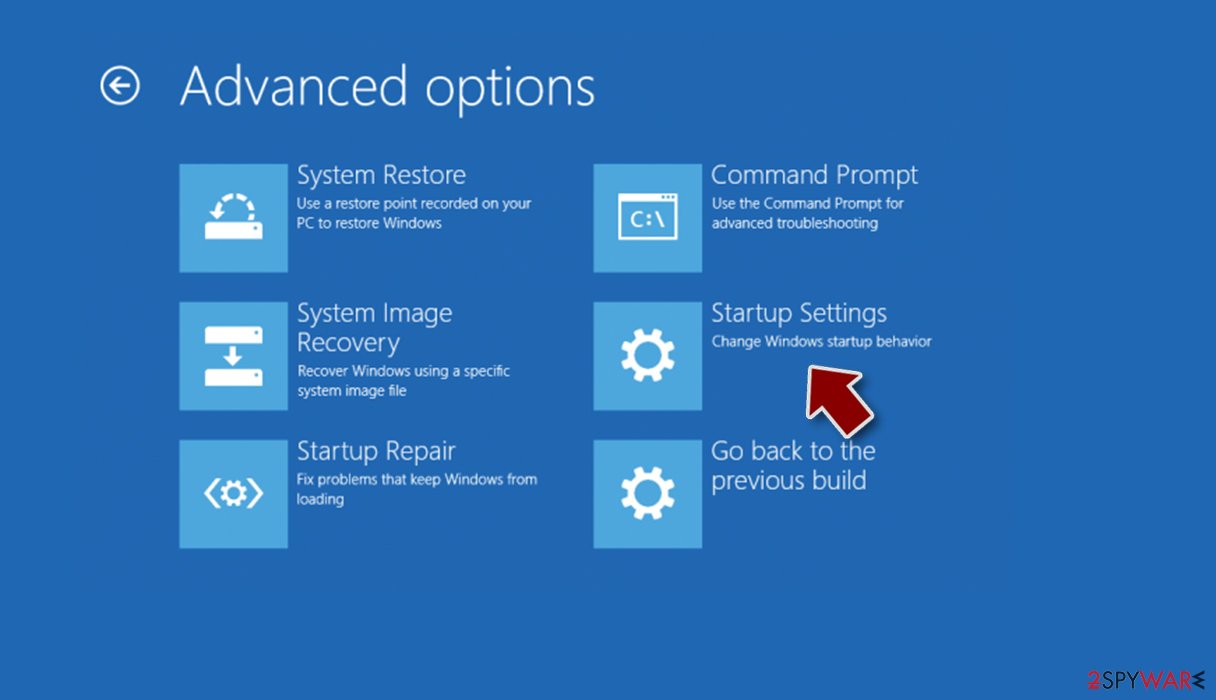
- Click Restart.
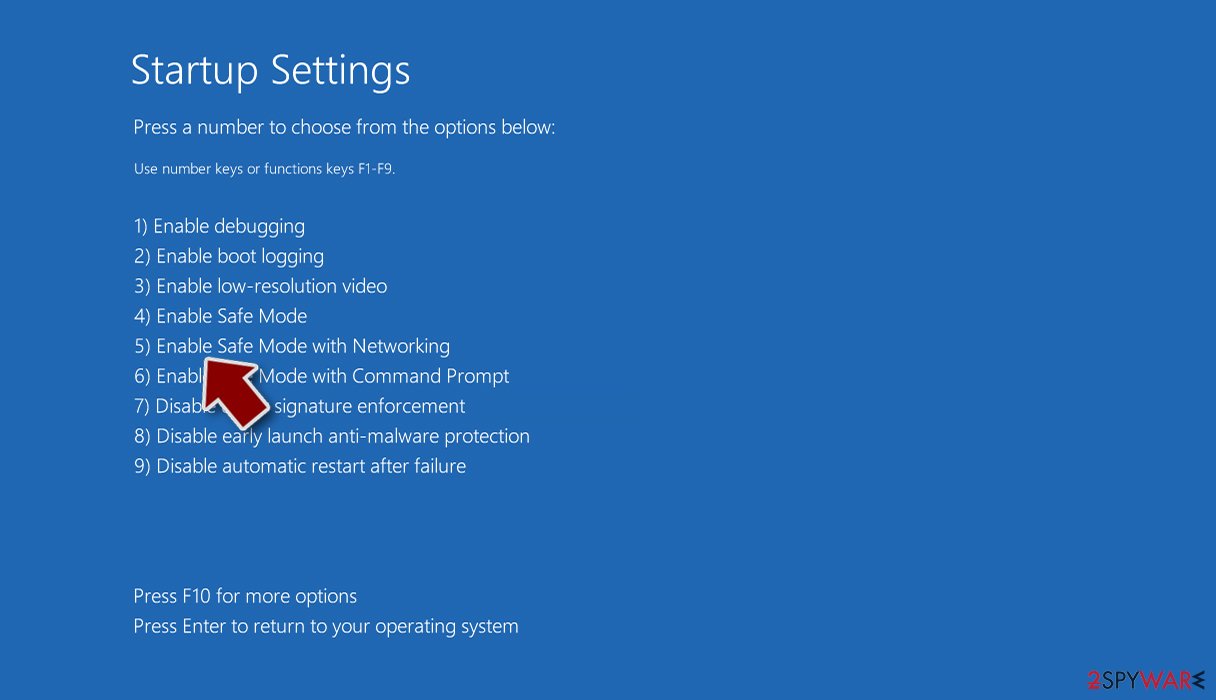
- Press 5 or click 5) Enable Safe Mode with Networking.


Decryption tool
If you were infected by this malware, we strongly suggest you not pay cybercriminals. Usually, they want to receive the payment in cryptocurrencies[3] because it provides them anonymity. It is also impossible to retrieve cryptocurrencies once they are sent to another wallet.
You should first try to recover data from your backup. If you do not have backups, you should try using the Emsisoft Decryptor for STOP Djvu. This type of ransomware cannot establish an insecure connection to its C&C server before starting the encryption process. The key for each victim is created, and a unique ID is associated with the version – offline keys or with each affected computer – online IDs.
Djvu versions are extremely hard to decipher. It is important to mention that this decryption tool will not work for everyone – it only works if data was locked with an offline ID due to malware failing to communicate with its remote servers. Even if your data was locked using an offline ID, decryption is not guaranteed.
You rely on one of the victims affected by the same variant to pay the threat actors and receive the key. Then, that victim has to share the key with security researchers at Emsisoft. As a result, you might not be able to restore the encrypted files immediately.
Thus, if the decryptor says your data was locked with an offline ID but cannot be recovered currently, you should try later. You also need to upload a set of files – one encrypted and a healthy one to the company's servers before you proceed.
- Download the app from the official Emsisoft website.
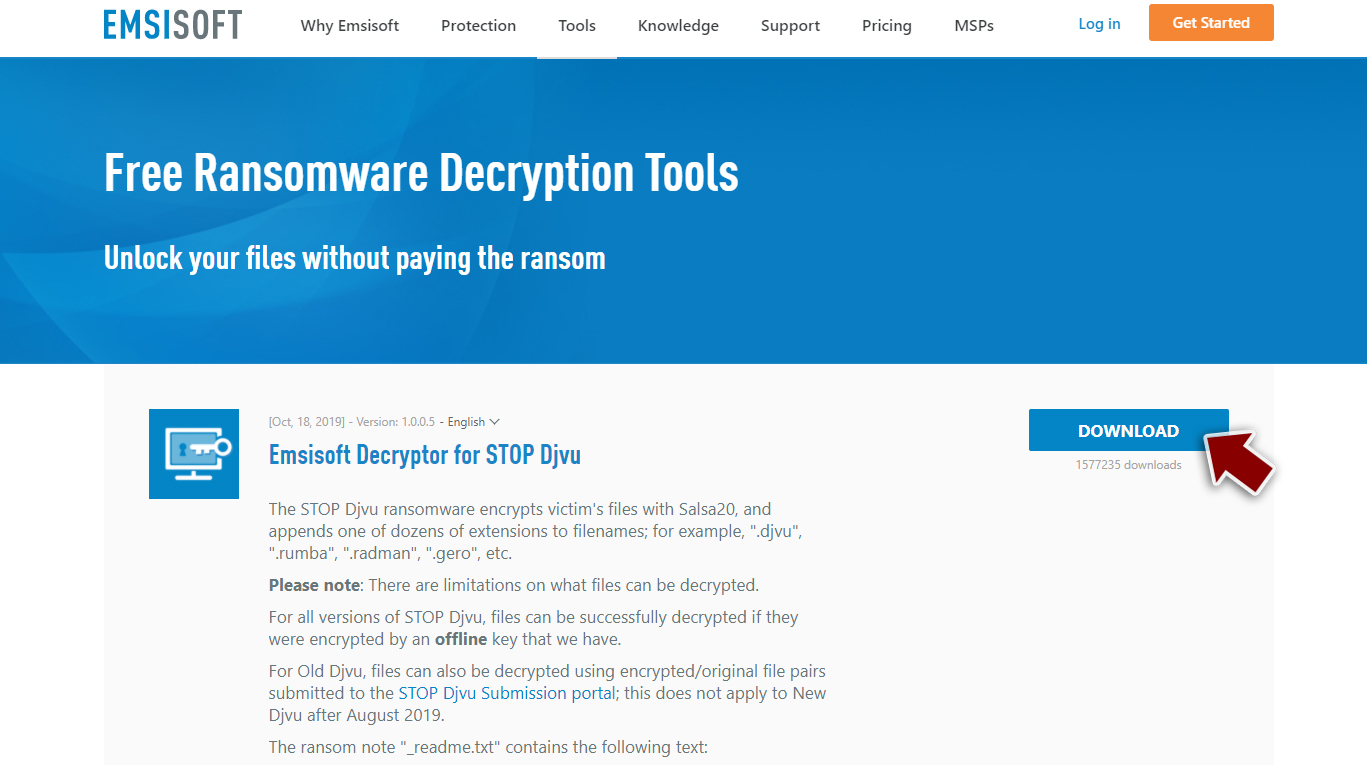
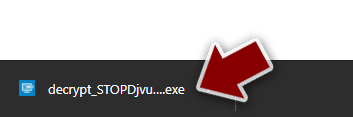
- After pressing Download button, a small pop-up at the bottom, titled decrypt_STOPDjvu.exe should show up – click it.
- If User Account Control (UAC) message shows up, press Yes.
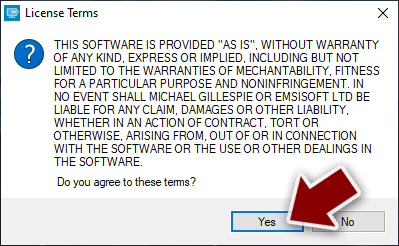
- Agree to License Terms by pressing Yes.
- After Disclaimer shows up, press OK.
- The tool should automatically populate the affected folders, although you can also do it by pressing Add folder at the bottom.

- Press Decrypt.



From here, there are three available outcomes:
- “Decrypted!” will be shown under files that were decrypted successfully – they are now usable again.
- “Error: Unable to decrypt file with ID:” means that the keys for this version of the virus have not yet been retrieved, so you should try later.
- “This ID appears to be an online ID, decryption is impossible” – you are unable to decrypt files with this tool.
Fix the damaged operating system
Once a computer is infected with malware, its system is changed to operate differently. For example, an infection can alter the Windows registry database, damage vital bootup and other sections, delete or corrupt DLL files, etc. Once a system file is damaged by malware, antivirus software is not capable of doing anything about it, leaving it just the way it is. Consequently, users might experience performance, stability, and usability issues, to the point where a full Windows reinstall is required.
Therefore, we highly recommend using a one-of-a-kind, patented technology of FortectIntego repair. Not only can it fix virus damage after the infection, but it is also capable of removing malware that has already broken into the system thanks to several engines used by the program. Besides, the application is also capable of fixing various Windows-related issues that are not caused by malware infections, for example, Blue Screen errors, freezes, registry errors, damaged DLLs, etc.
- Download the application by clicking on the link above
- Click on the ReimageRepair.exe

- If User Account Control (UAC) shows up, select Yes
- Press Install and wait till the program finishes the installation process

- The analysis of your machine will begin immediately

- Once complete, check the results – they will be listed in the Summary
- You can now click on each of the issues and fix them manually
- If you see many problems that you find difficult to fix, we recommend you purchase the license and fix them automatically.



Did this guide help?
Be the first to comment