

BlackHat is a cryptovirus that was created for money extortion purposes
| Name | BlackHat ransomware |
|---|---|
| Type | Cryptovirus |
| File extension | .BlackHat |
| Contact email | mehtihack051@gmail.com |
| Distribution | Spam email attachments |
| Ransom note | ReadME-BlackHat.txt |
| Elimination | Download and use FortectIntego for BlackHat ransomware removal |
BlackHat ransomware virus compromises the machine by adding various system files and registry keys.[1] It might make new Windows Registry entries to achieve the persistence and ensure that malicious processes can be launched. These entries are typically created to start the BlackHat virus automatically each time Windows OS is booted.
The cyber threat focuses on file-locking and demanding ransom, so after all initial system changes, it starts encrypting[2] your personal files like music, photos, archives, databases, and documents. Then it marks files with .BlackHat file extension which makes them unusable.
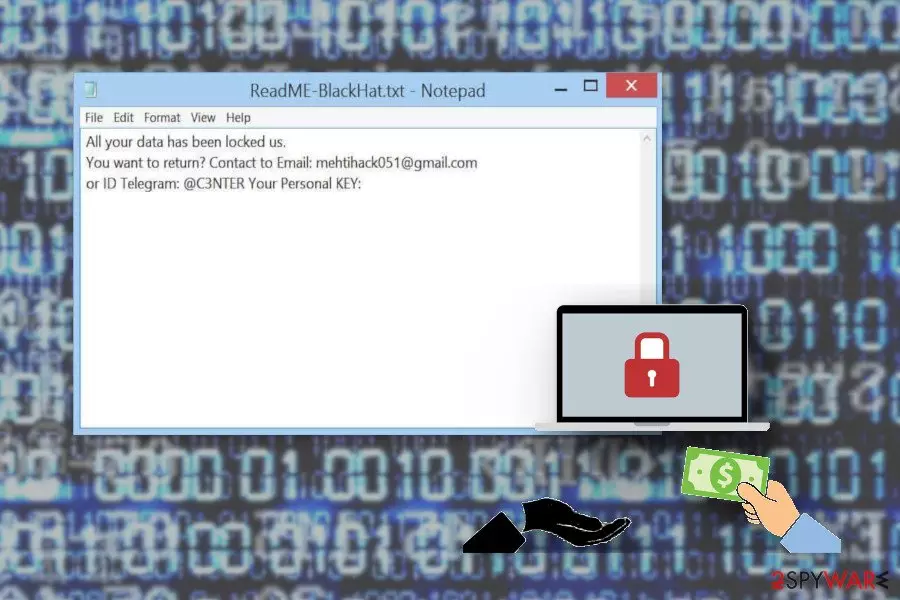
BlackHat ransomware ransom note reads the following:
All your data has been locked us.You want to return?Contact to Email: mehtihack051@gmail.com or ID Telegram: @C3NTERYour Personal KEY:
BlackHat ransomware developers don't provide much detail about the attack. Only contact details and personal key are mentioned, which are enough for crooks to come in contact with victims, although doing so is not recommended. It is also unknown what size the ransom is, however, cybercriminals usually demand payments in Bitcoin.
Paying the ransom BlackHat ransomware developers demand is not a good idea because it can lead to permanent data and also money loss. You need to get rid of this virus and then restore your locked data using file backups.
However, you need to remove BlackHat ransomware from the system entirely before you plug in a backup device. Researchers[3] advise performing virus termination with reputable tools like FortectIntego and only then attempting data restoring procedures.
Beware that BlackHat ransomware removal is not enough, as other malicious elements can be hiding on your system. Thus, perform a full scan with anti-malware software and only then replace encrypted files with the ones from the backup. If you have no backups, you can employ data recovery tools listed down below.

Malicious script is executed when spam email attachment is opened
Ransomware is spread around the internet via spam email campaigns when email attachments contain malicious macros. When you download and execute the document on your device starts the data encryption procedure.
These emails often pose as legitimate notices from service or companies. It may look safe because of the name of a company or the subject line suggesting that the email contains important financial information. However, beware of typos or grammar mistakes in these emails and scan the file attachments before opening them. This can help avoid malware infiltration.
Terminate BlackHat ransomware with reputable tools
To remove BlackHat ransomware and all related files, you need to employ anti-malware tools like FortectIntego, SpyHunterCombo Cleaner or MalwarebytesMalwarebytes and scan the system thoroughly. As soon as ransomware is eliminated, the machine is safe to use again; however, malware elimination will not restore the locked files.
Automatic BlackHat ransomware removal is the best option when you are dealing with crypto malware because it is one of the most dangerous types of cyber threats. This is also important because you need to have a clean device if you want to add files from a backup or cloud service. In case the infection is not terminated, all your backup data will be encrypted again.
Did this guide help?
Be the first to comment