

Cosanostra ransomware is a cryptovirus that locks users' files and appends them using .cosanostra file extension
| Name | Cosanostra ransomware |
|---|---|
| Type | Cryptovirus |
| Related | Garrantydecrypt ransomware |
| Symptoms | Encrypts data and marks files using .cosanostra appendix |
| Distribution | Spam email attachments with infected files |
| Encryption method | RSA – based on previous variants |
| Ransom note | #RECOVERY_FILES#.txt |
| File extension | .cosanostra |
| Contact email | cosanostra19@protonmail.com |
| Removal | Remove Cosanostra ransomware using FortectIntego for better virus damage termination |
Cosanostra ransomware virus is one of many other cryptovirus-type threats that focus on encryption to have a reason to demand ransom from its victims.[2] These programs get developed with crypto-extortion purposes because the main goal is money.
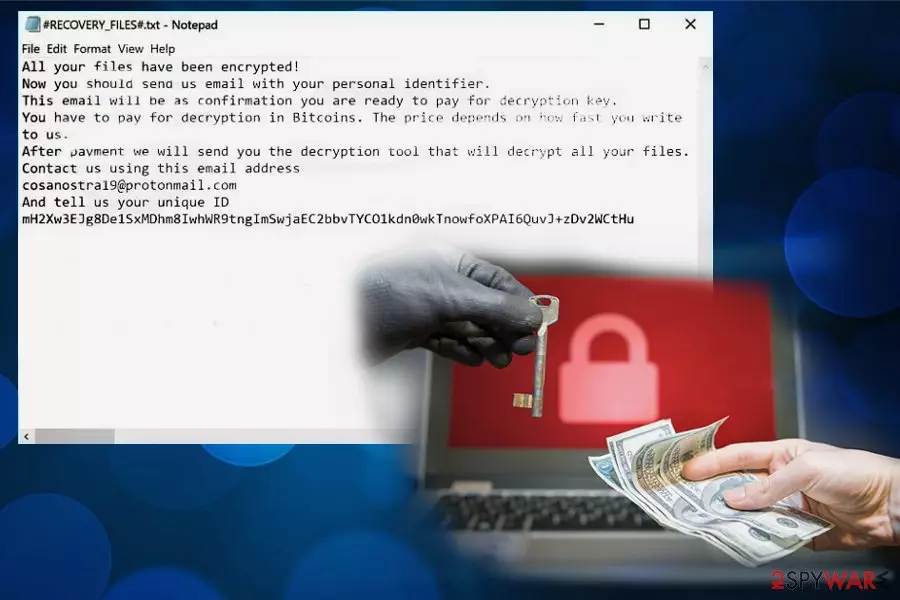
However, often virus developers state about possible decryption after the payment. Cosanostra ransomware creators are no exception, and in the ransom message they give your personal identifier, so after the payment, you can contact them and possibly get the decryption key. The ransom note reads:
CONGRATULATIONS!
All your files have been encrypted!
Now you should send us email with your personal identifier.
This email will be as confirmation you are ready to pay for decryption key.
You have to pay for decryption in Bitcoins. The price depends on how fast you write
to us.
After payment we will send you the decryption tool that will decrypt all your files.Contact us using this email address
cosanostra19@protonmail.com
And tell us your unique ID
–
#RECOVERY_FILES#.txt also reveals that Cosanostra ransomware developers prefer Bitcoin cryptocurrency, as most of the cryptovirus creators. Unfortunately, contacting people behind this threat may lead to more severe damage without file recovery.[3]
When Cosanostra ransomware infiltrates the system, it can also change existing files, alter registry keys or add files to system folders and launch additional processes or programs. It also can disable your antivirus or different security tools to remain persistent and running on the system.
For this reason, you need a thorough system scan to remove Cosanostra ransomware itself and all related files and programs from the system. You need to focus on proper virus termination before any other data recovery steps because cryptovirus runs another encryption round if you add or recover files while it is still on the device.
Researchers[4] always note that Cosanostra ransomware removal is giving you the best results if you use reputable anti-malware tools like FortectIntego because these programs can indicate and remove all possible intruders, cyber threats and fix virus damage.

Payload dropper gets hidden on safe-looking email attachments
When you are not expecting to get an email, pay close attention to the ones you receive because malicious actors spread their products around using email spam campaigns. Often legitimate-looking emails go straight to your regular email box not to spam so you can consider the attached file as safe and download malicious script this way.
Emails in these phishing and spam campaigns contain file attachments in common formats like documents, PDFs or ZIP archives. However, when you download and open the file on your device, you get asked to enable macro content what leads to launching malicious script on the system. After this, ransomware payload infiltrates the system and virus starts working on your PC.
You can easily avoid these cyber infiltrations if you choose to clean the email box more often and pay more attention to, particularly suspicious emails. Also, you can try to scan the file attachment before opening the document on the computer directly. Keep anti-malware tools on your system and run an occasional scan to make sure it is virus-free.
Eliminate all possible threats from the system including Cosanostra ransomware virus and related programs
People who encounter cyber infections like Cosanostra ransomware virus tend to focus on data recovery first before any virus termination, and that is the biggest mistake. When cryptovirus is not eliminated, and you add other data on the device, you risk getting your files encrypted again by the same threat.
You need to clean the system thoroughly and remove Cosanostra ransomware using professional anti-malware programs like FortectIntego, SpyHunterCombo Cleaner or MalwarebytesMalwarebytes and clean all virus damage before trying to recover your locked data. For that process, we also have a few suggestions below.
However, make sure that Cosanostra ransomware removal worked in the first try and scan the system with alternative antivirus program to double-check. Only then you can plug in the external backup or install data recovery software without risking to lose your files permanently.
Did this guide help?
Be the first to comment