

Crypt12 ransomware is decryptable
Crypt12 emerged on the 12th of August operating like a file-encrypting virus.[1] Malware is designed to add filename.extension=id=email.crypt12 file extension to the targeted files. However, cyber security specialists managed to crack ransomware’s code and offered a free decryption software.
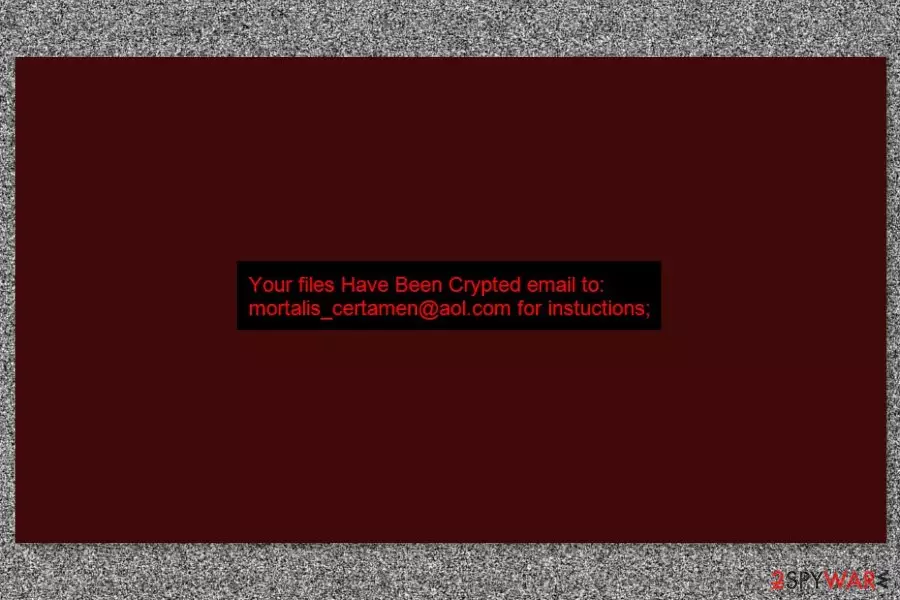
Crypt12 is written in .NET[2] programming language and is executed from the crypt12.exe file. Typically, ransomware attacks devices via RDP.[3] On the affected device it not only encrypts files but also replaces desktop's picture.
The new background image informs about encrypted data and provides the contact email message. In order to get back access to the files, victims have to send an email to mortalis_certamen@aol.com and wait for the data recovery instructions.
However, doing that is not recommended or needed. Users can restore files using free and safe decryption software. But before data recovery, you have to remove Crypt12 from the computer. While ransomware resides on the system, your files might be encrypted every time you turn on the computer.
Therefore, you should obtain reputable malware removal tool and go for automatic Crypt12 removal. We suggest completing this task with FortectIntego. The instructions how to install and run full system scan are provided at the end of the article.
New version of Crypt12 emerged on November
Cyber criminals released a new variant of Cryp12 at the end of autumn 2017. However, this variant also appends .crypt12 file extension to the targeted data and gives the same data recovery instructions. However, this time crooks leave another contact email address – hello@boomfile.ru or hernansec@protonmail.ch.
Malware is installed in PDB: C:\Projects\crypt12\crypt12\obj\Release\KristinaCS.pdb directory and ran from KristinaCS.exe. Due to the name of executable, this version of the virus is also known as Kristina ransomware virus.
However, this variant is also decryptable. Thus, you should remove Crypt12 from the computer and download free decryption software without hesitation.

Malware spreads via insecure RDPs
Malware is expected to spread and attack devices using Remote Desktop Protocol (RDP).[4] However, crooks might also take advantage of the most popular ransomware distribution method – malspam. Thus, you should be careful with suspicious or unexpected emails that show up in your inbox and do not open any content provided in them.
Crypt12 has been spotted affected several devices in the United States. However, it might continue spreading in European countries, including Norway,[5] Hungary, and the UK.
Crypt12 ransomware removal and data recovery.
Crypt12 removal is performed using reputable malware elimination software only. We recommend installing FortectIntego or SpyHunterCombo Cleaner and let one of these tools to wipe out malicious components from the system.If you cannot install or run security software, please check the instructions below. They will help to disable the virus and get rid of it.
Once you remove Crypt12, you can download the official decryption software from here. However, if some of the files are still corruted, you should check alternative recovery methods presented below.
Did this guide help?
Be the first to comment