

DotZeroCMD ransomware is a fake crypto-locker that does not encrypt users’ files
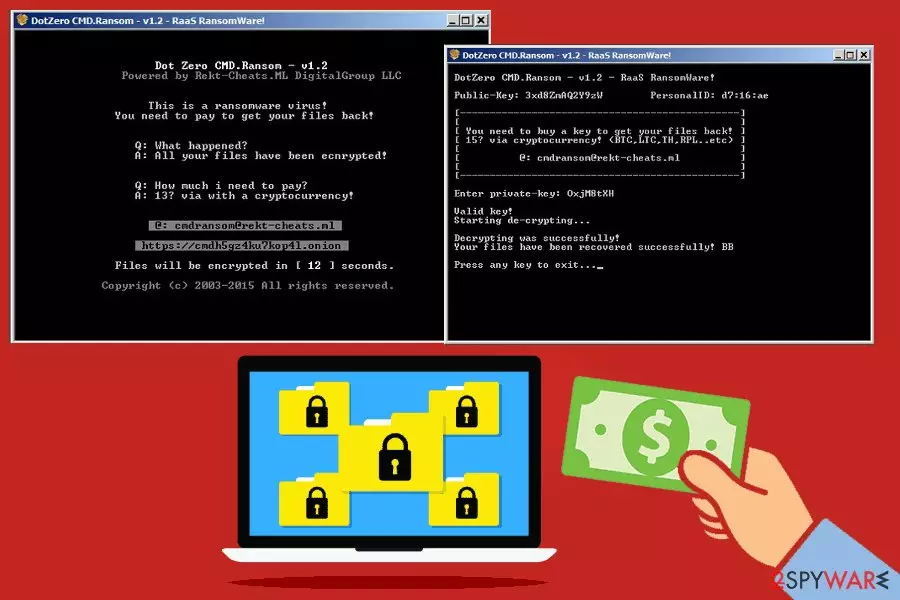
DotZeroCMD ransomware is a bogus virus which does not lock up victims’ files. Security experts first detected it in late April 2018. The scareware[1] targets Windows x64 based systems and works as RaaS.[2] After infiltration, it runs the program called DotZeroCMD.Ransom-v1.2 which simulates file encrypting procedure.
| SUMMARY | |
| Name | DotZeroCMD ransowmare |
|---|---|
| Type | Ransomware, scareware |
| Ransom demanded | Unknown |
| First discovered | Late April 2018 |
| Contact email | mdransom@rekt-cheats.ml |
| Removal | Download and install FortectIntego or MalwarebytesMalwarebytes |
As soon as DotZeroCMD virus completes the alleged file encryption, it demands a ransom to be paid for their release. The payment can be processed in any cryptocurrency, including Bitcoin, Litecoin, Monero or others. Hackers then ask for victims to contact them via cmdransom@rekt-cheats.ml with their personal ID so that the decryption key could be sent back.
However, this ransomware is bogus, and it does not encrypt your files. So, you don’t need to pay ransom as your data is perfectly fine. However, you should not forget DotZeroCMD ransomware removal as the infection threatens your computer safety.
Ransomware viruses typically infiltrate users’ machines without them realizing – via contaminated file attachments or fake installers. Typically, these cyber threats are capable of encrypting all sort of personal files, such as .pdf, .avi, .jpg, .doc, .txt, .mov, .html and many others.
Such files are not damaged in any way but only locked up with a complicated encryption algorithm. To get the control of files back, users have to get a decryption key that is stored on a remote server and can be given once cybercrooks receive the payment.
However, as we already mentioned, the encryption is fake and only stimulates the procedure. It is one of the dirty tricks that cybercriminals can use to extort money out of innocent users.
To make the virus more believable, DotZeroCMD authors use a yellow screen with a skull on their crypto-locker that is copied from GoldenEye ransomware. After finishing the alleged file encryption procedure, the virus asks users to pay up for their files.
Some victims might be not familiar with the ransomware processes and hurry to pay hackers. However, as the virus is fake, there is no need for that. Even if DotZeroCMD ransomware was a real threat, giving cybercrooks money is not a good idea. They are known to ignore victims, even after ransom is paid.
Thus, merely remove DotZeroCMD ransomware using a robust security program like FortectIntego or MalwarebytesMalwarebytes. Even if the virus does not encrypt your files, it does not mean that it is not a severe infection. It might allow cybercrooks to steal your personal information, such as credentials and use it for dubious goals, such as money or identity theft.

Avoid ransomware viruses by being careful online
Ransomware is a dangerous infection of a computer and should not be threats lightly. Usually, people have the impression that it can not happen to them. Unfortunately, if being careless online, users can encounter cyber infections quite easily.
Thus, security experts[3] urge users to be cautious online:
- Spam emails should not be opened. This is the most prominent ransomware distribution method as some phishing emails are written exceptionally well. Nevertheless, users need to learn to recognize the signs of a fake email.
- Websites of dubious content should be avoided. Dangerous viruses are often implanted into repacked or illegal software installers. Additionally, pirated software is a crime – it can lead to trouble with the law;
- Software and its updates should only be downloaded from trusted sources. Fake updates and redirects might lead users to virus installation;
- Software and OS updates should be installed as soon as they are available as developers release patches to fix vulnerabilities that hackers might exploit;
- Reputable security software should be installed and kept up to date.
Uninstall bogus DotZeroCMD ransomware
People might think that, because DotZeroCMD does not encrypt files, it is OK to keep the virus. We must warn you that it is not the case and DotZeroCMD ransomware removal should be performed as soon as possible. These type of viruses, even if fake, change your computer configuration and make it susceptible to other infections.
Therefore, download and install reputable anti-malware software and run a full system scan. Remember that you might have to boot up Windows in Safe Mode with Networking, and start security software from there to remove DotZeroCMD virus efficiently.
Did this guide help?
Be the first to comment